

Feedolin



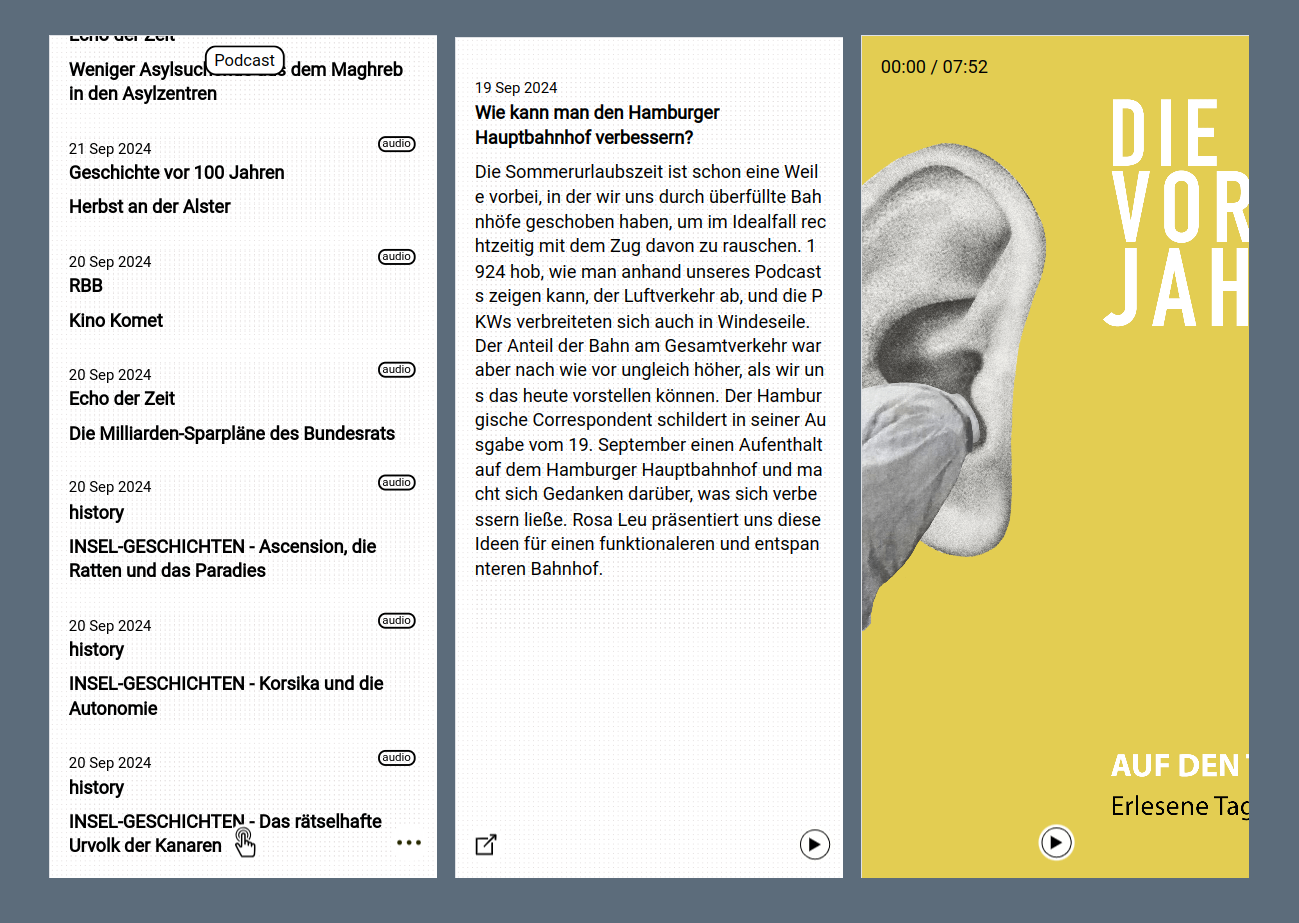
Feedolin is an RSS / Atom reader and podcast player. It is intended for users who already use an rss reader client and want to read their feeds on a KaiOS device. the list of subscribed websites / podcasts is managed locally or online in an opml.
NEW
Now it is also possible to load mastodon content, in the settings of the app you will find a login button with which you can log in with your mastodon account.
RSS/Atom/Fediverse reader and Mediaplayer for KaiOS
- read you favorit rss/atom feeds
- stream your podcasts
- read mastodon publice & home timeline
- read pixelfed publice & home timeline
- open rss feedlink
- offline use (caching)
Installation
You have to save the list of urls in a .opml file as in the example. In the settings you can set where the app should get this file from. It can be stored locally or online on a server.
if you want to show mastodon public timelines you have to set the type="mastodon" in the link list
For example:
<outline type="mastodon" text="mastodon.social" title="mastodon.social" xmlUrl="https://mastodon.social/api/v1/timelines/public" htmlUrl=""/>
https://raw.githubusercontent.com/strukturart/rss-reader/master/example.opml
`
    <outline text="Podcast" title="Podcast">
        <outline type="rss" text="breitengrad" title="breitengrad" xmlUrl="https://feeds.br.de/breitengrad/feed.xml" htmlUrl=""/>
        <outline type="rss" text="bbc news" title="bbc news" xmlUrl="https://podcasts.files.bbci.co.uk/b006qjxt.rss" htmlUrl=""/>
        <outline maxEpisodes="8" type="rss" text="Lanz und Precht" title="Lanz und Precht" xmlUrl="https://lanz-precht.podigee.io/feed/mp3" htmlUrl=""/>
    </outline>

      <outline text="Mastodon" title="Mastodon">
        <outline type="mastodon" text="mastodon.social" title="mastodon.social" xmlUrl="https://mastodon.social/api/v1/timelines/public" htmlUrl=""/>
    </outline>

     <outline text="Pixelfed" title="Pixelfed">
        <outline type="pixelfed" text="pixelfed.social" title="pixelfed.social" xmlUrl="https://pixelfed.social/api/v1/timelines/public" htmlUrl=""/>
    </outline>

    <outline text="Coding" title="Coding">
        <outline type="rss" text="bHackers Blog" title="bHackers Blog" xmlUrl="https://blog.bananahackers.net/read/feed/" htmlUrl=""/>
        <outline type="rss" text="kaios.dev" title="kaios.dev" xmlUrl="https://kaios.dev/index.xml" htmlUrl=""/>
        <outline type="rss" text="chickenkiller" title="chickenkiller" xmlUrl="https://far.chickenkiller.com/index.xml" htmlUrl=""/>
    </outline>
`


<br>
- 5 feeds will be loaded per source, if you want more you can set it with this attribute: maxEpisodes="8"
- To divide the individual feeds into categories, you have to create nested outlines. In the app, you can then jump between the categories using the key: left/right or swipe
How to install
- KaiOS Store
- Sideloading step-by-step article by martinkaptein
You can download the latest version from the Releases page. The app is not auto-updating. To update it, you have to follow the same steps you took when installing it.
create your own
npm -i
to use another mastodon instance you need to save the necessary data in application/.env, don't forget to include it in your .gitignore.
https://docs.joinmastodon.org/methods/apps/
clientId=xx
clientSecret=xxx
redirect=https://xx
Mastodon
Originally I only wanted to write an rss reader for KaiOS, now I have decided to connect the fediverse as well. a mastodon login enables you to display the mastodon home timeline. in mastodon you have the option of subscribing to other sources/instances of fediverse, which will then also find their way to your feature phone.
How to use
- Enter to show full news
- Backspace to go back
- #-key volume
- *-key open audioplayer
- streaming audio seeking: cursor left/right
Tips
RSS-Feed from public Youtube/Soundcloud/Instagram/Twitter.....
- https://danielmiessler.com/blog/rss-feed-youtube-channel/
- http://tips.slaw.ca/2019/technology/rss-feed-for-a-youtube-channel-or-playlist/
- https://rss.app/rss-feed/create-instagram-rss-feed
Credits
- bananahackers community 💘
Donation
