
Golang SDK For Harness Feature Flags
Table of Contents
Intro
Requirements
Quickstart
Further Reading
Build Instructions
Intro
Use this README to get started with our Feature Flags (FF) SDK for Golang. This guide outlines the basics of getting started with the SDK and provides a full code sample for you to try out. This sample doesn’t include configuration options, for in depth steps and configuring the SDK, for example, disabling streaming or using our Relay Proxy, see the Golang SDK Reference.
For a sample FF Golang SDK project, see our test Golang project.
Requirements
- Starting with SDK version v0.1.21, Golang version 1.20 or later is required.
- Earlier versions of the SDK require Golang versions newer than 1.6 but older than 1.19.
- For installation details, please refer to Golang's official installation guide.
Quickstart
To follow along with our test code sample, make sure you’ve:
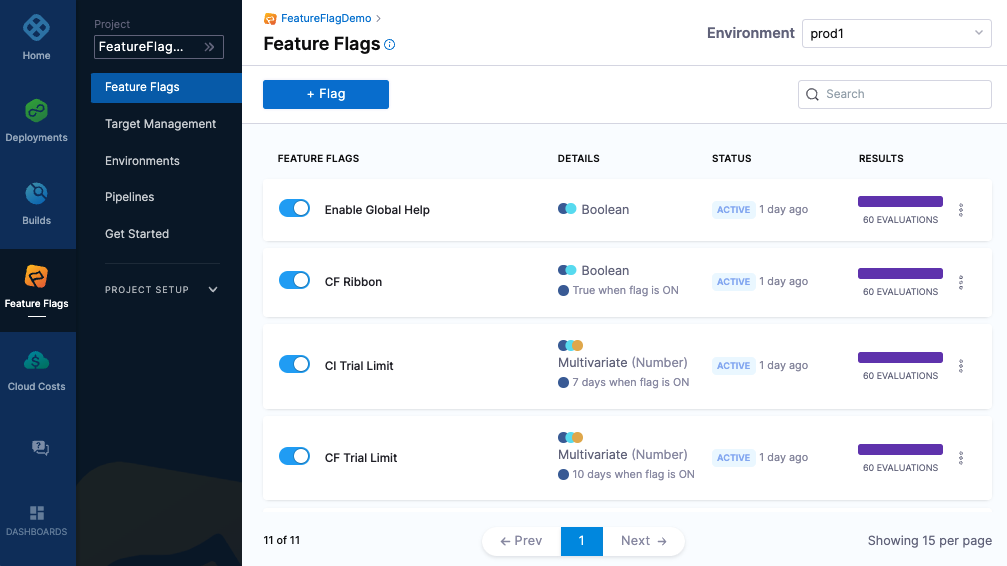
- Created a Feature Flag on the Harness Platform called harnessappdemodarkmode
- Created a server SDK key and made a copy of it
Install the SDK
Install the golang SDK using go
go get github.com/harness/ff-golang-server-sdk
Initialize the SDK
Non-blocking Initialization (Default)
By default, when initializing the Harness Feature Flags client, the initialization process is non-blocking. This means that the client creation call will return immediately, allowing your application to continue its startup process without waiting for the client to be fully initialized. Here’s an example of creating a non-blocking client:
client, err := harness.NewCfClient(apiKey)
In this scenario, the client will initialize in the background, making it possible to use the client even if it hasn’t finished initializing. Be mindful that if you attempt to evaluate a feature flag before the client has fully initialized, it will return the default value provided in the evaluation call.
Blocking Initialization
In some cases, you may want your application to wait for the client to finish initializing before continuing. To achieve this, you can use the WithWaitForInitialized option, which will block until the client is fully initialized. Example usage:
client, err := harness.NewCfClient(sdkKey, harness.WithWaitForInitialized(true))

if err != nil {
log.ErrorF("could not connect to FF servers %s", err)
}
In this example, WaitForInitialized will block for up to 5 authentication attempts. If the client is not initialized within 5 authentication attempts, it will return an error.
This can be useful if you need to unblock after a certain time. NOTE: if you evaluate a feature flag in this state the default variation will be returned.
// Try to authenticate only 5 times before returning a result
client, err := harness.NewCfClient(sdkKey, harness.WithWaitForInitialized(true), harness.WithMaxAuthRetries(5))

if err != nil {
log.Fatalf("client did not initialize in time: %s", err)
}
Code Sample
The following is a complete code example that you can use to test the harnessappdemodarkmode Flag you created on the Harness Platform. When you run the code it will:
- Connect to the FF service.
- Report the value of the Flag every 10 seconds until the connection is closed. Every time the harnessappdemodarkmode Flag is toggled on or off on the Harness Platform, the updated value is reported.
- Close the SDK.
package main

import (
	"log"
	"os"
	"time"

	harness "github.com/harness/ff-golang-server-sdk/client"
	"github.com/harness/ff-golang-server-sdk/evaluation"
)

var (
	flagName string = getEnvOrDefault("FF_FLAG_NAME", "harnessappdemodarkmode")
	apiKey   string = getEnvOrDefault("FF_API_KEY", "changeme")
)

func main() {
	log.Println("Harness SDK Getting Started")

	// Create a feature flag client
	client, err := harness.NewCfClient(apiKey)
	if err != nil {
		log.Fatalf("could not connect to CF servers %s\n", err)
	}
	defer func() { client.Close() }()

	// Create a target (different targets can get different results based on rules)
	target := evaluation.Target{
		Identifier: "golangsdk",
		Name:       "GolangSDK",
		Attributes: &map[string]interface{}{"location": "emea"},
	}

	// Loop forever reporting the state of the flag
	for {
		resultBool, err := client.BoolVariation(flagName, &target, false)
		if err != nil {
			log.Fatal("failed to get evaluation: ", err)
		}
		log.Printf("Flag variation %v\n", resultBool)
		time.Sleep(10 * time.Second)
	}

}

func getEnvOrDefault(key, defaultStr string) string {
	value := os.Getenv(key)
	if value == "" {
		return defaultStr
	}
	return value
}
Running the example
export FF_API_KEY=<your key here>
go run examples/getting_started.go
Running the example with Docker
If you dont have the right version of golang installed locally, or don't want to install the dependencies you can use docker to quick get started
export FF_API_KEY=<your key here>
docker run -e FF_API_KEY=$FF_API_KEY -v $(pwd):/app -w /app golang:1.17 go run examples/getting_started.go
Additional Reading
For further examples and config options, see the Golang SDK Reference.
For more information about Feature Flags, see our Feature Flags documentation.
Harness is a feature management platform that helps teams to build better software and to test features quicker.
Code Cleanup (Beta)
The go sdk supports automated code cleanup. For more info see the docs