
Hosted Export Figma plugin
Hosted Export allows you to copy hosted image URLs for any frame inside Figma.
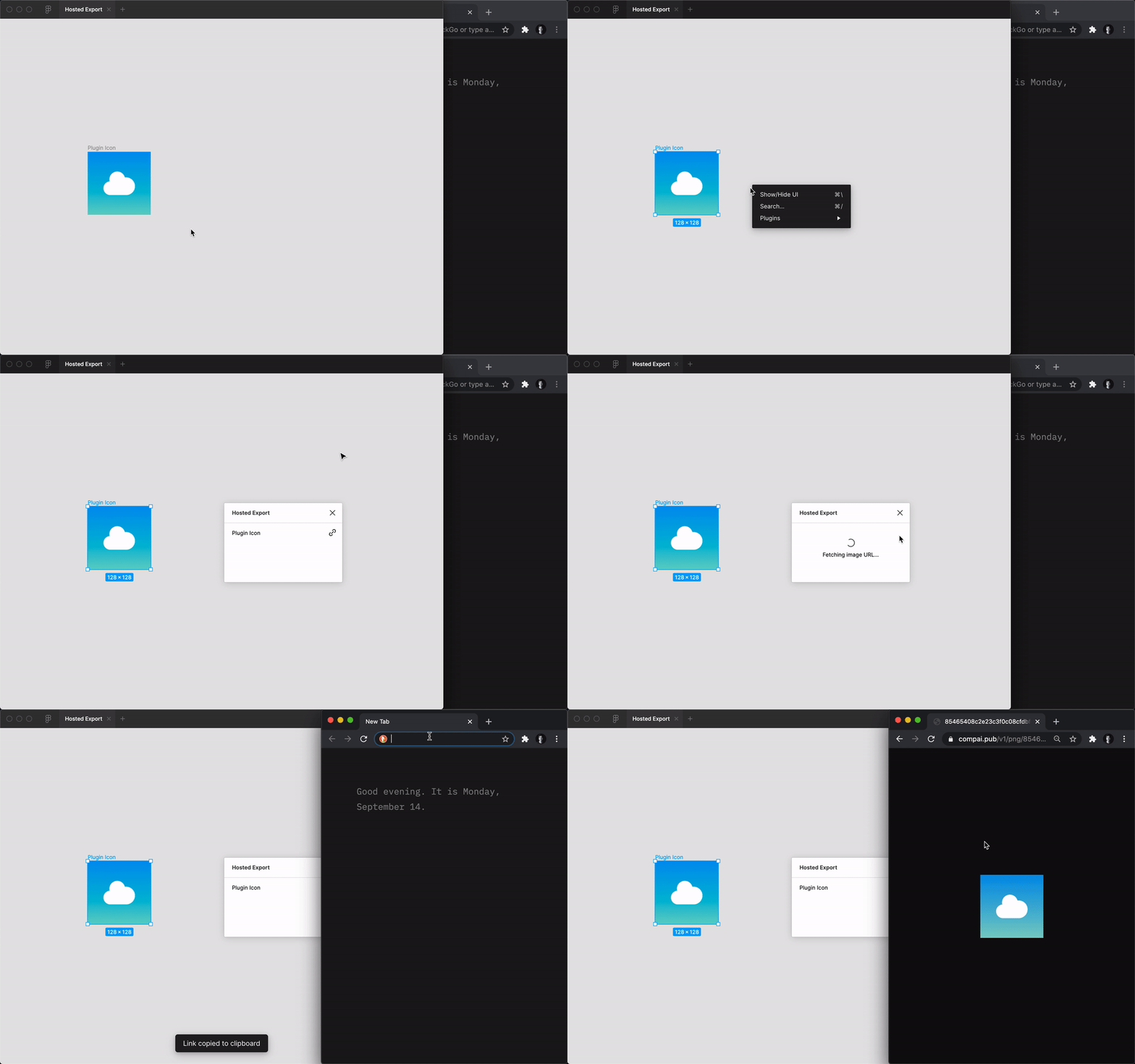 Powered by Component AI's JSX to PNG API.
Usage
- Select frame(s) to export
- Open "Hosted Export" plugin
- Click link icon to copy image URL to clipboard
- Paste anywhere you want!
Local development
-
Clone the repository
git clone https://github.com/colebemis/figma-hosted-export.git cd figma-hosted-export -
Install the dependencies
yarn -
Start the development server
yarn start -
Open the Figma desktop app
-
Go to
Account > Plugins > In Development > Create new plugin -
Choose
figma-hosted-export/manifest.json -
Run the plugin by going to
Menu > Plugins > Development > Hosted Export