
Firebase Cloud Messager
📥 Downloads
Download the latest pre-built desktop installers from the project's Releases page. Choose the package that matches your platform:
- macOS — Download macOS ZIP
- Windows — Download Windows ZIP
If installers are not available, build from source:
flutter build macosorflutter build windows.
A professional cross-platform Flutter application for testing Firebase Cloud Messaging (FCM) push notifications using the HTTP v1 API. Optimized for desktop platforms (macOS, Windows, Linux) with full support for device tokens and topic messaging.
Overview
Firebase Cloud Messager is a developer tool that replaces the deprecated Legacy FCM API with a modern HTTP v1 implementation. It provides an intuitive interface for developers to:
- Import and manage Firebase service accounts
- Compose and send FCM messages with full payload control
- Manage device tokens (address book)
- Send messages to topics for broadcast messaging
- Track message history and responses
- Debug with raw JSON request/response inspection
Features
🔐 Service Account Management
- Import Firebase
service-account.jsonvia drag & drop or file picker - Automatic OAuth 2.0 token generation using
googleapis_auth - Secure credential handling with validation
- Save and manage multiple service accounts locally
- Quick account switching capability
📱 Device Token Management (Address Book)
- Add, edit, and delete device tokens
- Organize tokens with custom device names
- Search and filter functionality
- Quick token selection when composing messages
- Platform identification for debugging
✉️ Message Composer (Device Token)
Notification Payload:
- Title, Body, and Image URL
- Full Material 3 UI with real-time preview
Data Payload:
- Dynamic key-value pairs for background message handling
- Add/remove fields on the fly
Platform-Specific Options:
- Android: Channel ID, Priority, Notification settings
- iOS: Badge number, Sound configuration
📢 Topic Messaging
- Send messages to multiple devices via topics
- Topic-based message composition
- Simplified payload configuration for topic broadcasts
- Topic history tracking and resend capability
📊 Message History
- Auto-save all sent messages (success and failures)
- Detailed view with full request/response
- Re-send or edit messages from history
- Filter by success/failure status
- Clear history functionality
🎨 Adaptive UI
- Desktop: Optimized split-view layout with sidebar navigation
- Full Material 3 support with adaptive theming
- Light and dark theme support
- Responsive design for different window sizes
- Professional UI components with proper spacing and typography
Developer Features:
- Raw JSON request/response preview
- Message ID and status code display
- Comprehensive error reporting
- OAuth 2.0 token inspection and debug info
📸 Screenshots
Here are some screenshots of the application in action.
Compose Message
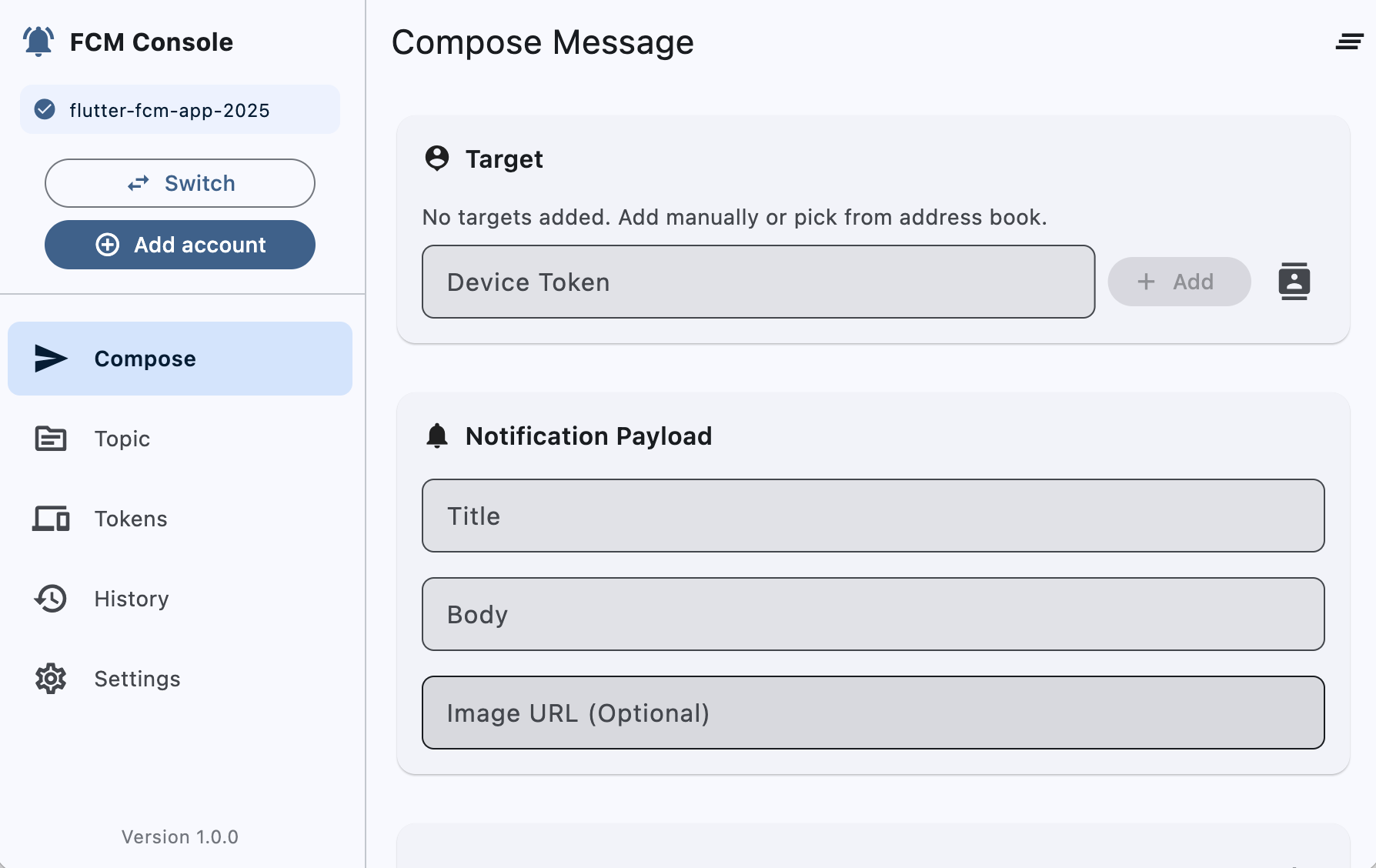 A view of the message composer where you can build Notification and Data payloads with a real-time preview.
Send to Topic
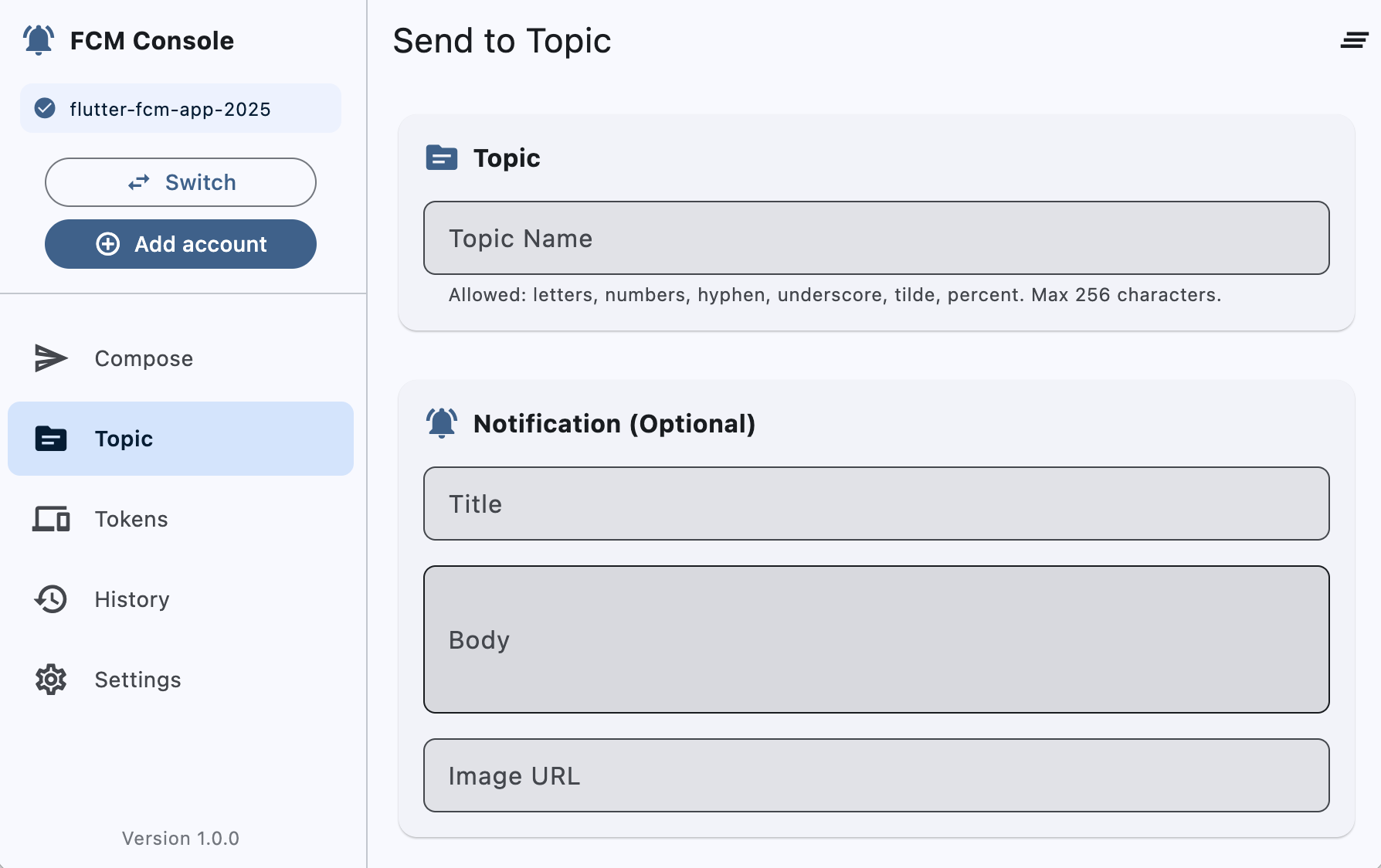 Send messages to topics with topic selector, targeting options, and advanced settings.
Device Tokens (Address Book)
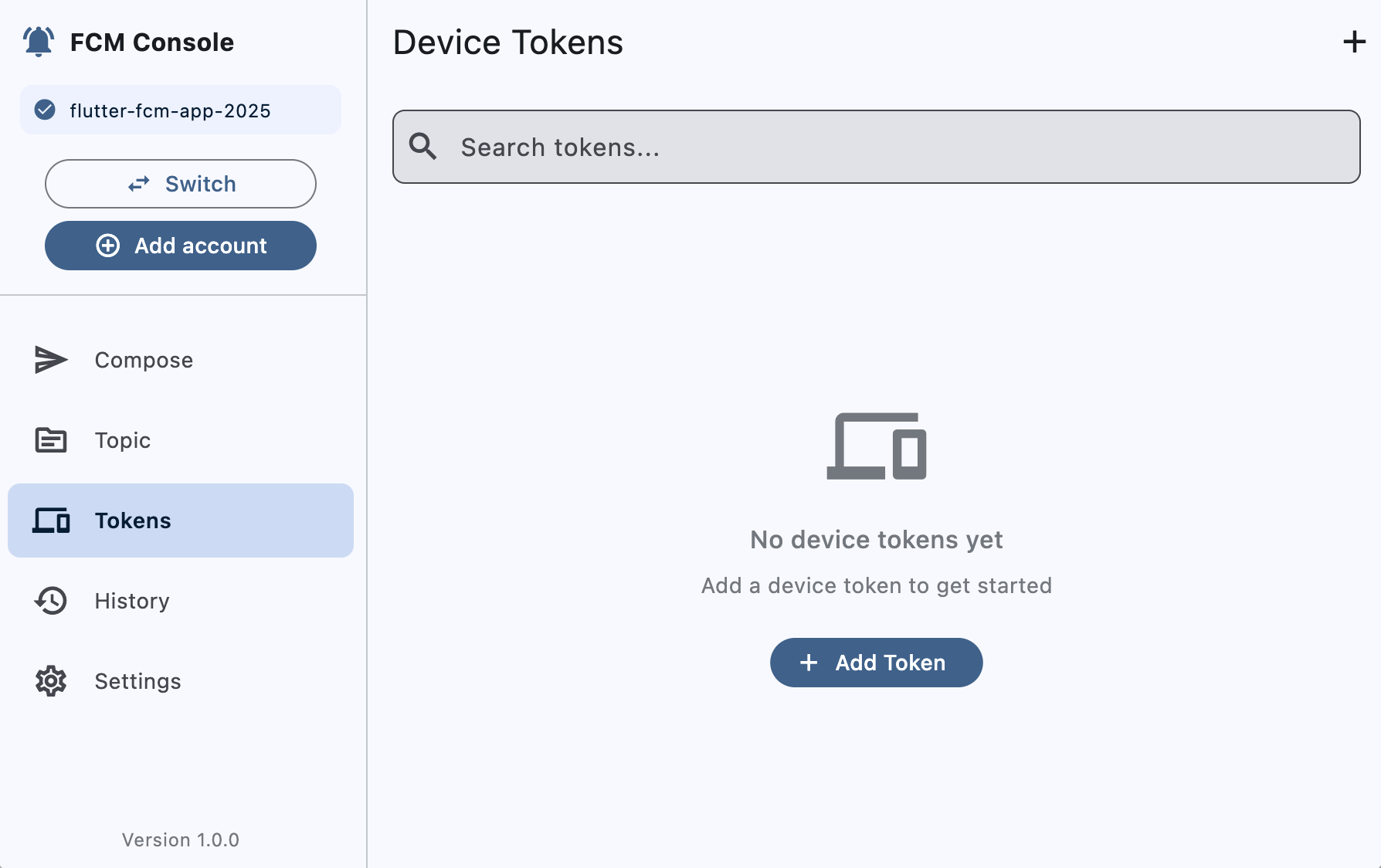 Manage your device tokens: add, edit, and quickly select tokens when composing messages.
Message History
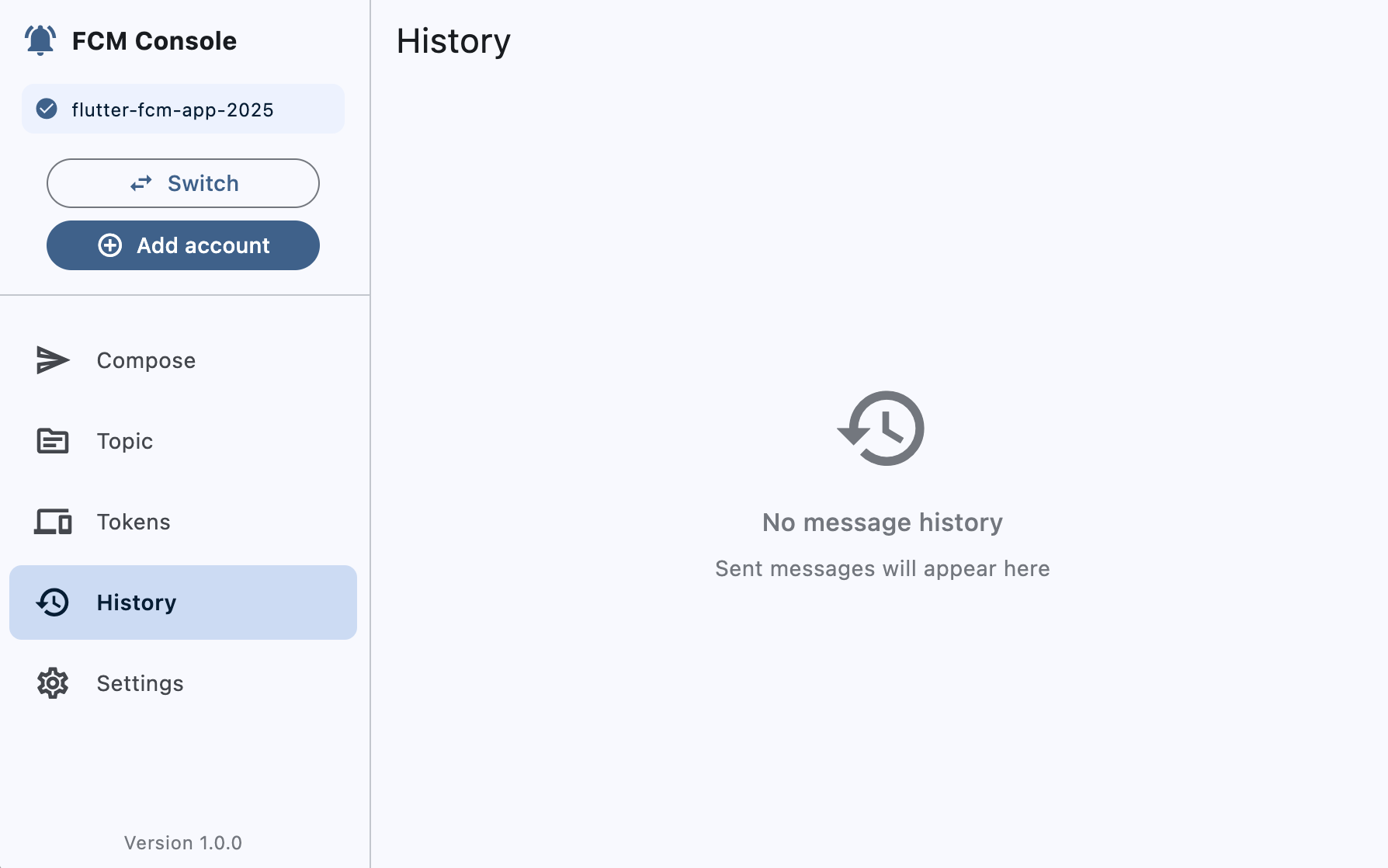 Inspect sent messages with status, message IDs, and full raw request/response payload for debugging.
Settings & Service Account
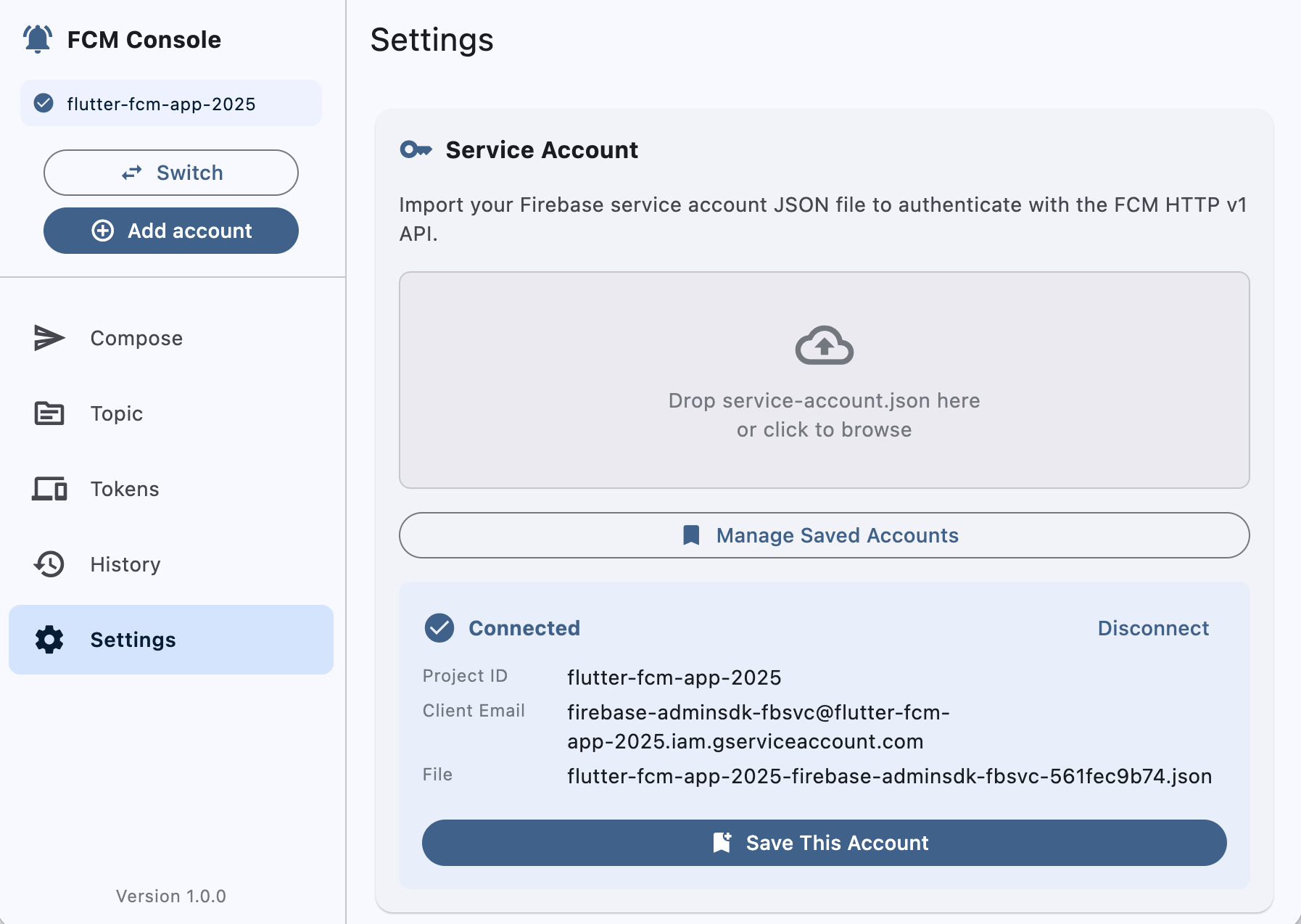 Import and manage
 service-account.json, view authentication status, and manage multiple accounts.
Tech Stack
| Category | Technology | Version |
|---|---|---|
| Framework | Flutter | 3.10.7+ |
| Dart | SDK | 3.10.7+ |
| State Management | flutter_riverpod | ^2.6.1 |
| Networking | dio | ^5.8.0+1 |
| Authentication | googleapis_auth | ^1.6.0 |
| Local Storage | hive, hive_flutter | ^2.2.3, ^1.1.0 |
| File Operations | file_picker, desktop_drop | ^10.1.6, ^0.5.0 |
| Window Management | window_manager | ^0.4.0 |
| Utilities | equatable, uuid, intl, path_provider | ^2.0.7, ^4.5.1, ^0.20.2, ^2.1.5 |
| UI | Material 3 | Built-in |
Project Structure
lib/
├── main.dart                          # App entry point & initialization
├── app.dart                           # Root app widget & theme configuration
├── core/
│   ├── constants/
│   │   ├── api_constants.dart         # FCM API endpoints & headers
│   │   └── app_constants.dart         # UI constants & app config
│   ├── errors/
│   │   └── exceptions.dart            # Custom exception classes
│   └── utils/
│       └── file_utils.dart            # File I/O utilities
├── data/
│   ├── models/                        # Data models & entities
│   │   ├── service_account.dart       # Firebase service account from JSON
│   │   ├── saved_service_account.dart # Persisted account metadata
│   │   ├── fcm_message.dart           # Device message payload structure
│   │   ├── fcm_topic.dart             # Topic message payload structure
│   │   ├── device_token.dart          # Device token with metadata
│   │   └── message_history.dart       # Message send history entry
│   └── services/                      # Repository & business logic
│       ├── fcm_auth_service.dart      # OAuth 2.0 token management
│       ├── fcm_message_service.dart   # HTTP v1 API messaging
│       ├── device_tokens_repository.dart
│       ├── service_account_repository.dart
│       ├── history_repository.dart
│       └── topics_repository.dart
└── presentation/
    ├── providers/                     # Riverpod state providers
    │   ├── auth_provider.dart
    │   ├── app_startup_provider.dart
    │   ├── current_account_provider.dart
    │   ├── device_tokens_provider.dart
    │   ├── fcm_provider.dart
    │   ├── saved_accounts_provider.dart
    │   ├── saved_history_provider.dart
    │   ├── saved_topics_provider.dart
    │   └── topic_message_provider.dart
    ├── screens/                       # UI screens
    │   ├── home_screen.dart
    │   ├── compose_screen.dart        # Device token messaging UI
    │   ├── topic_compose_screen.dart  # Topic messaging UI
    │   ├── history_screen.dart
    │   ├── tokens_screen.dart
    │   ├── settings_screen.dart
    │   └── saved_accounts_dialog.dart
    └── widgets/
        └── account_quick_actions.dart
Getting Started
Prerequisites
- Flutter SDK: 3.10.7 or higher
- Dart SDK: 3.10.7 or higher (included with Flutter)
- Firebase project with service account credentials
- Desktop development environment (macOS, Windows, or Linux)
Installation
-
Clone the repository:
# HTTPS git clone https://github.com/az-coder-123/firebase-cloud-messenger.git # OR (SSH) git clone [email protected]:az-coder-123/firebase-cloud-messenger.git cd firebase-cloud-messenger -
Install dependencies:
flutter pub get -
Get Flutter devices:
flutter devices -
Run the application:
# macOS (recommended)
flutter run -d macos

# Windows
flutter run -d windows

# Linux
flutter run -d linux
Getting Your Service Account
- Go to Firebase Console
- Select your project
- Navigate to Project Settings > Service Accounts
- Click Generate New Private Key
- Save the JSON file
- Import the file using the Settings screen in the app
Usage
1. Configure Service Account
- Open Settings tab
- Click the drop zone or browse to select your
service-account.json - The app will validate the credentials and extract project information
- Optionally save the account for future sessions
2. Manage Device Tokens (Address Book)
- Navigate to Tokens tab
- Click Add to register a new device token
- Enter a device name for identification
- Paste the FCM registration token
- Save the device for quick access
3. Send Message to Device Token
- Go to Compose tab
- Select a device token from your saved list (Address Book)
- Configure notification payload:
- Title and body text
- Image URL (optional)
- Add custom data key-value pairs (optional)
- Set platform-specific options if needed
- Click Send Message
- View real-time response with message ID and status
4. Send Message to Topic
- Go to Topic tab
- Enter a topic name
- Configure notification and data payloads
- Click Send to Topic
- Messages will be delivered to all devices subscribed to the topic
5. View Message History
- Check History tab for all sent messages (devices and topics)
- Click on any message to view full details including:
- Request JSON payload sent to FCM API
- Response from Firebase (message ID, error details)
- Timestamp and status
- Use history for debugging and re-sending messages
Architecture
Service Layer (Data)
The application uses clean architecture with clear separation of concerns:
Core Services:
-
FcmAuthService: Handles OAuth 2.0 authentication using
googleapis_auth- Loads service account credentials from JSON
- Generates short-lived access tokens (1 hour)
- Automatic token caching and refresh
- Credential validation and error handling
-
FcmMessageService: Manages FCM HTTP v1 API interactions
- Constructs proper FCM message payloads for devices and topics
- Sends messages via HTTPS to Firebase API
- Handles errors with detailed error reporting
- Parses and caches responses
Repository Pattern:
- ServiceAccountRepository: Manages service account persistence in Hive
- DeviceTokensRepository: CRUD operations for device tokens
- HistoryRepository: Stores and retrieves message send history
- TopicsRepository: Manages topic subscriptions and history
State Management (Presentation)
Riverpod providers manage application state with reactive updates:
authProvider- Service account authentication and token managementcurrentAccountProvider- Currently selected service accountdeviceTokensProvider- Device tokens list with filteringsavedTopicsProvider- Saved topics for quick accessfcmProvider- FCM message sending state and historytopicMessageProvider- Topic-based messaging statesavedAccountsProvider- Persisted service accountsappStartupProvider- App initialization and startup logic
Data Models
Equatable-based immutable models ensure type safety and equality:
ServiceAccount- Firebase service account credentials from JSONSavedServiceAccount- Persisted account metadata with display infoFcmMessage- Complete device message payload structureFcmTopic- Topic message payload and metadataDeviceToken- Device token with platform and display nameMessageHistory- Message send history entry with request/response
Supported Platforms
| Platform | Status | Notes |
|---|---|---|
| macOS | ✅ Fully Supported | Optimized desktop experience, native window management |
| Windows | ✅ Fully Supported | Full desktop feature parity with macOS |
| Linux | ✅ Fully Supported | GTK integration, native window management |
| iOS | ⚠️ Partial* | UI functional but FCM testing limited without Firebase setup |
| Android | ⚠️ Partial* | UI functional but FCM testing limited without Firebase setup |
| Web | ❌ Not Recommended | Requires backend CORS proxy for OAuth 2.0, not intended for web |
*Mobile builds are possible but the application is designed and optimized for desktop platforms. Desktop platforms are the primary target for FCM message testing and development.
FCM HTTP v1 API
This application uses the modern Firebase Cloud Messaging HTTP v1 API:
Endpoint: https://fcm.googleapis.com/v1/projects/{project_id}/messages:send
Authentication: OAuth 2.0 with service account credentials
Message Format:
{
  "message": {
    "token": "device_registration_token",
    "notification": {
      "title": "Hello",
      "body": "This is a notification",
      "image": "https://example.com/image.png"
    },
    "data": {
      "key1": "value1",
      "key2": "value2"
    },
    "android": { },
    "apns": { },
    "webpush": { }
  }
}
For detailed API documentation, see FCM REST API Reference
Development
Running Analysis
flutter analyze
Running Tests
flutter test
Building for Release
# macOS
flutter build macos

# Windows
flutter build windows

# Linux
flutter build linux
Code Quality
This project adheres to the guidelines defined in AGENTS.md:
✅ Clean Code Principles
- Clear, readable code with proper naming conventions
- Single Responsibility Principle applied throughout
- Minimal code duplication with proper abstraction
✅ Flutter & Dart Best Practices
- Latest Dart patterns and null safety
- Proper use of async/await patterns
- Efficient widget rebuilds with Riverpod
- Type-safe implementations throughout
✅ Stable Dependencies
- Only actively maintained packages
- No deprecated APIs or patterns
- Latest stable versions verified
✅ Analysis & Testing
flutter analyzepasses with no issues- Comprehensive error handling
- Widget tests included in test suite
Troubleshooting
Service Account Import Issues
- Ensure the JSON file is valid and from Firebase Console
- Check that the account has FCM permissions
- Verify the
private_keyis properly formatted (with\ncharacters)
macOS Entitlement Errors
-
File Picker: If you see an error mentioning
ENTITLEMENT_NOT_FOUNDwhen selecting a file on macOS, add the following entitlements to your macOS Runner entitlements (e.g.,macos/Runner/DebugProfile.entitlementsandmacos/Runner/Release.entitlements):<key>com.apple.security.files.user-selected.read-only</key> <true/> <key>com.apple.security.files.user-selected.read-write</key> <true/>After updating entitlements, rebuild the app. This grants permission for user-selected open/save dialogs in sandboxed macOS builds.
-
Network Connection: If you see errors like "Operation not permitted" or "Connection failed" when sending messages on macOS, the app is missing network entitlements. Add the following to the same entitlements files:
<key>com.apple.security.network.client</key>
<true/>
This entitlement is required for outbound HTTPS connections to Google's OAuth2 servers (
oauth2.googleapis.com:443). After updating entitlements, rebuild the app withflutter run -d macosorflutter build macos.
Message Send Failures
- Check network connectivity
- Verify the device token is valid and active
- Ensure the target device has the app installed
- Check the response JSON for detailed error messages
Token Refresh Issues
- Service account credentials may be revoked
- Re-import the service account file
- Check Firebase project quotas and limits
Contributing
Follow the guidelines in AGENTS.md for code contributions:
- Write clear, maintainable code
- Follow Single Responsibility Principle
- Use type-safe patterns
- Run
flutter analyzebefore committing - Keep comments in English and professional
License
This project is provided as-is for development and testing purposes.
Resources
- Firebase Cloud Messaging Documentation
- FCM HTTP v1 API Reference
- Flutter Documentation
- Riverpod Documentation
- googleapis_auth Package
Version: 1.0.0
Last Updated: January 2026
Flutter Version: 3.10.7+