
FnKey.app
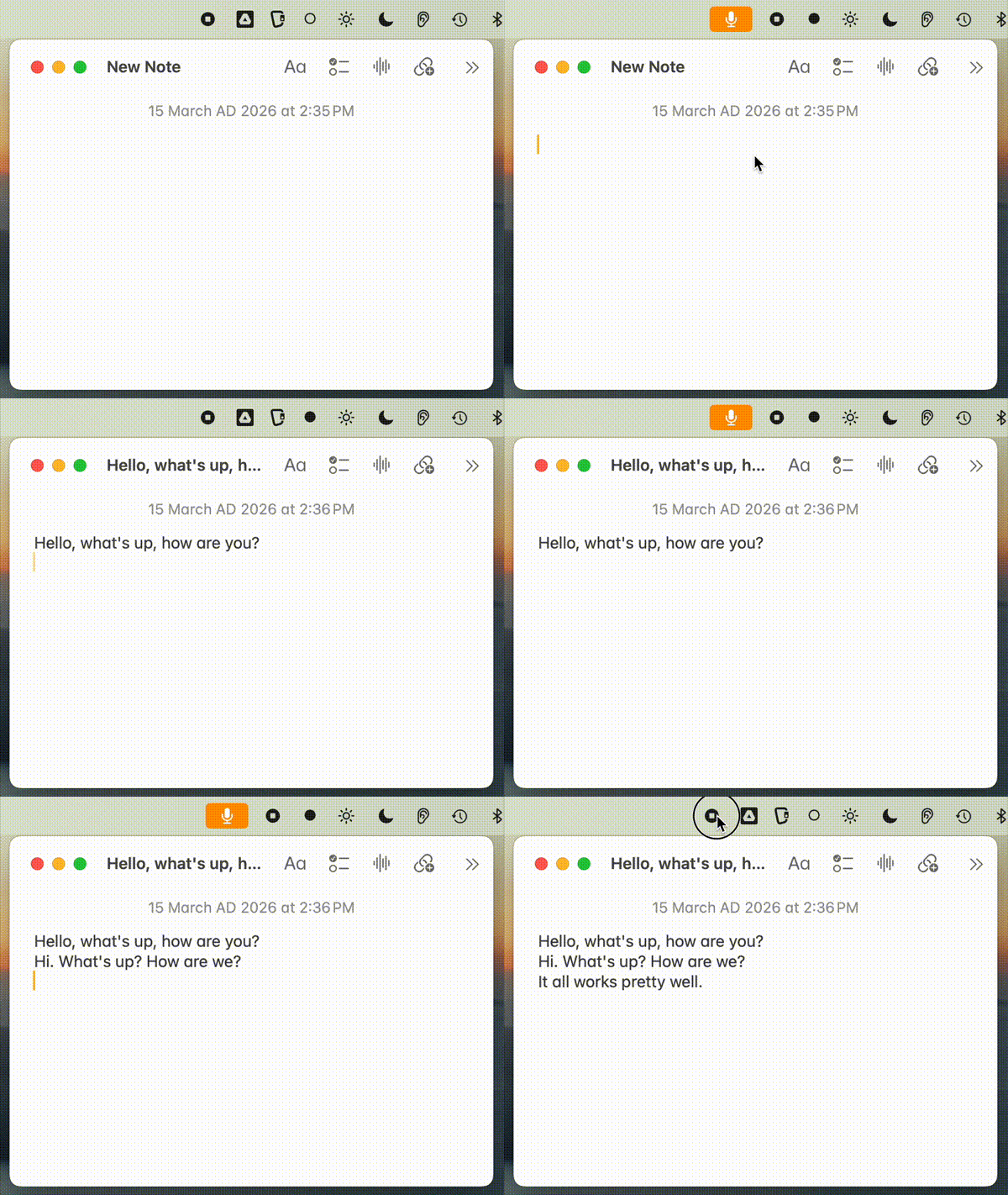
A tiny Rust menu bar app for macOS. Hold Fn, speak, paste. Microphone is only active while you hold the key — you'll see the yellow mic indicator in macOS as confirmation.
If you find FnKey useful, please star the repo — it helps others discover it.
Install
-
Download from Releases:
- Apple Silicon (M1/M2/M3):
FnKey-arm64.zip - Intel:
FnKey-x64.zip
- Apple Silicon (M1/M2/M3):
-
Unzip and move to Applications:
unzip FnKey-arm64.zip mv FnKey.app /Applications/ -
Set your API key(s):
mkdir -p ~/.config/fnkey

# Deepgram (streaming, recommended) — $200 free credit
echo 'your-deepgram-key' > ~/.config/fnkey/deepgram_key

# Groq (batch fallback if no Deepgram key)
echo 'your-groq-key' > ~/.config/fnkey/api_key
Get keys at console.deepgram.com and console.groq.com
-
Launch:
open /Applications/FnKey.app -
Grant permissions in System Settings → Privacy & Security:
Permission Purpose How to Grant Input Monitoring Detect Fn key press Add FnKey.app via + button Microphone Record voice Prompted on first use, or add manually Accessibility Auto-paste text Add FnKey.app via + button Build script preserves permissions across rebuilds when using
./build-app.sh.
Usage
- Hold Fn and speak → transcription
- Release to transcribe and paste
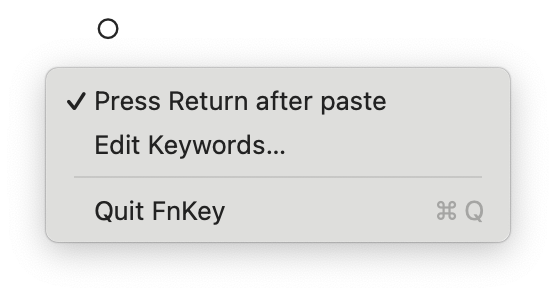
- Click menu bar icon (○) to toggle Press Return after paste (sends Return key after pasting)
- Click menu bar icon (○) → Edit Keywords… to add custom vocabulary (opens in default text editor)
- Click menu bar icon (○) → Quit to exit
The icon changes: ○ (idle) → ● (recording)
Transcription Backends
| Backend | Mode | Config file | How it works |
|---|---|---|---|
| Deepgram Nova-3 | Streaming | deepgram_key |
Audio streams via WebSocket while you speak. Fastest. |
| Groq Whisper | Batch | api_key |
Full clip sent after release. Fallback if no Deepgram key. |
If both keys are configured, Deepgram streaming is preferred.
Build from source
./build-app.sh
This builds and installs directly to /Applications/FnKey.app, preserving permissions across rebuilds.
Note: If cargo isn't found, run with login shell: /bin/bash -l -c './build-app.sh'
Features
- Real-time streaming - Audio streams to Deepgram as you speak (no waiting)
- Deepgram Nova-3 - Latest model with smart formatting and punctuation
- Groq fallback - Whisper large-v3 batch mode if Deepgram unavailable
- Audio enhancement - DC offset removal, high-pass filter, peak normalization (Groq mode)
- Auto sample rate - Uses device's native sample rate, resamples to 16kHz for Deepgram
- Non-blocking - WebSocket connects in background, never freezes the app
- Auto-return mode - Optional Return keypress after paste (toggle in menu bar)
Custom Keywords
Add words the transcription engine often gets wrong (proper nouns, technical terms):
# Edit via menu bar → "Edit Keywords…", or directly:
cat > ~/.config/fnkey/keywords << 'EOF'
# One term per line
Anthropic
Claude
cron job
Kubernetes
EOF
Keywords are sent as keyterm to Deepgram (Nova-3) and as prompt hints to Groq/Whisper. Reloaded each recording session.
TODO
- No-speech detection - Use
verbose_jsonresponse format and checkno_speech_probto skip silent recordings - Backend toggle - Menu bar option to switch between Deepgram and Groq
Notes
- Falls back to Option key if Fn not detected after 5s
Known Limitations
Slight recording delay: There's a brief moment when you start speaking before audio capture begins. This is a deliberate tradeoff — eliminating this delay would require the microphone to be always active, showing the yellow indicator constantly. The current design prioritizes privacy: the microphone only activates when you press the Fn key.