


Enatega Multi Vendor Delivery Management System
A modern and customizable platform for managing online ordering and logistics across industries.











The Enatega Multi Vendor Delivery Management System is designed for businesses looking to deploy a complete, ready-to-use platform for running their online ordering and delivery operations. Whether it is food or grocery delivery, parcel logistics, home services, flowers, pharmacy orders, or other delivery-based businesses, Enatega can be adapted to your needs. Built with ease of use and intuitiveness in mind, the Enatega system supports multiple vendors and multiple service regions. With separate applications for customers, vendors and delivery agents, along with a powerful admin dashboard, Enatega enables you to launch and operate your own end-to-end ordering and delivery ecosystem without building everything from scratch.
The solution is fully open source, but the backend and API are proprietary and can be licensed as part of a paid package.
:fast_forward: Quick Links
- :book: What is included
- :rocket: Features
- :wrench: Setup
- :gear: Prerequisites
- :computer: Technologies
- :camera: Screenshots
- :triangular_ruler: High Level Architecture
- :page_with_curl: Documentation
- :movie_camera: Demo Videos
- :video_game: Demos
- :busts_in_silhouette: Contributors
- :warning: Disclaimer
- :email: Contact Us
- :computer: Project Setup Guide
:question: What is included:
Enatega provides a complete set of software components, including:
- Enatega Multi Vendor Customer App
- Enatega Multi Vendor Rider/Driver App
- Enatega Multi Vendor Vendor/Store App
- Customer Ordering Website
- Admin Web Dashboard
- API Server
- Analytics Dashboard using Expo Amplitude
- Error monitoring and reporting with Sentry
:fire: Features:
- Authentication using Google, Apple, and Facebook
- Dynamic home sections for highlighting top vendors and services
- Push notifications and email alerts for account creation, order updates, and delivery progress
- Real-time tracking of delivery agents and in-app chat
- Email and phone number verification
- Location-based vendor discovery on Maps and Home Screen
- Multi-language support and customizable themes
- Ratings and reviews for orders and service experiences
- Vendor/service details including ratings, schedules, delivery timelines, offerings, location, minimum order or service amount, and more
- Payment integrations including PayPal and Stripe
- Order and booking history with the ability to favorite vendors
- Address management with Google Places suggestions and Maps integration
- Analytics and error reporting with Amplitude and Sentry
- Support for item/service variations, notes, pickup and delivery modes, and customizable timing options
:repeat_one: Setup:
As we've mentioned above, the solution includes five separate modules. To setup these modules, follow the steps below:
To run the module, you need to have nodejs installed on your machine. Once nodejs is installed, go to the directory and enter the following commands
The required credentials and keys have been set already. You can setup your own keys and credentials
The version of nodejs should be between 18 to 20 (with 16 as minor version and 0 as patch)

:information_source: Prerequisites:
App Ids for Mobile App in app.json
- Facebook Scheme
- Facebook App Id
- Facebook Display Name
- iOS Client Id Google
- Android Id Google
- Amplitude Api Key
- server url
Set credentials in API in file helpers/config.js and helpers/credentials.js
- Email User Name
- Password For Email
- Mongo User
- Mongo Password
- Mongo DB Name
- Reset Password Link
- Admin User name
- Admin Password
- User Id
- Name
Set credentials in Admin Dashboard in file src/index.js
- Firebase Api Key
- Auth Domain
- Database Url
- Project Id
- Storage Buck
- Messaging Sender Id
- App Id
NOTE: Email provider has been only been tested for gmail accounts
:hammer_and_wrench: Technologies:
| Expo | React-Navigation | Apollo GraphQL | ReactJS | NodeJS | MongoDB | Firebase |
|---|---|---|---|---|---|---|
 |
 |
 |
 |
 |
 |
 |
| React Native | React Router | GraphQL | ExpressJS | React Strap | Amplitude |
|---|---|---|---|---|---|
 |
 |
 |
 |
 |
 |
:framed_picture: Screenshots:
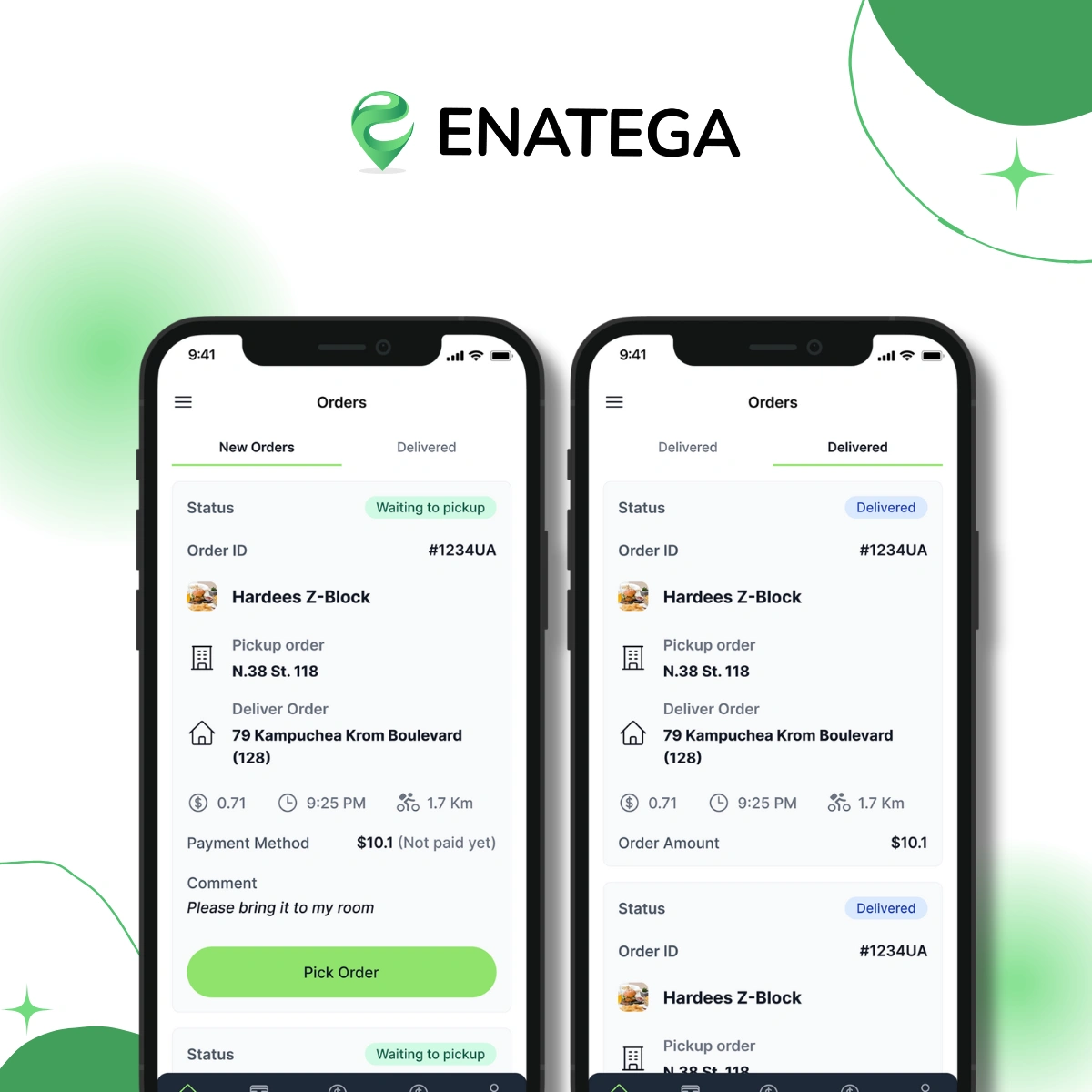
| Rider App |
|---|
 |
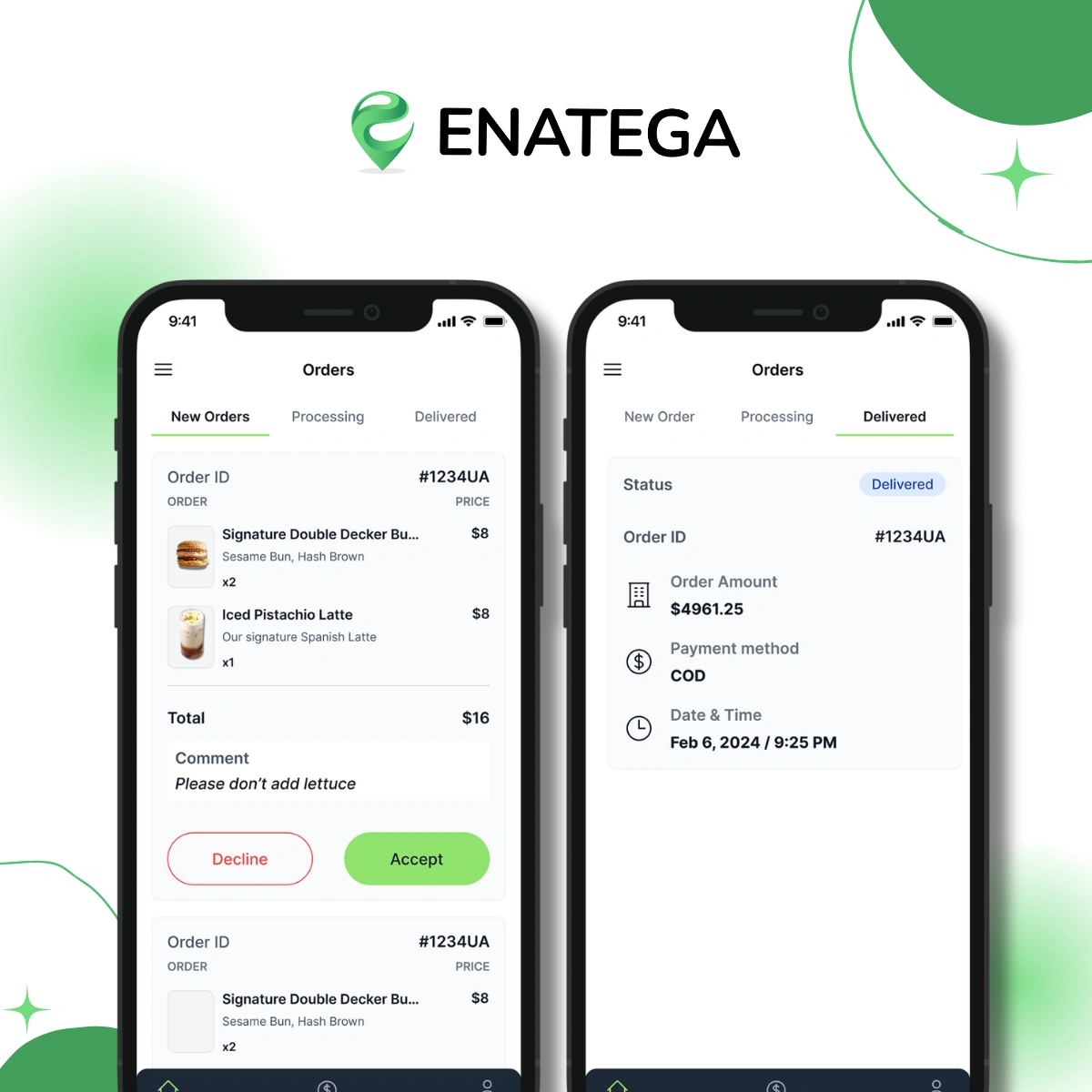
| Store APP |
|---|
 |
| Customer App |
|---|
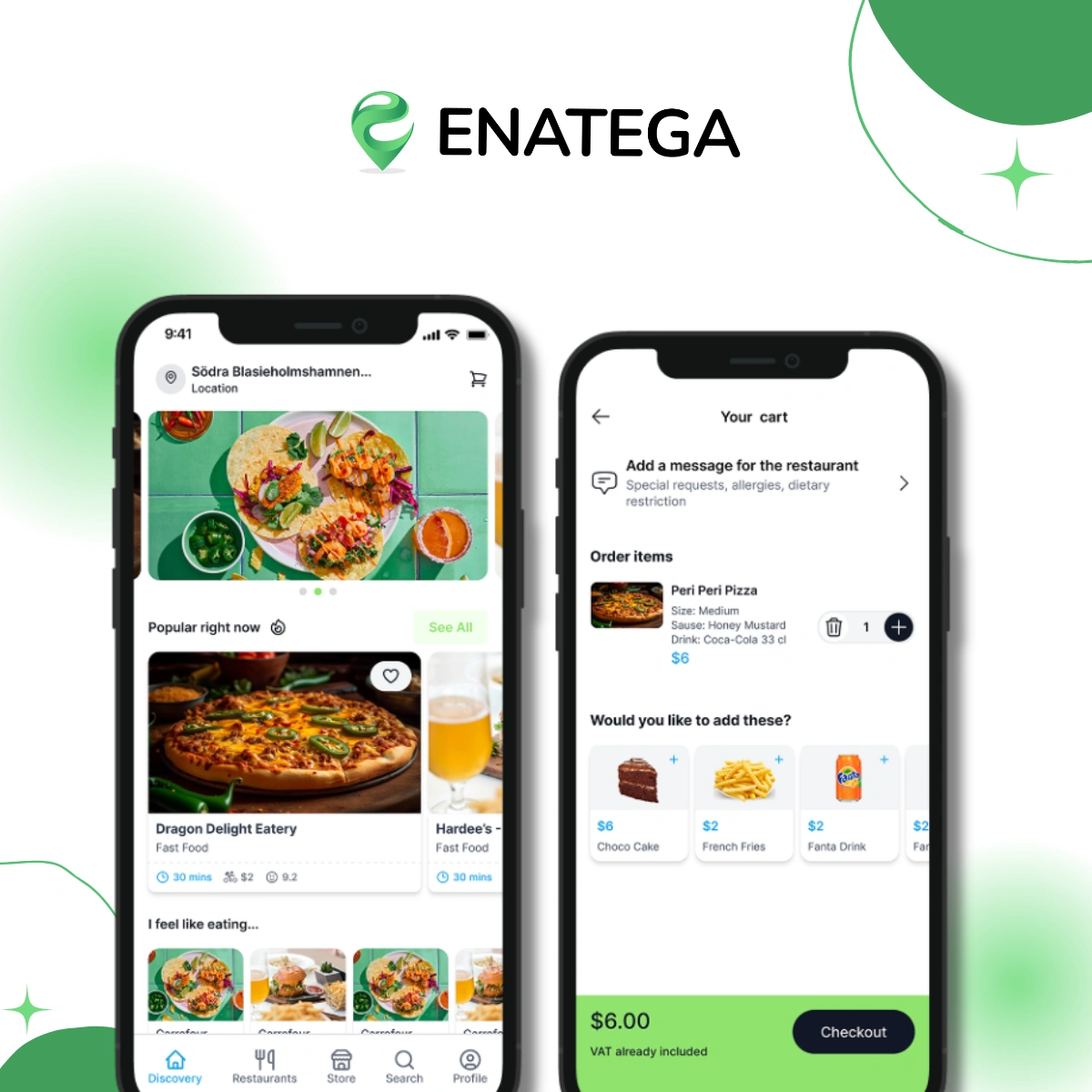 |
| Customer Web |
|---|
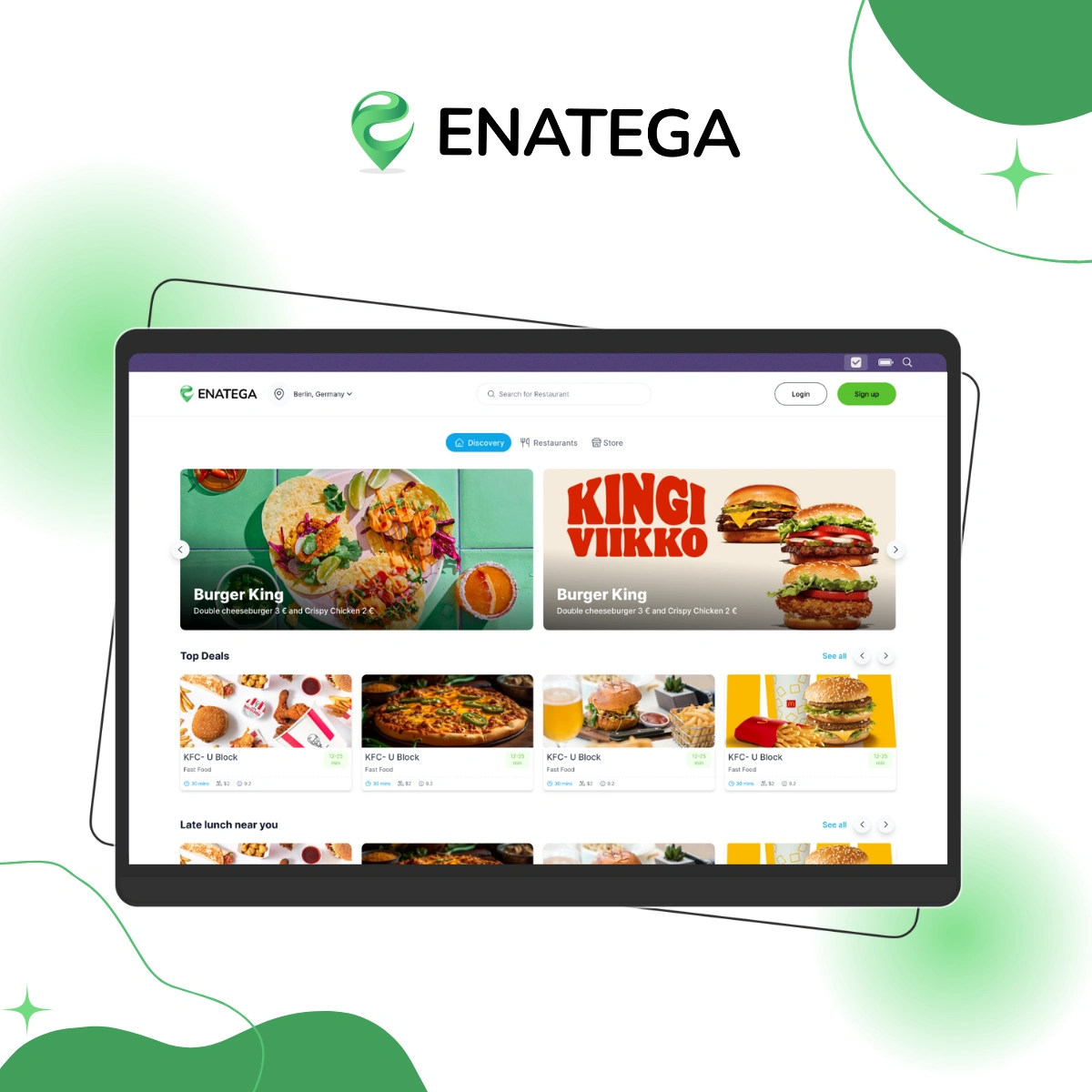 |
| Dashboard |
|---|
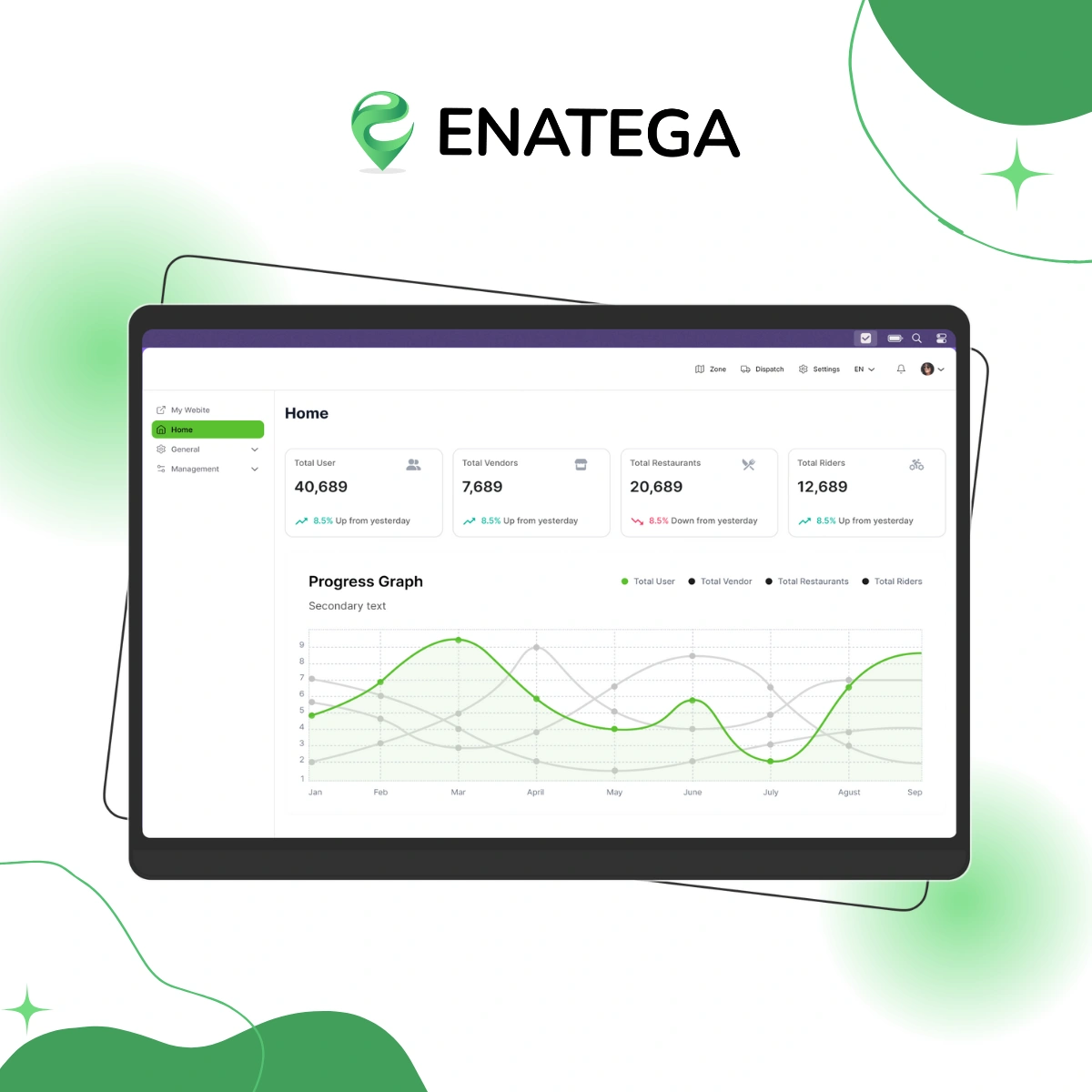 |
:wrench: High Level Architecture:
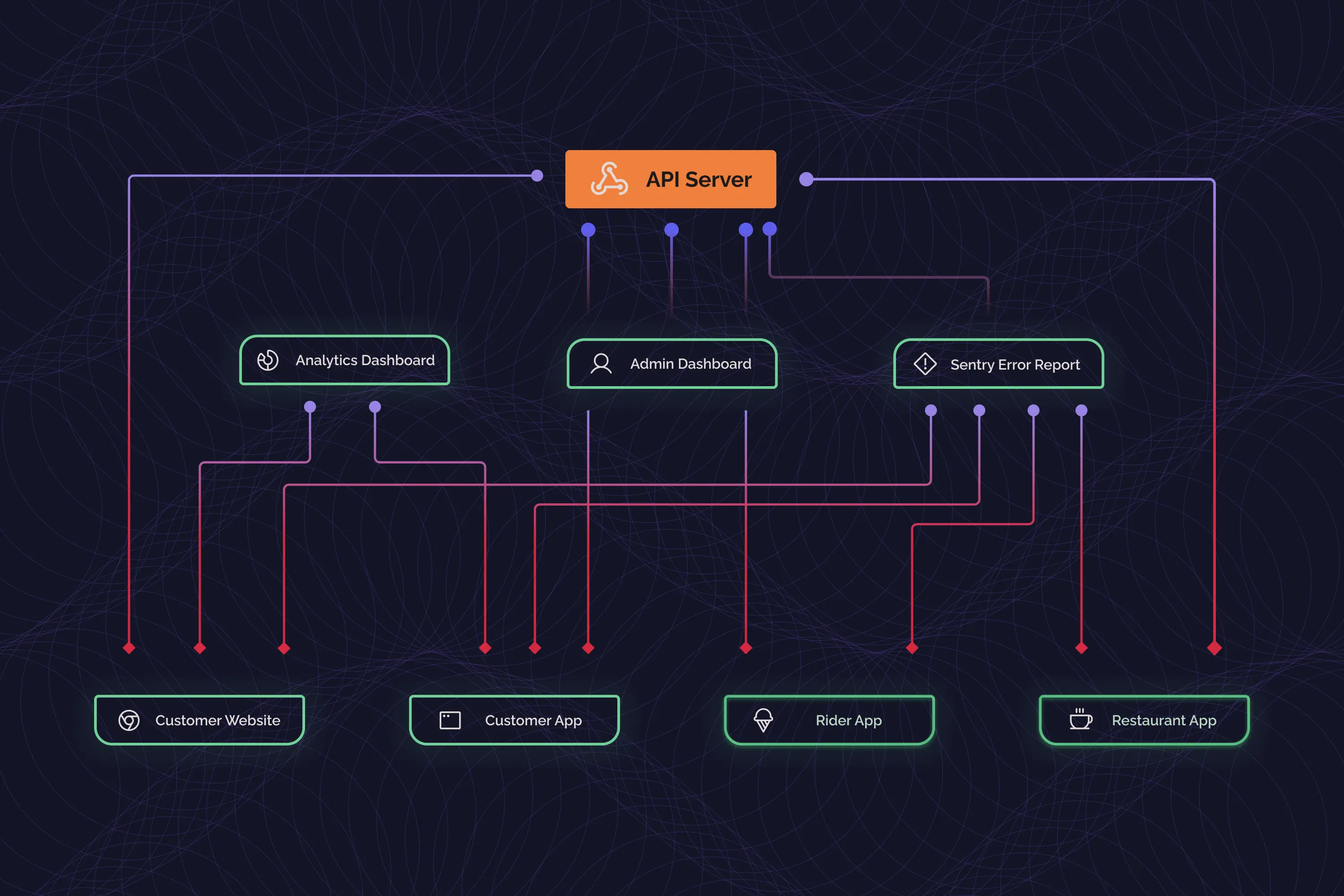
:book: Documentation
Find the link for the complete documentation of the Enatega Multi Vendor Solution here.
:tv: Demo Videos:
| Admin Dashboard Demo | Mobile App Demo |
|---|---|
 |
|
:iphone: Demos:
| Customer App | Rider App | Store App | Customer Web | Admin Dashboard |
|---|---|---|---|---|
 |
 |
 |
|
|
  |
|
|
:people_holding_hands: Contributors:
:warning: Disclaimer:
The frontend source code for our solution is completely open source. However, the API and backend is proprietary and can be accessed via a paid license. For further information, contact us on the channels provided below.
:mailbox_with_mail: Contact Us:
Check out the Product Page and Pricing and more for Enatega Multivendor Food Delivery Solution
:computer: Project Setup Guide
This section provides detailed instructions for setting up and running each component of the Enatega Multi-vendor Food Delivery Solution.
Enatega Admin Dashboard (Next.js)
The admin dashboard allows you to manage restaurants, orders, riders, and more.
# Navigate to the admin dashboard directory
cd enatega-multivendor-admin

# Install dependencies
npm install

# Start the development server
npm run dev
After running these commands, open your browser and navigate to http://localhost:3000 to access the admin dashboard. You can also CTRL+click on the localhost link that appears in your terminal.
Enatega Customer Web (React.js)
The customer web application allows users to browse restaurants and place orders through a web browser.
# Navigate to the customer web directory
cd enatega-multivendor-web

# Install dependencies
npm install

# Start the development server
npm start
After running these commands, the application will be available at http://localhost:3000 in your web browser.
Enatega Customer App (React Native)
The customer mobile application allows users to browse restaurants and place orders on their mobile devices.
# Navigate to the customer app directory
cd enatega-multivendor-app

# Install dependencies
npm install

# Start the Expo development server
npx expo start -c
# OR
npm start -c
Testing on a Physical Device with Expo Go
- Press
sin the terminal to switch to Expo Go mode - Scan the QR code displayed in the terminal:
- Android: Open the Expo Go app and scan the QR code
- iOS: Use the device's camera app to scan the QR code
Enatega Rider App (React Native)
The rider app allows delivery personnel to manage and complete deliveries.
# Navigate to the rider app directory
cd enatega-multivendor-rider

# Install dependencies
npm install

# Start the Expo development server
npx expo start -c
# OR
npm start -c
Testing on a Physical Device with Expo Go
- Press
sin the terminal to switch to Expo Go mode - Scan the QR code displayed in the terminal:
- Android: Open the Expo Go app and scan the QR code
- iOS: Use the device's camera app to scan the QR code
Enatega Restaurant App (React Native)
The restaurant app allows restaurant owners to manage orders and their menu.
# Navigate to the restaurant app directory
cd enatega-multivendor-restaurant

# Install dependencies
npm install

# Start the Expo development server
npx expo start -c
# OR
npm start -c
Testing on a Physical Device with Expo Go
- Press
sin the terminal to switch to Expo Go mode - Scan the QR code displayed in the terminal:
- Android: Open the Expo Go app and scan the QR code
- iOS: Use the device's camera app to scan the QR code
Building Development Versions
For all mobile apps (Customer, Rider, and Restaurant), you can create development builds using EAS Build.
Configure EAS Build
# From the app directory (customer, rider, or restaurant)
eas build:configure
Select your desired platform:
- android
- ios
- all
Build for Android
eas build --platform android --profile development
This will create an APK file that you can install directly on your Android device.
Build for iOS
eas build --platform ios --profile development
For iOS simulator builds, modify the eas.json file to include:
"development": {
  "developmentClient": true,
  "distribution": "internal",
  "channel": "development",
  "ios": {
    "simulator": true
  },
  "android": {
    "buildType": "apk"
  }
}
Then run:
eas build --platform ios --profile development