
FortyOne




A modern, open-source web platform for project management and collaboration. FortyOne provides a comprehensive suite of tools for teams to organize, track, and deliver projects efficiently.
A full-stack, open-source platform for project management and collaboration, with a Go API and multi-app web/mobile clients.
✨ Core Features
- 🎯 Project Management: Organize projects with objectives, key results, and milestones
- 📋 Task Tracking: Create, assign, and track tasks with rich text editing
- 👥 Team Collaboration: Real-time collaboration with team members
- 📊 Analytics: PostHog integration for user analytics and insights
- 🔐 Authentication: Secure authentication with NextAuth and Google OAuth (projects app)
- 📱 Cross-Platform: Web application with React Native mobile app
- 🎨 Modern UI: Built with Radix UI, Tailwind CSS, and Framer Motion
- ⚡ Performance: Optimized with Next.js 15 and React 19
- 🔍 Search: Built-in search functionality across all content
- 📚 Documentation: Comprehensive documentation site with Fumadocs
📸 Screenshots
Core Features
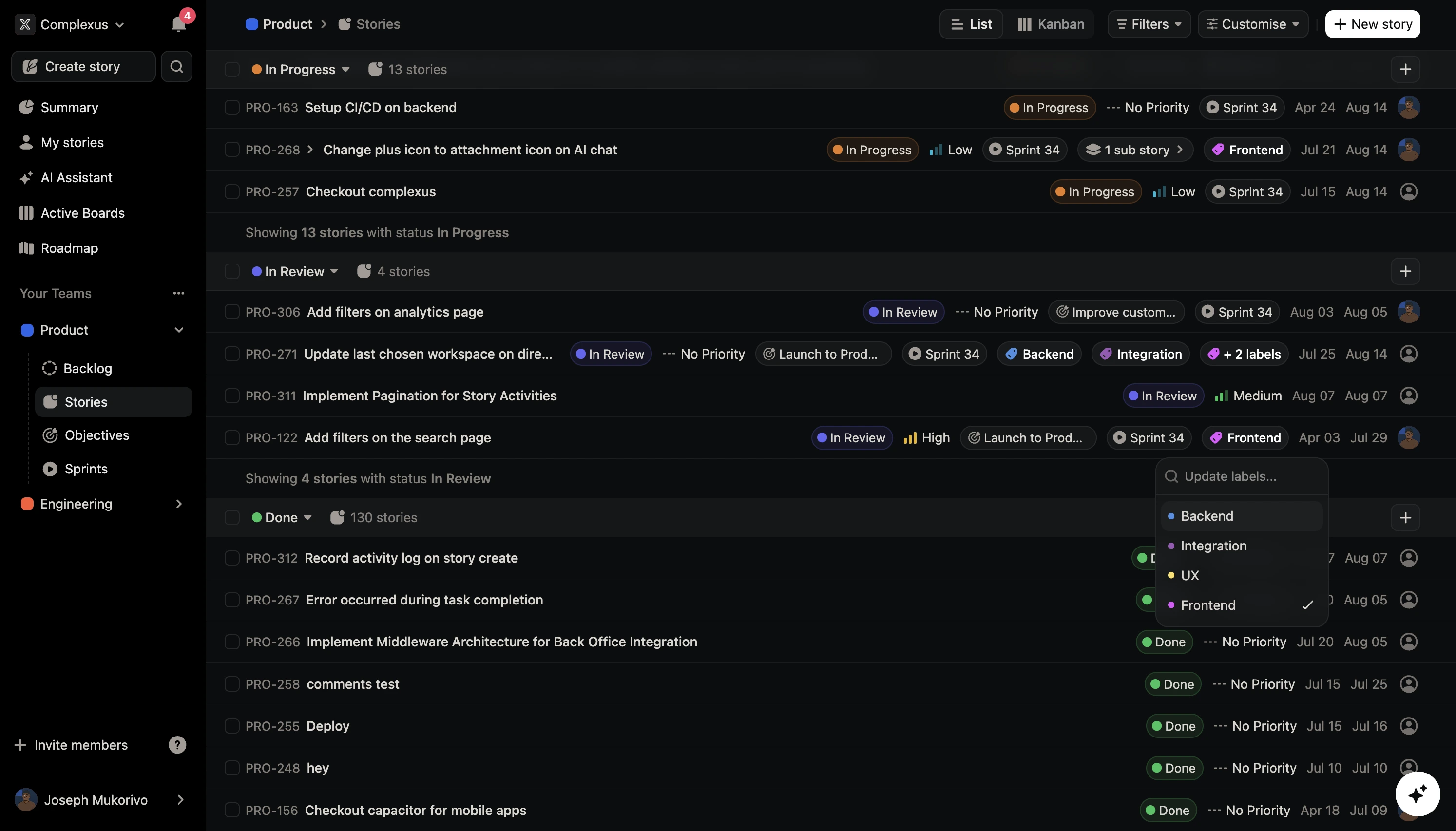
📋 List View - Story Management
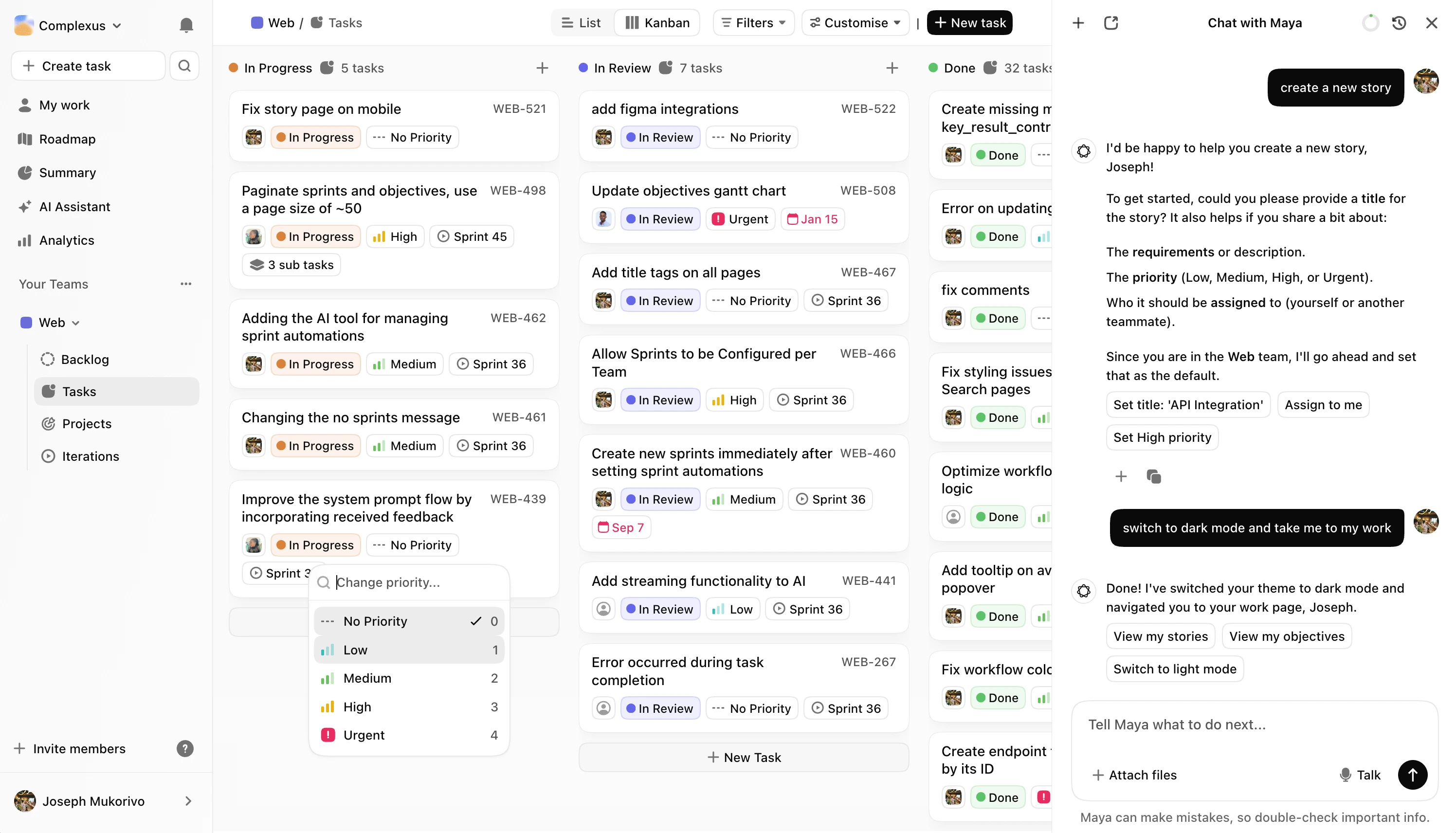
📊 Kanban Board - Task Workflow
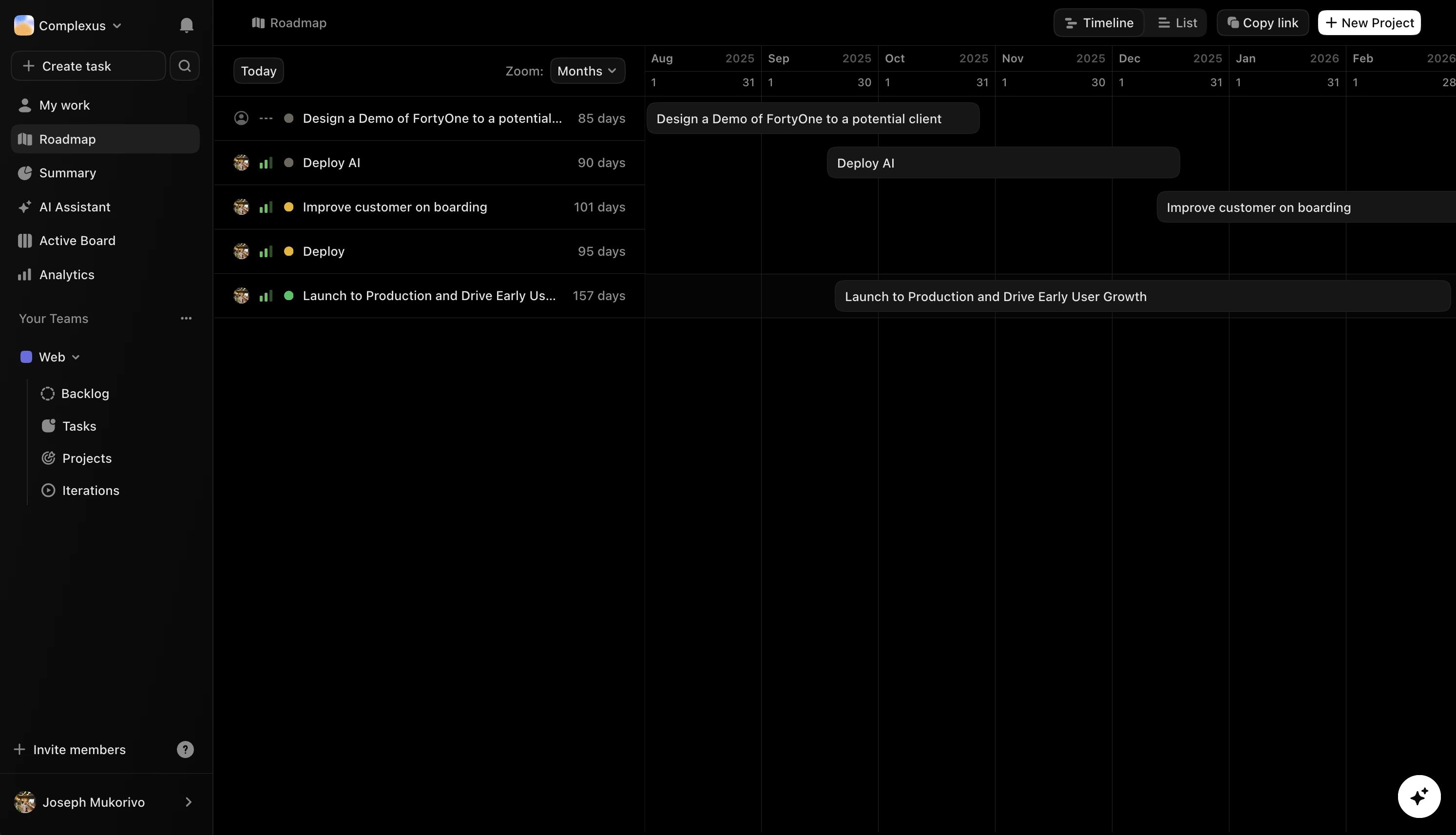
🎯 OKR Objectives - Goal Tracking
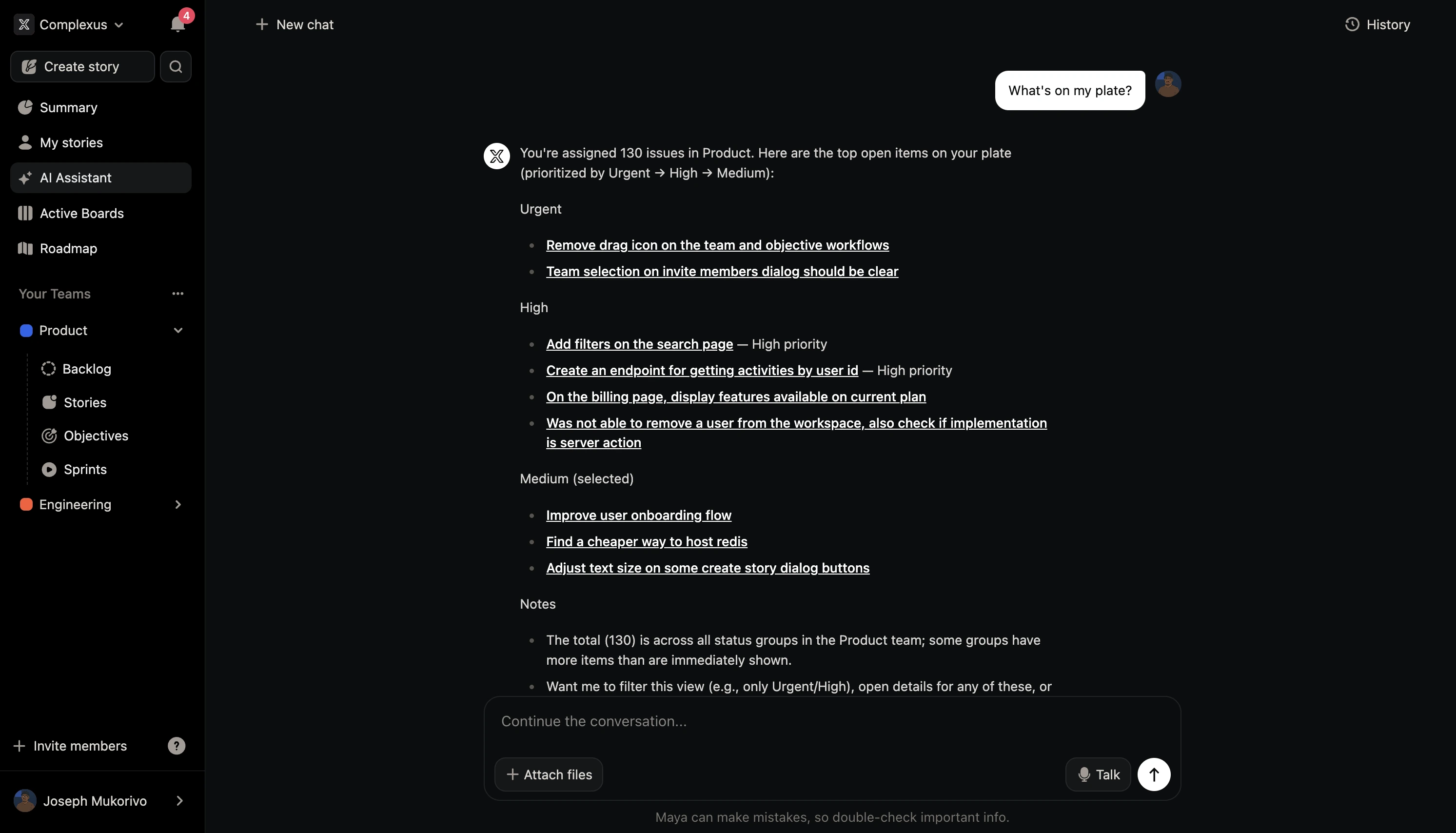
🤖 Maya AI Assistant
🚀 Quick Start
# Clone the repository
git clone https://github.com/complexus/fortyone.git
cd fortyone

# Install dependencies
pnpm install

# Set up environment variables
cp apps/landing/.env.example apps/landing/.env
cp apps/projects/.env.example apps/projects/.env
cp apps/mobile/.env.example apps/mobile/.env
cp apps/server/.env.example apps/server/.env
# Edit .env files with your actual values

# Start development server
pnpm dev
Visit the marketing site locally or in production to explore the product. Workspace access and authentication now live in the projects app.
Self Hosting
Use the installer to run FortyOne with Docker Compose (no repo clone required).
Install
-
Create a folder and enter it (keeps self-hosting files isolated):
mkdir fortyone-selfhost cd fortyone-selfhost -
Download the installer (latest release asset):
curl -fsSL -o setup.sh https://github.com/complexus-tech/fortyone/releases/latest/download/setup.sh -
Make it executable:
chmod +x setup.sh -
Run the installer:
./setup.sh
📖 Documentation
- 📚 User Guide - Complete documentation
- 🤝 Contributing - How to contribute
- 🔒 Security - Security policy and reporting
🏗️ Architecture
FortyOne is built as a monorepo using Turborepo with the following structure:
fortyone/
├── apps/                    # Applications
│   ├── landing/            # Marketing site
│   ├── docs/               # Documentation site
│   ├── projects/           # Main project management app
│   ├── server/             # Go backend API
│   └── mobile/             # React Native mobile app
├── packages/               # Shared packages
│   ├── ui/                 # Component library
│   ├── lib/                # Shared utilities
│   ├── icons/              # Icon library
│   └── [config]/           # Tooling configurations
└── tools/                  # Development tools
🤝 Contributing
We welcome contributions! Please see our Contributing Guide for details.
Development
# Install dependencies
pnpm install

# Start development
pnpm dev

# Run tests
pnpm test

# Lint code
pnpm lint
📄 License
This project is licensed under the FortyOne License - see the LICENSE file for details.
The FortyOne License allows free personal and non-commercial use, while requiring commercial licensing for businesses with $200K+ annual revenue.
📞 Contact & Support
- 📧 Email: [email protected]
- 🐛 Issues: GitHub Issues
- 💬 Discussions: GitHub Discussions
- 📖 Documentation: docs.fortyone.app
🙏 Acknowledgments
- Built with Next.js, React, and TypeScript
- UI components by Radix UI
- Analytics by PostHog
Prerequisites
Before setting up the development environment, ensure you have the following installed:
Required Tools
- Node.js (v18 or higher) - Download here
- pnpm (v9.3.0 or higher) - Install with
npm install -g pnpm - Go (v1.23 or higher) - Install Go
Local Development Setup
1. Clone and Install Dependencies
git clone <repository-url>
cd fortyone
pnpm install
2. Start Development Environment
The project includes a unified development command that starts all applications:
pnpm dev
This command will:
- Start all Next.js applications in development mode
- Enable hot reloading across all apps
3. Access Applications
Once running, access your applications at:
- Landing Page: http://localhost:3000
- Documentation: http://localhost:3002
- Projects App: http://localhost:3001/{workspace}/...
- Example workspace: http://localhost:3001/my-workspace/my-work
Code Structure
This is a Turborepo monorepo with the following structure:
fortyone/
├── apps/                    # Applications
│   ├── landing/            # Main landing page (localhost:3000)
│   ├── docs/               # Documentation site (localhost:3002)
│   └── projects/           # Projects management app (localhost:3001/{workspace})
├── packages/               # Shared packages
│   ├── ui/                 # Shared React components
│   ├── icons/              # Icon library
│   ├── lib/                # Shared utilities and helpers
│   ├── tailwind-config/    # Shared Tailwind configuration
│   ├── eslint-config-custom/ # ESLint configuration
│   └── tsconfig/           # TypeScript configurations
└── package.json           # Root package.json with scripts
Applications
🏠 Landing App (apps/landing/)
- Purpose: Main marketing and landing pages
- Port: 3000
- Tech Stack: Next.js 15, React 19, Framer Motion, GSAP
- Features:
- MDX content support
- PostHog analytics
- Cal.com integration
📚 Docs App (apps/docs/)
- Purpose: Documentation and guides
- Port: 3002
- Tech Stack: Next.js 15, Fumadocs
- Features:
- MDX-based documentation
- Built-in search
- Code syntax highlighting
🚀 Projects App (apps/projects/)
- Purpose: Main application for project management and authentication
- Port: 3001
- Tech Stack: Next.js 16, React 19, TanStack Query, Tiptap
- Features:
- Rich text editing with Tiptap
- Drag and drop functionality
- Real-time collaboration
- Path-based workspace routing (
/[workspaceSlug]/...) - Jest testing setup
- Docker support
Shared Packages
🎨 UI Package (packages/ui/)
Shared React component library built with:
- Radix UI primitives
- Tailwind CSS for styling
- TypeScript for type safety
🔧 Lib Package (packages/lib/)
Shared utilities, helpers, and business logic used across applications.
🎯 Icons Package (packages/icons/)
Centralized icon library for consistent iconography across all apps.
⚙️ Configuration Packages
- tailwind-config: Shared Tailwind CSS configuration
- eslint-config-custom: Custom ESLint rules and configurations
- tsconfig: TypeScript configuration presets
Development Workflow
Building Applications
# Build all apps and packages
pnpm build

# Build specific app
pnpm build --filter=landing
pnpm build --filter=docs
pnpm build --filter=projects
Linting and Formatting
# Lint all packages
pnpm lint

# Format code
pnpm format
Testing
# Run tests (projects app has Jest setup)
cd apps/projects
pnpm test
Networking Architecture
Applications run on separate ports for development:
localhost:3000(projects)localhost:3001(landing)localhost:3002(docs)
This setup allows for:
- Clean application separation: Each app runs independently
- Simplified routing: Path-based workspace navigation within the projects app
- Easy development: No complex proxy configuration needed
Troubleshooting
Common Issues
Port conflicts:
- Check if ports 3000, 3001, 3002 are available
- Kill conflicting processes:
lsof -ti:3000 | xargs kill
Dependencies issues:
- Clear node_modules:
rm -rf node_modules && pnpm install - Clear Turbo cache:
pnpm turbo clean