
Full House


This is a simple software implementation of a Planning Poker game, mostly used in agile software development.
Players can join a game while e.g. being in a refinement meeting and use this game to estimate the issues discussed in the meeting.
Run with Docker
Full House can be easily run with Docker:
docker run -p 8080:8080 philmtd/full-house
If you want to mount a custom configuration file, you can do it like this:
docker run -p 8080:8080 -v "./path/to/your/fullhouse.yaml:/app/config/fullhouse.yaml" philmtd/full-house
With this, Full House will be available on your machine on port 8080.
Install in Kubernetes with Helm
The Full House Helm chart is available in the following chart repo:
helm repo add philmtd https://philmtd.github.io/helm-charts
Configuration
Full House runs perfectly fine with the default configuration.
Customising voting schemes
It is possible to adjust the available voting schemes from which the users can choose when creating a new game. Per default, there are the following three schemes available:
fullHouse:
  votingSchemes:
    - name: Fibonacci
      scheme: [0, 1, 2, 3, 5, 8, 13, 21, 34, 55, 89]
      includesQuestionmark: true
    - name: Extended Fibonacci
      scheme: [0, 0.25, 0.5, 1, 2, 3, 5, 8, 13, 21, 34, 55, 89]
      includesQuestionmark: true
    - name: T-Shirt Sizes
      scheme: [1, 2, 3, 4, 5, 6]
      labels: [XS, S, M, L, XL, XXL]
      includesQuestionmark: true
If you want your own custom voting schemes you need to place your configuration in a fullhouse.yaml in the config sub-directory
of the Full House installation directory.
Each scheme needs a name, the numbers available to vote (need to be 0 or greater, can be floating point numbers) and you can define whether
to include a questionmark ? voting card or not. If you use a custom config, the defaults will be overwritten, so if you want to include the default
schemes, just copy them into your configuration.
You can further adjust the schemes by giving the numbers custom labels (like in the T-Shirt Sizes scheme) or tooltips (see the next section).
Customising voting card tooltips
You can configure tooltips that will be shown on voting cards via the configuration file. This allows you to provide custom explanations for each card.
Add a schemeTooltipMapping section to your votingScheme config, for example:
fullHouse:
  votingSchemes:
    - name: Fibonacci
      scheme: [0, 1, 2, 3, 5, 8, 13, 21, 34, 55, 89]
      includesQuestionmark: true
      schemeTooltipMapping:
        - value: 0
          tooltip: No estimate / Not started
        - value: 1
          tooltip: Less than an hour of work
        - value: 2
          tooltip: A couple hours of work
        - value: 3
          tooltip: A few hours of work
        - value: 5
          tooltip: About a day of work
        - value: 8
          tooltip: Several days of work
        - value: 13
          tooltip: About a week of work
        - value: 21
          tooltip: Multiple weeks of work
        - value: 34
          tooltip: A month or more of work
        - value: 55
          tooltip: Several months of work
        - value: 89
          tooltip: Major project, multiple quarters
If not present, no tooltips will be displayed.
Persistent games
It is possible to configure games which will be persistent. This will allow you e.g. to keep the link to a game as a bookmark or on an intranet page. Whenever you open a link to a persistent game you will directly join the game, and it will be created under the hood if necessary. The game's settings are stored in the configuration file.
Per default, there are no persistent games. If you wish to create one, you can configure them like this:
fullHouse:
  persistentGames:
    - name: My Persistent Game
      slug: persistent_game
      votingSchemeName: Fibonacci
This will create a game that will be available under <FULL_HOUSE_HOSTNAME>/game/persistent_game with the Fibonacci voting scheme
and with the name "My Persistent Game". The voting scheme name needs to be the name of one of the voting schemes of your
Full House instance.
Persistence
Full House does not persist any data. All the state is kept in memory.
This has some theoretical downsides:
- Restarting the application will wipe all currently running games and the players will have to create a new game.
- As memory is unique to the application, Full House cannot be scaled horizontally.
Practically these should not appear as problems at the scale this app is intended for.
Screenshots
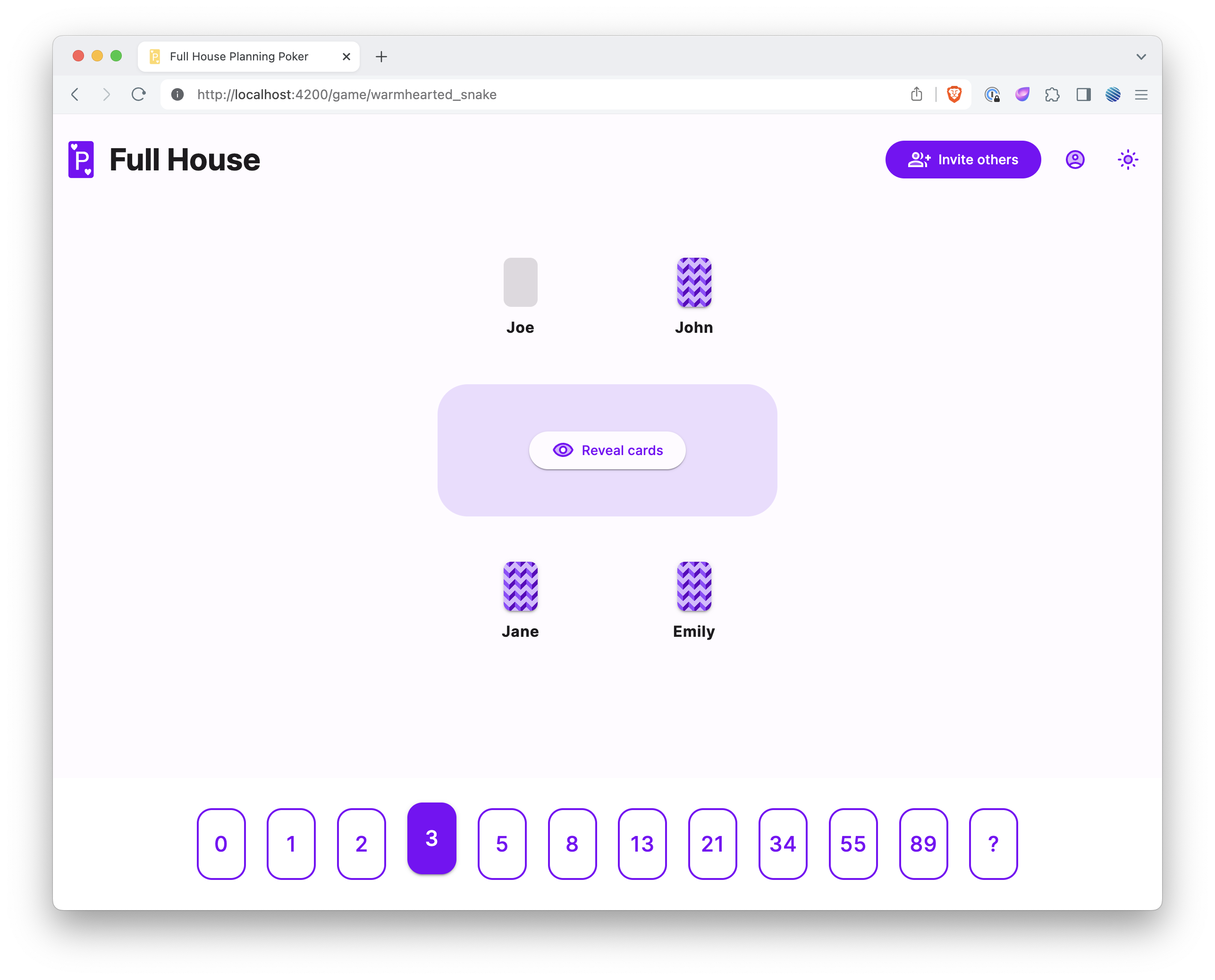
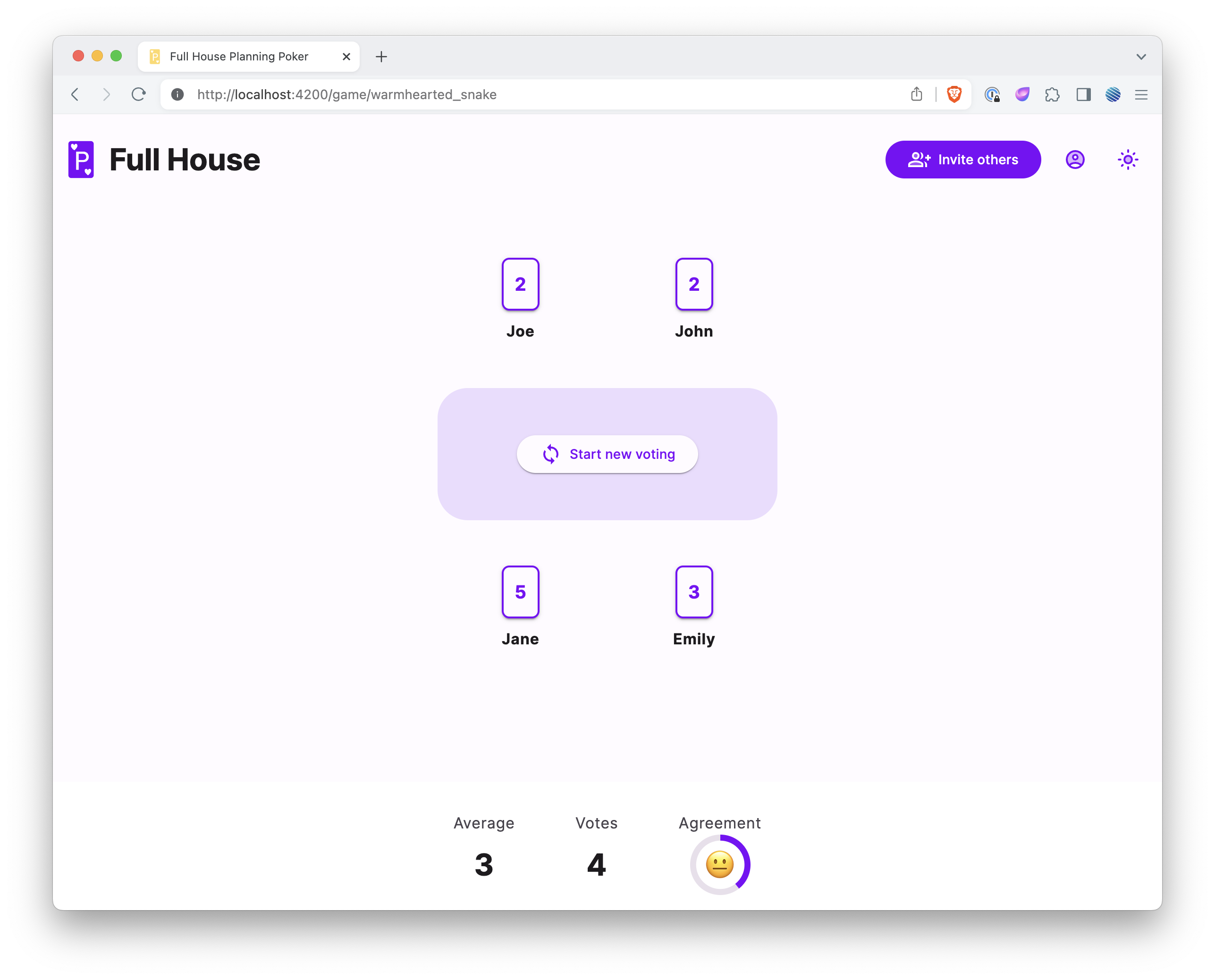
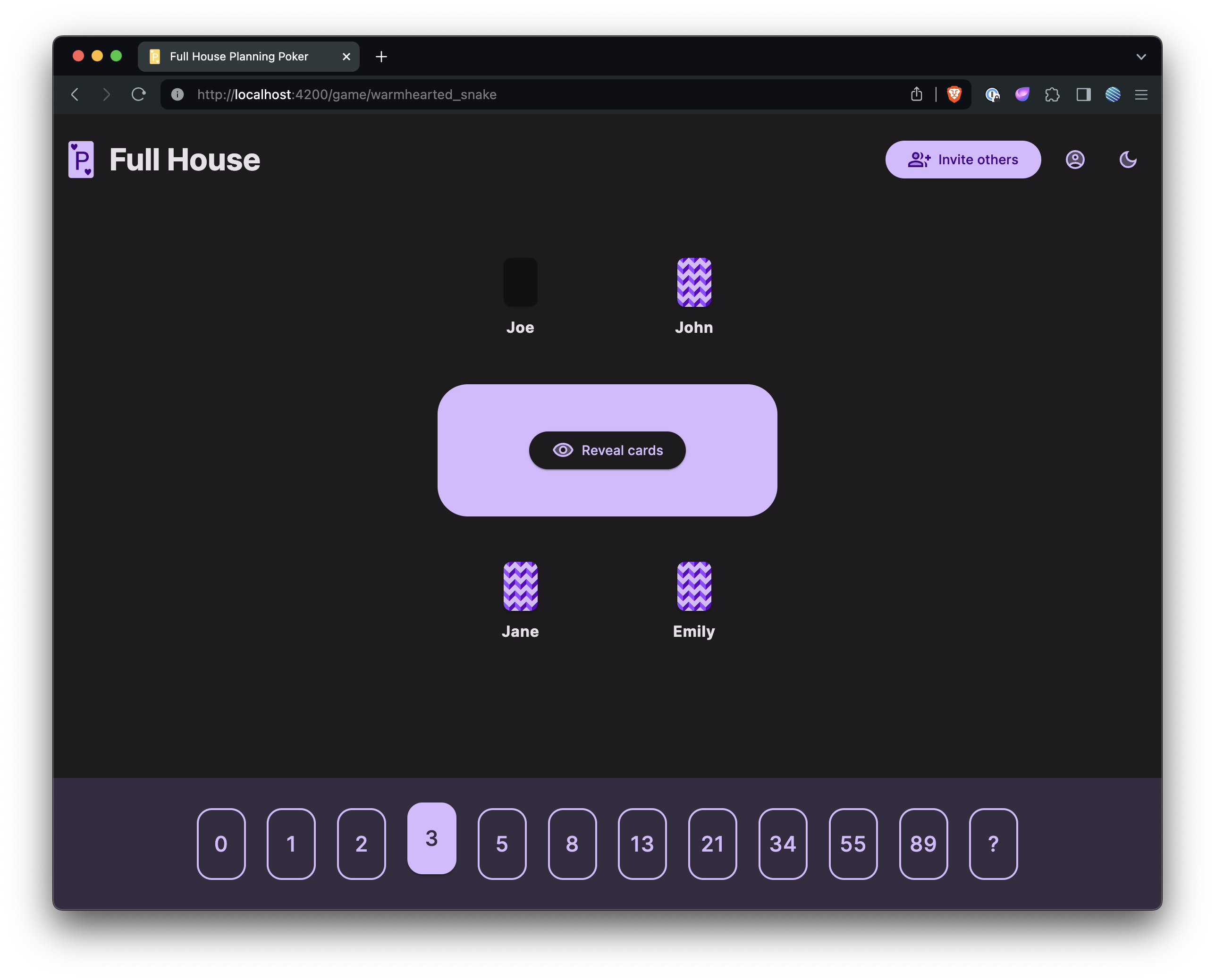
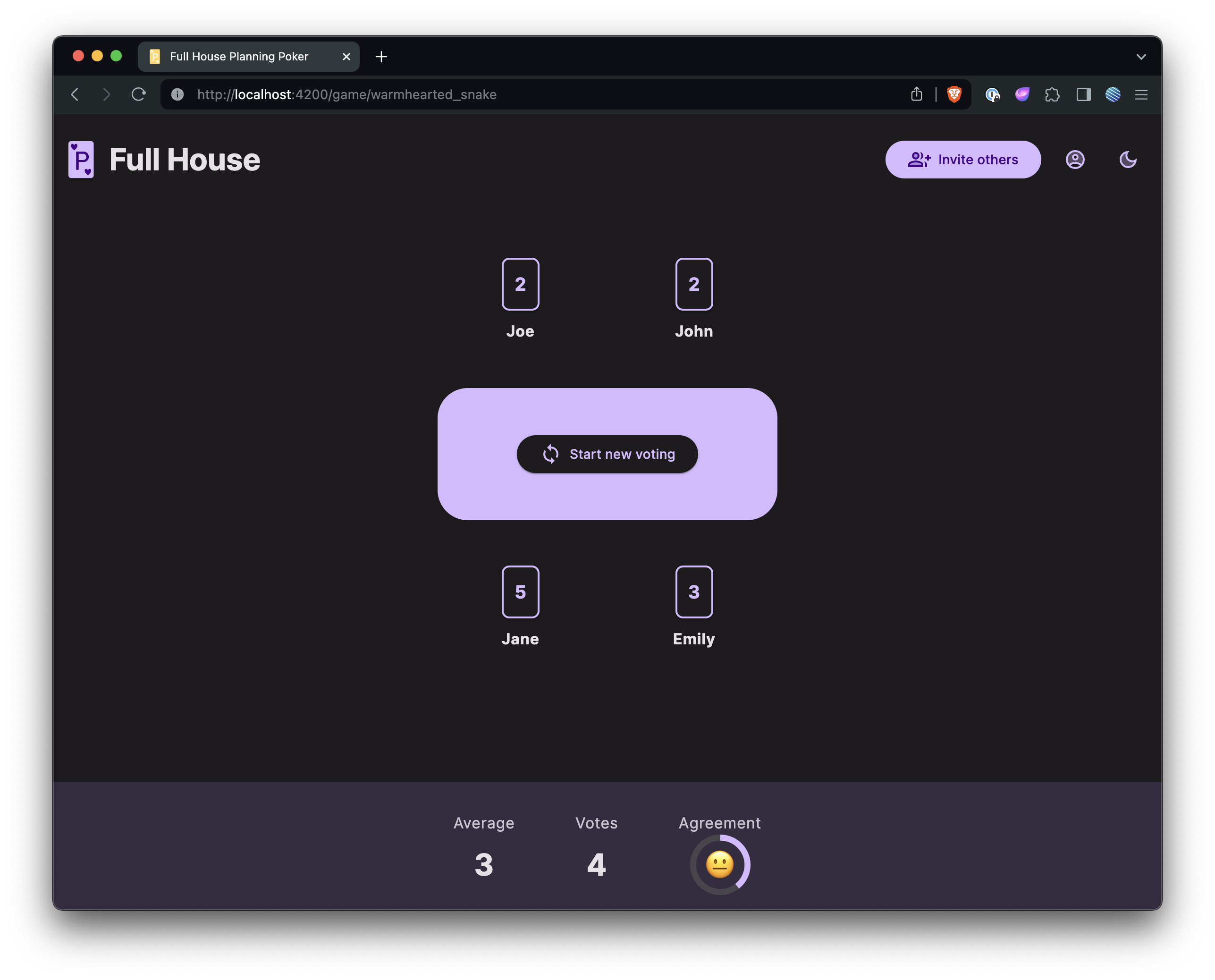
The UI has light and dark modes:
| Voting | Results |
|---|---|
 |
 |
 |
 |
Development
To build the project you need the following tools installed:
- Go
- Mage
- NodeJS / npm
Build locally
To build the app, you need to build the frontend and the backend.
The backend can be built with mage:
go mod download # if not done yet
mage build
This command will build the application for the system you're running the build on. If you need to cross-compile it for another system, you'll need to change the parameters passed to the Go compiler in the magefile.
The build the frontend you need to use npm in the frontend directory:
npm install # if not done yet
npm run build
Running the built application
The application expects the following directory structure:
full-house # the compiled application
config/ # config directory
├─ fullhouse-default.yaml # default configuration
├─ fullhouse.yaml # optional
frontend/ # the compiled frontend (contents from the dist directory)
├─ ...
Given this structure, you can run Full House:
./full-house server
Build for Docker
Build the frontend as described above.
To produce Linux binaries for both amd64 and arm64 (as used by the multi-platform image
published by the CI pipeline), run:
mage buildForDockerMultiplatform
This produces two binaries, full-house-amd64 and full-house-arm64, which the
Dockerfile selects from via the TARGETARCH build argument. The image can then
be built with docker buildx for multiple platforms, e.g.:
docker buildx build --platform linux/amd64,linux/arm64 -t philmtd/full-house .
Running for development
You can start the frontend development server in the frontend directory with
npm start
The frontend will be available on port 4200.
To run the backend, run the fullhouse/cmd/fullhouse package with the server argument:
go run fullhouse/cmd/fullhouse server
This can of course be configured as a run configuration in your favorite IDE.