
GameWiki - AI-Powered In-Game Assistant
Smart game companion that never leaves your side - Real-time wiki overlay + AI knowledge base for instant answers while gaming





👉 中文说明 | Русский | Quick Start | download the newest release | Join Our Discord
✨ Why GameWiki?
Never alt-tab out of your game again! Get instant answers, build guides, and wiki information directly in your game with our AI-powered overlay.
🎯 Key Features
- 🔥 One Hotkey, All Answers - Press
Ctrl+Qto instantly overlay wiki/AI chat without leaving your game - 🤖 AI Game Expert - Powered by Google Gemini with local knowledge bases for smart Q&A.
To use the AI chatbot feature, you will need to have a google account and get gemini API from Google AI Studio.
"The Gemini API "free tier" is offered through the API service with lower rate limits for testing purposes. Google AI Studio usage is completely free in all available countries" - according to Gemini API docs
📸 Screenshots
- Use as AI assitant
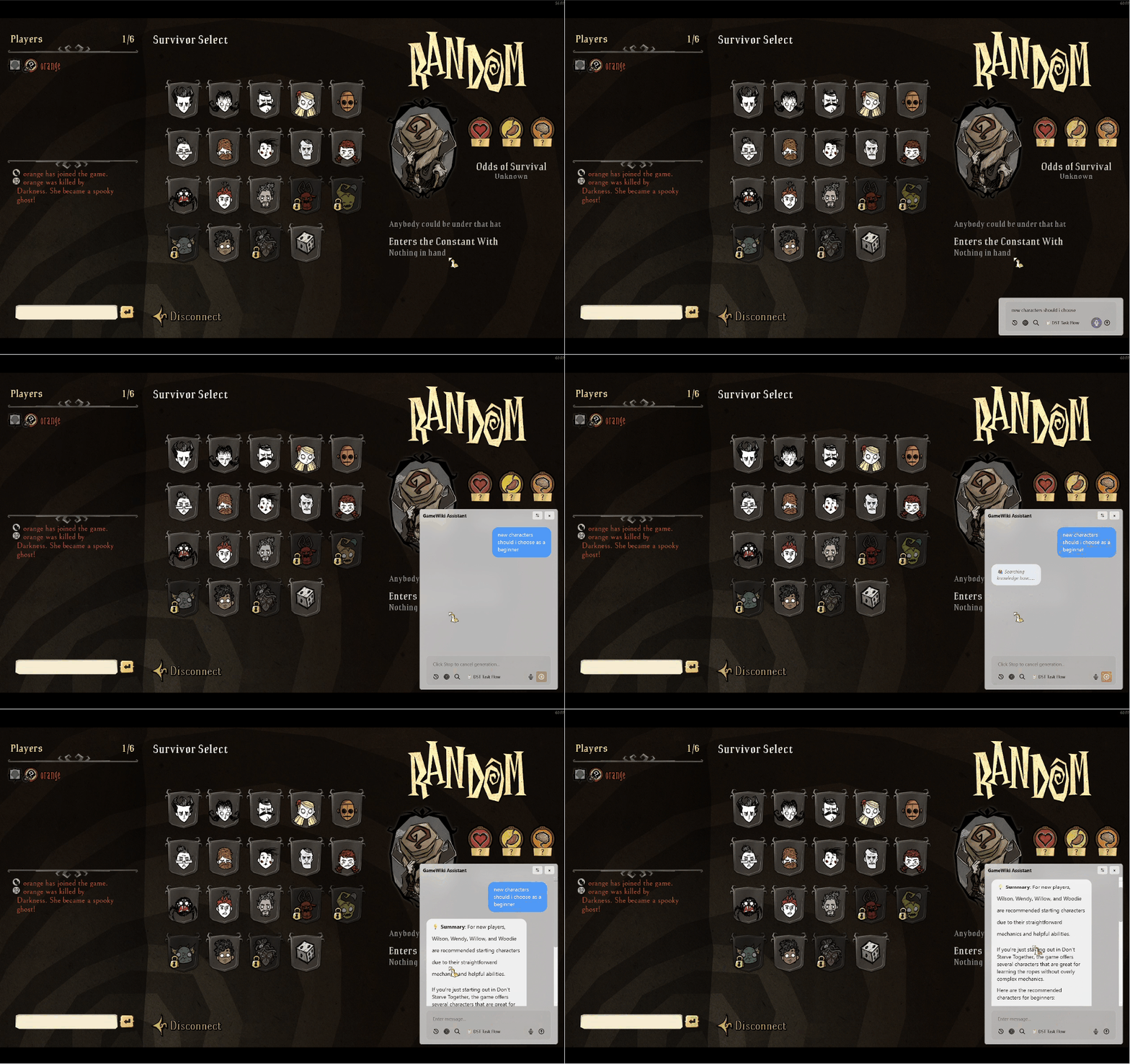
- Quick access to Wikis
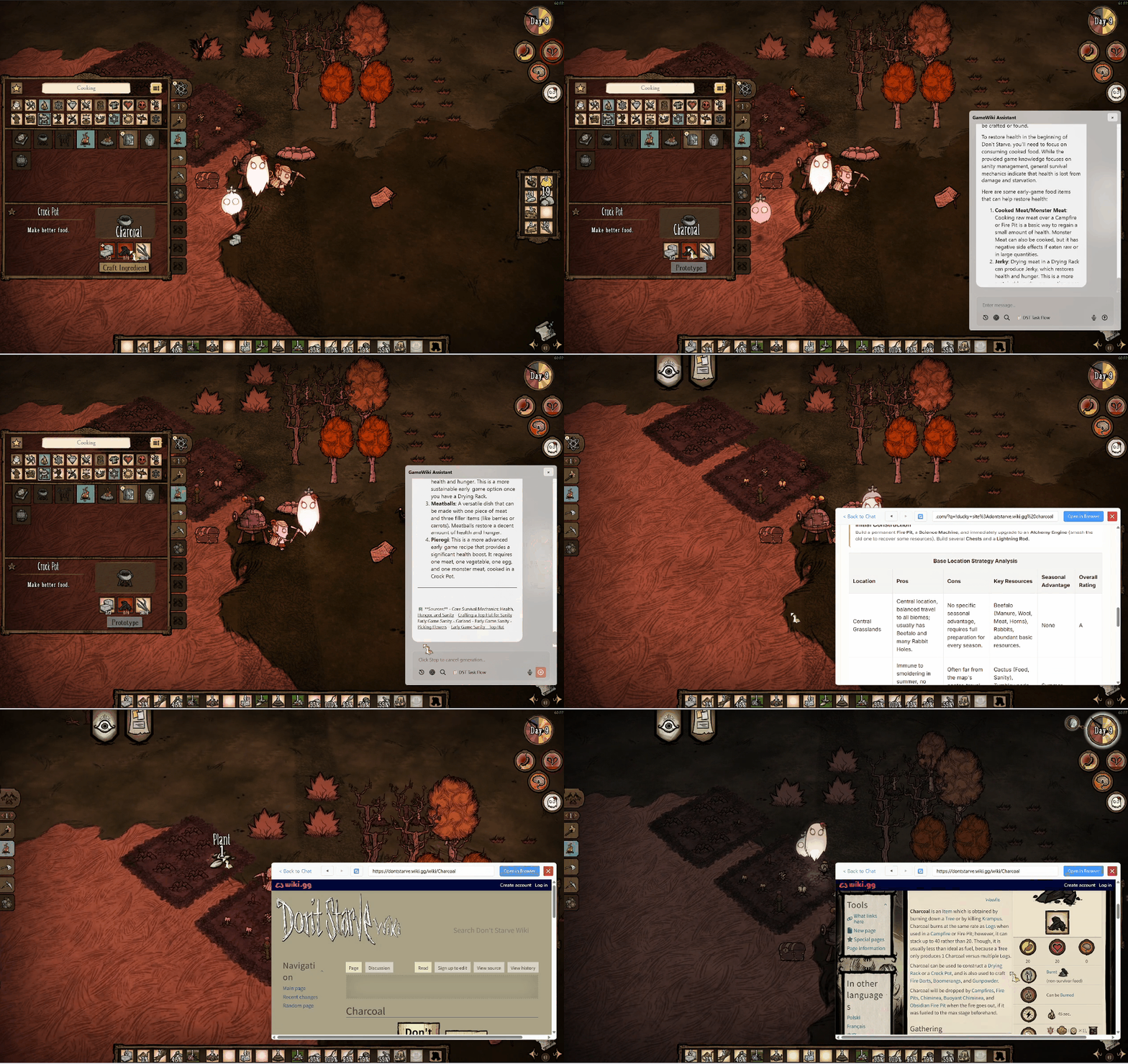
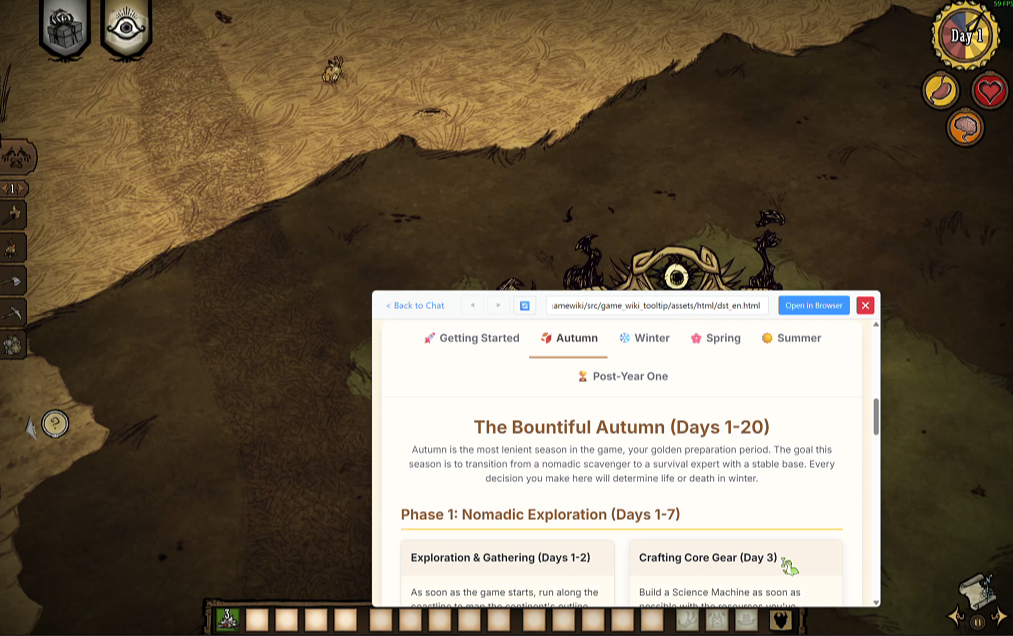
- Use as an web browser

🚀 Quick Install
Option 1: Download Portable Version (Recommended)
⬇️ download the newest release
Extract the ZIP file
Run GameWikiAssistant.exe
Set your hotkey and start gaming!
💡 Try AI Chat without a game:
If you want to test the AI features but don’t have a supported game installed, simply create a new folder and rename it to a game in our database (e.g., "Don't Starve Together" or "Helldivers 2"). Focus on that folder, trigger your hotkey, and you're ready to chat! Example query: "How can I catch a rabbit?"
Option 2: Run from Source
# Clone and setup
git clone https://github.com/rimulu030/gamewiki.git
cd gamewiki
pip install -r requirements.txt

# Configure API key for AI features (optional)
set GEMINI_API_KEY=your_key_here  # Windows

# Run
python -m src.game_wiki_tooltip
🎮 Supported Games
🤖 AI-Enhanced Games (Full Knowledge Base)
| Game | Features |
|---|---|
| HELLDIVERS 2 | Weapons, Stratagems, Enemy Weaknesses |
| Elden Ring | Items, Bosses, Build Guides |
| Don't Starve Together | Crafting, Characters, Survival Tips |
| Civilization VI | Civs, Units, Victory Strategies |
📖 Wiki-Supported Games
Quick wiki access for 100+ games including: VALORANT, CS2, Monster Hunter, Stardew Valley, and more!
🔧 Configuration
First Launch Setup
- Hotkey Setup: Choose your preferred activation key (default:
Ctrl+Q) - API Key (Optional): Add Gemini API key for AI features
- Game Detection: Automatic - just launch your game!
Advanced Settings
- Custom hotkey combinations
- Language preferences (EN/ZH)
- Wiki sources configuration
- Voice recognition settings
📚 Documentation
- Quick Start Guide - Get started in 5 minutes
- FAQ - Common questions and solutions
- Build Guide - Build your own executable
- Architecture - Technical deep dive
- AI Module Docs - AI system details
🐛 Troubleshooting
| Issue | Quick Fix |
|---|---|
| Hotkey not working | Run as Administrator / Change hotkey combination |
| Game not detected | Check supported games list |
| AI not responding | Verify API key in settings |
| Website not showing | Install WebView2 Runtime (included in package) |
For more solutions, see FAQ or report an issue.
🤝 Contributing
We love contributions! Whether it's:
- 🎮 Adding new game support/Knowledge data base. How to build a new knowledge base
- 🐛 Bug fixes
- 📚 Documentation improvements
- Project Optimization
📄 License
With the usage of Pyqt6, we use GPL3.0 License - See LICENSE file
🙏 Acknowledgments
- Google Gemini AI - Powering intelligent responses
- Gaming Communities - For wiki content and knowledge
Contact me
- Weizhen Chu
- [email protected]
- X profile: https://x.com/ChengXiang75007
⭐ Star us if this helps your gaming experience!