
GeoPulse

The open-source, privacy-first Google Timeline alternative.




GeoPulse transforms raw GPS data from OwnTracks, Overland, Dawarich, GPSLogger, Home Assistant, Traccar, Colota and other sources into a searchable timeline of stays, trips, and movement patterns. It runs fully on your own infrastructure and integrates with Immich so your photos appear directly on your map history.
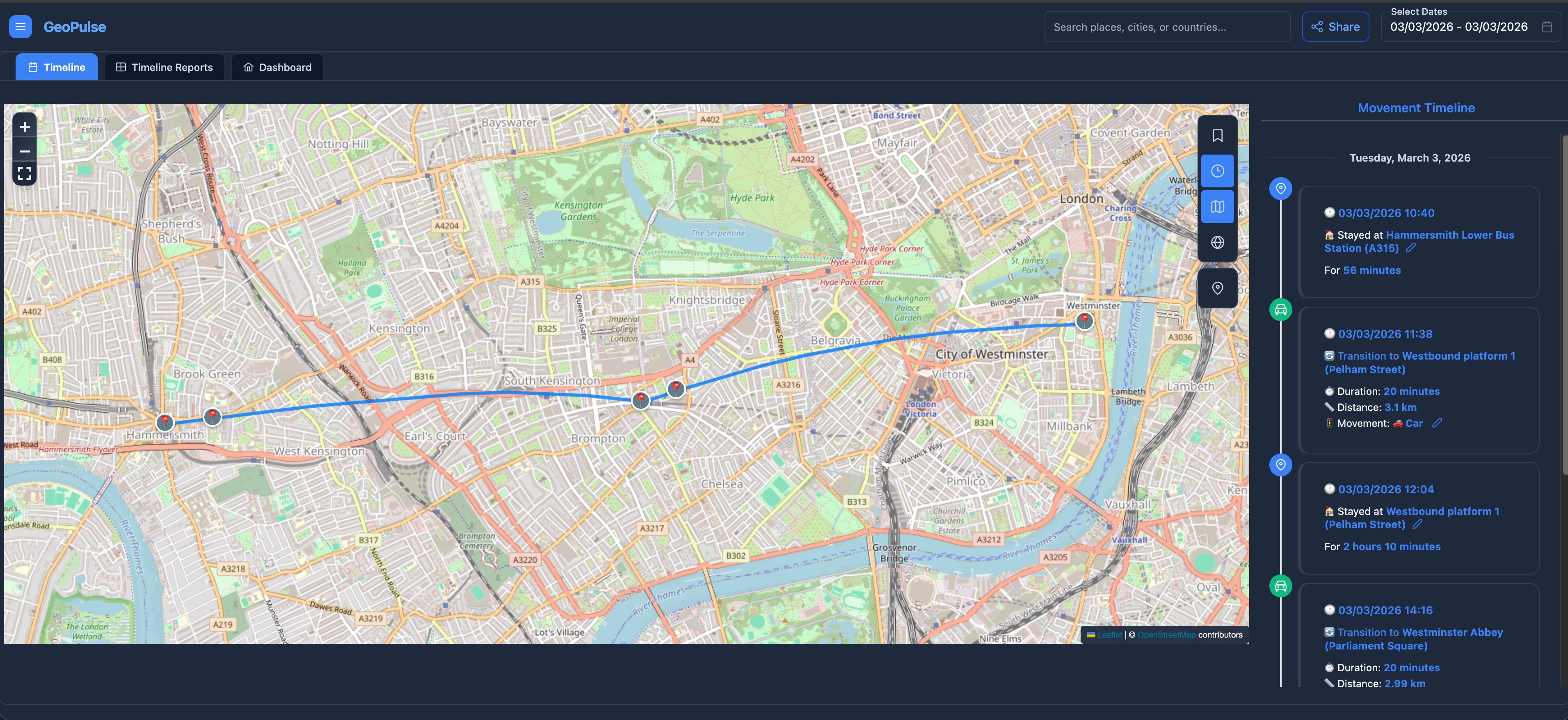
Comprehensive timeline visualization with automatic trip classification.
Quick installation
# Create directory and download config
mkdir geopulse && cd geopulse
curl -L -o .env https://raw.githubusercontent.com/tess1o/GeoPulse/main/.env.example
curl -L -o docker-compose.yml https://raw.githubusercontent.com/tess1o/GeoPulse/main/docker-compose.yml

# Start
docker compose up -d
Access: http://localhost:5555
Note: For production, review your .env for security-related settings first.
Need MQTT, custom domains, or hardening? See the Docker Deployment Guide.
Why GeoPulse
- Privacy-first and self-hosted: Your location data remains on your own infrastructure.
- Open ecosystem: Works with popular GPS apps (OwnTracks, Overland) and tools like Immich/Home Assistant.
- Full data ownership: Import historical data and export your data in standard formats anytime.
- Lightweight runtime: Typically under 100MB RAM and under 1% CPU in regular usage.
Features
Timeline & Analysis
- Smart Detection: Automatically converts GPS points into stays, trips, and data gaps.
- Custom Logic: Fully configurable detection sensitivity and travel mode classification.
- Deep Insights: Analytics for distance, visit frequency, and movement patterns over time.
- Immich Integration: Photos from your library appear directly on your map timeline.
Sources & Syncing
- Real-time Tracking: Supports OwnTracks (HTTP/MQTT), Overland, GPSLogger, Home Assistant, Traccar, Dawarich or Colota.
- Universal Import: Bulk import from Google Timeline, GPX, GeoJSON, OwnTracks exports, and CSV.
Sharing & Privacy
- Friends System: Per-user visibility controls for live location and history.
- Guest Access: Shareable links with optional password protection and instant revocation.
- Multi-user Ready: Built-in invitations, roles, and admin audit logs.
- Enterprise Auth: OIDC/SSO support alongside standard username/password login.
Platform & Performance
- Lightweight: Typically under 100MB RAM and 1% CPU usage.
- Self-Sovereign: No telemetry, no analytics beacons, and no third-party tracking.
- Data Freedom: Full data export and per-account deletion support.
- Optional AI: Bring your own OpenAI-compatible key for AI-assisted insights.
📸 Feature Tour
Click to expand gallery
Dashboard
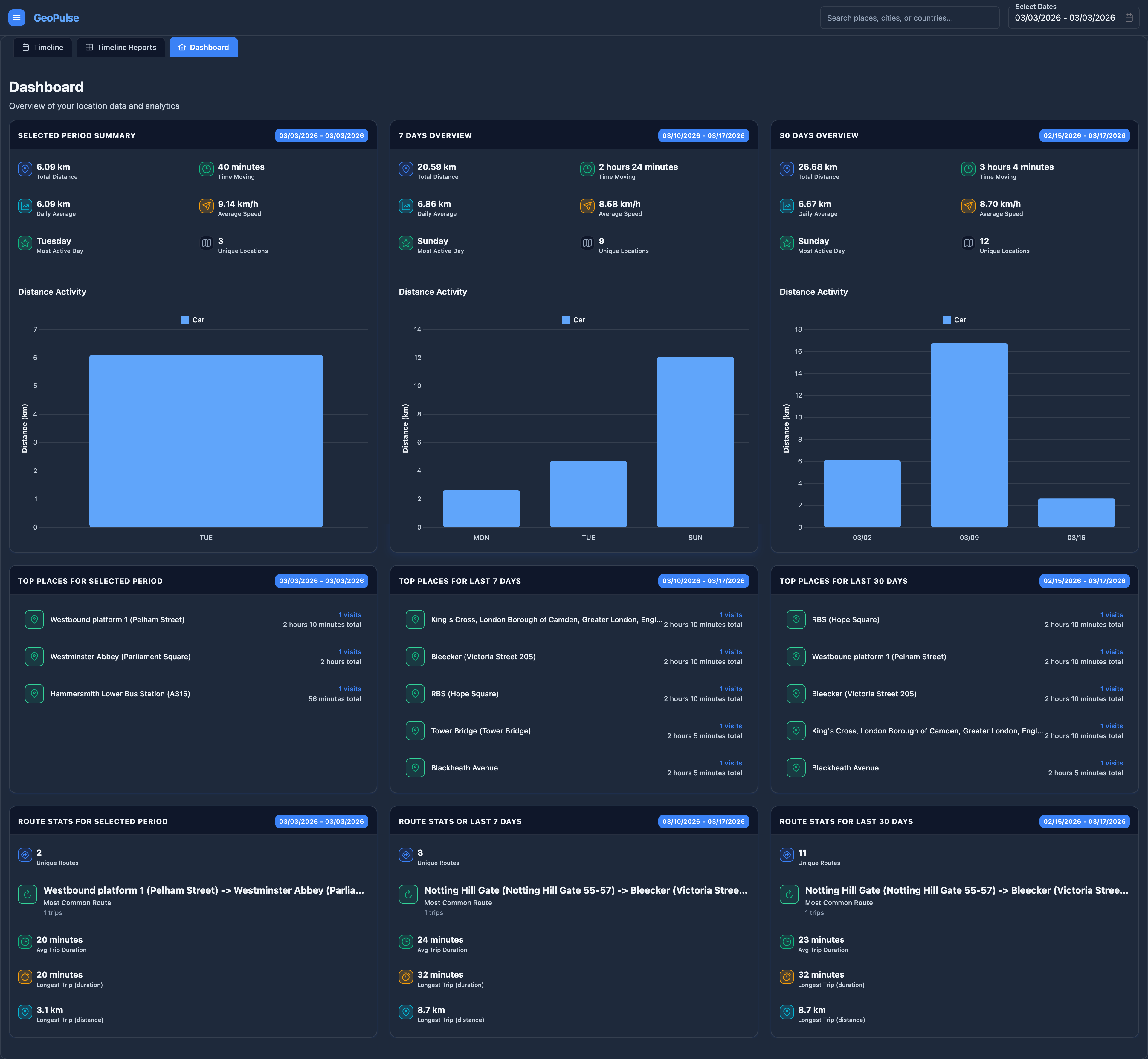 High-level overview of your activity.
Journey Insights
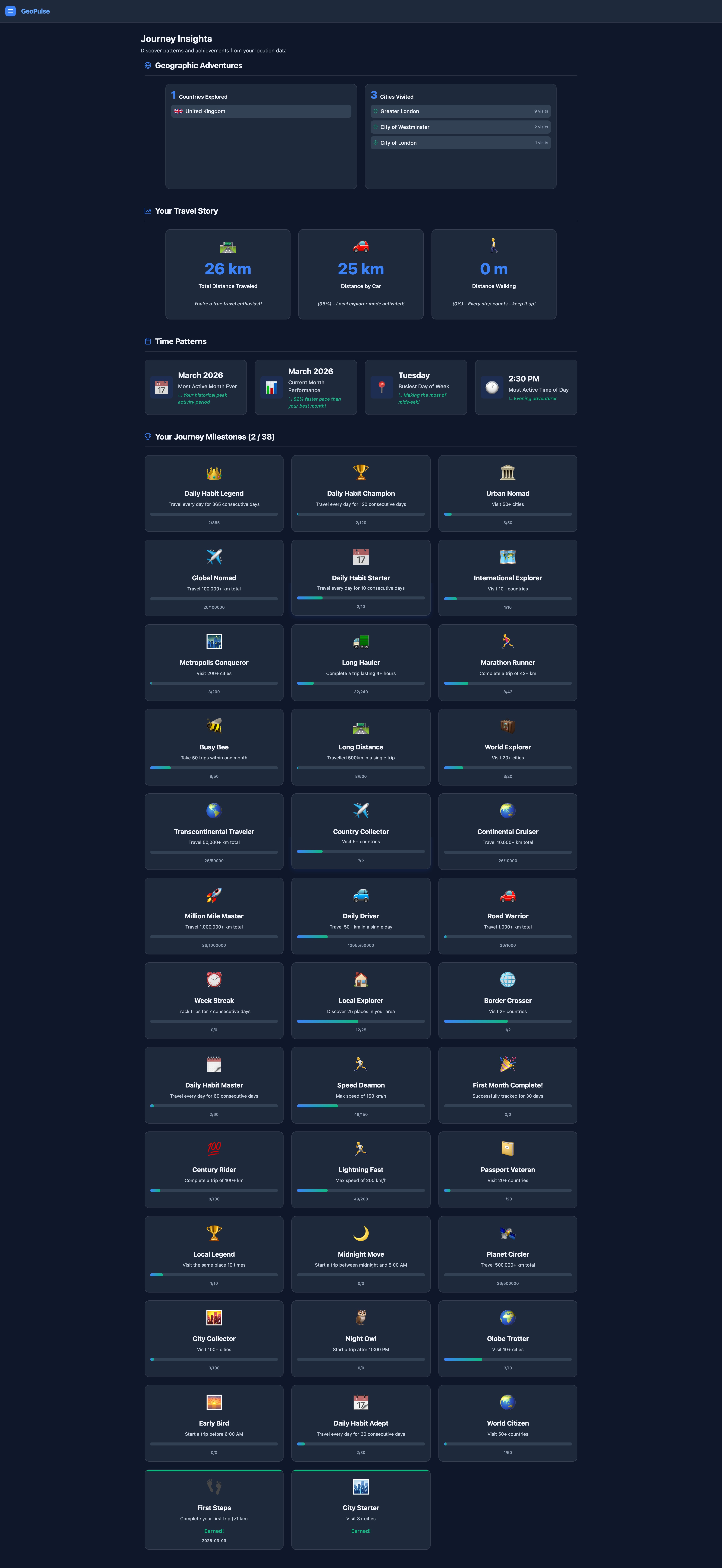 Global travel statistics, milestones, and badges.
Monthly Trends
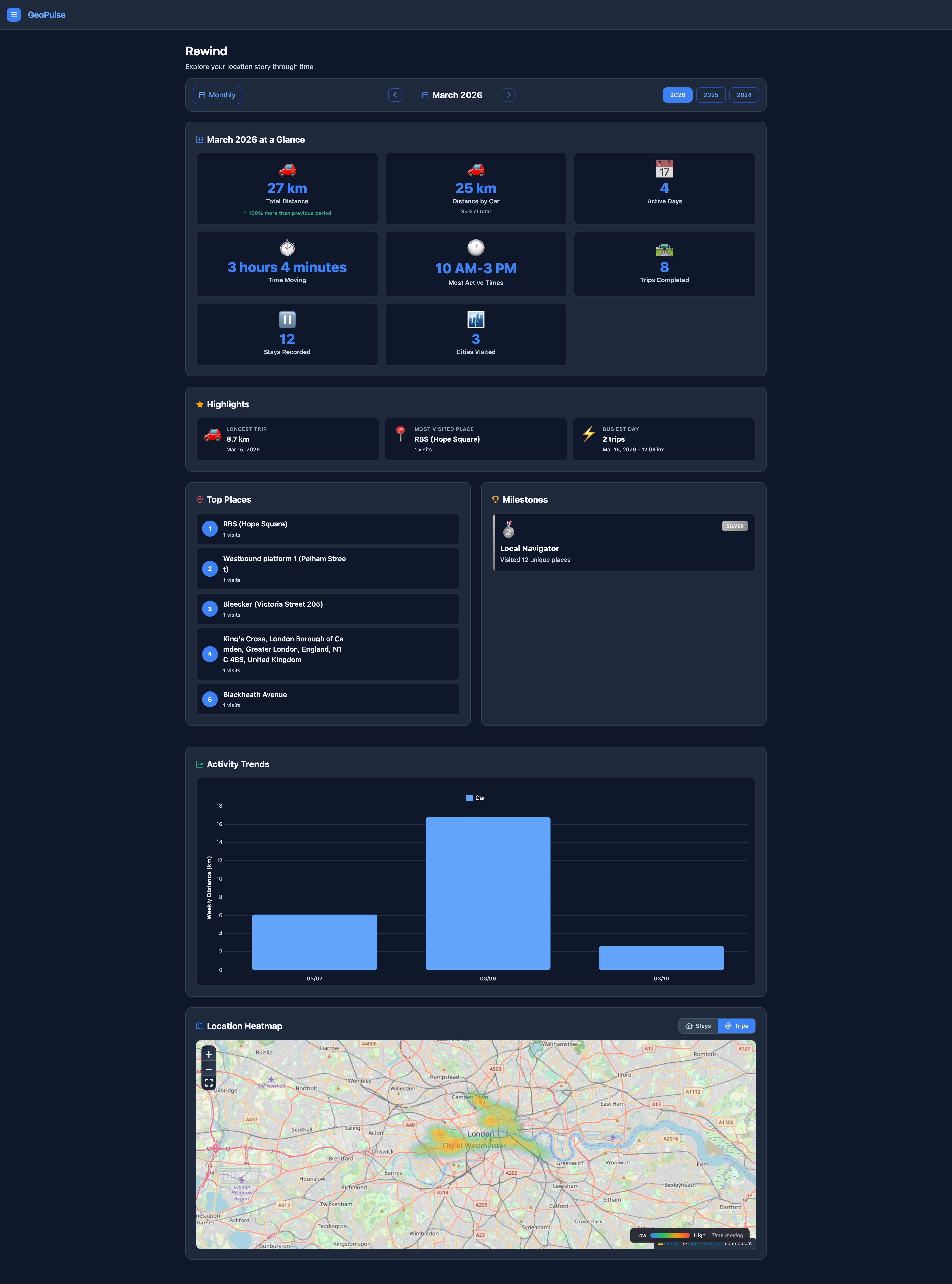 Monthly summaries and movement heatmap.
Location Analytics
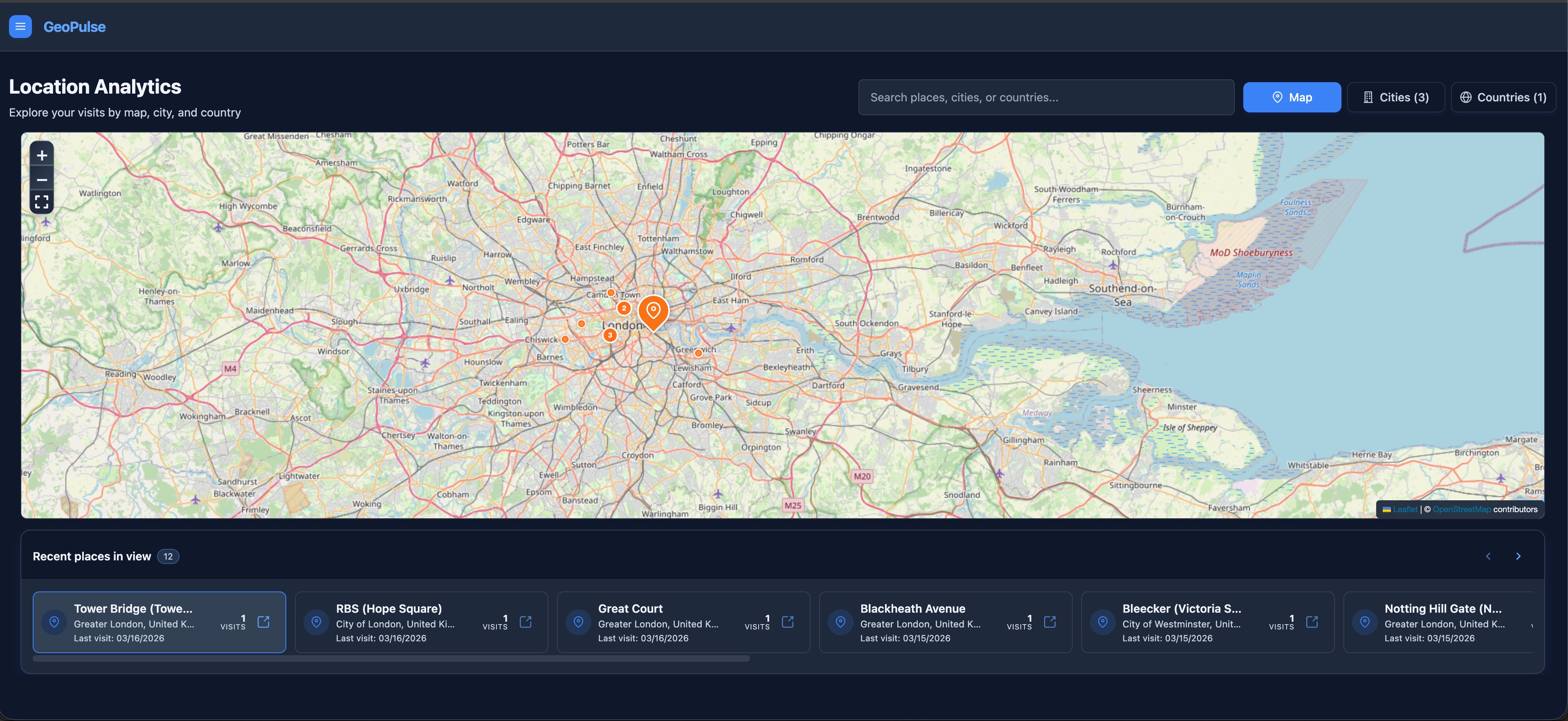 Map-first analytics similar to Timeline views.
Country/City Stats
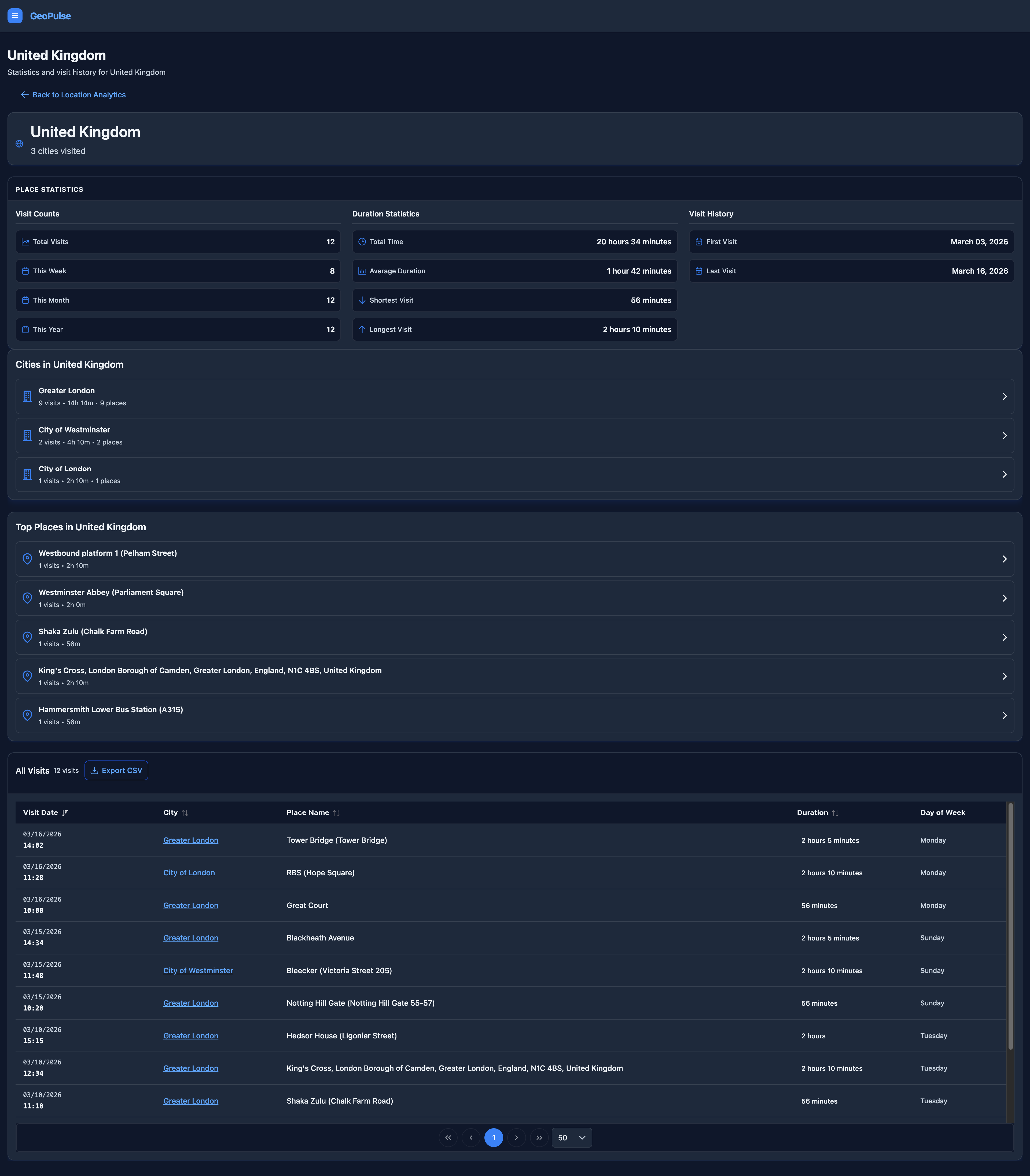 Track travels by country and city.
GPS Data Management
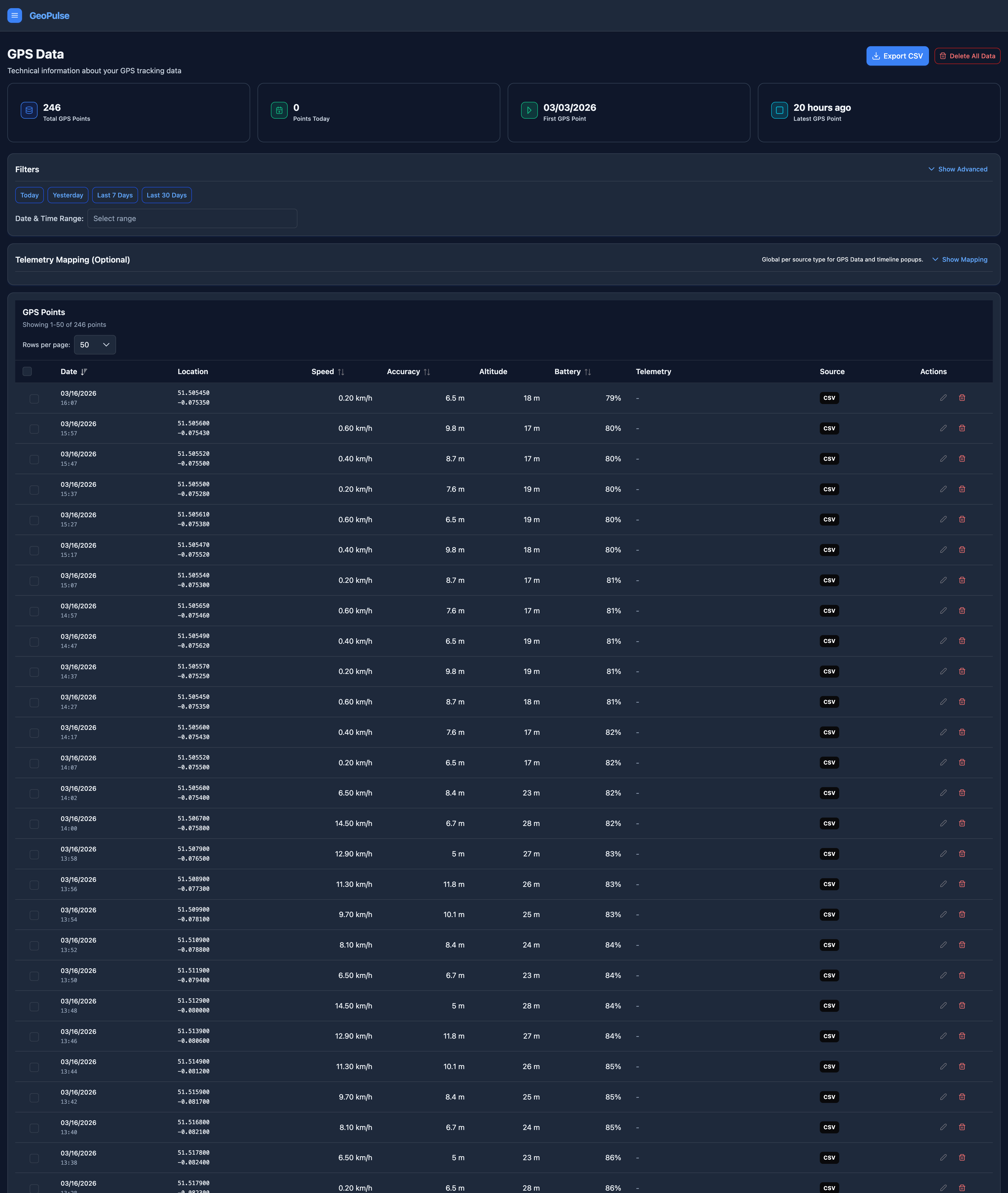 Inspect and manage raw location points.
AI Assistant
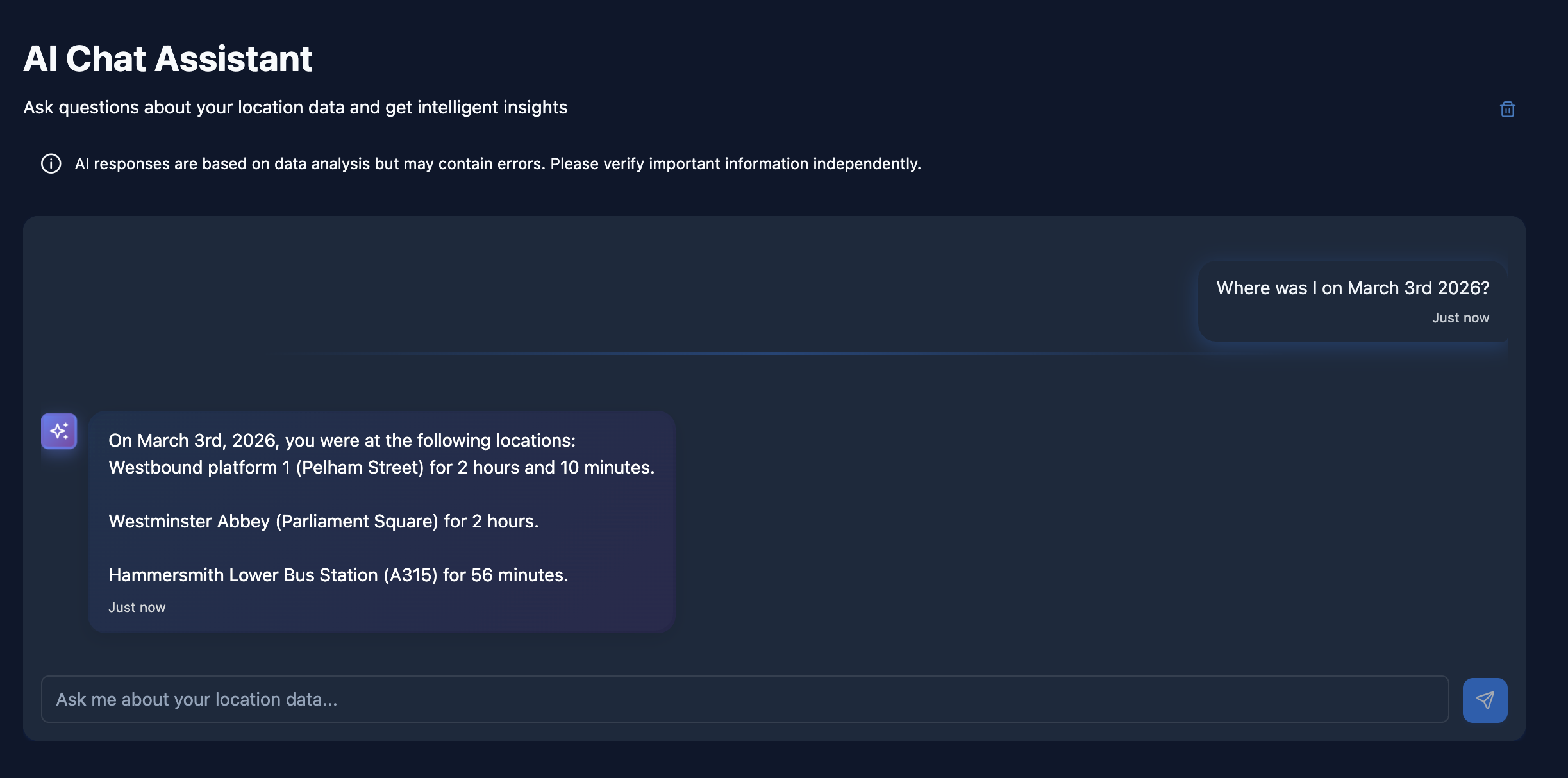 Natural-language queries for your data.
Deployment Options
Docker Compose
Fastest path for local and single-server use. See the Full Docker Guide.
Kubernetes / Helm
Best for managed clusters and advanced production. See the Helm Guide.
helm repo add geopulse https://tess1o.github.io/geopulse/charts
helm repo update
helm install my-geopulse geopulse/geopulse
Post-deployment steps:
- Set
GEOPULSE_ADMIN_EMAILto define the first admin. - Create an account with that email and finish setup in the Admin Panel.
- See Initial Setup Guide for more.
📖 Docs & Next Steps
- New users: Quick Start Guide
- GPS setup: GPS Sources Overview
- Deployment: Docker | Kubernetes | Env Variables
- Administration: Admin Panel | OIDC/SSO
- Maintenance: Backup & Restore | Updating
- Full documentation: Documentation Portal
📜 License & Commercial Use
GeoPulse is licensed under the Business Source License 1.1 (BSL 1.1).
- Free for personal, educational, and non-commercial use.
- Commercial use requires a separate commercial license.
See LICENSE for full terms.
For commercial licensing: [email protected]