go-ide

Description
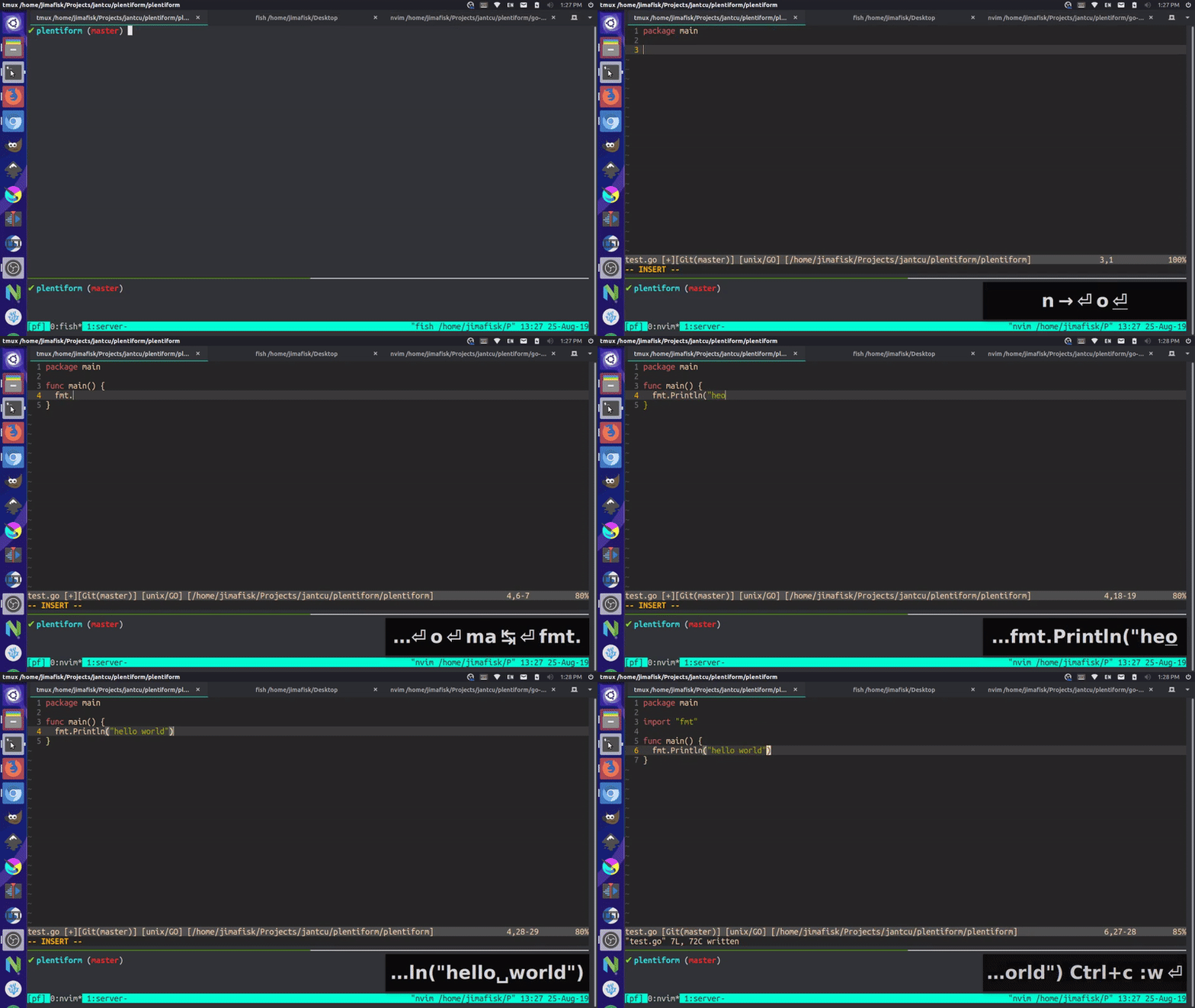
This project is a lightweight, Neovim integrated development environment (IDE) for Golang development.
Prerequisites
- Install golang: https://golang.org/doc/install
- Fix paths by adding the following to
~/.bashrc(Ubuntu) or~/.bash_profile(Mac):
export GOPATH=$HOME/go
export PATH=$GOPATH/bin:/usr/local/go/bin:$PATH
(make sure to run source ~/.bashrc / source ~/.bash_profile or open a new terminal to apply changes)
- Install gocode:
go get -u github.com/stamblerre/gocode - Install python support for neovim:
pip3 install pynvim - Install neovim: https://github.com/neovim/neovim/wiki/Installing-Neovim
- Install vim-plug: https://github.com/junegunn/vim-plug#installation
- Install nerd-fonts: https://github.com/ryanoasis/nerd-fonts#font-installation
Installation
- Make sure you meet the prerequisites above ^
- Download the config file:
cd ~/Downloads/; wget https://raw.githubusercontent.com/plentiform/go-ide/master/init.vim
or
cd ~/Downloads/; curl -o init.vim https://raw.githubusercontent.com/plentiform/go-ide/master/init.vim
- Make the configuration directory if it doesn't already exist:
mkdir -p ~/.config/nvim - Move the downloaded file to the correct location:
mv ~/Downloads/init.vim ~/.config/nvim/. - Edit the new configuration file:
nvim ~/.config/nvim/init.vim - If the plugins didn't automatically install, press colon
:then typePlugInstalland press Enter - Use vim-go to install binaries, press colon
:then typeGoInstallBinariesand press Enter
Features
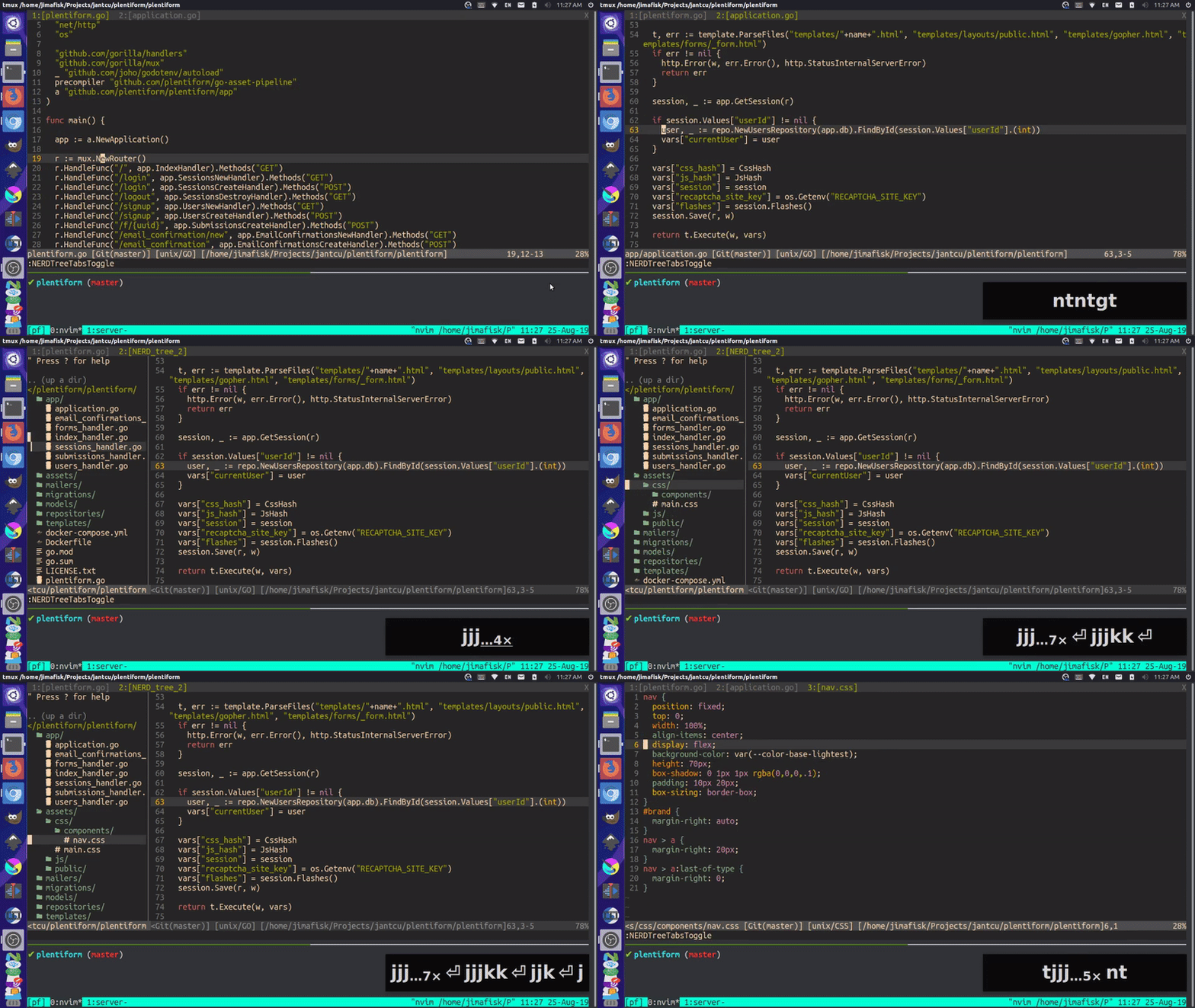
- File browser:
nt
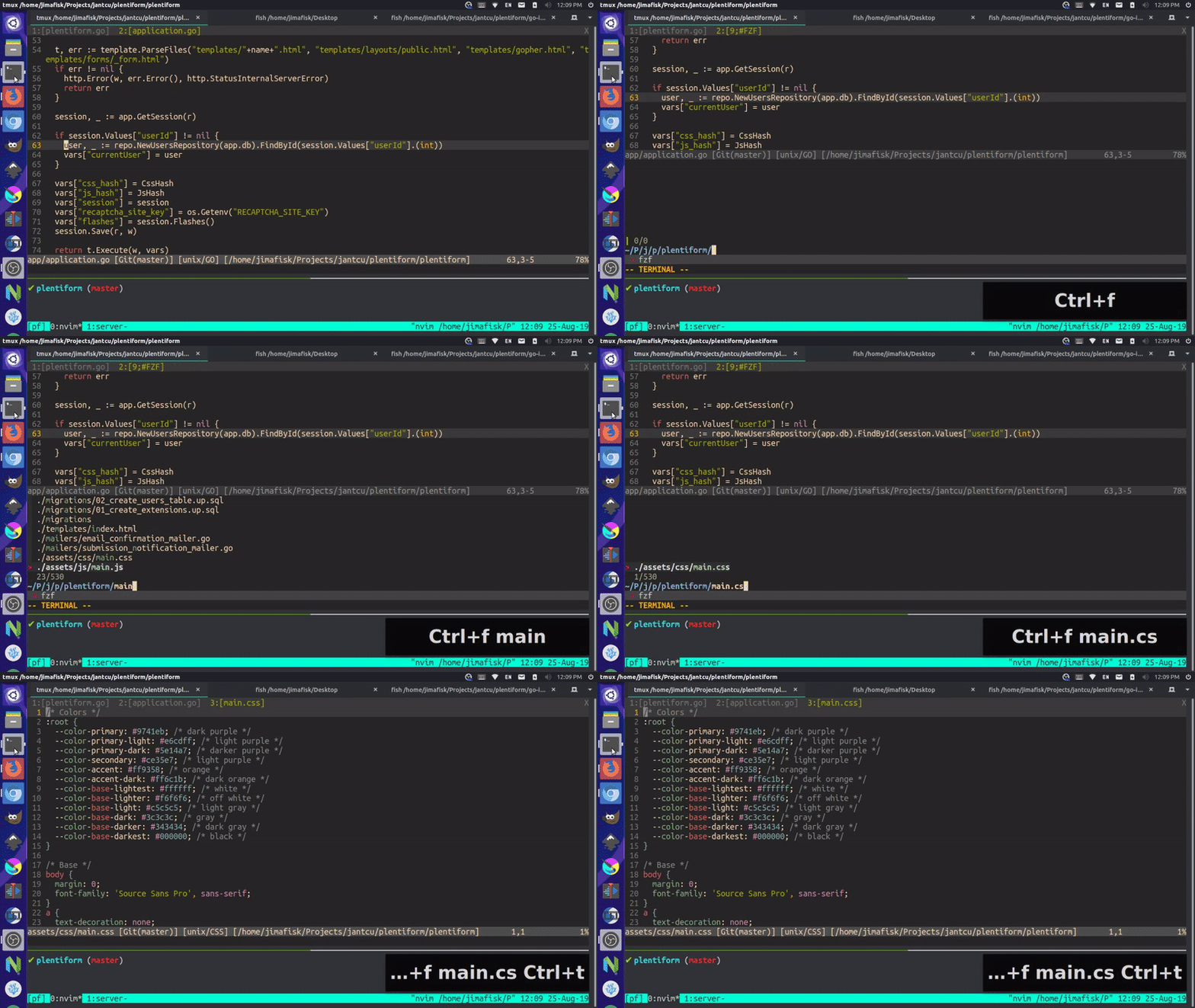
- File search: Ctrl-
p
- Text search:
/then type your search terms (find terms Enter, nextn, previousN, clear highlight Ctrl-l)

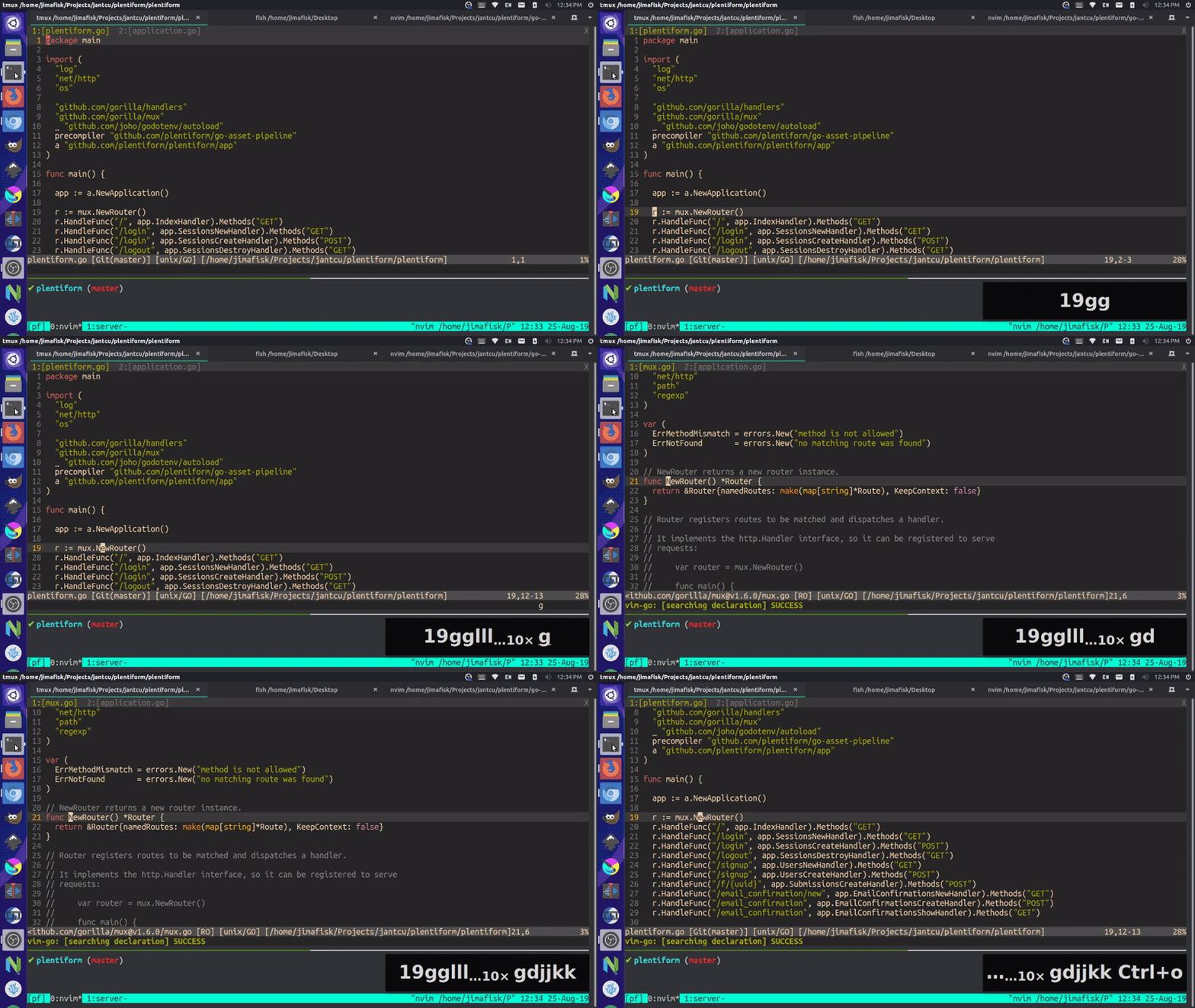
- Go to definition:
gd(traverse back with Ctrl-o)
- Method and property completion (cycle forward: Tab, cycle backward Shift-Tab, select Enter)

- Snippets / shortcuts (next input Ctrl-
j, previous input Ctrl-k)

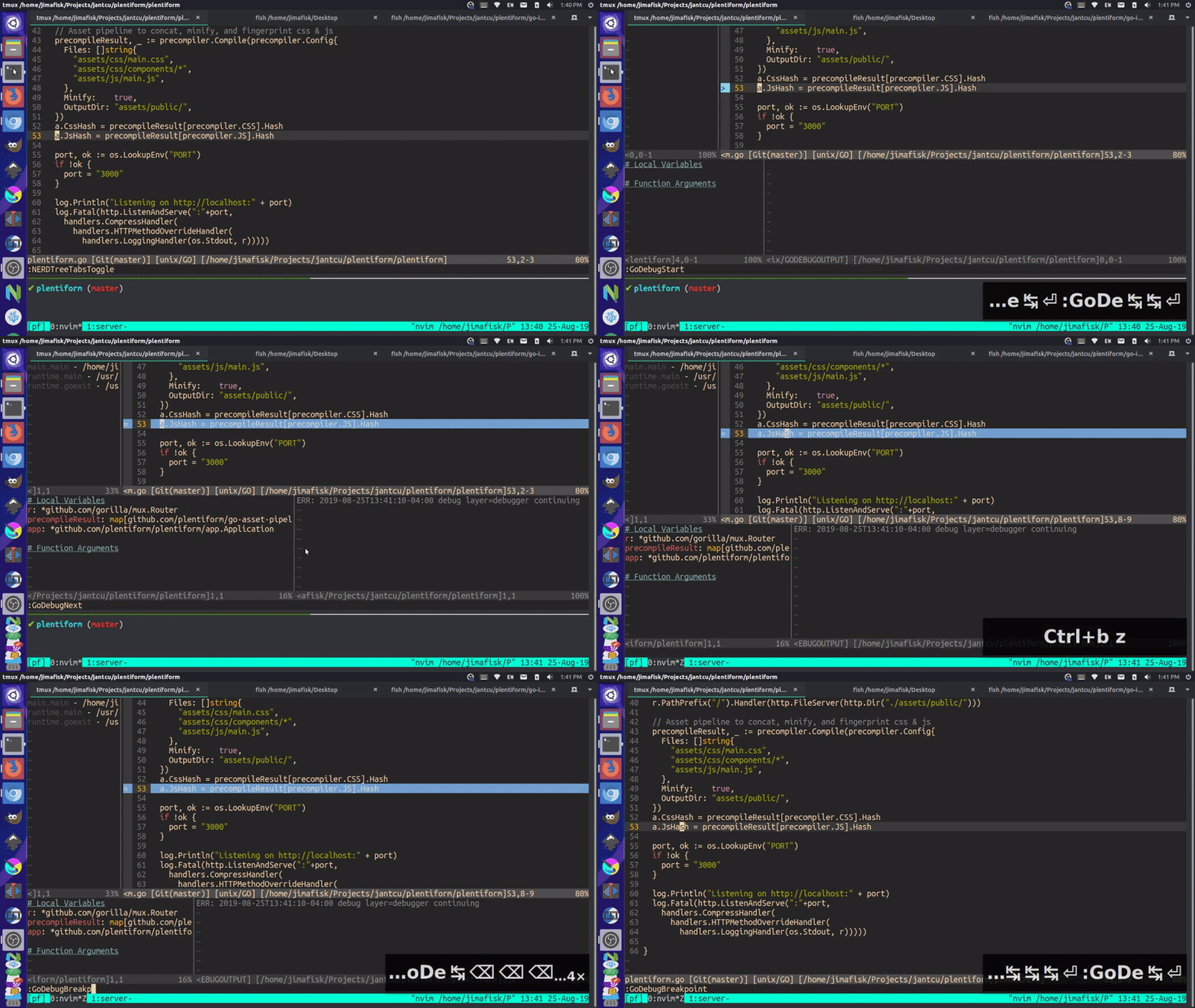
- Debugger
- Auto imports and tab formatting