
Godot Pixel Renderer
(Known as: Godot Pixel Studio)

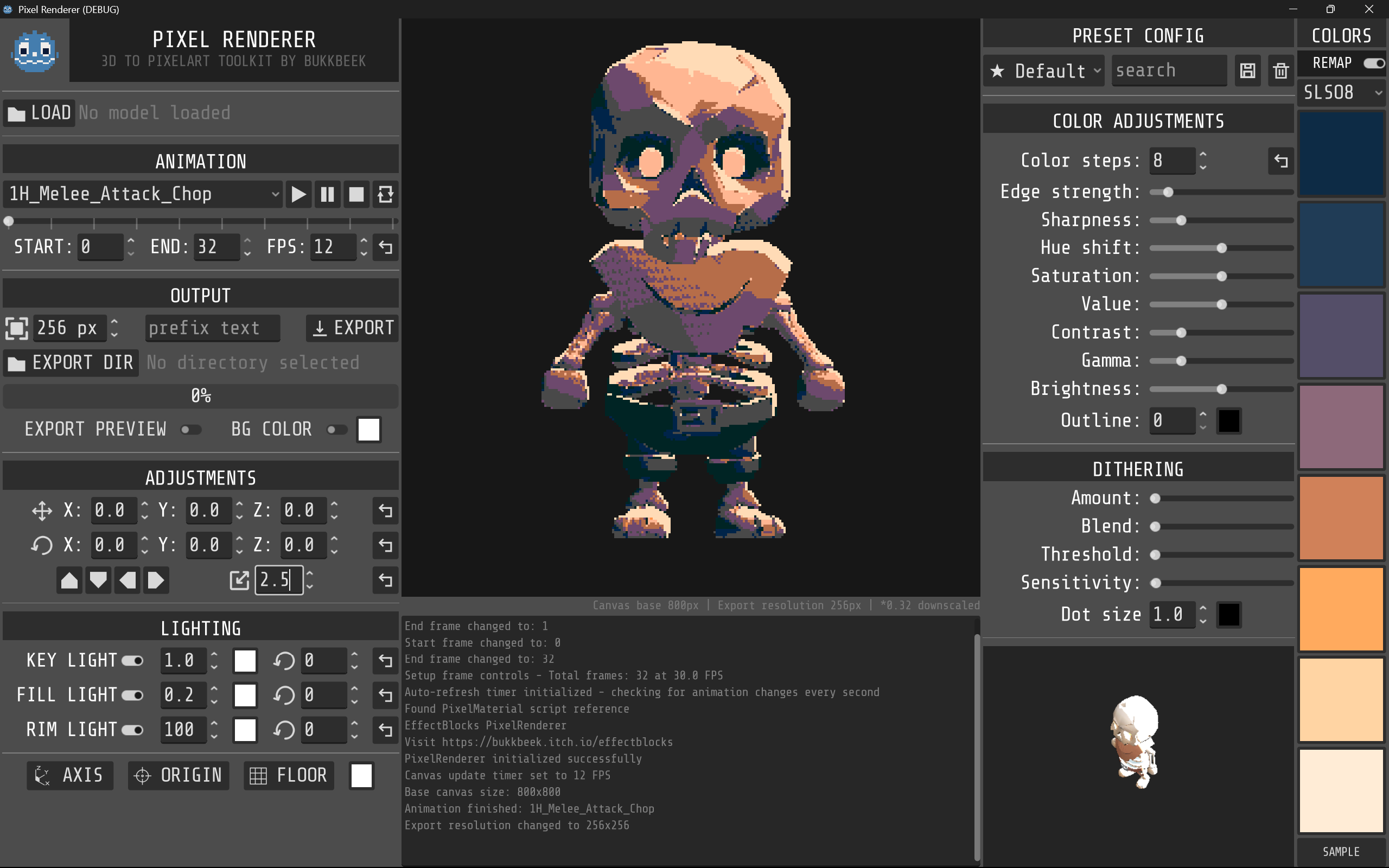
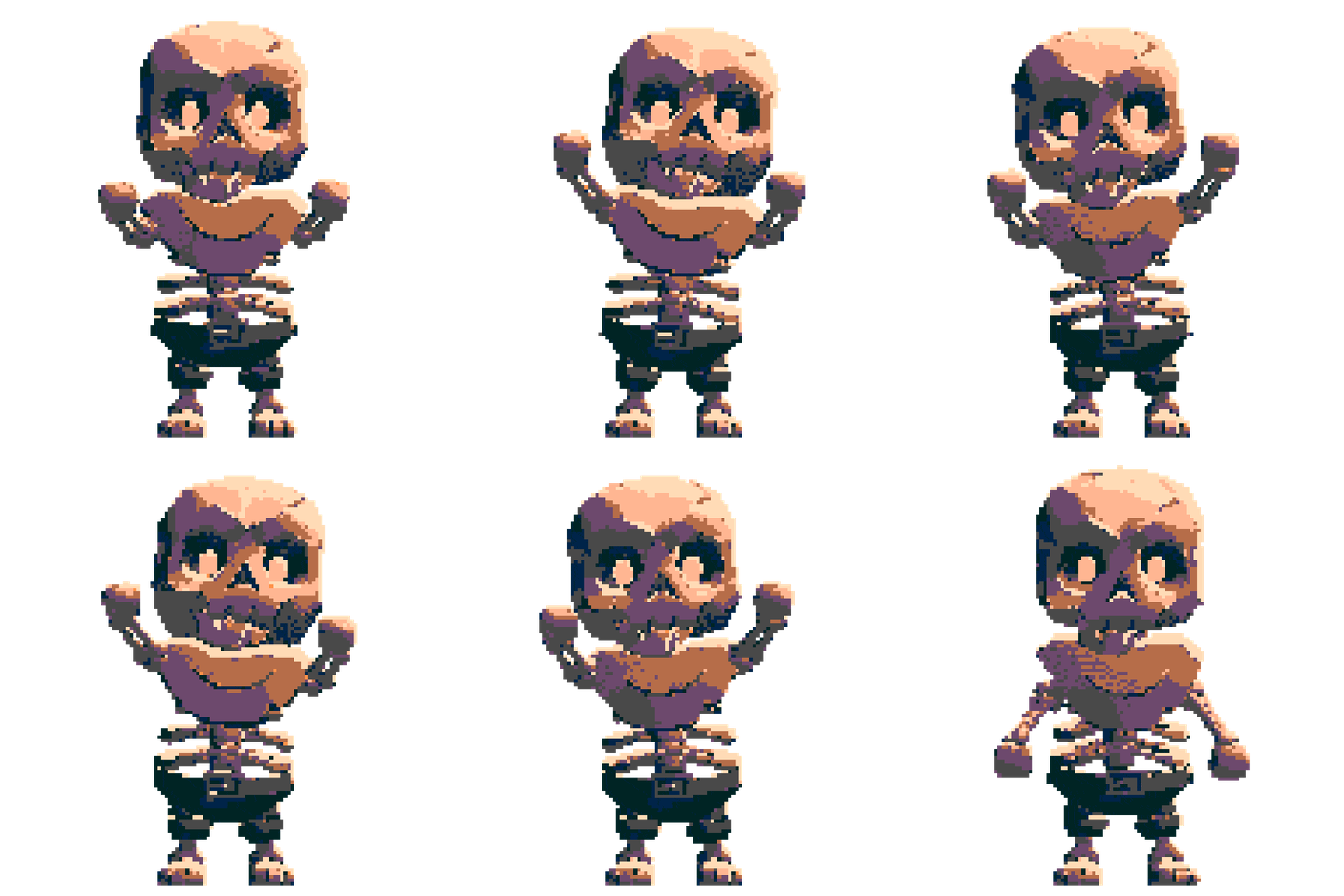
A powerful 3D to Pixel Art Renderer built with Godot that exports 3D models and animations into retro-style pixel art with customizable effects and frame by frame animation export capabilities.



Watch GFS (Games From Scratch) review video on Youtube

Developer
Created by bukkbeek. Visit bukkbeek.github.io for more details.

Downloads
Get Pixel Renderer



Note: Arch Linux version is independently maintained
Features
Pixel Art Rendering
- Real-time 3D to pixel art conversion with customizable pixelation (8-800 pixels)
- Color quantization with adjustable steps (2-32 colors) and 8-color palette support
- Advanced shader effects: edge detection, sharpening, dithering, and outlines
- Post-processing controls: HSV adjustments, contrast, gamma, and brightness
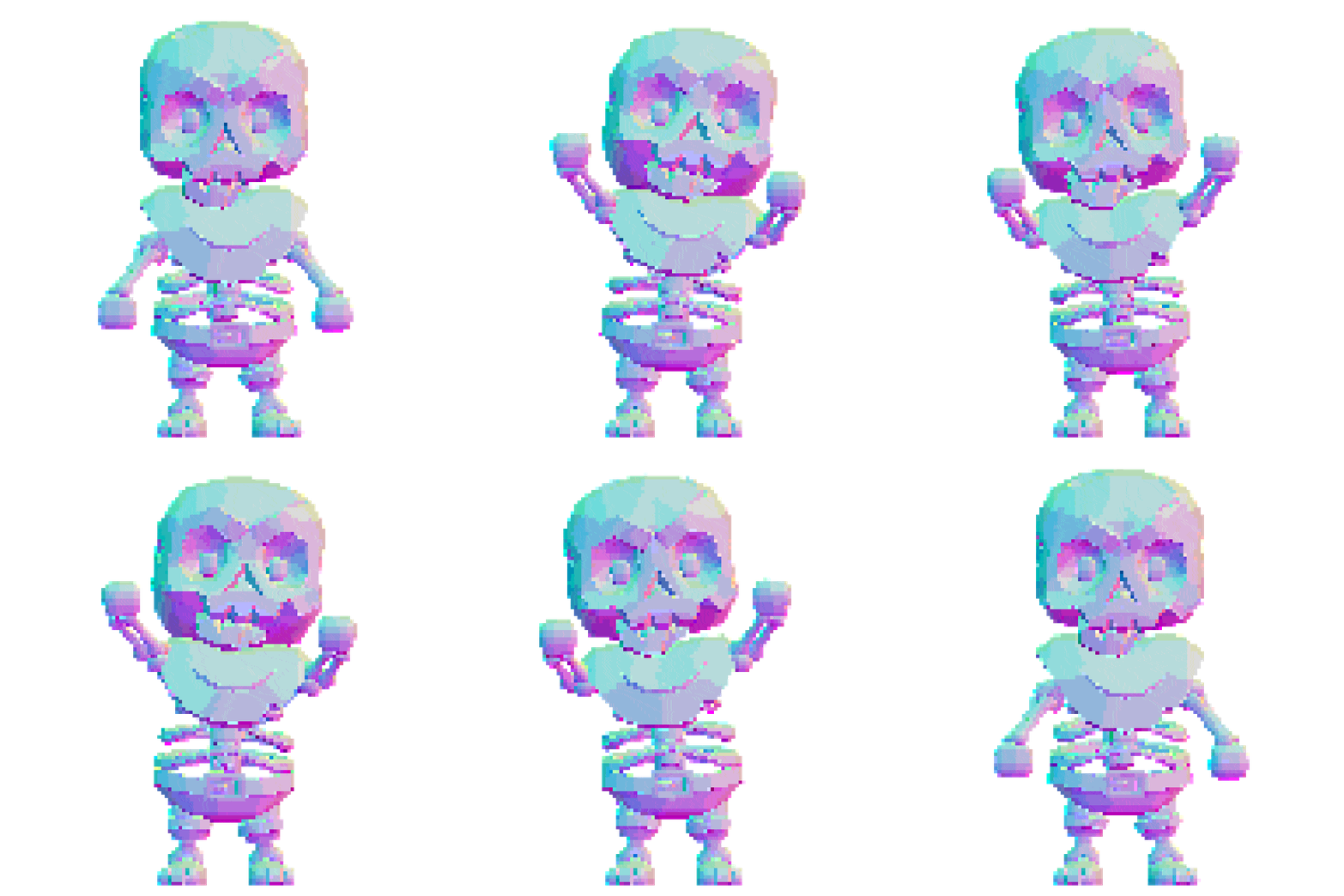
- Specular and Normal map export
Animation & Export
- Frame-by-frame animation export to PNG sequences with progress tracking
- Flexible export settings: custom frame ranges, variable FPS (1-120), resolution scaling
- GLB/GLTF model support with animation playback controls and auto-refresh detection
User Experience
- Intuitive interface with organized control panels and real-time preview
- Preset configurations and console logging for detailed feedback
- Export management with custom paths, filename prefixes, and batch capabilities
Quick Start
Installation
-
Clone and open:
git clone https://github.com/bukkbeek/GodotPixelRenderer.git cd GodotPixelRenderer -
Launch in Godot:
- Import
project.godot - Press
F5to run - Select
PixelRenderer/PixelRenderer.tscnif prompted
- Import
Basic Workflow
- Load Model: Click
Load Modeland select GLB/GLTF file - Configure Effects: Adjust pixelation, colors, and shader parameters
- Set Camera: Position and frame your model using camera controls
- Export: Choose output directory, set frame range/FPS, and export PNG sequence
Key Controls
- Animation: Play/pause/stop buttons with loop toggle and frame range selection
- Camera: XYZ positioning, rotation presets, and zoom controls
- Effects: Pixelation slider, color steps, palette mode, and post-processing
- Export: Directory selection, resolution scaling, and filename customization
Technical Details
Project structure
PixelRenderer.gd: Main controller and export systemmodels_handler.gd: 3D model positioning and camera controlsmodels_spawner.gd: Model loading and animation managementpixel_material.gd: Shader parameter managementPixelArt.gdshader: Custom pixel art rendering with Sobel edge detection and Bayer dithering
Export System
Captures animation frames using SubViewport rendering with real-time pixel art effects, nearest-neighbor scaling, and PNG output with transparency support.
Contributing & Support
Get Involved
- ★ Star this repository
- Report issues on GitHub Issues
- Submit PRs and feature suggestions
License
This project is licensed under the MIT License.
Changelog
v1.3 - April 29, 2026
Mainupdated to Godot 4.6- Static frame export by (by Ignas)
- Minor updates to UI & tooltips
v1.2 - August 15, 2025
- 360 rendering and variable resolution support (by Slavaitis)
- Gizmo location changed
- Link to GitHub repo added
v1.1.1 - July 25, 2025
- Normal maps rendering support (by Viktor Edén)
- Specular maps rendering support (by Viktor Edén)
- mode selection will automatically trigger color remap toggle
v1.1 - July 23, 2025
- Bug fix: animation rendering and export issues
- Bug fix: background rendering problems
- Bug fix: transparent background rendering
v1.0 - July 22, 2025
- Initial Release
- Note: This initial release contained several bugs that were addressed in subsequent updates
Acknowledgments
Thanks to the amzing Godot community, Lospec pixel art community, and KayKit for the default skeleton asset.
AI Development assistance
This project was developed with the assistance of Claude Sonnet through Cursor as a coding assistant, helping to enhance development efficiency and code quality.