
Gomphotherium
Gomphotherium (/ˌɡɒmfəˈθɪəriəm/; "welded beast"), a command line Mastodon client.
Info
As I have left the Fediverse for now, I won't be iterating too much on this. However, I'm happy to accept PRs; If you're interested in actively contributing to Gomphotherium or even support maintaining it, feel free to ping me!
Description
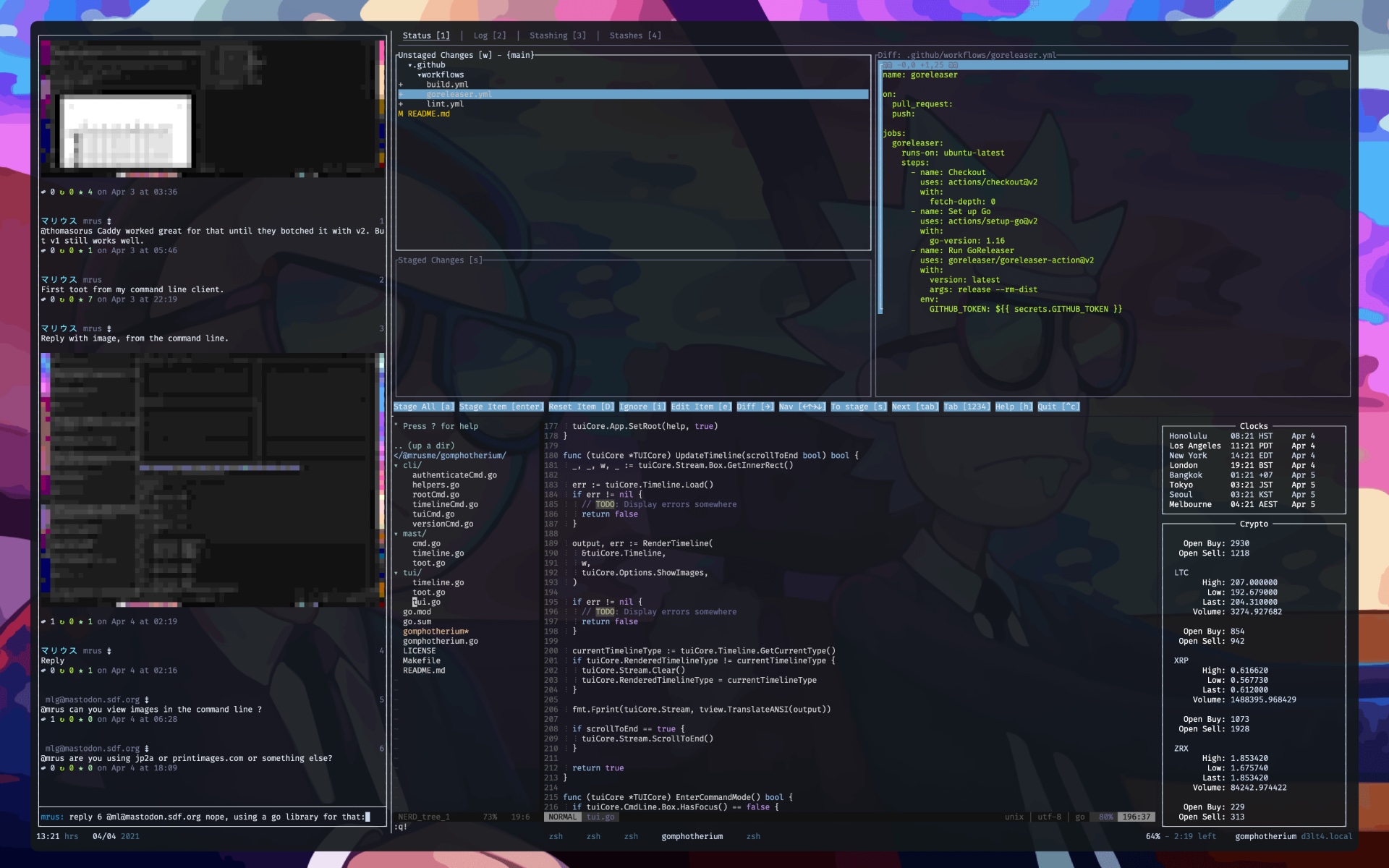
Gomphotherium is a Mastodon client for the command line, offering a CLI as well as a TUI with a usage similar to rainbowstream. It is intended to be used at 80 characters width maximum, but ideally inside tmux as a sidebar-style program.
Installation
Download a binary from the releases page.
Or build it yourself (requires Go 1.19+):
make
Or run via Dockerfile:
docker build . -t gomphotherium:latest

docker run -it --rm -e <ENVIRONMENT VARIABLES> gomphotherium:latest
User Manual
Authentication
To authenticate with your Mastodon instance, run the following command and follow the instructions:
gomphotherium authenticate https://YOUR-MASTODON-SERVER-URL-HERE.com
TUI
Launch the TUI with the following command:
gomphotherium tui
Note: If you haven't exported the required environment variables that were
shown to you during the [Authentication][#authentication], please do so first
or use the CLI flags (gomphotherium -h) instead.
Modes
The TUI can be operated in two modes: Normal and Command.
In Normal mode no interaction is possible apart from scrolling and refreshing the timeline and quitting Gomphotherium. The shortcuts can be looked up on the cheatsheet
In Command mode, the command input becomes available and scrolling the timeline is not possible anymore. Commands can then be issued to interact with the Mastodon instance.
Cheatsheet
Shortcuts
This is a list of supported keyboard shortcuts. The information in box brackets tells to which mode the shortcut applies.
-
:[normal]
Enter Command mode -
Esc[command]
Leave Command mode -
ArrowUp/k,ArrowDn/j[normal]
Scroll timeline in either direction by one line -
PgUp/b,PgDn/f[normal]
Scroll timeline in either direction by one page -
u,d[normal]
Scroll timeline in either direction by half a page -
g,G[normal]
Scroll timeline to the very top/bottom -
Ctrl+R[any]
Refresh timeline -
Ctrl+Q[any]
Quit Gomphotherium
Commands
home
local
public
notifications
hashtag tag [local]
Switch between timelines
whois user
Switch to user profile and timeline
t content ...
toot content ...
Publish a new public toot
tp content ...
tootprivate content ...
Publish a new private toot
tu content ...
tootunlisted content ...
Publish a new unlisted toot
td content ...
tootdirect content ...
Publish a new direct toot
re toot-id content ...
reply toot-id content ...
Reply to a toot publicly
rep toot-id content ...
replyprivate toot-id content ...
Reply to a toot privately
reu toot-id content ...
replyunlisted toot-id content ...
Reply to a toot unlisted
red toot-id content ...
replydirect toot-id content ...
Reply to a toot directly
rt toot-id
retoot toot-id
boost toot-id
Boost a toot
ut toot-id
unretoot toot-id
unboost toot-id
Undo boosting a toot
fav toot-id
Fav a toot
unfav toot-id
Undo fav-ing a toot
open toot-id
Open toot in system browser
share toot-id
Copy toot URL to the clipboard
history
Show command history
help
?
Show help page
quit
exit
bye
Quit Gomphotherium
Info: \
content ...describes the text content of a toot, including inline shortcodestoot-iddescribes the toot ID (number) visible on the right side of each toot in the timeline
Inline Shortcodes
Inline shortcodes allow to add additional info to toots. They can be added anywhere in the toot content as they get filtered from the toot before publishing.
~!!
Mark toot as sensitive; one-time shortcode
~#[text ...]
Add content warning (spoiler) text to toot; one-time shortcode
~:[/path/to/file]
Add media by file path to toot; can be specified multiple times
Usage Examples
home
Switch to the home timeline
hashtag theStudio local
Switch to the hashtag timeline and search for the hashtag #theStudio on only
the local instance
hashtag lol
Switch to the hashtag timeline and search for the hashtag #lol globally
whois [email protected]
Switch to the profile of [email protected] and list his toots
t Hello World!
Publish a new public toot that says Hello World!
tp Mondays are fine. It’s your life that sucks. ~#[Controversial joke]
Publish a new private toot that says Mondays are fine. It’s your life that
sucks. with a content warning that says Controversial joke
tu Check out my mustache! ~:[/home/user/Photos/awesome_mustache.jpg] ~!!
Publish a new unlisted toot with a photo attached to it, that is flagged
sensitive
re 11 I think so, @brain, but aren't we out of shaving cream?
Publicly reply to toot with ID 11 with I think so, @brain, but aren't we out
of shaving cream?
rt 11
Retoot/boost toot with ID 11
help
Show this help
bye
Goodbye!
CLI
The CLI interface allows for exectuion of commands right from the terminal prompt. Not all commands are supported.
Usage Examples
gomphotherium cmd home
Render the home timeline
gomphotherium cmd t Hello World!
Publish a new public toot that says Hello World!