
graphqlviz 
GraphQL Server CLI visualizer. Adapted from original web interface.
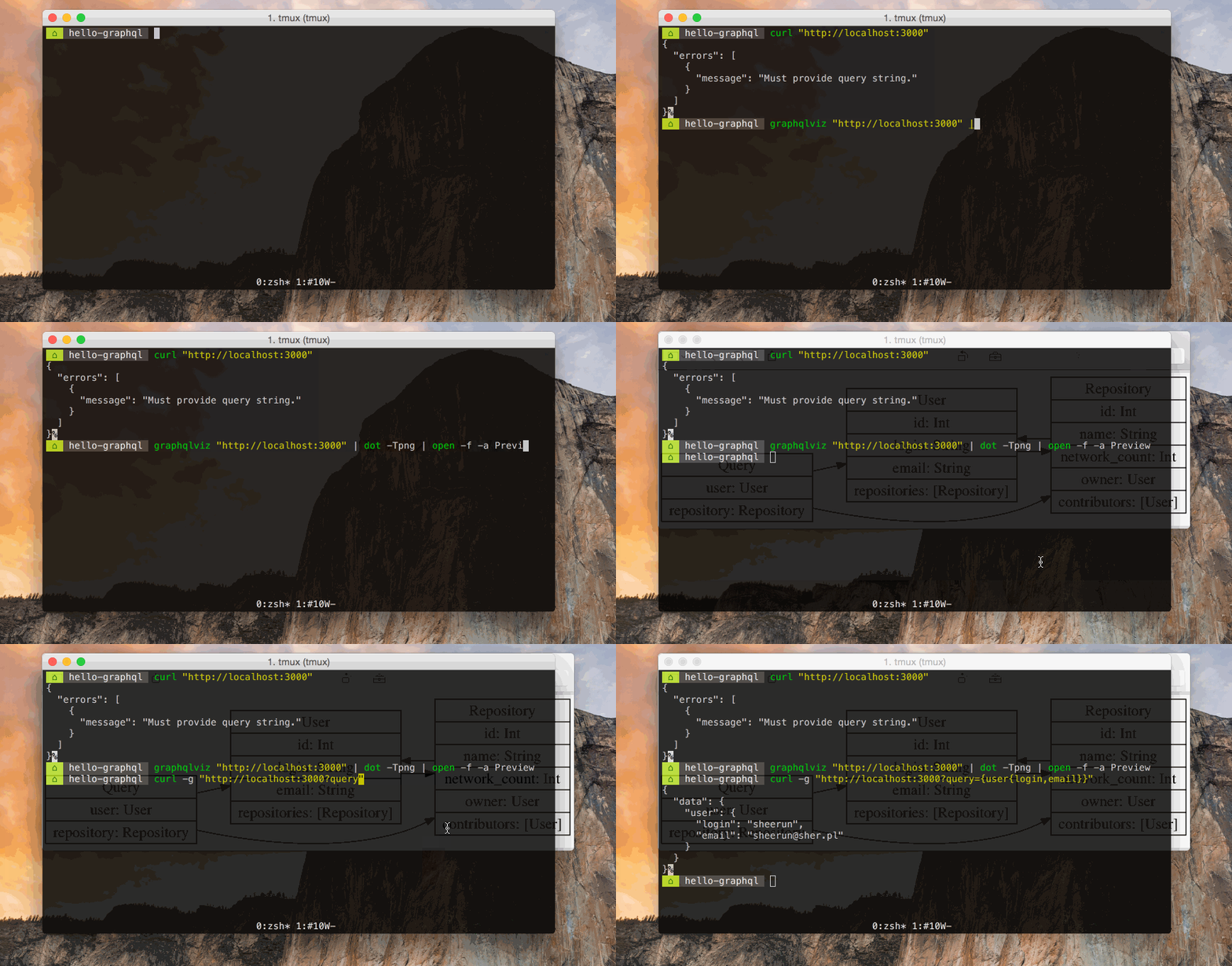
CLI
$ npm install -g graphqlviz
GraphQL Server CLI visualizer

Options:
  -t, --theme      path to theme overrides
  --print-theme    prints default theme to stdout
  --verbose        print introspection result
  -a --auth       set Authorization header for graphql server

Usage
  $ graphqlviz [url]
      Renders dot schema from [url] endpoint

Examples
  $ graphqlviz https://localhost:3000 | dot -Tpng -o graph.png
  $ graphqlviz https://localhost:3000 -a "Bearer xxxxx" | dot -Tpng -o graph.png
  $ graphqlviz https://swapi.apis.guru | dot -Tpng | open -f -a Preview
  $ graphqlviz path/to/schema.json | dot -Tpng | open -f -a Preview
  $ graphqlviz path/to/schema.graphql | dot -Tpng | open -f -a Preview
  $ graphqlviz --print-theme > theme.json
  $ graphqlviz https://localhost:3000 -t theme.json | dot -Tpng | open -f -a Preview
  $ graphqlviz schema.json --theme.header.invert=true | dot -Tpng > schema.png
Note that dot is graphviz's tool to produce layered drawings of directed graphs. graphviz is available through most package managers including homebrew and apt-get. Details here: https://www.graphviz.org/download/
Customizing output
You can print default theme with graphqlviz --print-theme > theme.json, then you can modify it, and pass with --theme theme.json argument. All the available colors can be found on the graphviz site.
Windows Users
Windows users looking use the dot command should download & install from the graphviz website and ensure the installation location is on the system PATH. It has been reported that, for at least some windows versions, the msi does not automatically add the installation to the PATH. Alternatively the executables can be invoked directly. The installation location will likely be similar to C:\Program Files (x86)\Graphviz2.38\bin\.
Mac Users
Mac users can install the dot command as part of graphviz (from AT&T and Bell Labs) by running:
brew install graphviz
Team
 |
 |
 |
|---|---|---|
| Adam Stankiewicz | Nathan Smith | Join |