
H3xAssist
Automated meeting assistant that can join, record, transcribe, and summarize online meetings. Built with modern Python and Next.js.
Screenshots
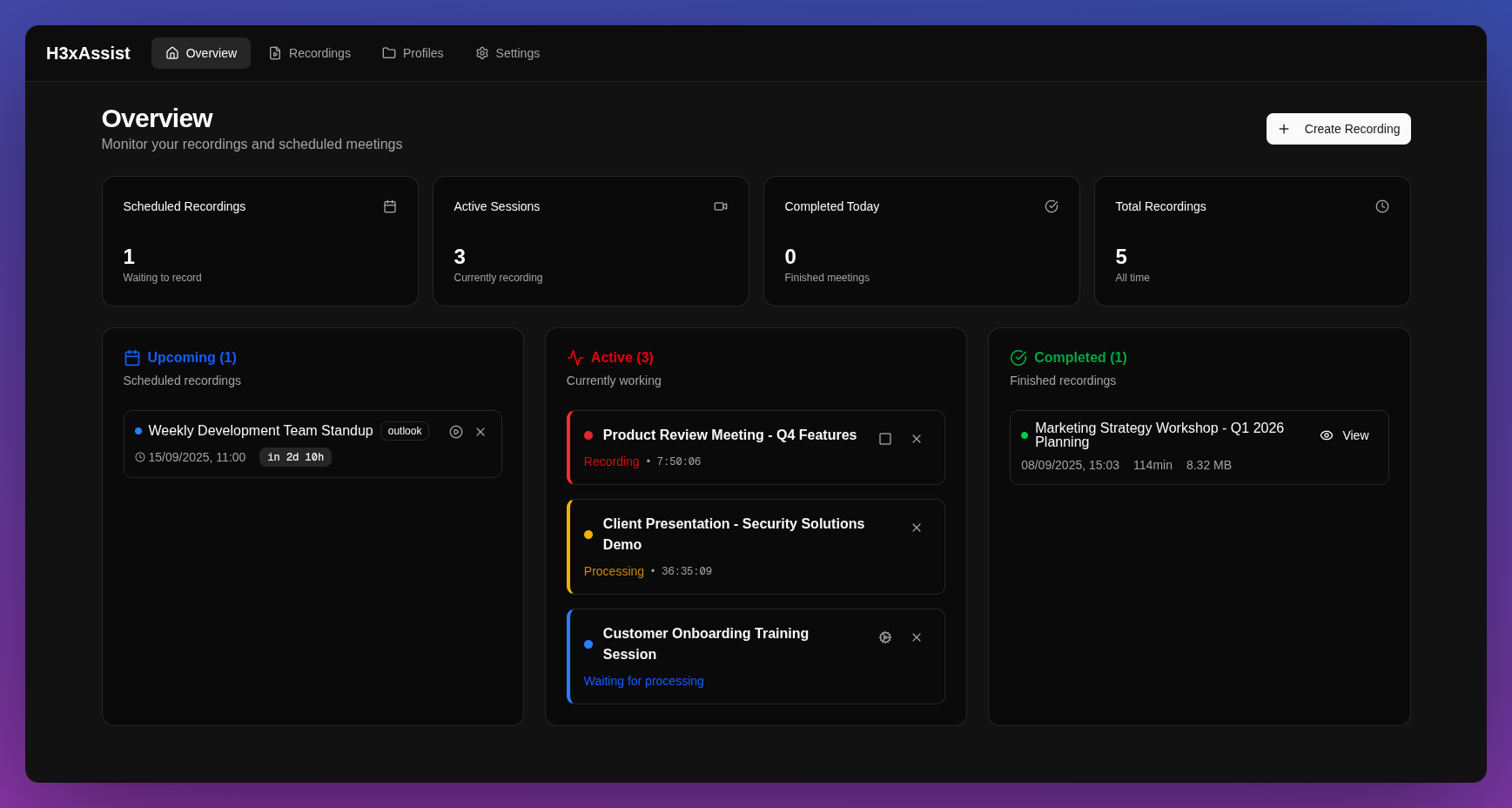
Real-time dashboard overview
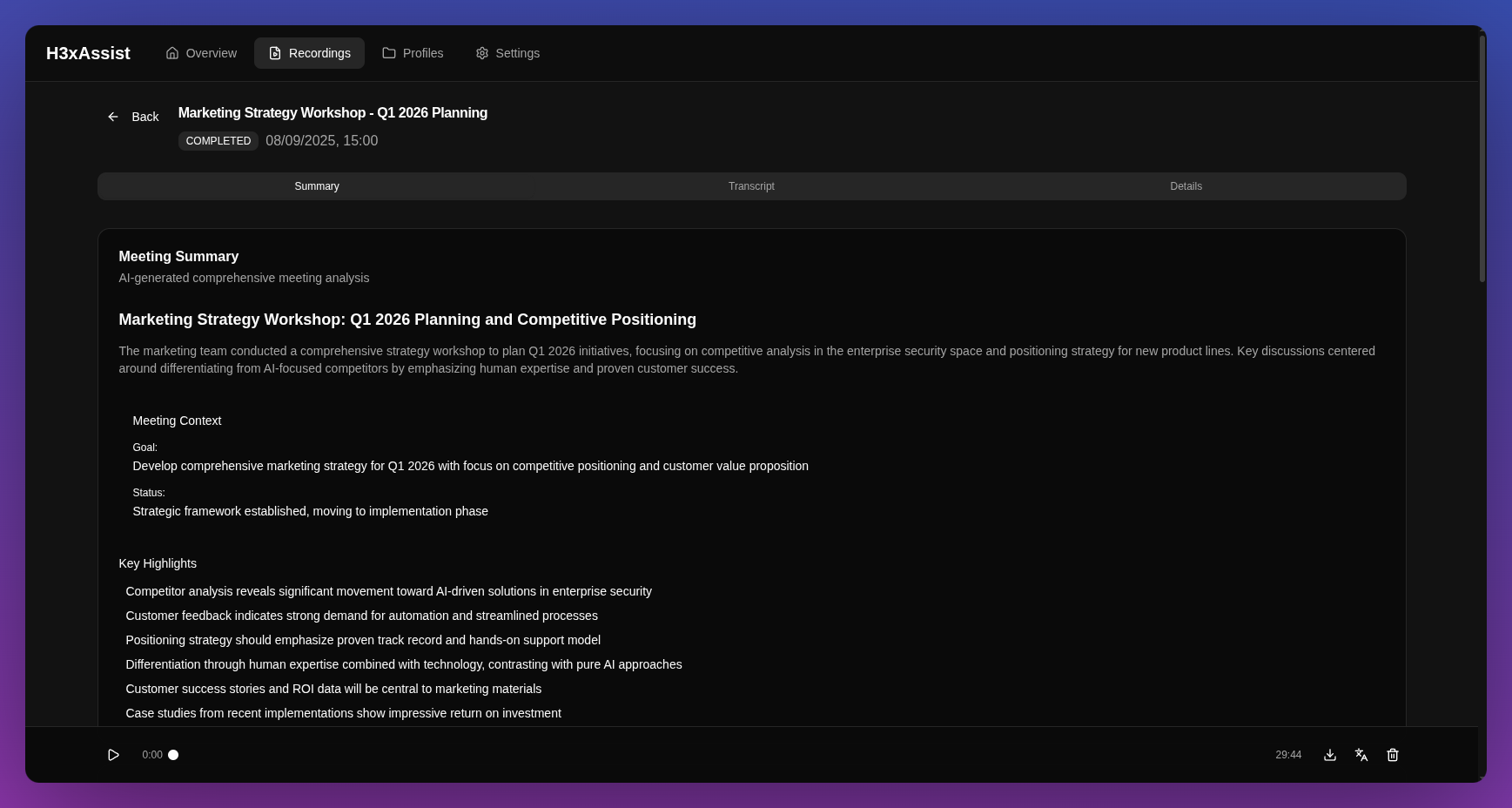
AI-generated meeting summary
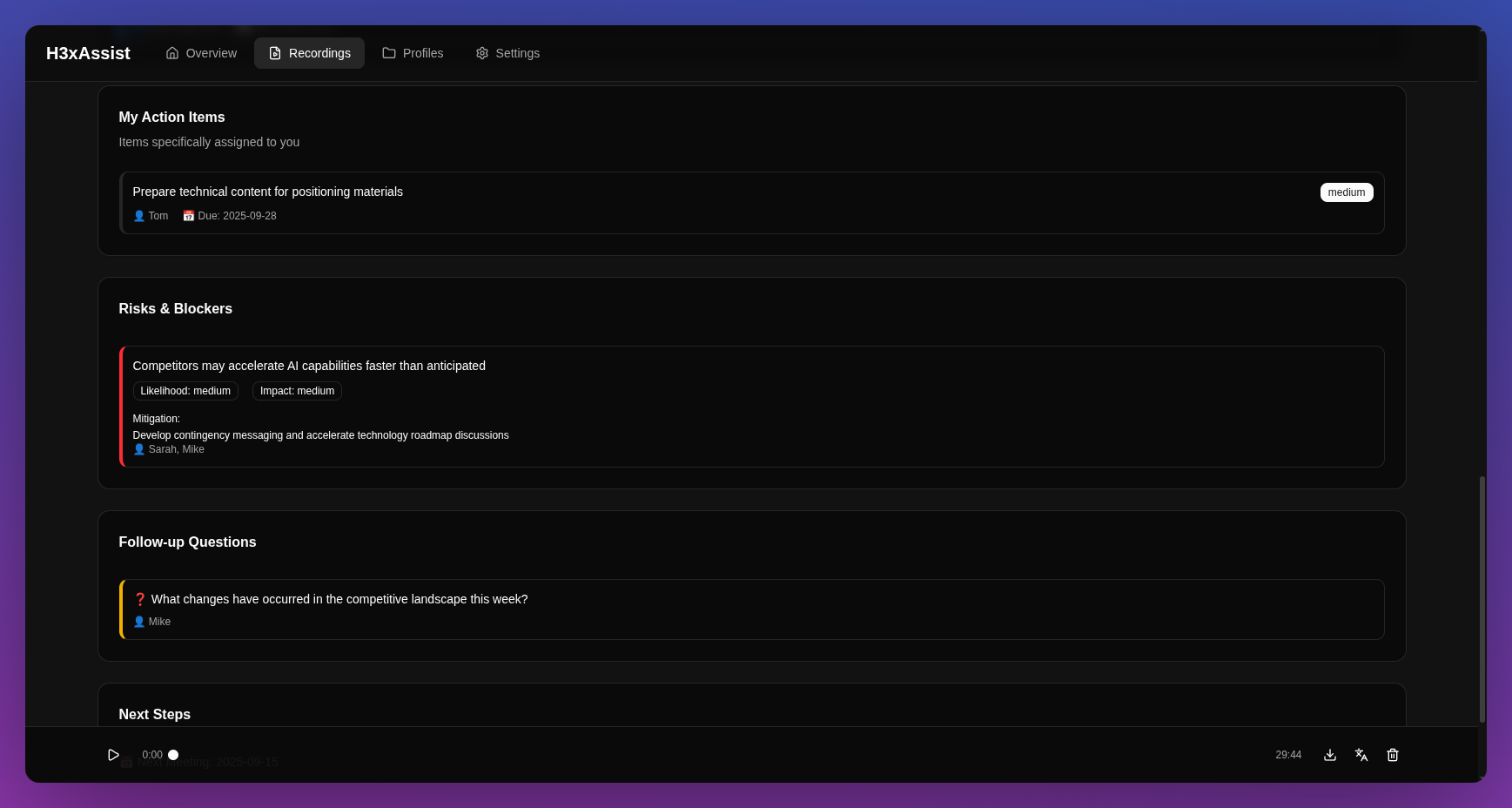
Action items and follow-up questions
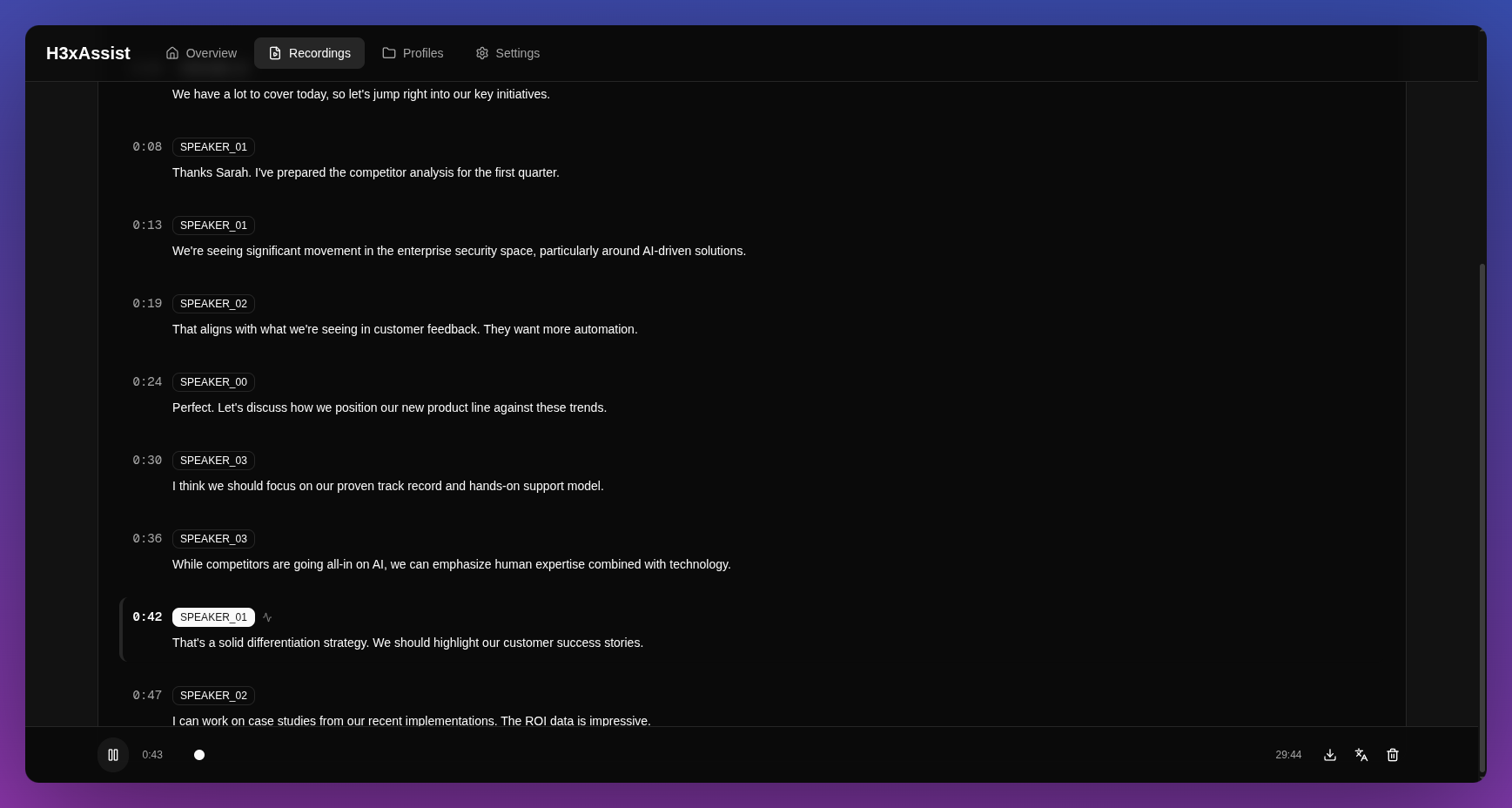
Transcription synchronized with audio
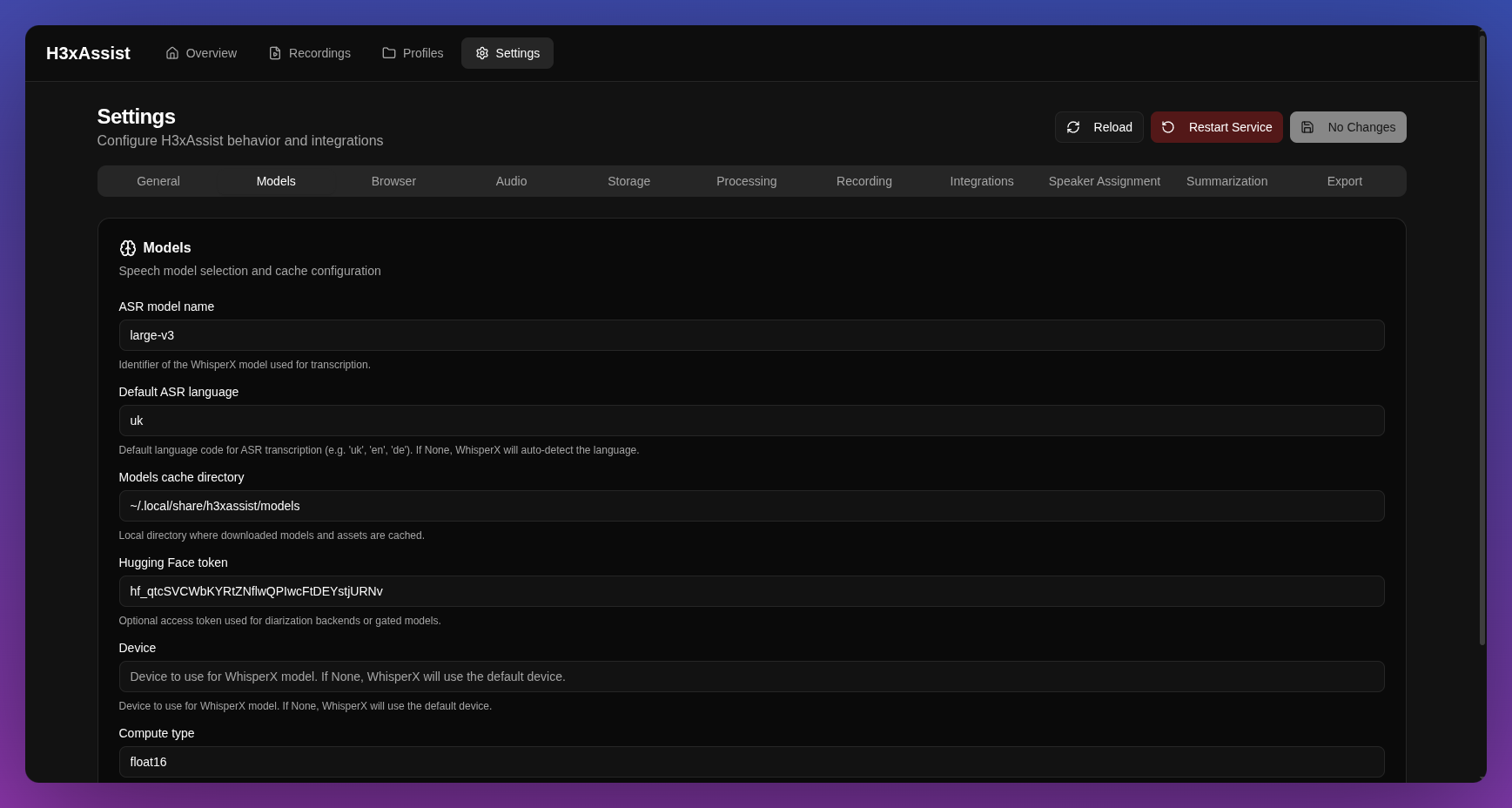
Comprehensive settings configuration
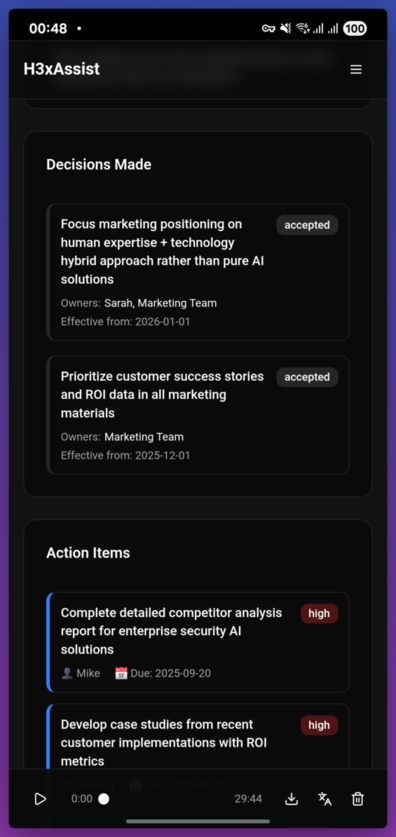
Responsive design optimized for mobile devices
Features
- Automatic Meeting Join - Supports Microsoft Teams and Google Meet with browser automation
- Audio Recording - High-quality audio capture with PipeWire integration
- Speech Recognition - WhisperX-powered transcription with speaker diarization
- AI Summarization - Google Gemini-generated meeting summaries
- Calendar Integration - Automatic Outlook calendar synchronization
- Modern Web Interface - Real-time dashboard built with Next.js and responsive design
- Mobile Friendly - Adaptive interface optimized for all screen sizes
- Real-time Updates - WebSocket-powered live status updates
Architecture
- Python Backend - FastAPI server with async task management
- Next.js Frontend - Modern React dashboard with TypeScript and responsive design
- Browser Automation - Playwright for meeting platform integration
- Audio Pipeline - PipeWire + FFmpeg for Linux audio processing
- AI Integration - WhisperX for transcription, Google Gemini for summaries
Quick Start
Prerequisites
- Linux with PipeWire audio system
- Python 3.12+
- Node.js 18+ and pnpm
- Chromium/Chrome browser
- Task (recommended for easier setup)
Installation with Task (Recommended)
-
Clone the repository
git clone https://github.com/yourusername/h3xassist.git cd h3xassist -
Install all dependencies
task install -
Run setup wizard
task setup -
Download AI models
uv run h3xassist setup models -
Start the application
task prod -
Configure and use
Open http://localhost:11411 in your browser and complete the setup through the web interface
Manual Installation
-
Clone the repository
git clone https://github.com/yourusername/h3xassist.git cd h3xassist -
Install Python dependencies
uv sync -
Install frontend dependencies
cd h3xassist-web pnpm install cd .. -
Run configuration
uv run h3xassist config -
Download AI models
uv run h3xassist setup models -
Build and start the service
cd h3xassist-web && pnpm build && cd .. uv run h3xassist service run -
Configure and use
Open http://127.0.0.1:11411 in your browser and complete the setup through the web interface
Optional Setup Commands
- Browser profiles:
uv run h3xassist setup browser - Outlook integration:
uv run h3xassist setup outlook - AI models:
uv run h3xassist setup models
Usage
Manual Recording
- Open the web interface at http://127.0.0.1:11411
- Click "New Recording"
- Enter meeting details and URL
- Click "Start Recording"
- The system will join, record, and process automatically
Automatic Scheduling
- Configure Outlook integration via
uv run h3xassist setup outlook - The system will automatically sync your calendar
- Recordings are scheduled 2 minutes before meeting start
- Processing happens automatically after the meeting ends
Configuration
Configuration is managed through two methods:
1. Interactive CLI Configuration
uv run h3xassist config
Guided setup wizard for API keys, model settings, and integrations.
2. Web Interface Settings
Access settings through the web dashboard at http://127.0.0.1:11411/settings
Configuration File Location
Settings are stored in YAML format at ~/.config/h3xassist/settings.yaml:
general:
  meeting_display_name: "Meeting Bot"

http:
  host: "127.0.0.1"
  port: 11411

models:
  whisperx_model_name: "large-v3"
  hf_token: "your_huggingface_token"

summarization:
  provider_token: "your_google_api_key"

integrations:
  outlook:
    tenant_id: "your_tenant_id"
    client_id: "your_client_id"
Note: Host and port are configurable through settings. The default values are shown above.
Development
Using Task (Recommended)
# Development workflow
task dev            # Start both backend and frontend
task dev:backend    # Start backend only
task dev:frontend   # Start frontend only

# Code quality
task format         # Format all code
task lint           # Lint all code
task typecheck      # Type checking
task check          # Run all checks
task fix            # Auto-fix linting issues

# Production
task build          # Build frontend
task prod           # Build and start production

# Utilities
task types          # Generate TypeScript types
task clean          # Clean build artifacts
task help           # Show help
Manual Commands
# Start development server
uv run h3xassist service run

# Run linting
uv run ruff check src/
uv run mypy

# Format code
uv run ruff format src/

# Start frontend development
cd h3xassist-web && pnpm dev
Testing
Currently, testing is done manually via the web interface. The project focuses on functionality over extensive test coverage for this pet project scope.
Troubleshooting
CUDA/cuDNN Library Issues
If you encounter errors related to missing CUDA/cuDNN libraries (e.g., libcudnn_ops_infer.so.8), you can install the required libraries system-wide using the provided script:
# Install cuDNN 8.x libraries system-wide
./scripts/install_cudnn8_system.sh
This script will:
- Download the appropriate cuDNN wheel package
- Extract and install the libraries to
/var/opt/cudnn8/lib - Configure system library paths via ldconfig
- Verify the installation
Note: This script requires sudo privileges and is designed for Linux systems with CUDA support.
Project Structure
h3xassist/
   src/h3xassist/          # Python backend
      api/                # FastAPI server and routes
      audio/              # Audio recording pipeline
      browser/            # Playwright automation
      cli/                # Typer CLI interface
      models/             # Pydantic data models
      postprocess/        # Transcription and summarization
      scheduler/          # Meeting scheduling
   h3xassist-web/          # Next.js frontend
   pyproject.toml          # Python dependencies and config
Privacy & Security
- Local Processing - All audio processing happens locally
- No Cloud Storage - Recordings stored only on your machine
- Configurable Data - Choose what gets summarized and exported
- Open Source - Full transparency in data handling
License
AGPL v3 License - see LICENSE file for details.
Contributing
This is a personal pet project. Feel free to fork and modify for your own use!
Disclaimer
This tool is for legitimate meeting recording purposes only. Ensure you have proper permissions and comply with local laws regarding recording meetings and conversations.
Built with Python, FastAPI, Next.js, and modern AI tools.