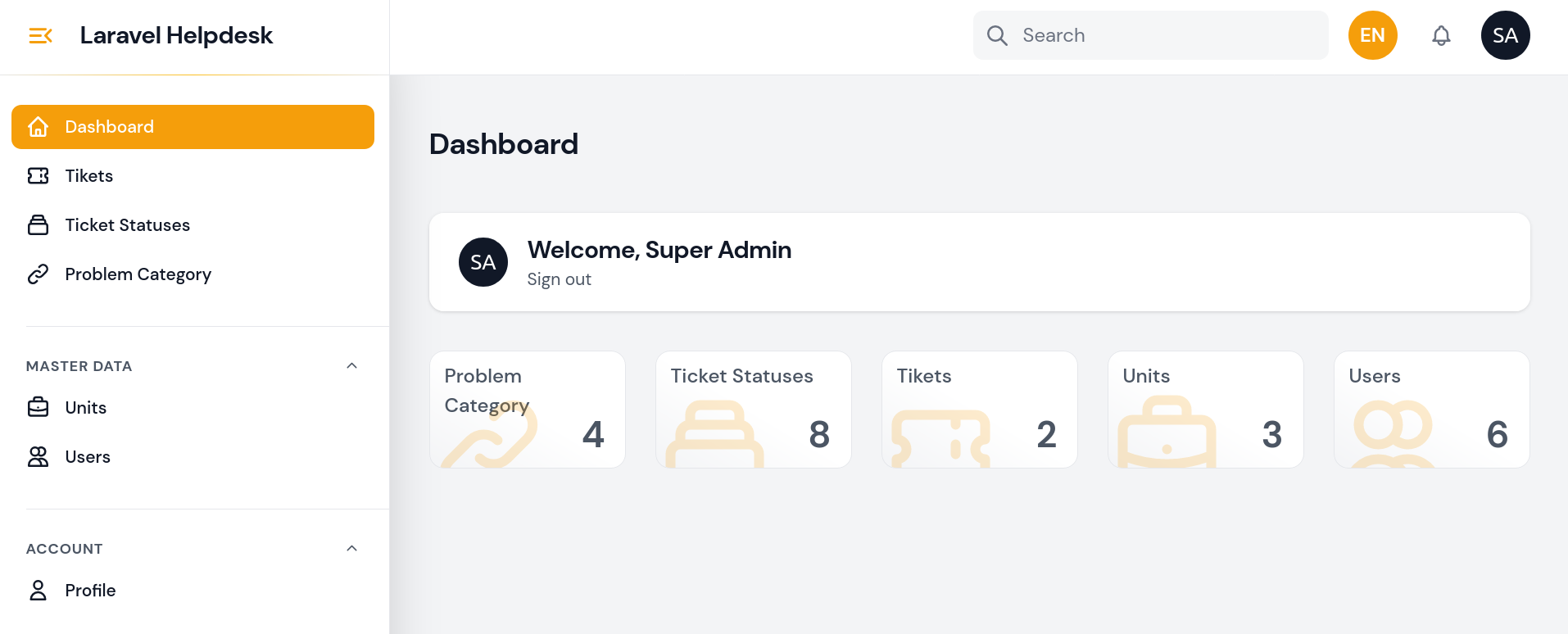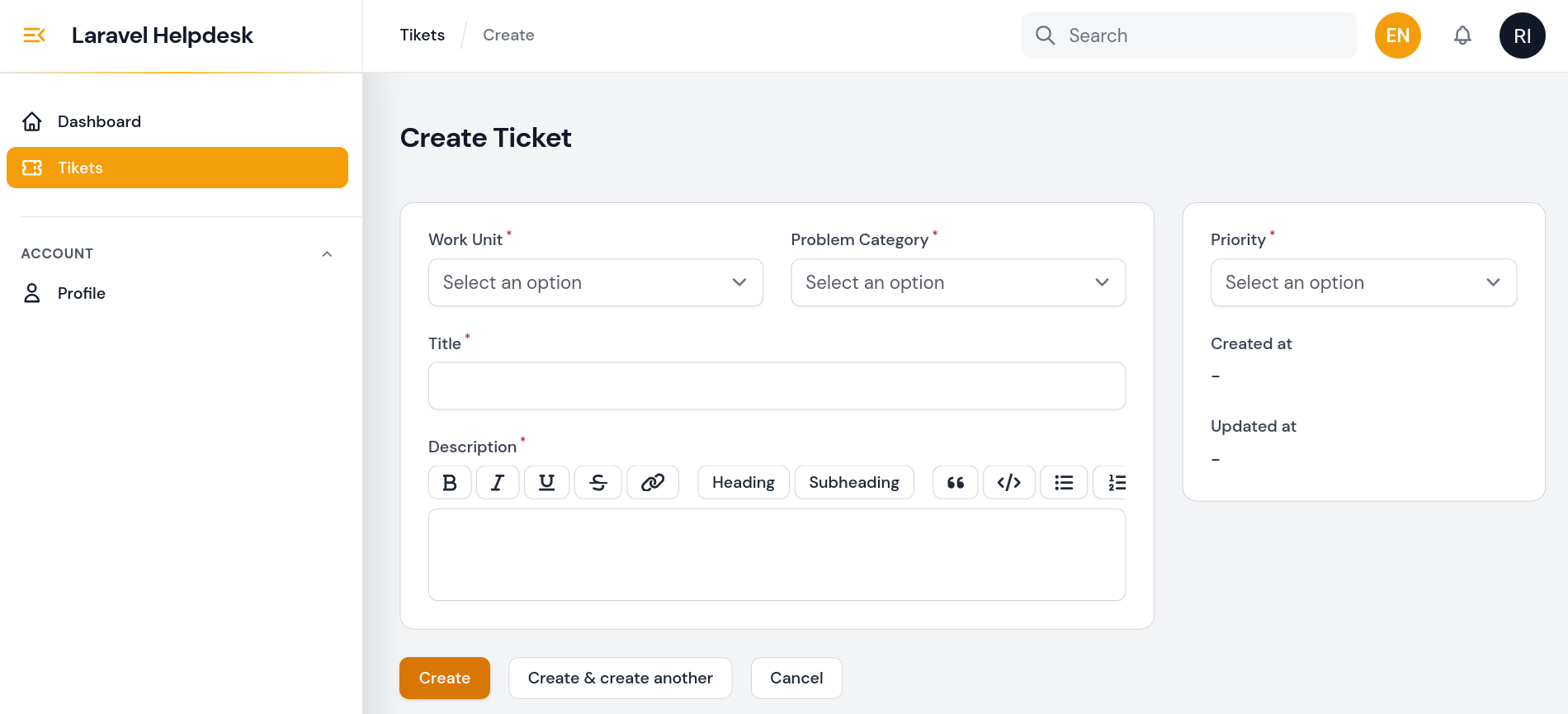
Helpdesk Laravel
The Helpdesk Laravel repository is a project aimed at providing a web-based helpdesk system using the Laravel Framewrok v10 and Filament v2. Helpdesk is a system that allows users to submit questions, request assistance, or report issues related to a company's products or services.
In this repository, you will find the complete source code implemented using Laravel, a popular and powerful PHP framework. This project is designed to assist web developers in building and managing helpdesk systems with ease.
The key features of Laravel Helpdesk include:
- Ticket Submission: Users can submit new tickets containing their questions, assistance requests, or issue reports.
- Ticket Management: Admins can view, assign, or close tickets submitted by users.
- Ticket Prioritization: Users can prioritize their tickets to emphasize the level of urgency.
- History and Tracking: The system records all activities and conversations within tickets, allowing for easy tracking and auditing.
This Laravel Helpdesk repository will provide a solid foundation for building a customizable and extensible helpdesk system according to your specific needs. By utilizing Laravel as the main framework, this project offers user-friendliness, flexibility, and good performance.
Feel free to explore this repository and start building a robust and responsive helpdesk application using Laravel Helpdesk!
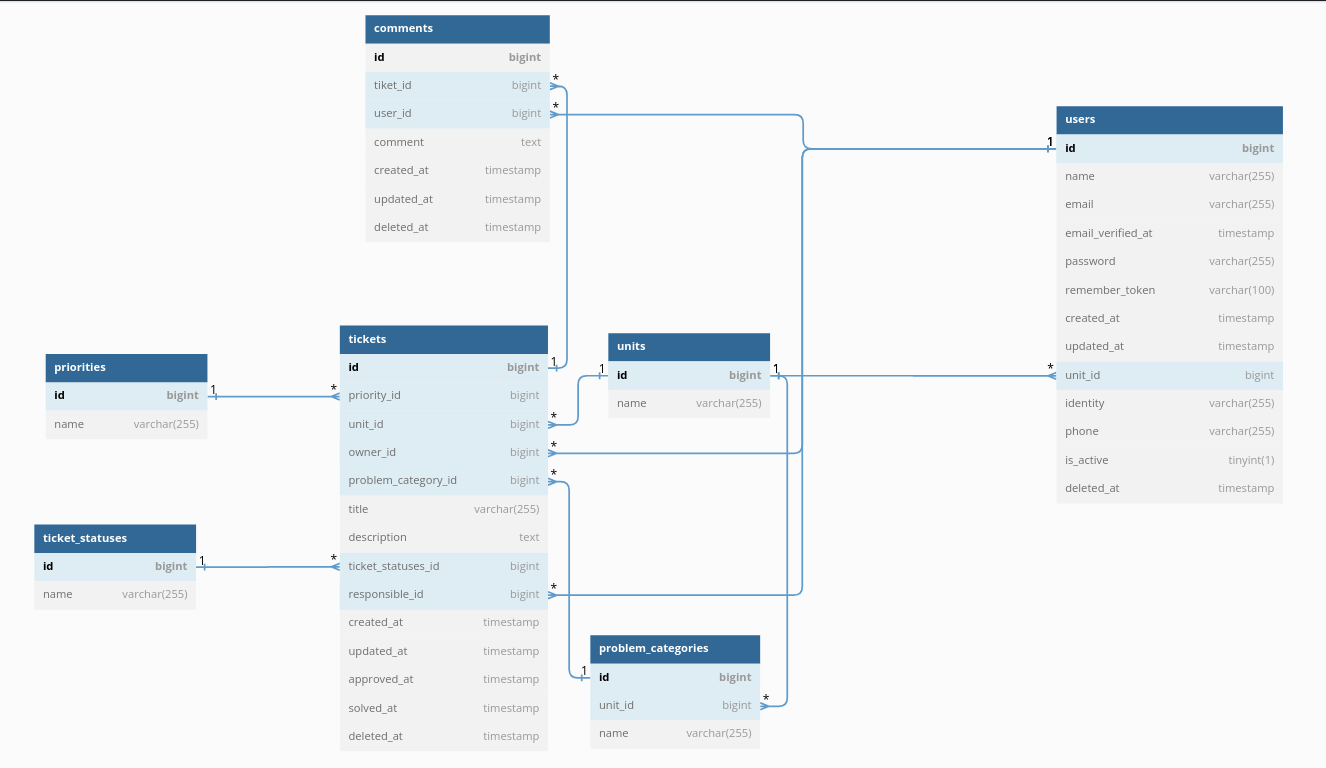
Database Design
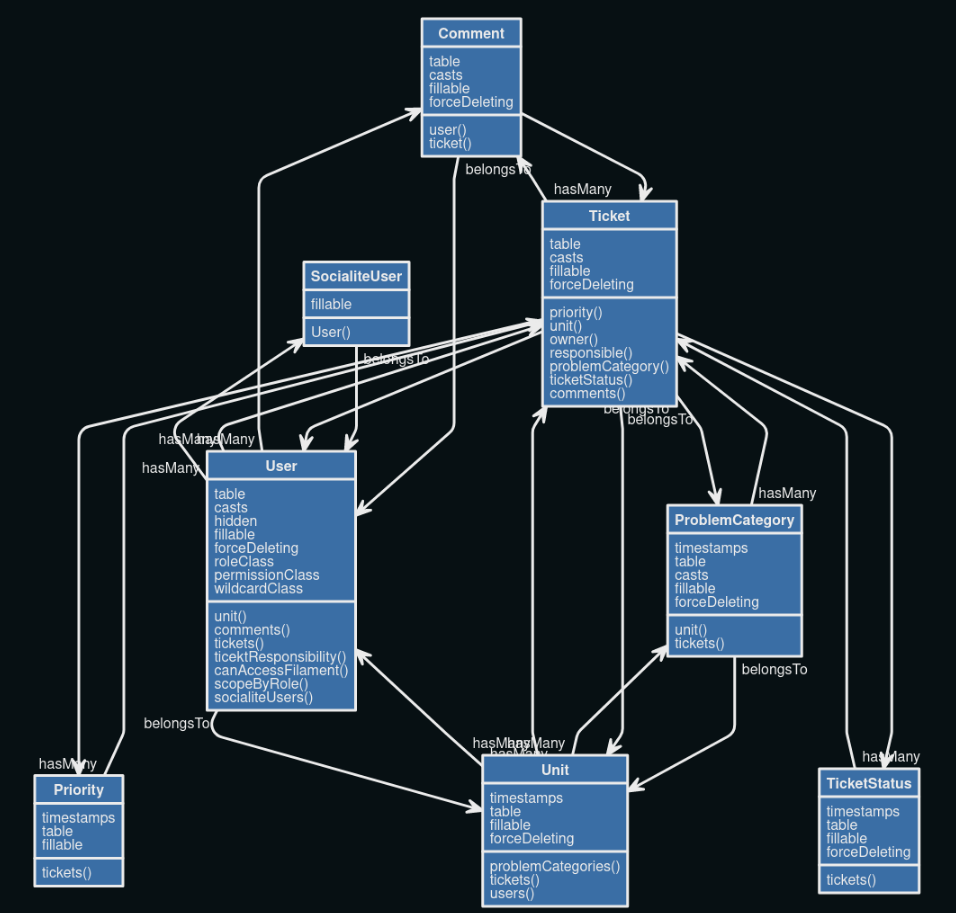
Unified Modeling Language (UML)
Requirements
- PHP 8.1 or higher
- Database (eg: MySQL, PostgreSQL, SQLite)
- Web Server (eg: Apache, Nginx, IIS)
Installation
- Install Composer
- Clone the repository:
git clone https://github.com/ruswan/laravel_helpdesk.git - Install PHP dependencies:
composer install - Setup configuration:
cp .env.example .env - Generate application key:
php artisan key:generate - Create a database and update your configuration.
- Run database migration:
php artisan migrate - Run database seeder:
php artisan db:seed - Create a symlink to the storage:
php artisan storage:link - Run the dev server:
php artisan serve
Dummy Account
Super Admin
- Email: [email protected]
- Password: password
Admin Unit
- Email: [email protected]
- Password: password
Staff Unit
- Email: [email protected]
- Password: password
General User
- Email: [email protected]
- Password: password
Super Admin Preview