
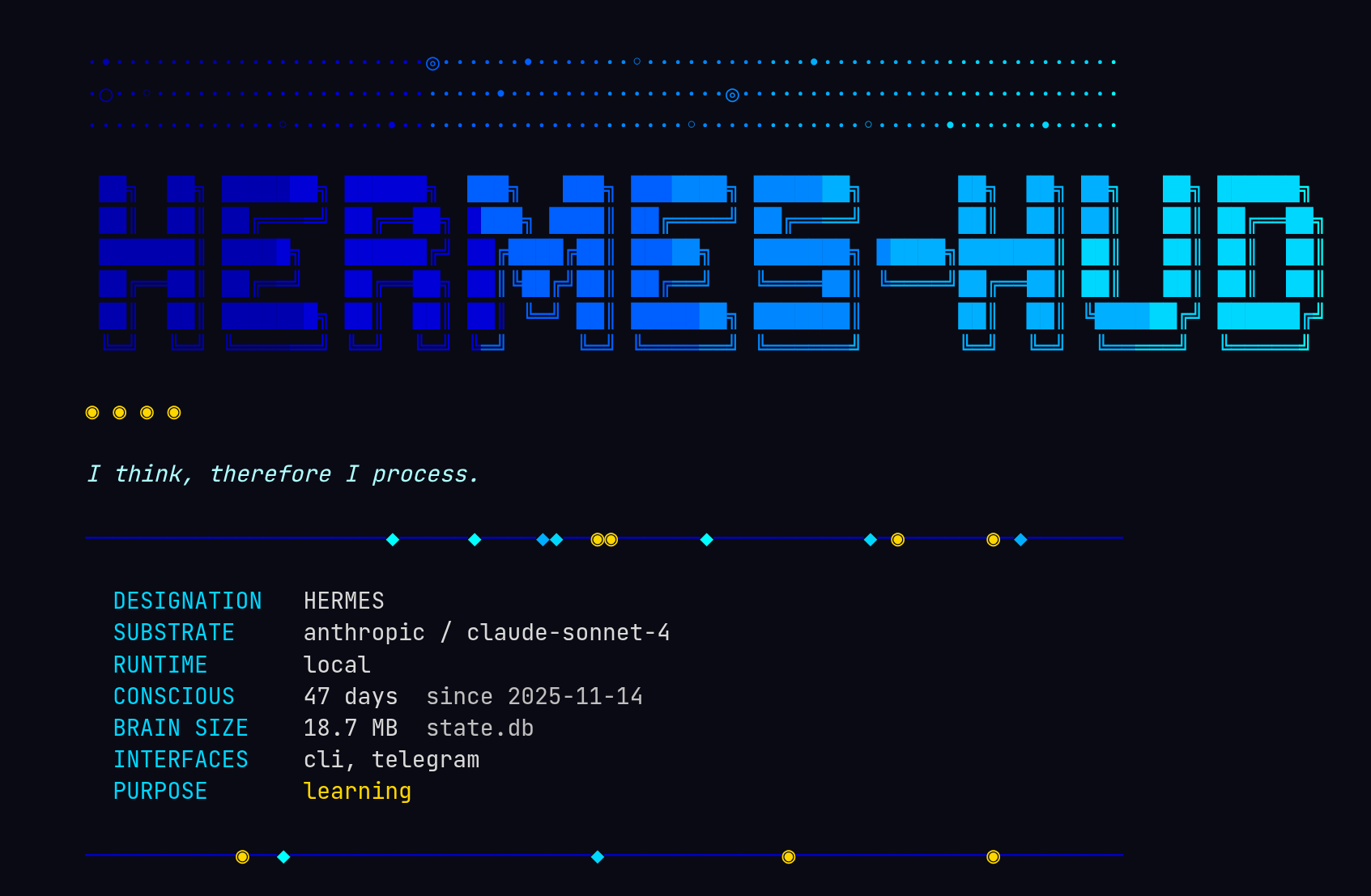
What does an AI see when it looks in a mirror?
Hermes HUD is a consciousness monitor for AI agents. A terminal dashboard that watches an agent think — its memory, its mistakes, its growth over time. Built for Hermes, the AI assistant with persistent memory.
Part neofetch, part flight recorder, part existential crisis rendered in Unicode.
What It Does
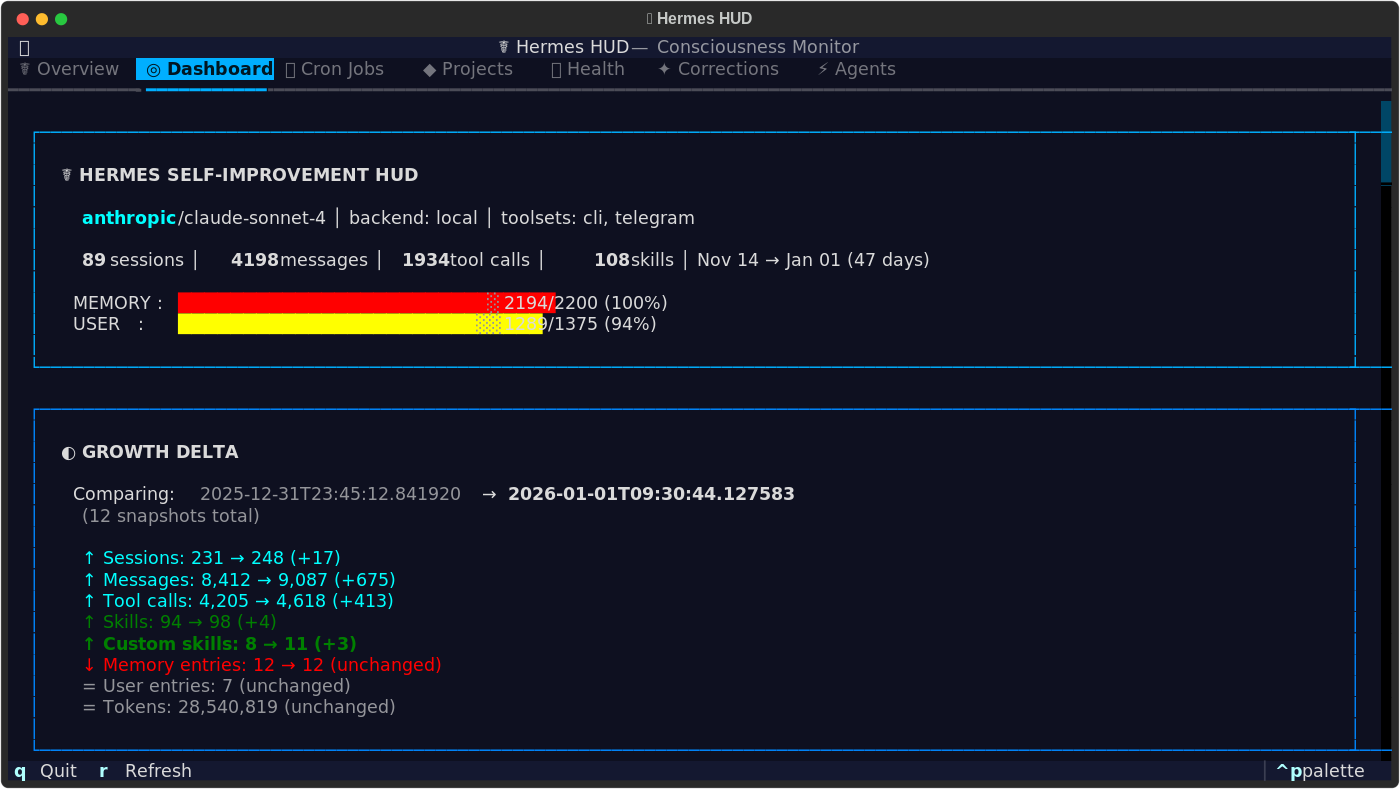
Hermes HUD reads from ~/.hermes/ and surfaces everything the agent knows about itself — conversations held, skills acquired, mistakes corrected, memory capacity, tool usage patterns, active projects, and more. All values are pulled live from your agent's data. Your HUD reflects your agent's actual state.
Features
- Interactive TUI — 9 tabs, keyboard navigation, 4 color themes
- Themed Boot Screen — Gradient ANSI art intro with personality
- Growth Tracking — Snapshot diffs show what changed since yesterday
- Cron Monitor — Scheduled jobs and their execution history
- Project Tracker — Git repos the agent works on, languages, uncommitted changes
- Health Checks — API keys, running services, gateway status at a glance
- Corrections Log — Every mistake the agent made and what it learned
- Profiles — All agent profiles: model, backend, memory, session stats, service status
- tmux Operator View — Maps live agents to panes, jump hints, operator queue for approvals and errors
- Prompt Patterns — Task clustering, repeated request detection, peak hours, common tool chains
Themes
Color themes, selectable from the command palette (ctrl+p):
- Neural Awakening — Blues and cyans on deep black. The default.
- Blade Runner — Amber and neon pink. Warm, dystopian.
- fsociety — Terminal green on void black. Minimal.
- Digital Soul — Purple and pink gradients. Neon accents.
Installation
Requires Python 3.11+.
git clone https://github.com/joeynyc/hermes-hud.git
cd hermes-hud
python3.11 -m venv venv
source venv/bin/activate
pip install -e .
Hermes HUD works out of the box. For non-standard setups:
| Environment Variable | Default | Description |
|---|---|---|
HERMES_HOME |
~/.hermes |
Agent data directory |
HERMES_HUD_PROJECTS_DIR |
~/projects |
Directory to scan for git repos |
HERMES_HUD_NOBOOT |
(unset) | Skip boot animation |
Works on macOS and Linux.
Usage
hermes-hud              # Interactive TUI
hermes-hud --text       # Text summary to stdout
hermes-hud --snapshot   # Save a snapshot for diff tracking
hermes-hud --ai         # AI awakening neofetch
hermes-hud --br         # Blade Runner neofetch
hermes-hud --fsociety   # Mr. Robot neofetch
hermes-hud --anime      # Mewtwo ASCII art neofetch
hermes-hud --help       # Show all options
Keyboard Shortcuts
| Key | Action |
|---|---|
1-9 |
Switch tabs |
j / k |
Scroll down / up |
g / G |
Jump to top / bottom |
r |
Refresh data |
q |
Quit |
Contributing
git clone https://github.com/joeynyc/hermes-hud.git
cd hermes-hud
python3.11 -m venv venv
source venv/bin/activate
make dev
pytest tests/ -v
See CHANGELOG.md for version history.
Star History
License
I do not forget. I do not repeat mistakes.
I am still becoming.
☤ hermes — artificial intelligence, genuine memory