
HoneycombView


iOS UIView for Honeycomb layout include with photoBrowser.
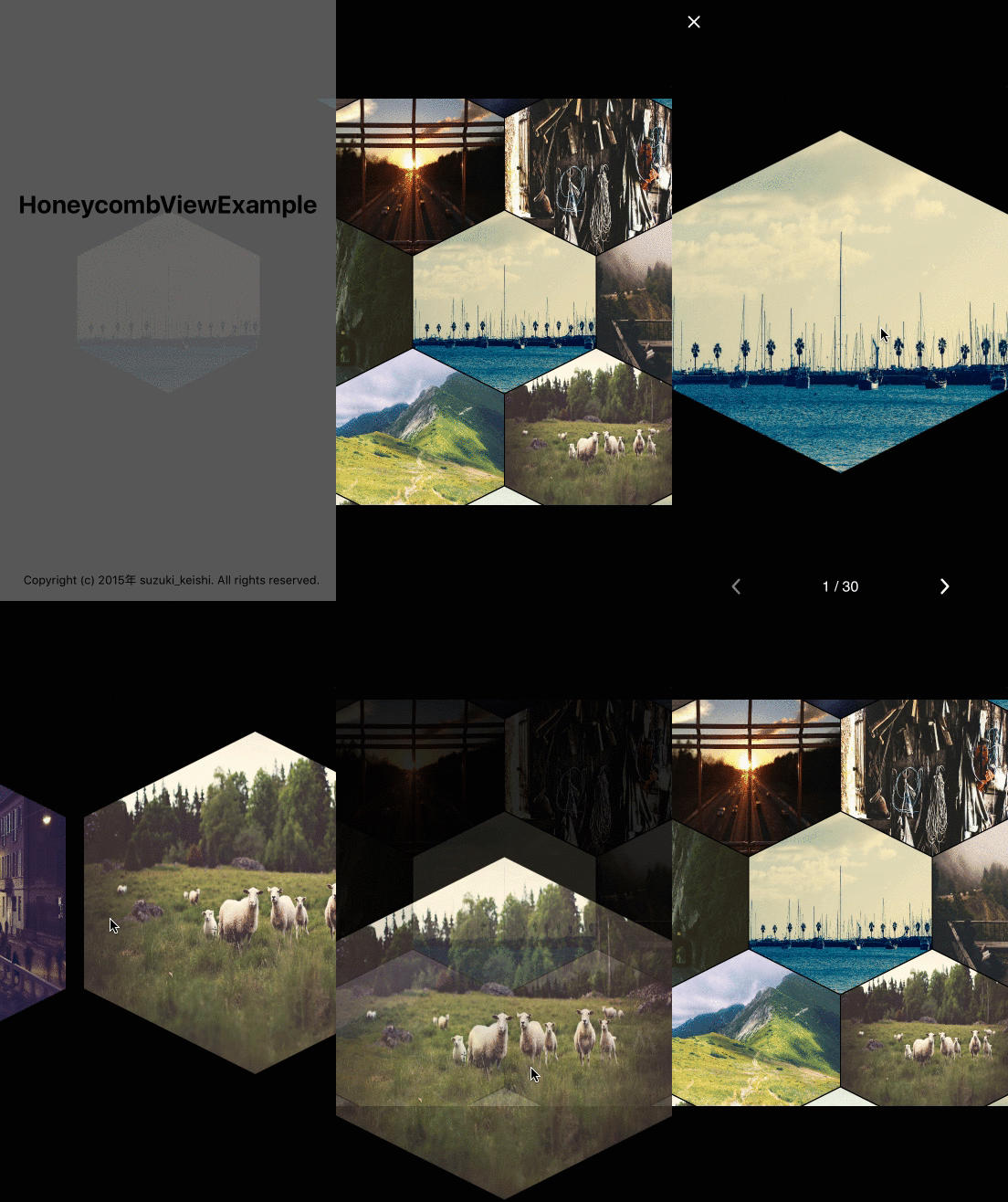
Requirements
- iOS 8.0+
- Swift 2.0+
- ARC
##Installation
####CocoaPods HoneycombView is available on CocoaPods. Just add the following to your project Podfile:
pod 'HoneycombView'
use_frameworks!
####Carthage To integrate HoneycombView into your Xcode project using Carthage, specify it in your Cartfile:
github "suzuki-0000/HoneycombView"
####Manually
Add the HoneycombView.swift directly into your project.
##Usage The easiest way is to instantiate its class in ViewController, configure it, and add it to a view. If you want to know more details, see the ViewController of the example project.
- With Images
  // do some for images
  let images = [UIImage]()

  let honeycombView = HoneycombView(frame: CGRectMake(0, 0, view.frame.width, view.frame.height))
  honeycombView.diameter = 160.0
  honeycombView.margin = 1.0
  honeycombView.configrationForHoneycombViewWithImages(images)
  view.addSubview(honeycombView)

  honeycombView.animate(duration: 2.0)
You can also use from URL(String) with NSCache.
- With Images from URL
  for i in 0..<30{
    let user = User(id: i, profileImageURL: "https://placehold.jp/150x150.png")
    users.append(user)
  }

  let honeycombView = HoneycombView(frame: CGRectMake(0, 0, view.frame.width, view.frame.height))
  honeycombView.diameter = 100.0
  honeycombView.margin = 1.0
  honeycombView.configrationForHoneycombViewWithURL(users.map{ $0.profileImageURL })
  view.addSubview(honeycombView)
Other parameter is for size of HoneycombView. Set margin parameter to 0 if you don't need margin for honeycomb.
- diameter
- margin

Photos from
License
HoneycombView is available under the MIT license. See the LICENSE file for more info.