
= hqTodo :experimental: :toc: :toc-placement!: ifdef::env-github[] :tip-caption: :bulb: :note-caption: :information_source: :important-caption: :heavy_exclamation_mark: :caution-caption: :fire: :warning-caption: :warning: endif::[] ifndef::env-github[] :icons: font endif::[]
pass:[

If you enjoy working from the keyboard (keyboard shortcuts, vim, Emacs Org mode) you might like Fabio Spampinato's VS Code link:https://github.com/fabiospampinato/vscode-todo-plus[TODO+ extension] to capture todo items in a text file, with keyboard shortcuts to prioritize and close items. You can provide tags to each list item to indicate status, estimates, and categories. And because it's all in one central list, it's second nature to add items to it, ensuring you don't lose track of a thing. His extension is awesome!
But you can get lost staring at one long list. The list is a very fast and efficient way to enter and edit information. But to grok and act on the tasks, I needed something more.
That's why I created this li'l hqTodo web app. It further organizes the task information into manageable areas. It provides an easy visual for you (and your team if you want). The hqTodo app uses the provided tags to fit the information into an agile workflow. I've been using this method since about 2018 and much prefer it to dragging cards around.
pass:[
//// pass:[


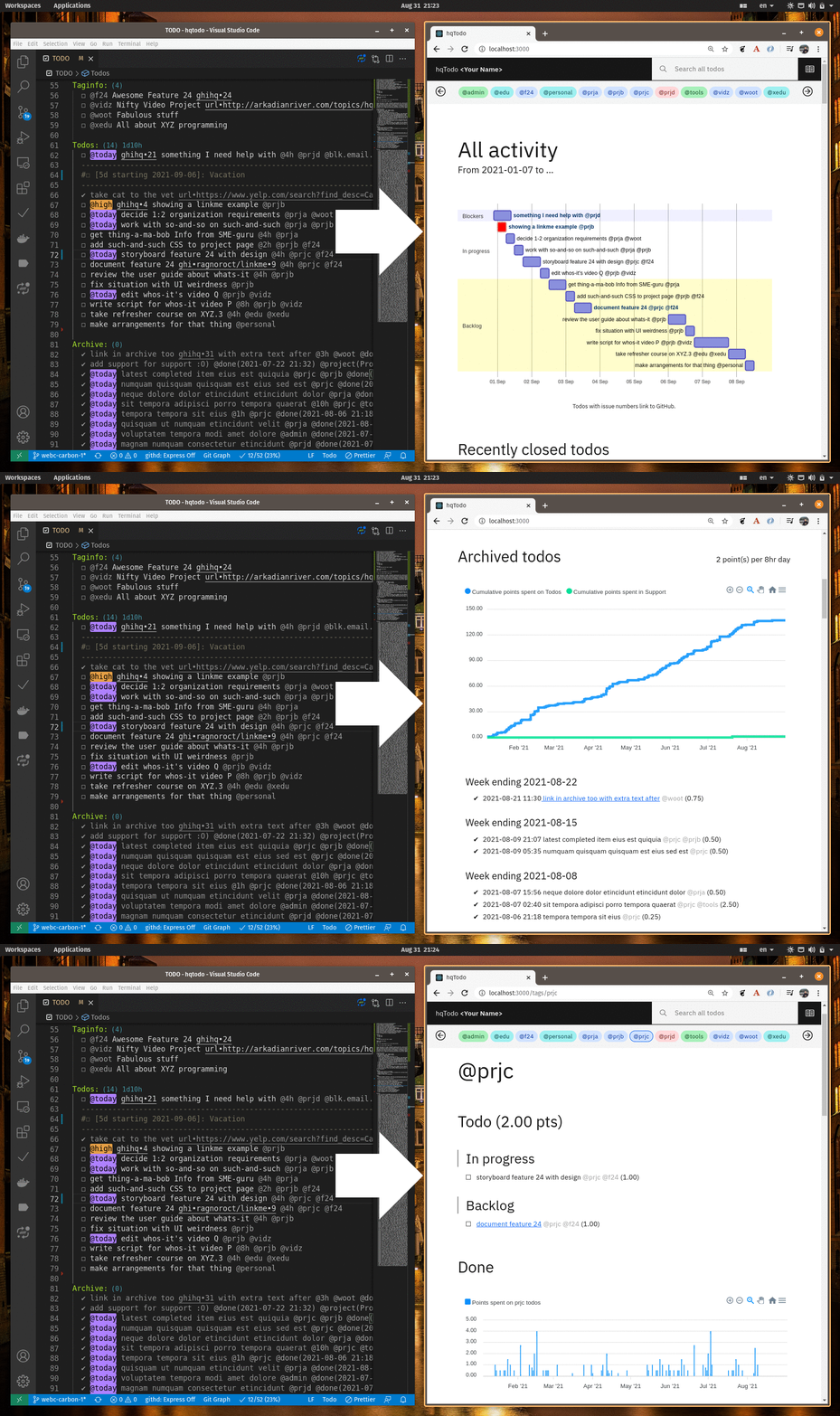
The app provides a complete picture of where you're at, all from one launchpad. Using progressive disclosure, it provides you information in consumable chunks:
[verse]
From front page (ordered and categorized overview of all tasks) to project pages (focus on project-specific tasks) to project details pages (how project tasks fulfill each project vision)
From front page to optional task hyperlinks (to details elsewhere)
toc::[]
== Features
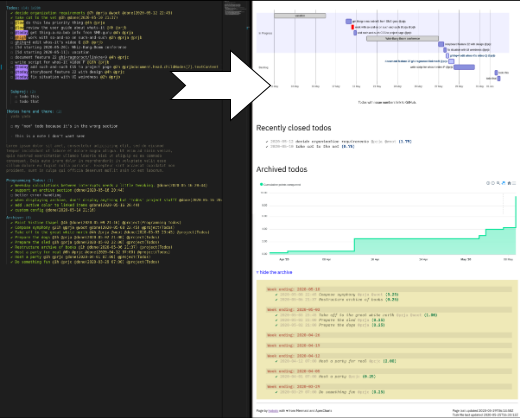
- Open items and their estimates are used to display a https://mermaid-js.github.io/mermaid/#/gantt[Mermaid] Gantt chart. Tasks shift with time, starting from now into the future, providing a quick glimpse of probable completion dates.
- https://apexcharts.com/[ApexCharts] is used to display cumulative story points you've knocked out to help keep track of your velocity.
- If you field support questions, you can also track those with the TODO+ extension and view the cumulative time spent in the chart.
- Completed items are displayed underneath. Great for weekly status reports.
- Tag your items to provide a detailed status page for each project.
- Because everyone else uses other forms of tracking, I use the link:https://marketplace.visualstudio.com/items?itemName=ragnoroct.linkme[Link Me extension] to include shortcuts to all those other resources in my Todo list. The hqTodo app exposes those links, too.
== Running the app
=== Option 1: Using Docker Compose (recommended)
. Create your own TODO file anywhere on the file system the app can access,
a local folder or in a shared Cloud or Network mounted folder.
. Copy the config/default.json file to a production.json file anywhere the app can access,
or leave it in the config folder.
Update the JSON file with your information.
(For information on setting the Linkme links, watch the video.)
Don't change the todoFile setting in the production.json file when running in a container
because todo/TODO is the path as referenced from inside the container.
. Copy compose.sample.yml to compose.yml, and in compose.yml, make the following changes:
+
port:::
Set the number before the colon to the port you want to use in the URL on your server. (Or leave the default of 3000.)
+
volumes:::
- Set the path before the colon to the folder where your
TODOfile lives. - Set the path before the colon to the folder where your
production.jsonfile lives (can be the same folder your TODO file is in). . link:https://docs.docker.com/engine/install/[Install Docker]. . Ensure Docker is set to run on system startup. For example, on Ubuntu run:
[source, bash]
systemctl enable docker
. Run Docker Compose as follows to build the image and start a container in the background. + [source, bash]
docker compose up -d
The restart: always setting in the compose file tells Docker
to run the container on system startup.
As you change your TODO file, the app re-reads it every 40 seconds. But, if you change anything in the config file, you'll need to restart the container: [source, bash]
docker compose restart
=== Option 2: Using NodeJS on your computer
Prereq: NodeJS v24 or higher.
. Set things up.
.. Copy the config/default.json file to config/production.json
and add your info to the new file.
Your own TODO file can be anywhere on the file system the app can access,
such as a shared Cloud or Network mounted folder.
.. Install server dependencies:
+
[source, bash]
npm install
.. Install client dependencies and build it: + [source, bash]
cd client-react-carbon npm install npm run build cd ..
. Thereafter, run the app with ... + [source, bash]
./run
... and point your browser to http://localhost:3000.
+
kbd:[Ctrl+C] stops the server.
One way to deploy the app in "production" is to run it on a server with pm2, systemctl, etc., and add your TODO file to a folder on the server that's synced with your local workstation with SyncThing or similar cloud folder sync application.
//// == Deploy
For example with systemd on Linux:
[source,bash]
vi misc/hqtodo.service # change the absolute paths and user sudo cp misc/hqtodo.service /etc/systemd/system/ sudo systemctl start hqtodo sudo journalctl -f # to verify. Also test in a browser sudo systemctl enable hqtodo
////
== Maintaining your TODO file
For the most part,
link:https://marketplace.visualstudio.com/items?itemName=fabiospampinato.vscode-todo-plus#usage[update your TODO file]
as you normally would as described in the TODO+ Readme documentation.
There are a few conventions to use for the app to work.
link:todo/TODO[See the sample TODO file]
as an example.
Everything in your TODO file is ignored except ...
- the list in the optional
Taginfo:section - the todo items between the
Todos:project and the next top-level project. - the todo items after
Archive:
... where a todo item is a line starting with ☐ or ✔.
=== Active todo items
Syntax:
[source,bash]
☐ [@today|@high|@low] [@Nh] [@custom ]*
- Priority tagging:
** Items prefixed with
@todayare placed in order in the In Progress section. ** Items with no priority label are listed in order in the Backlog section. ** Items prefixed with@highare colored red. ** Items prefixed with@loware not displayed. (This is your Icebox.) - The optional
@Nhtag indicates your estimated N hours. No tag gets the default of 2 hours. - You can provide any number of
@customtags for your own custom filtering. They're displayed with the title. - When you press kbd:[Super+D] to mark a task with a checkmark and a
@donetag, it's listed in the "Recently closed todos" section of the web page.
Example:
[source,bash]
☐ @high Work with so-and-so on such-and-such @4h @prja @prjb
=== Interruptions
You can let folks know about vacations and other "interruptions"
to your steady velocity.
Specify the duration and start date as business days only.
Syntax:
[source,bash]
☐ [Nd starting YYYY-MM-DD]: <title>
Example:
[source,bash]
☐ [5d starting 2020-05-18]: Whiz-Bang-Boom conference
=== Milestones
Milestones have the same form as an interrupt, but with a length
of zero days (0d).
Example:
[source,bash]
☐ [0d starting 2020-06-15]: Complete Project A @proja
Milestones show up in their own section above the others.
=== Referencing a GitHub repo
If you reference a particular issue in your todo text (for example if you use the linkme VS Code extension), the Gantt chart will link to the issue from the task bar and todo text.
Edit the config file repo URL to point to your own repo. As set up now, it has two patterns:
- one pattern that links to the default repo that you specify in the config file
ghihq•4 - one pattern that links to whatever repo you specify in the todo file itself
ghi•ragnoroct/linkme•9
You can of course change the patterns to link to whatever you want.
=== Archived todos
If you archive your done items (e.g. kbd:[Cmd+Shift+A]]), they will be available at the bottom along with a graph of the cumulative story points you've knocked out over time. Marvel at your progress!
TIP: Use category tags in your todo items to see them grouped and totaled by category.
=== The taginfo section
Use this section if you want to provide a more descriptive title and link to more information on the project.
The structure of each entry:
[source,bash]
☐ @tagname full title of the project or category - url or linkme link
Example:
[source,bash]
☐ @prja Project A - den•bRNzBMOVaqYl6i7C.html
I personally link to pages published with link:https://dendron.so[Dendron], because I like to also use VS Code for my note taking, and Dendron has a cool feature where you can publish Notes to a web site.
=== A support section
Like interrupts, support questions disrupt your velocity, so you might want to
keep track of them as well. To do so, Add a Support: project with todo items.
For these items, use the TODO+ extension's time tracking feature:
- kbd:[Super+S] to start the timer
- kbd:[Super+D] to stop the timer and mark the item done
When you archive your todos, the support items will have the following form, and the time you spent on them is graphed with a yellow line in the UI.
[source,bash]
✔ ticket324: Help debug website3 @started(2023-08-20 15:46) @done(2023-08-20 16:46) @lasted(1h) @project(Support) ✔ ticket323: Help debug website2 @started(2023-08-20 13:56) @done(2023-08-20 14:56) @lasted(1h) @project(Support) ✔ ticket322: Help debug website1 @started(2023-08-19 10:56) @done(2023-08-19 11:26) @lasted(30m) @project(Support)
Items of that form are exposed with following endpoints as well:
/todos/supportdata/todos/supportondate/YYYY-MM-DD
== What's next?
See the link:https://arkadianriver.github.io/hqtodo/ejs/hq.html[@hq project] in the Classic-styled hqTodo file.