
Hyprwatch
A lightweight time tracking daemon and TUI client for Hyprland window manager.
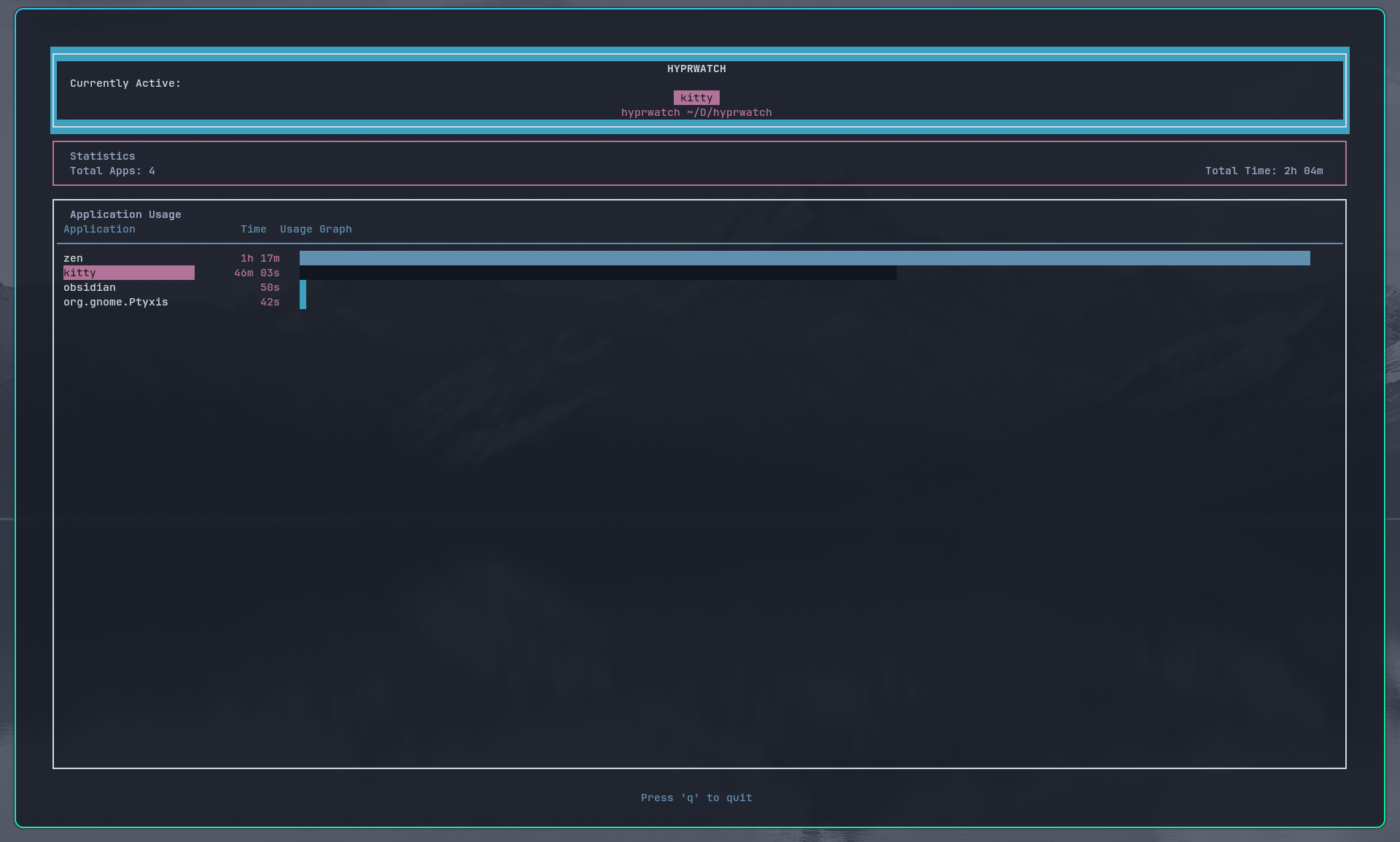



Features
- Real-time window tracking - Monitors active window changes via Hyprland IPC
- Time accumulation - Tracks time spent per application
- TUI Client - ncurses-based interface
Requirements
- CMake (>= 3.16)
- C++17 compiler (gcc/clang)
- ncurses
- Hyprland (window manager)
Installation & Usage
Platform-specific installation instructions
Arch Linux
# Build from source
sudo pacman -S base-devel cmake ncurses git
git clone https://github.com/Farhan291/hyprwatch.git && cd hyprwatch
cmake -B build -S . -DCMAKE_BUILD_TYPE=Release
cmake --build build
sudo cmake --install build --prefix /usr/local
AUR
# Using yay
yay -S hyprwatch

# Or build manually
git clone https://aur.archlinux.org/hyprwatch.git && cd hyprwatch
makepkg -si
Ubuntu/Debian
sudo apt update && sudo apt install -y build-essential cmake libncursesw5-dev
git clone https://github.com/Farhan291/hyprwatch.git && cd hyprwatch
cmake -B build -S . -DCMAKE_BUILD_TYPE=Release
cmake --build build
sudo cmake --install build --prefix /usr/local

# Enable systemd service
systemctl --user enable --now hyprwatchd

# Run client
hyprwatch
Fedora
sudo dnf install cmake ncurses-devel gcc-c++ git
git clone https://github.com/Farhan291/hyprwatch.git && cd hyprwatch
cmake -B build -S . -DCMAKE_BUILD_TYPE=Release
cmake --build build
sudo cmake --install build --prefix /usr/local

# Enable systemd service
systemctl --user daemon-reload
systemctl --user enable --now hyprwatchd

# Run client
hyprwatch
OpenSUSE
sudo zypper install cmake ncurses-devel gcc-c++ git
git clone https://github.com/Farhan291/hyprwatch.git && cd hyprwatch
cmake -B build -S . -DCMAKE_BUILD_TYPE=Release
cmake --build build
sudo cmake --install build --prefix /usr/local

# Enable systemd service
systemctl --user daemon-reload
systemctl --user enable --now hyprwatchd

# Run client
hyprwatch
Nix
nix build github:Farhan291/hyprwatch

# Or install to profile
nix profile install github:Farhan291/hyprwatch
Usage
Start the daemon
# Using systemd (recommended)
systemctl --user daemon-reload
systemctl --user enable --now hyprwatchd

# Or run manually
hyprwatchd
Run the client
hyprwatch
Architecture
┌─────────────┐     IPC      ┌──────────────┐     Unix Socket     ┌─────────────┐
│  Hyprland   │◄────────────►│  hyprwatchd  │◄───────────────────►│  hyprwatch  │
│   (WM)      │   Events     │   (Daemon)   │    Data Request     │   (TUI)     │
└─────────────┘              └──────────────┘                     └─────────────┘
Hyprwatch uses a client-server architecture:
- hyprwatchd (daemon) - Background service that connects to Hyprland's IPC socket, tracks window focus changes, and maintains time statistics
- hyprwatch (client) - TUI application that connects to the daemon via Unix socket and displays real-time data
License
Apache License 2.0 - See LICENSE for details.
Copyright 2026 Farhan