
iCloud Hide My Email Browser Extension

Hide My Email is a premium privacy service of iCloud. Safari offers a native integration with Hide My Email, whereby users are prompted to generate a Hide My Email address upon registration to any website. This extension aims to bring a similar UX into a wider variety of browsers. In particular, it has been explicitly tested to work on:
Note that the extension should work on any browser that implements the extension API supported by Chromium-based browsers.
Disclaimer: This extension is not endorsed by, directly affiliated with, maintained, authorized, or sponsored by Apple.

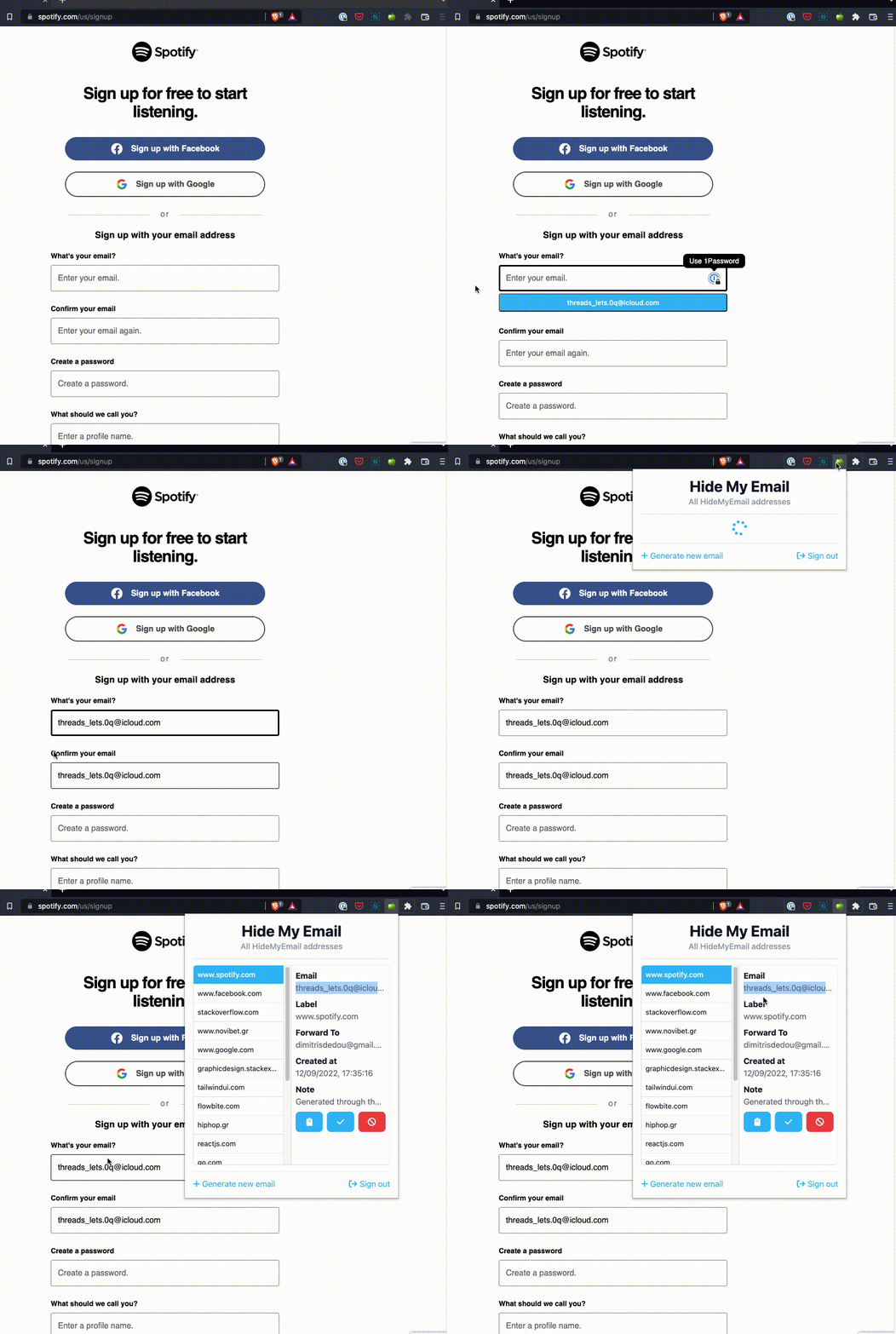
Features
- Simple pop-up UI for generating and reserving new Hide My Email addresses
- Ability to manage existing Hide My Email addresses (including deactivation, reactivation, and deletion)
- Autofilling on any HTML input element that is relevant to email
- Quick configuration of Hide My Email settings, such as the Forward-To address, through the Options page of the extension
Options
Address autofilling
The extension can be configured to
- show an autofill button on input field focus
- show a context menu item when right-clicking on input fields
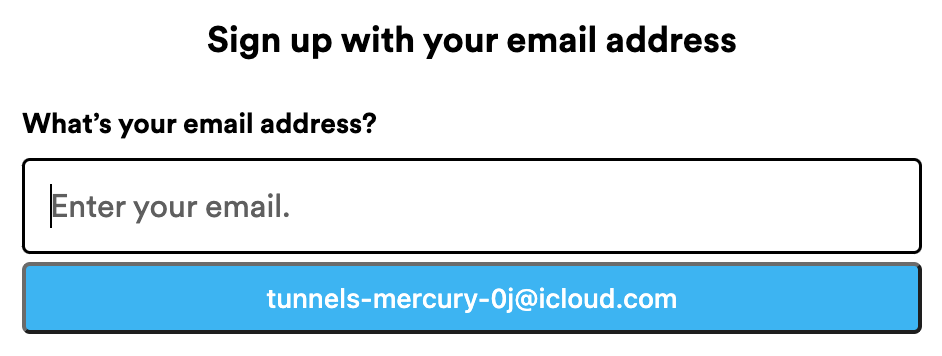
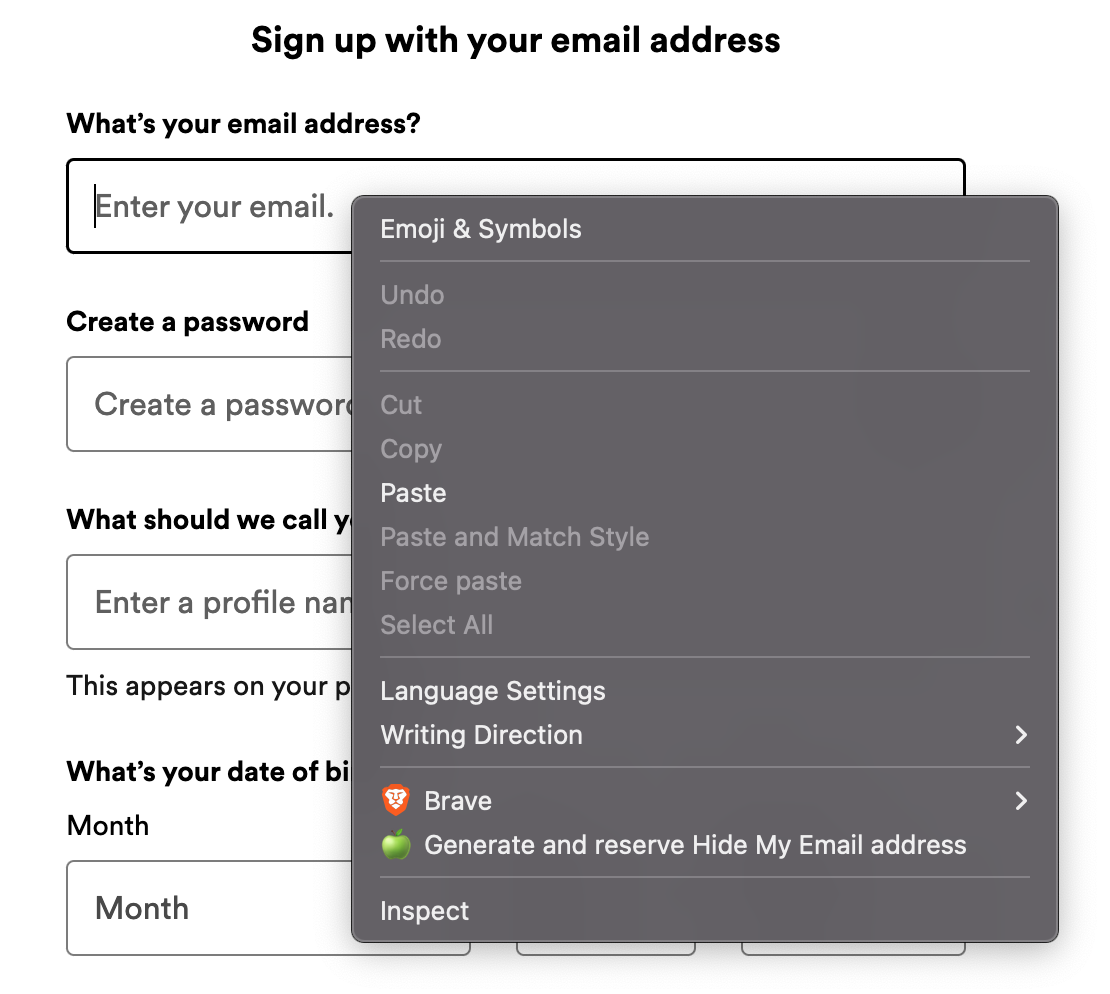
You can enable/disable any of the autofilling mechanisms through the Options page of the extension.
Develop
This extension is entirely written in TypeScript. The UI pages of the extension (e.g. Pop-Up and Options) are implemented as React apps and styled with TailwindCSS.
Dev environment
Development was carried out in an environment that matches the following Docker image:
FROM node:25.1.0-alpine3.22

RUN apk add --update --no-cache g++ make python3

ADD . /opt/extension

WORKDIR /opt/extension

ENTRYPOINT ["sh"]
Development workflow
The table below outlines the sequence of steps that need to be followed in order to ship a change in the extension. The execution of some of these steps varies per browser engine.
Note: the following console commands are to be executed from the root directory of this repo
| # | Description | Chromium | Firefox |
|---|---|---|---|
| 0 | Configure node environment (not required when building with Docker) | nvm use |
nvm use |
| 1 | Install deps | npm ci |
npm ci && npm i -g web-ext |
| 2 | Spin up the DevServer. The server generates the build dir. |
npm run start |
npm run start:firefox |
| 3 | Load the unpacked extension on the browser | The build dir can be loaded as an unpacked extension through the browser's UI. See the relevant Google Chrome guide. |
web-ext -s build run |
| 4 | Develop against the local browser instance on which the build dir is loaded |
N/A | N/A |
| 5 | Build productionised artefact | npm run build |
npm run build:firefox |
| 6 | Compress productionised artefact | zip build.zip ./build/* |
web-ext -s build build |
| 7 | Publish | Chrome webstore dev console | Mozilla Add-on developer hub |
TODOs
- Ability to modify the label and note of existing HME addresses
- CI and maybe CD
- Dependabot