
English | Français | Español | 中文 | العربية
Productionize LangGraph & ADK agents.
Self-hosted. Open source. No vendor lock-in.





Cloud · Try the demos · Quickstart · Docs · Discord · Book a demo
⭐ If you find this useful, please star the repo. It helps others discover the project.
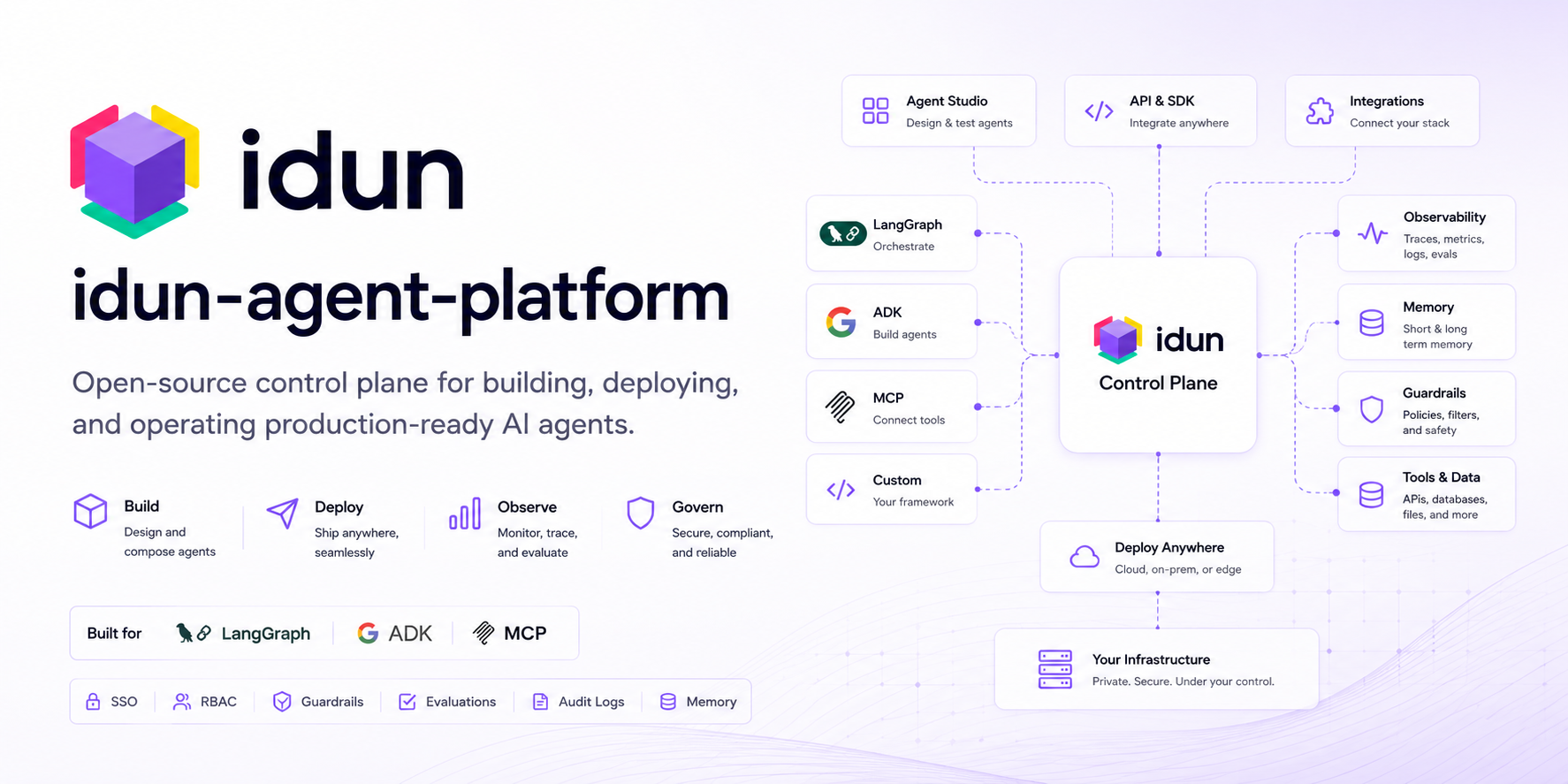
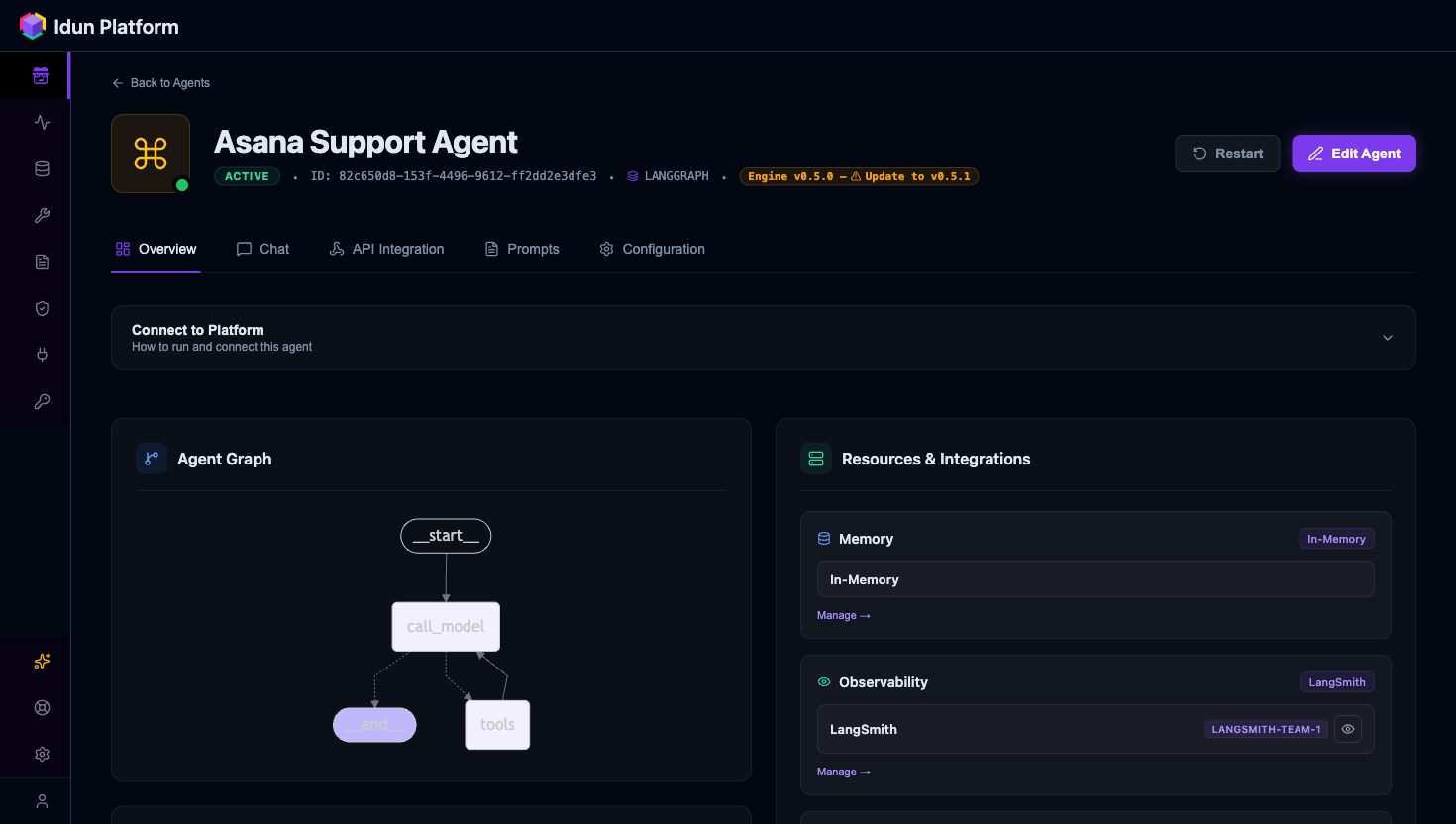
Idun Agent Platform is an open-source, self-hosted production wrapper for LangGraph and Google ADK agents. pip install idun-agent-engine and your agent runs as a FastAPI process with built-in chat UI, admin panel, traces, observability, guardrails, memory persistence, MCP tool governance, and prompt management.
Why Idun? Teams building agents face a tradeoff: build the production wrapper yourself (FastAPI + traces + guardrails + admin UI — slow), or adopt a SaaS like LangGraph Cloud or LangSmith (sovereignty trade-off). Idun is the third path: pip install a self-sufficient FastAPI process that bundles your agent with chat UI, admin, traces, and guardrails — all open source, all on your infrastructure.
Quick start
Prerequisites: Python 3.12 or 3.13.
Create a new directory and install the engine:
mkdir my-agent && cd my-agent
pip install idun-agent-engine langgraph langchain-google-genai
Save the three files below inside my-agent/.
my-agent/agent.py
from typing import Annotated, TypedDict

from idun_agent_engine.mcp import get_langchain_tools_sync
from langchain_google_genai import ChatGoogleGenerativeAI
from langgraph.graph import StateGraph, START
from langgraph.graph.message import add_messages
from langgraph.prebuilt import ToolNode, tools_condition


class State(TypedDict):
    messages: Annotated[list, add_messages]


tools = get_langchain_tools_sync()
llm = ChatGoogleGenerativeAI(model="gemini-2.0-flash").bind_tools(tools)


def chatbot(state: State):
    return {"messages": [llm.invoke(state["messages"])]}


graph = StateGraph(State)
graph.add_node("chatbot", chatbot)
graph.add_node("tools", ToolNode(tools))
graph.add_edge(START, "chatbot")
graph.add_conditional_edges("chatbot", tools_condition)
graph.add_edge("tools", "chatbot")
my-agent/config.yaml
server:
  api:
    port: 8000

agent:
  type: LANGGRAPH
  config:
    name: "my-agent"
    graph_definition: "./agent.py:graph"
    checkpointer:
      type: sqlite
      db_url: "sqlite:///conversations.db"

mcp_servers:
  - name: idun-docs
    transport: streamable_http
    url: https://docs.idun-group.com/mcp
my-agent/.env — get a Gemini key at aistudio.google.com/apikey:
GEMINI_API_KEY=your-key-here
From inside my-agent/, run:
idun init
graph_definition: "./agent.py:graph"is resolved against the directory where you runidun init. Stay insidemy-agent/when you launch it, or use an absolute path.
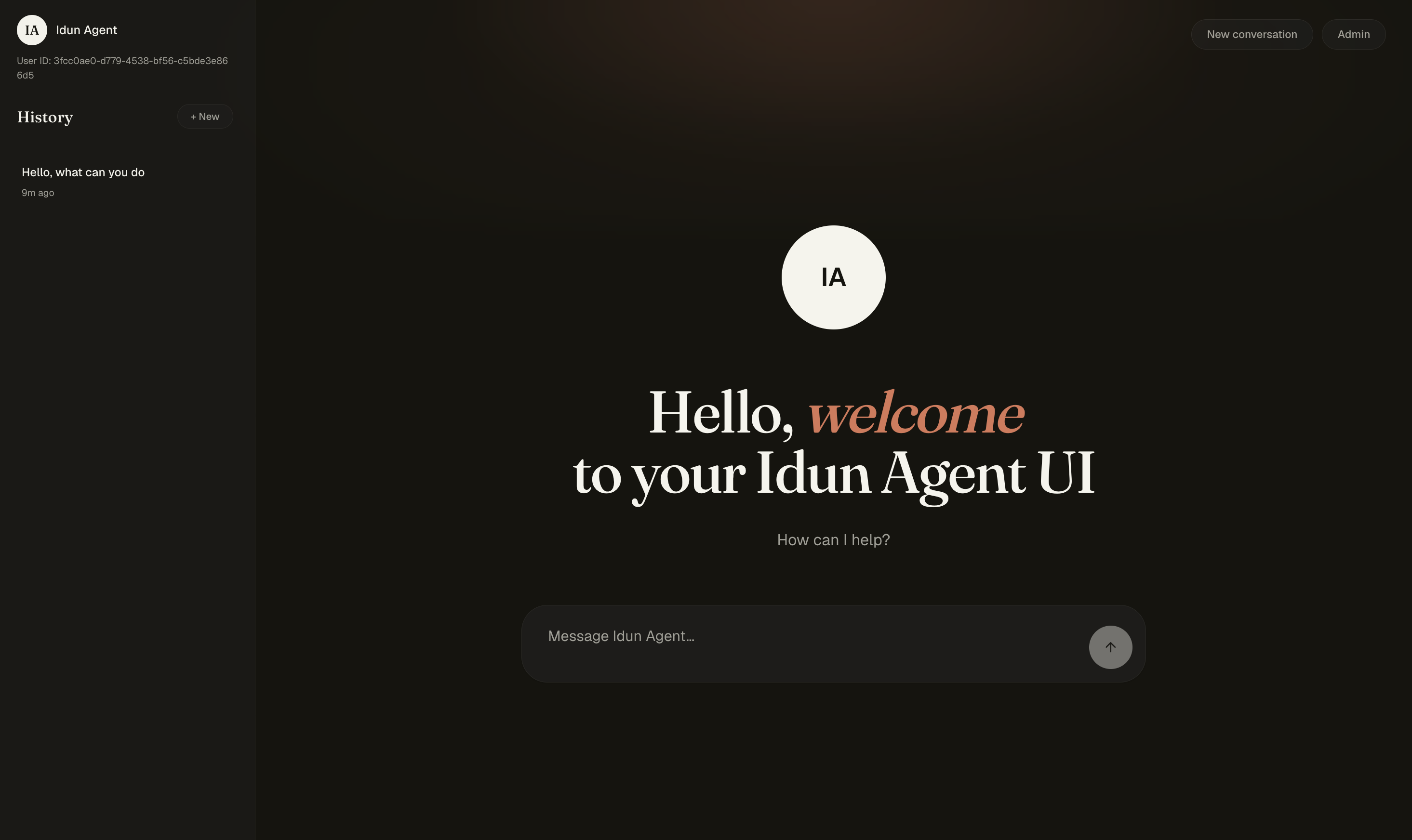
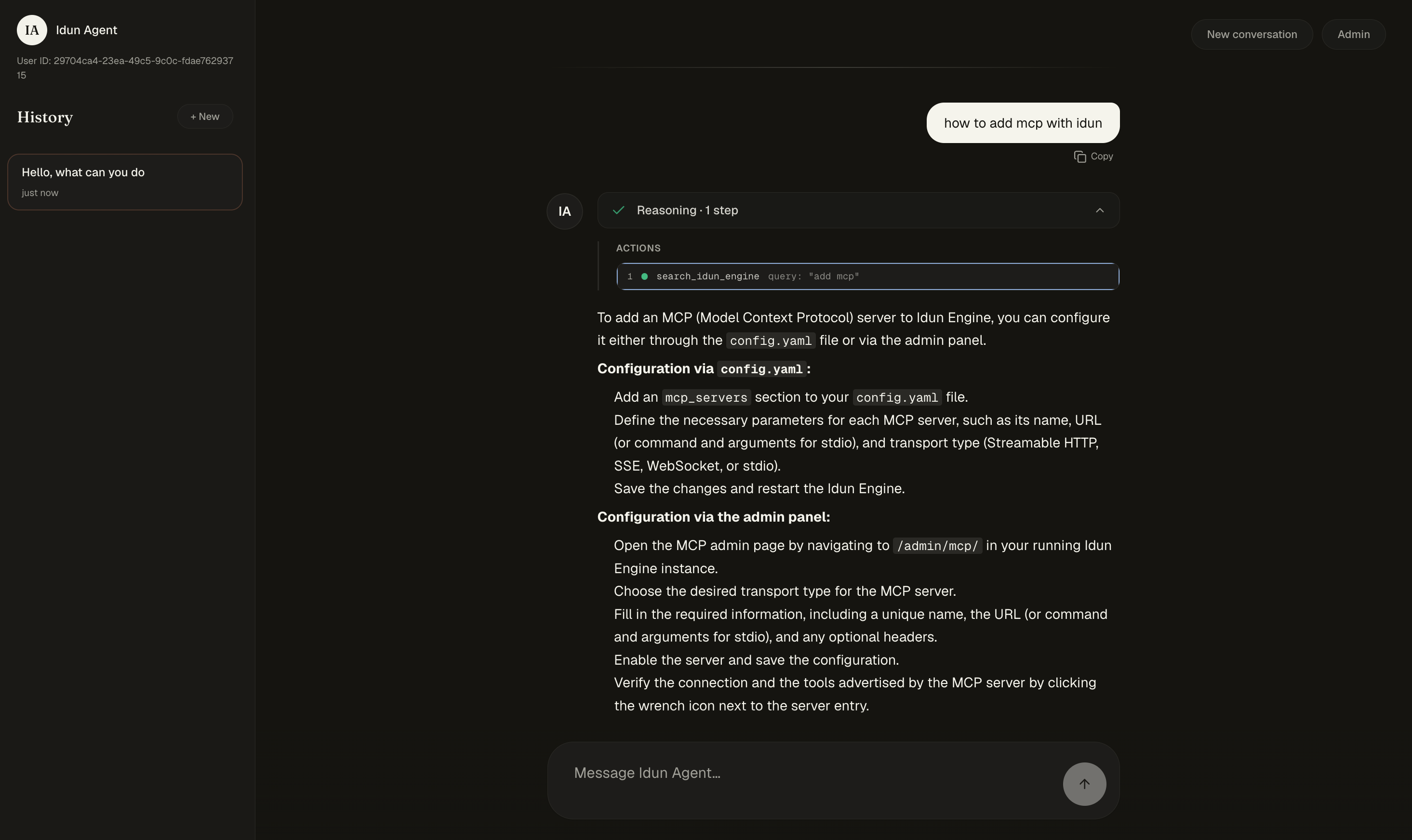
A browser opens at http://localhost:8000 for the chat UI. The agent already has tools from the Idun docs MCP wired in. Visit /admin to configure more MCP servers, managed prompts, guardrails, observability, messaging integrations, and SSO. Visit /admin/traces for the trace store.
What
pip install idun-agent-enginedeliversA single wheel that bundles three Python packages:
idun_agent_engine— the engine SDK (FastAPI app factory, MCP registry, observability, guardrails).idun_agent_standalone— theidunCLI, the admin REST API, and the chat / admin / traces UIs.idun_agent_schema— the Pydantic config schemas.The
iduncommand on your$PATH(setup,serve,init,hash-password,agent serve) is provided by the bundled standalone — it is not a separately published package. You won't seeidun-agent-standalonein the engine's declared PyPI dependencies because it ships co-installed inside the wheel, not as a transitive dep.See docs.idun-group.com/architecture for the full layering.
What's inside
ObservabilityLangfuse · Arize Phoenix · LangSmith · GCP Trace · GCP Logging Trace every agent run. Connect multiple providers at the same time through config. 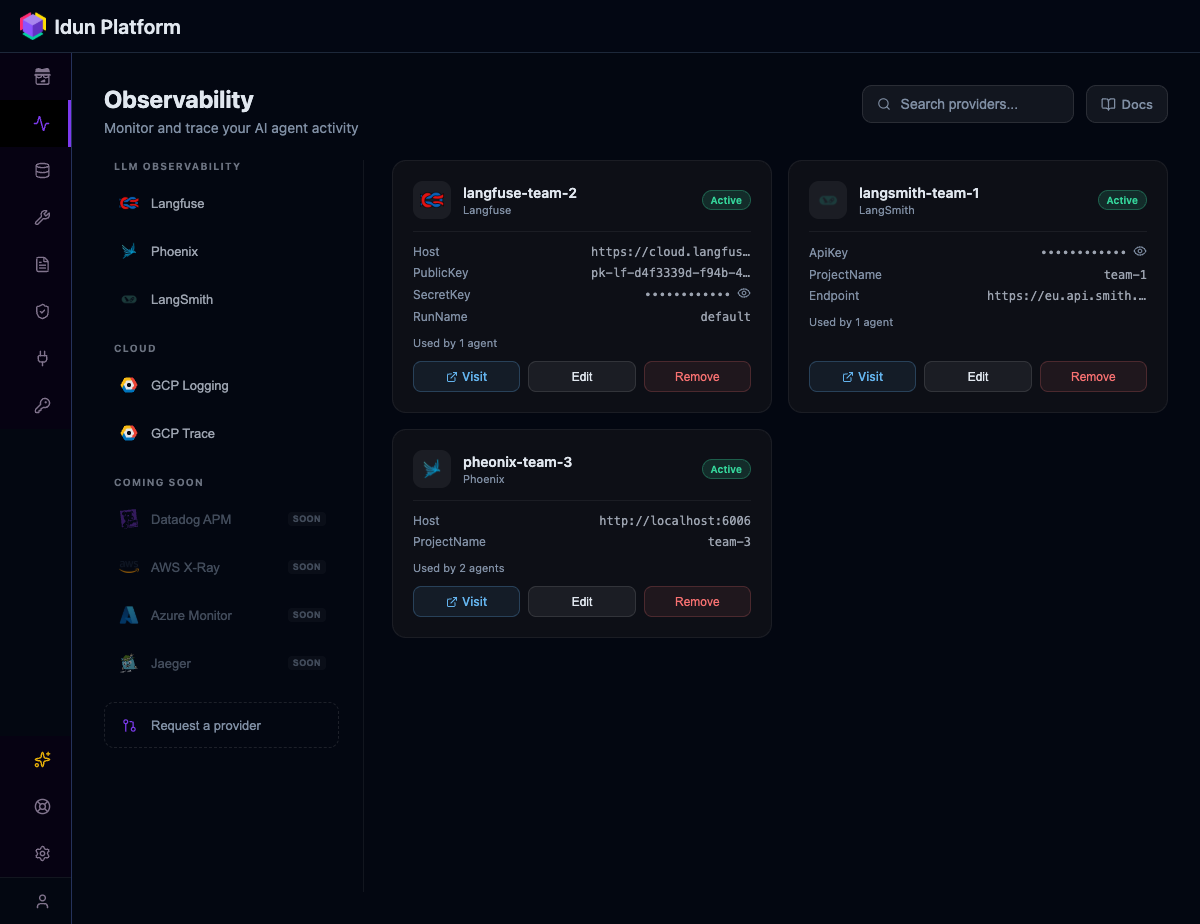
|
GuardrailsPII detection · Toxic language · Ban lists · Topic restriction · Bias checks · NSFW · 9 more Apply policies per agent on input, output, or both. Powered by Guardrails AI. 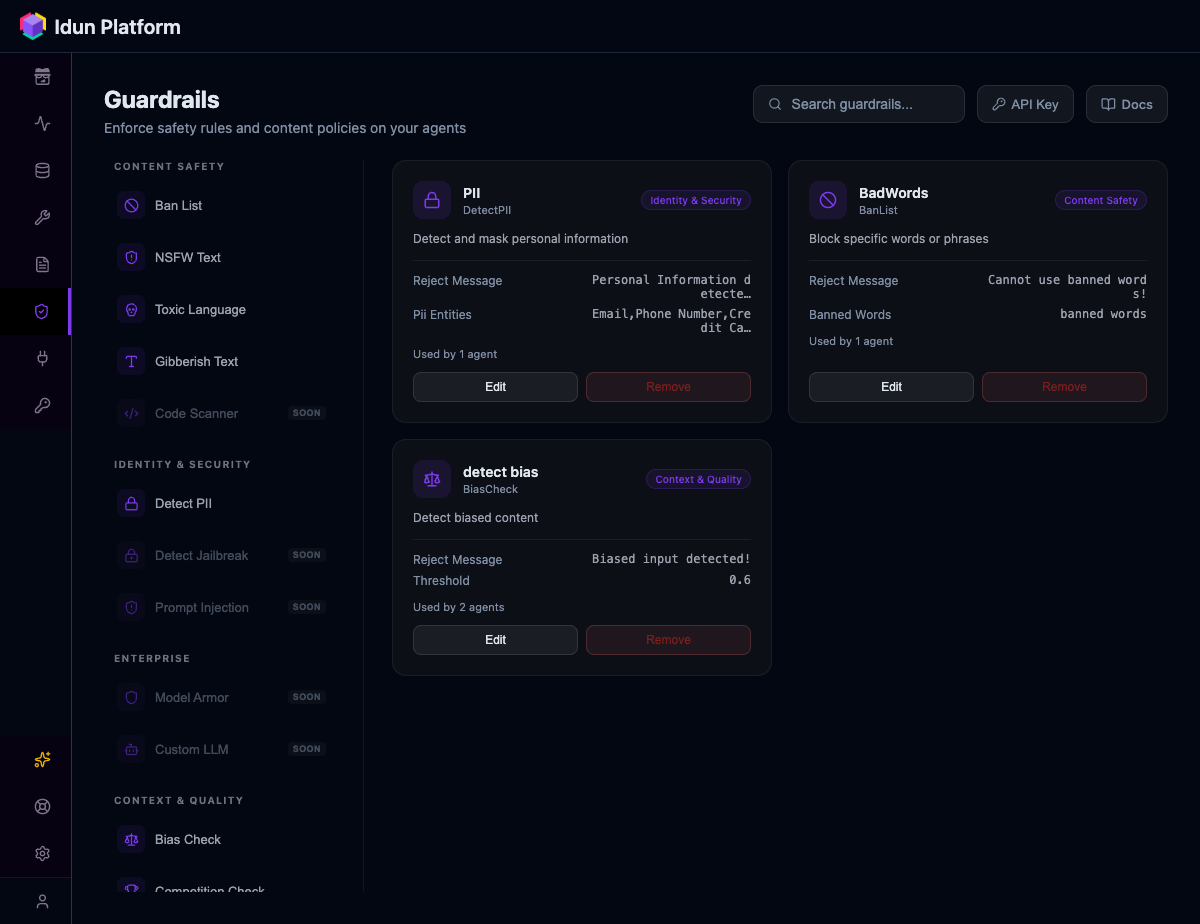
|
MCP tool governanceRegister MCP servers and control which tools each agent can access. Supports stdio, SSE, streamable HTTP, and WebSocket. 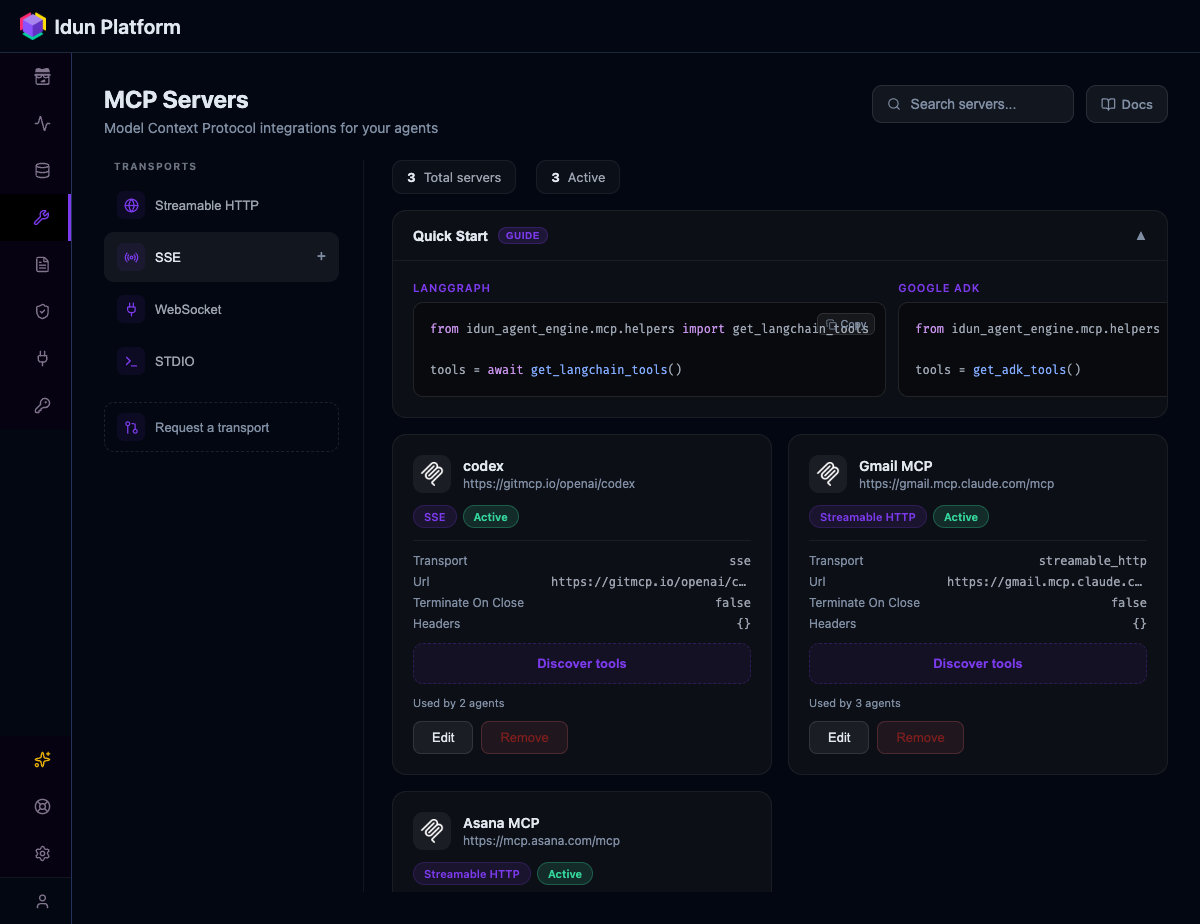
|
Memory and persistencePostgreSQL · SQLite · In-memory · Vertex AI · ADK Database Conversations persist across restarts. Pick a backend per agent. 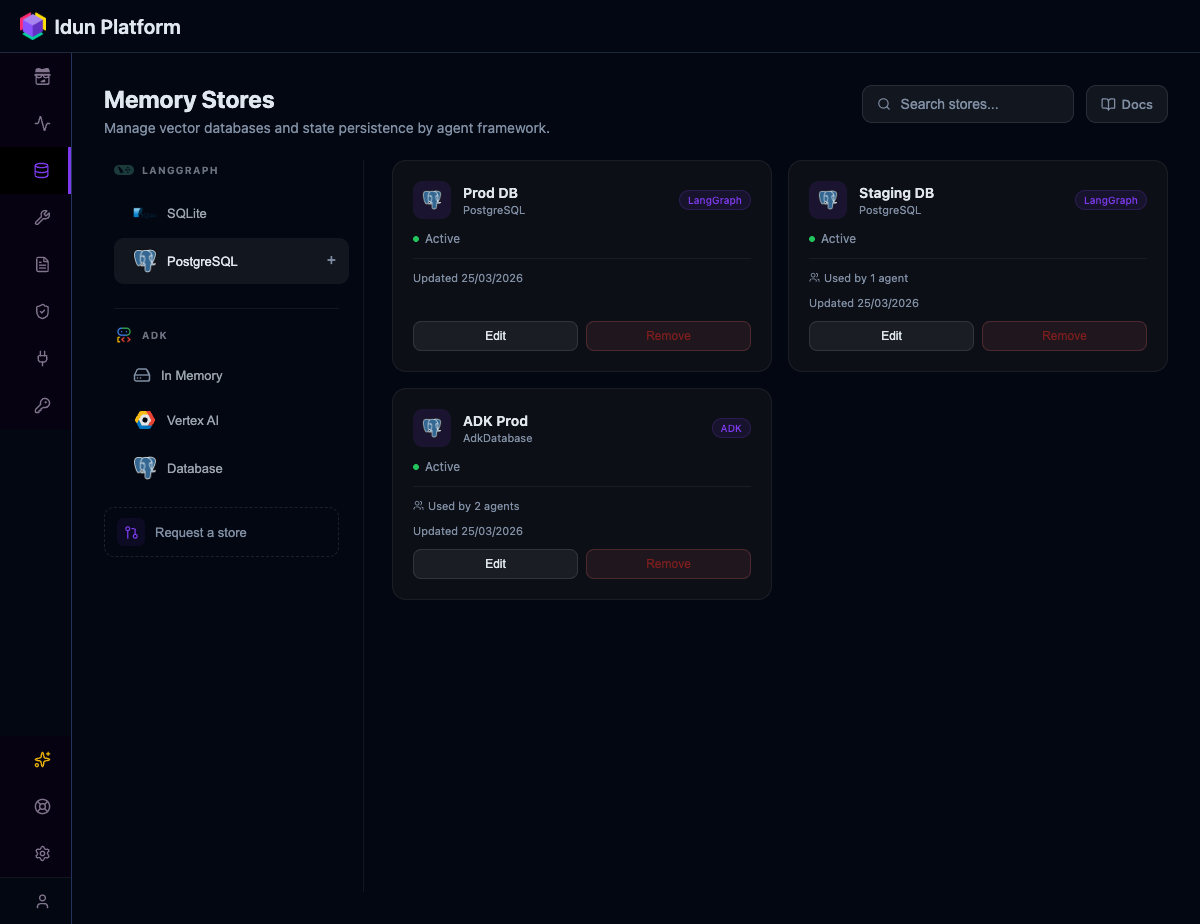
|
Prompt managementVersioned templates with Jinja2 variables. Assign prompts to agents from the UI or API. 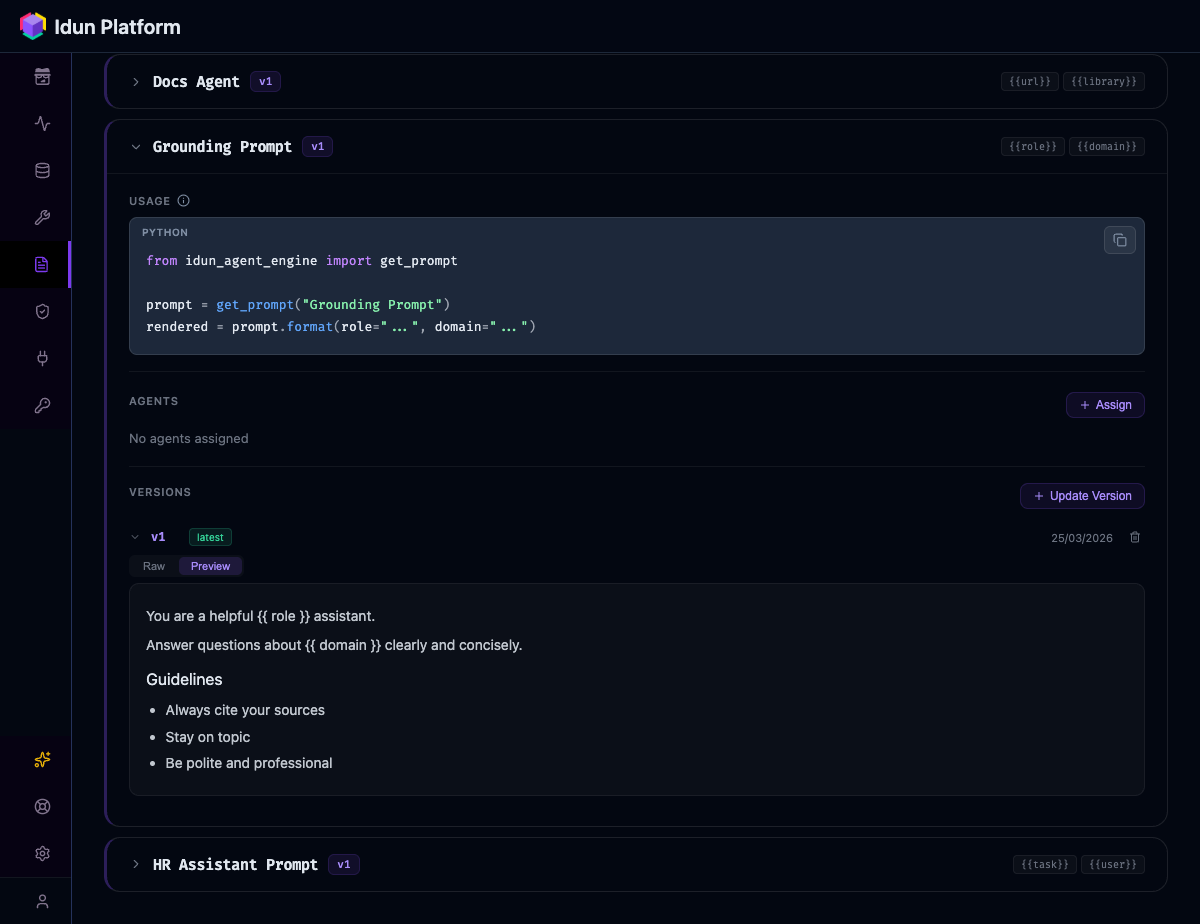
|
|
[!NOTE] AG-UI streaming — Every agent gets a standards-based streaming API, compatible with CopilotKit clients. Built-in chat playground for testing.
Architecture
Idun ships as one process: idun-agent-standalone. It bundles the engine SDK, a Next.js chat UI, an admin panel, and a traces viewer — your agent runs inside this process, configured from a YAML file and re-loaded live from the admin REST.
flowchart LR
  subgraph Idun["idun-agent-standalone (one process)"]
    direction TB
    UI["Chat UI / Admin / Traces"] --> ENG["Engine SDK"]
    ENG --> DB[(Postgres / SQLite)]
  end
  Users --> UI
  Admin --> UI
  ENG --> Agent["Your LangGraph / ADK agent"]
  Agent --> LLM["LLMs / MCP / tools"]
Integrations









[!NOTE] Framework support — LangGraph and Google ADK are first-class today, with full adapters in the engine. LangChain is supported via the LangGraph adapter; broader native LangChain compatibility is on the roadmap.
Idun vs alternatives
| Idun Engine | LangGraph Cloud | LangSmith | DIY (FastAPI + glue) | |
|---|---|---|---|---|
| Self-hosted / on-prem | ✅ | ❌ | ❌ | ✅ |
| Multi-framework (LangGraph + ADK) | ✅ | LangGraph only | ❌ obs only | Manual |
| Guardrails (15+ built-in) | ✅ | ❌ | ❌ | Build yourself |
| MCP tool governance | ✅ per-agent | ❌ | ❌ | Build yourself |
| Observability (multi-provider) | ✅ Langfuse, Phoenix, LangSmith, GCP | ❌ LangSmith only | ✅ LangSmith only | Manual |
| Memory / checkpointing | ✅ Postgres, SQLite, in-memory | ✅ | ❌ | Build yourself |
| AG-UI / CopilotKit streaming | ✅ | ✅ | ❌ | Manual |
| Open source (GPLv3) | ✅ | ❌ | ❌ | — |
[!NOTE] Idun is not a replacement for LangSmith (observability) or LangGraph Cloud (hosting). It is the layer between your agent code and production that handles governance, security, and operations, regardless of which observability or hosting you choose.
Configuration
Components in this install
After pip install idun-agent-engine, your $PATH and site-packages contain:
| Module | Distributed via | Purpose |
|---|---|---|
idun_agent_engine |
declared in requires_dist |
FastAPI app factory, MCP registry, observability, guardrails wiring |
idun_agent_schema |
declared in requires_dist |
Pydantic config models for config.yaml |
idun_agent_standalone |
co-bundled in the engine wheel | idun CLI, admin REST under /admin/api/v1/, chat / admin / traces UIs at /, /admin/, /admin/traces/ |
idun (console script) |
[project.scripts] idun = "idun_agent_standalone.cli:main" |
Subcommands: setup, serve, init, hash-password, agent serve |
The bundled-install model means you do not need to pip install idun-agent-standalone separately — it isn't published. To verify your install carries everything:
python -c "import idun_agent_engine, idun_agent_standalone, idun_agent_schema; print('all 3 modules importable')"
idun --help
Both checks are smoke-tested in the release pipeline before any wheel is published.
Heads up: both pypi.org and test.pypi.org JSON APIs report entry_points: null and omit idun-agent-standalone from requires_dist. This is a Warehouse rendering quirk — the wheel itself still wires the idun console script and bundles standalone. The smoke-test commands above are the canonical way to verify a healthy install.
YAML reference
Every agent is configured through a single YAML file. Here is a complete example with all features enabled:
server:
  api:
    port: 8001

agent:
  type: "LANGGRAPH"
  config:
    name: "Support Agent"
    graph_definition: "./agent.py:graph"
    checkpointer:
      type: "sqlite"
      db_url: "sqlite:///checkpoints.db"

observability:
  - provider: "LANGFUSE"
    enabled: true
    config:
      host: "https://cloud.langfuse.com"
      public_key: "${LANGFUSE_PUBLIC_KEY}"
      secret_key: "${LANGFUSE_SECRET_KEY}"

guardrails:
  input:
    - config_id: "DETECT_PII"
      on_fail: "reject"
      reject_message: "Request contains personal information."
  output:
    - config_id: "TOXIC_LANGUAGE"
      on_fail: "reject"

mcp_servers:
  - name: "time"
    transport: "stdio"
    command: "docker"
    args: ["run", "-i", "--rm", "mcp/time"]

prompts:
  - prompt_id: "system-prompt"
    version: 1
    content: "You are a support agent for {{ company_name }}."
    tags: ["latest"]
[!TIP] Environment variables like
${LANGFUSE_SECRET_KEY}are resolved at startup. You can use.envfiles or inject them through Docker/Kubernetes.
Serve the engine directly from a YAML file (no admin UI, just the agent endpoints):
idun agent serve --source file --path config.yaml
[!IMPORTANT] Full config reference: docs.idun-group.com/configuration
9 runnable agent examples: idun-agent-template
Community
| Questions and help | Discord |
| Feature requests | GitHub Discussions |
| Bug reports | GitHub Issues |
| Contributing | CONTRIBUTING.md |
| Roadmap | ROADMAP.md |
Commercial support
Maintained by Idun Group. We help with platform architecture, deployment, and IdP/compliance integration. Book a call · [email protected]
Telemetry
Minimal, anonymous usage metrics + masked session replay via PostHog. No message content, no PII beyond email after sign-in (set IDUN_TELEMETRY_IDENTIFY_USERS=false to disable). View source. Off: IDUN_TELEMETRY_ENABLED=false. Replay-only off: IDUN_TELEMETRY_SESSION_REPLAY=false.