
Inventory Management System in PHP
Welcome to the Inventory Management System, a web application built using PHP to help manage inventory efficiently. This project includes features like adding, updating, and deleting products, managing stock levels, and viewing inventory reports.
Table of Contents
Features
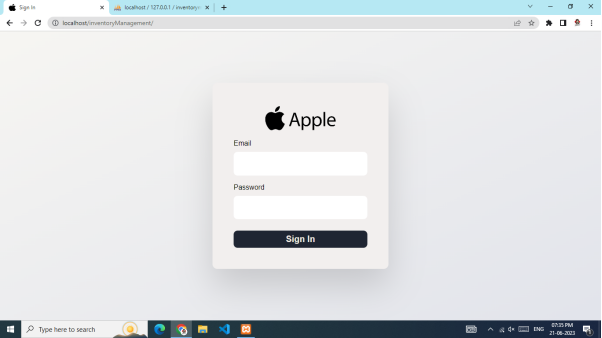
- User Authentication: Secure login and registration system.
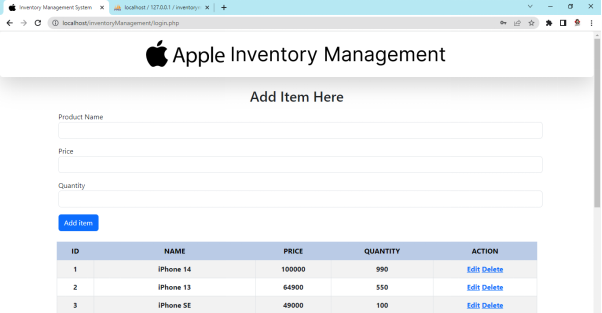
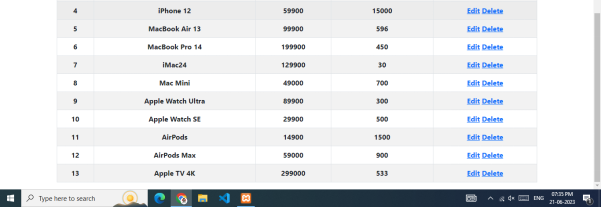
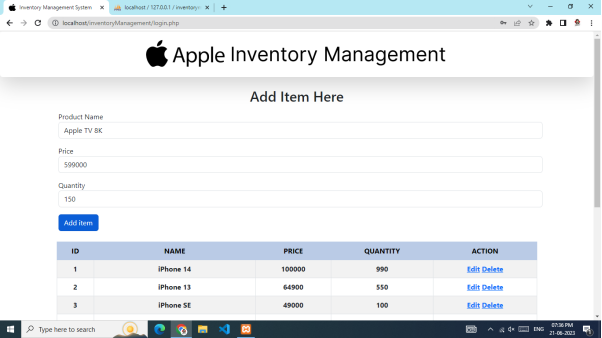
- Product Management: Add, update, delete, and view product details.
- Responsive Design: Compatible with various devices.
Technologies Used
- Backend: PHP
- Frontend: HTML, CSS, JavaScript
- Database: MySQL
- Frameworks: Bootstrap
Installation
-
Clone the repository
git clone https://github.com/Harsh21Patel/Inventory-Management-System-PHP.git -
Navigate to the project directory
cd Inventory-Management-System-PHP -
Set up the database
- Import the
database.sqlfile into your MySQL database. - Update the database configuration in
config.php.
- Import the
-
Start the server
- Use a local server like XAMPP or WAMP and place the project folder in the
htdocsdirectory. - Start Apache and MySQL from the control panel.
- Use a local server like XAMPP or WAMP and place the project folder in the
-
Access the application
- Open your web browser and navigate to
http://localhost/Inventory-Management-System-PHP.
- Open your web browser and navigate to
Usage
-
Login
- Access the login page at
http://localhost/Inventory-Management-System-PHP/login.php. - Use your credentials to log in. If you don’t have an account, register first.
- Access the login page at
-
Manage Products
- Navigate to the product management section to add, update, or delete products.
-
View Inventory
- Check the inventory reports to monitor stock levels and generate insights.
Screenshot
Contributing
Contributions are welcome! Please follow these steps to contribute:
- Fork the repository.
- Create a new branch (
git checkout -b feature/YourFeature). - Commit your changes (
git commit -m 'Add some feature'). - Push to the branch (
git push origin feature/YourFeature). - Open a pull request.
License
This project is licensed under the MIT License - see the LICENSE file for details.