
This Project is Under Development.
Invextry
Inventory Management System With Laravel & Vue JS
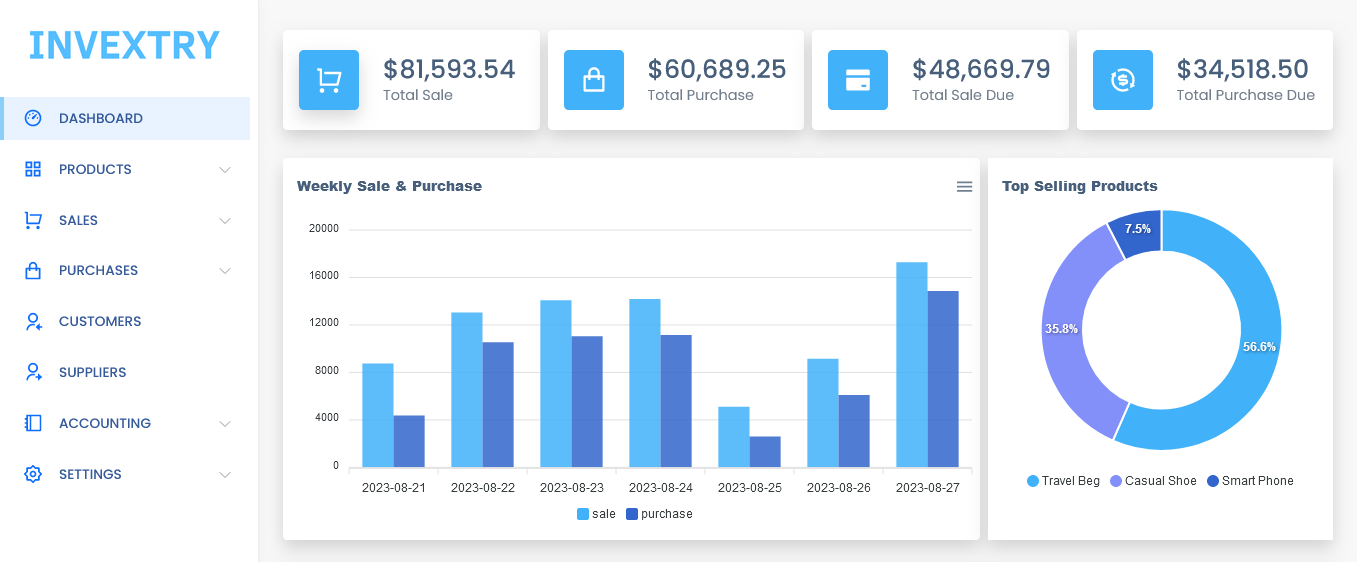
Installation Guide
Follow these steps to set up and run the project locally.
Prerequisites
Make sure you have the following installed:
- Git
- Composer
- Node.js and npm
- PHP >= 8.1
- MySQL
Installation Steps
-
Clone the GitHub repository
git clone https://github.com/efthakhar/invextry.git -
Install Composer packages:
composer install -
Install npm packages
npm install -
Create .env file
Duplicate .env.example and rename it to .env.
-
Generate encryption key
Run the following command to generate a unique application key.
php artisan key:generate -
Update APP_URL in .env
Open .env file and update the APP_URL value according to your application's domain path. For local development, it will typically be:
APP_URL=http://127.0.0.1:8000 -
Run migrations
php artisan migrate -
Start the development server
php artisan serve -
Enable development mode
npm run dev
Now you're all set up! Access your application through the specified APP_URL.
Contributor
License
- Copyright © 2023 Invextry
- Invextry is open-sourced software licensed under the MIT license
Acknowledgments
This project wouldn't be possible without the amazing contributions of the following open-source projects:
- voler: Bootstrap5 Admin Template
- apexcharts/vue3-apexcharts: Vue-3 component for ApexCharts
- RemixIcon: Open source neutral style icon system