
Ironpad
A local-first, file-based project & knowledge management system.





Ironpad stores all your notes, projects, and tasks as plain Markdown files. No cloud services, no vendor lock-in -- your data stays on your machine in a format you can read and edit with any text editor. Every change is automatically versioned with Git.
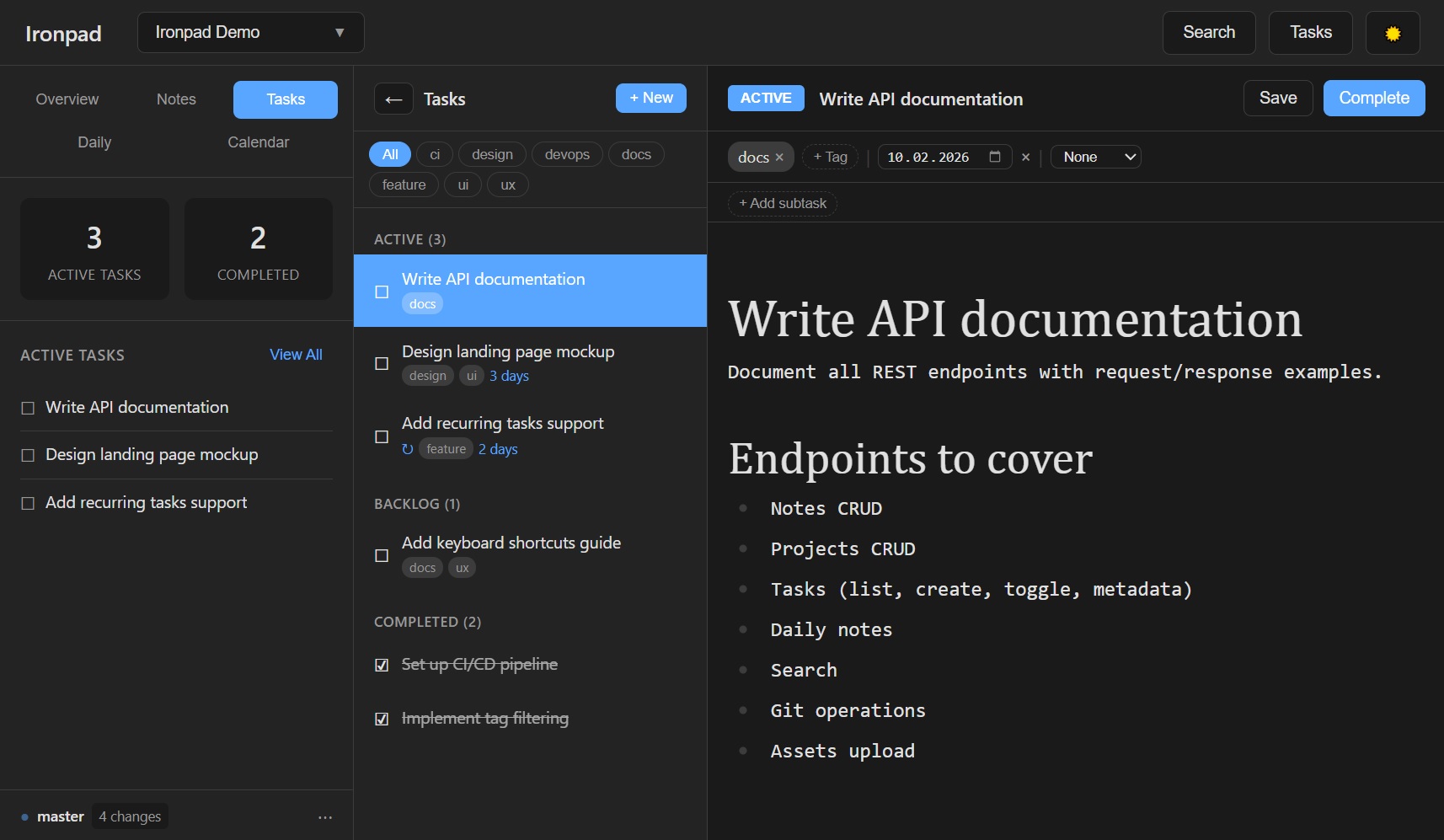
v0.3.0 -- Prompt Manager, calendar drag-and-drop rescheduling, week/day calendar views, and prompt-level Git history.
Previous (v0.2.0) -- Task comments, recurring tasks on calendar, system tray mode, and app branding. See CHANGELOG.md for details.
Features
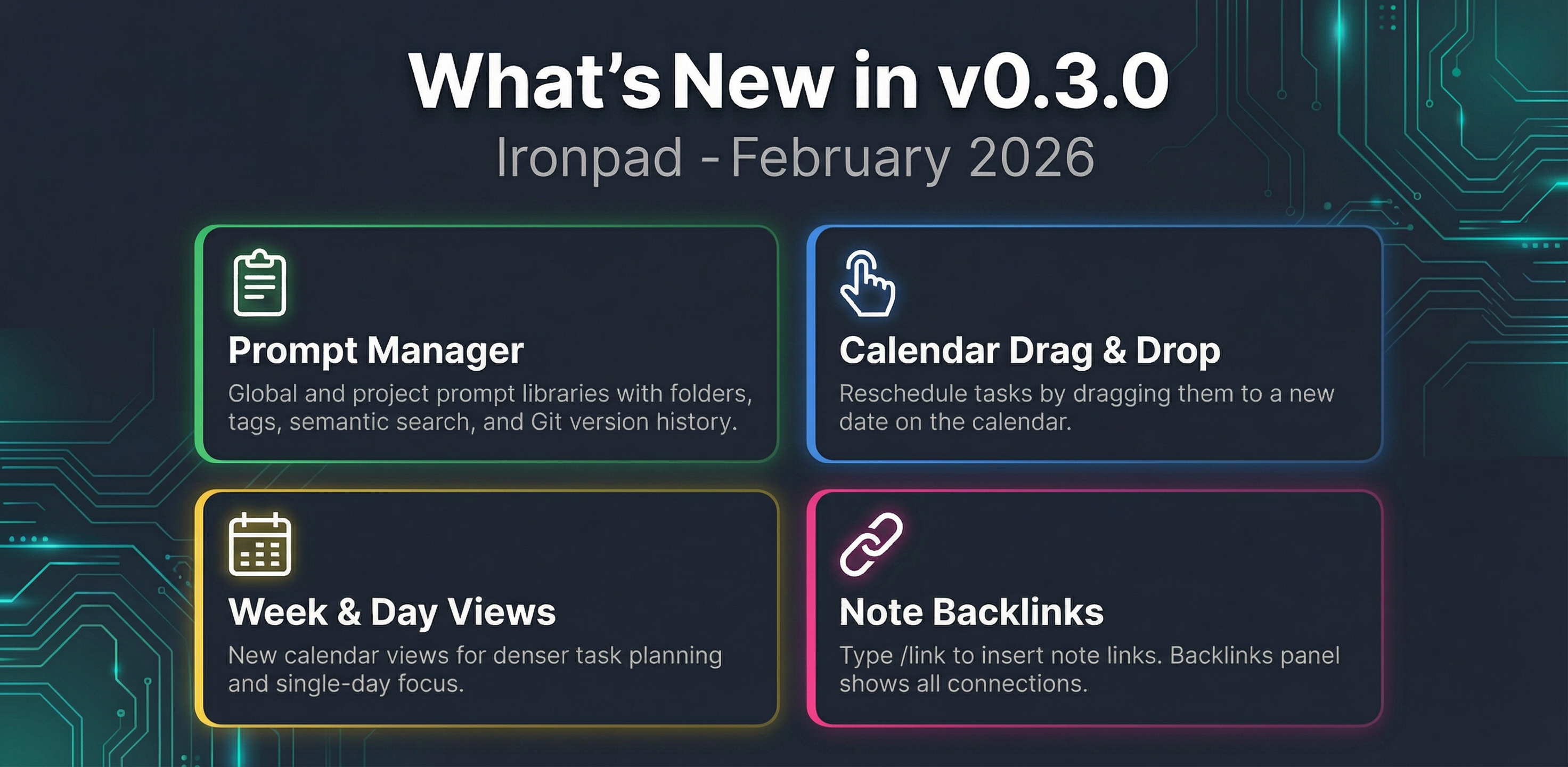
- File-based storage -- All data stored as Markdown files with YAML frontmatter
- Local-first -- Works fully offline, no internet required
- Git integration -- Automatic version control with 60-second commit batching, full diff viewer, push/fetch
- WYSIWYG editing -- Milkdown editor with real-time markdown rendering and formatting toolbar
- Project management -- Organize tasks and notes by project with due dates, tags, subtasks, recurrence, and comments
- Calendar view -- Month, week, and day views showing tasks by due date with color-coded urgency; drag-and-drop rescheduling; recurring tasks automatically expanded across the calendar
- Dashboard -- Cross-project overview with active task summaries
- Daily notes -- Quick capture with templates for daily journaling
- Real-time sync -- WebSocket-based live updates; edit in VS Code, see changes in the browser instantly
- External editing -- Full support for VS Code, Obsidian, Vim, or any text editor
- Search -- ripgrep-powered full-text search across all files (Ctrl+K)
- Prompt Manager -- Global and project-scoped prompt libraries with folders, tags, semantic search, variable templates (
{{...}}), one-click copy, and copy-rendered output - Dark theme -- Beautiful dark UI by default with light mode toggle
- System tray -- Runs quietly in the system tray (Windows, macOS, Linux); no console window in release builds
- Tiny footprint -- 5 MB binary, ~20 MB RAM, sub-second startup
Quick Start
Option 1: Download Release (Recommended)
- Download the latest release for your platform from Releases
- Extract and run the executable
- Your browser opens automatically -- start using Ironpad
Data is stored in a data/ folder next to the executable. To use a custom location, set the IRONPAD_DATA_DIR environment variable.
Option 2: Build From Source
Prerequisites: Rust (1.70+), Node.js (18+), Git
# Clone the repository
git clone https://github.com/OlaProeis/ironPad.git
cd ironPad

# Start the backend
cd backend
cargo run

# In a new terminal, start the frontend
cd frontend
npm install
npm run dev
Open http://localhost:5173 in your browser.
Tech Stack
| Component | Technology |
|---|---|
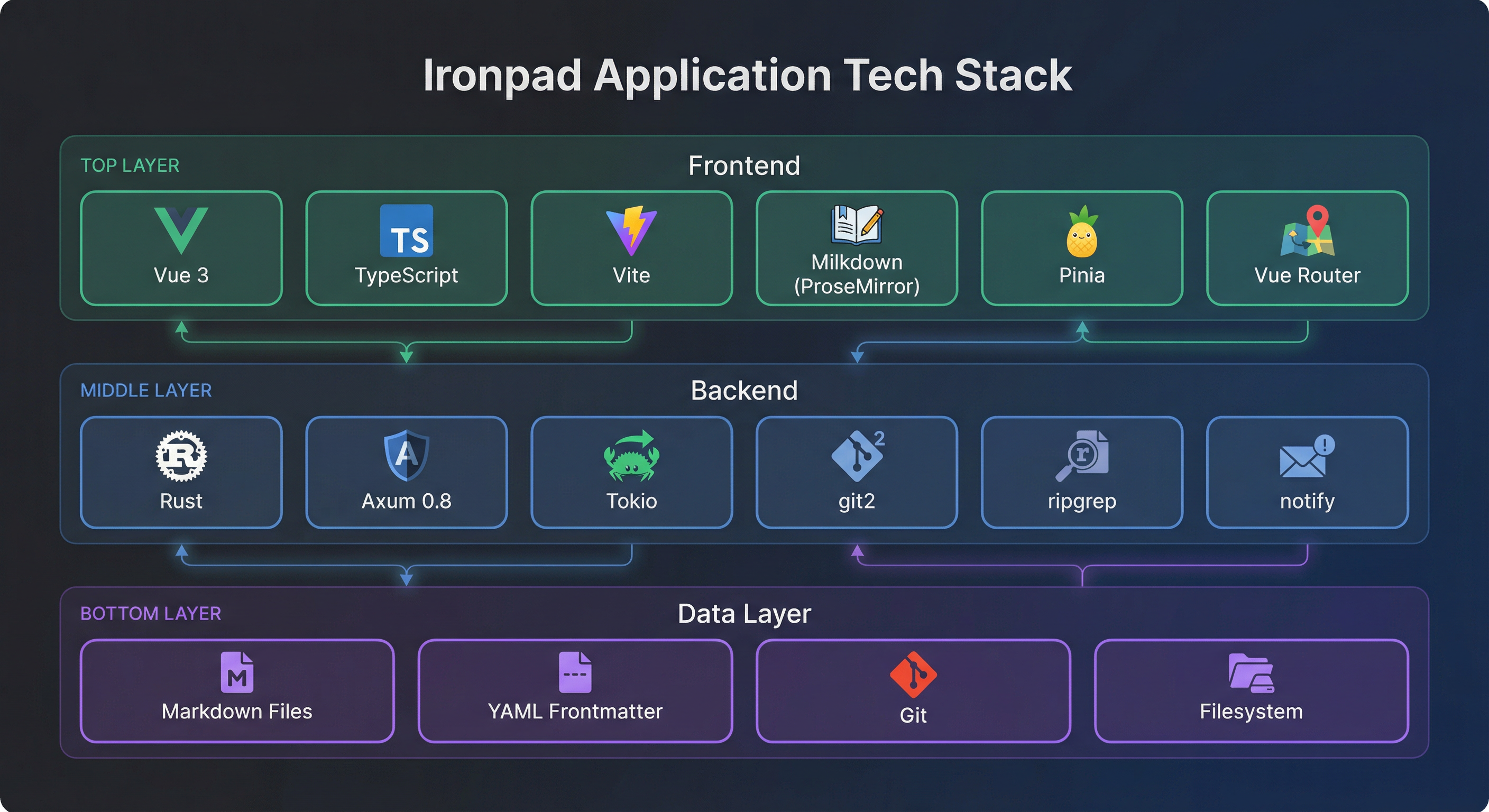
| Backend | Rust, Axum 0.8, Tokio |
| Frontend | Vue 3, Vite, TypeScript |
| Editor | Milkdown (ProseMirror-based) |
| State | Pinia |
| Routing | Vue Router |
| Data | Markdown + YAML frontmatter |
| Version Control | Git (via git2) |
| Search | ripgrep |
Roadmap
Ironpad is under active development. See ROADMAP.md for detailed release plans.
Current status:
- Task comments and activity summary
- Recurring tasks on calendar (daily/weekly/monthly/yearly expansion)
- System tray mode (Windows, macOS, Linux)
- Prompt Manager (global + project prompts, semantic search, Git version history)
- Prompt variables + copy-rendered workflow (
{{variable_name}}) - Calendar drag-and-drop rescheduling
- Week and day calendar views
- UI polish and animations
- Tag extraction and filtering across projects
- Backlinks between notes
- Graph view of note connections
- Export to PDF / HTML
- Custom themes
- Global hotkey (Ctrl+Shift+Space)
- Kanban board view for tasks
See CHECKLIST.md for detailed implementation status.
Built With AI
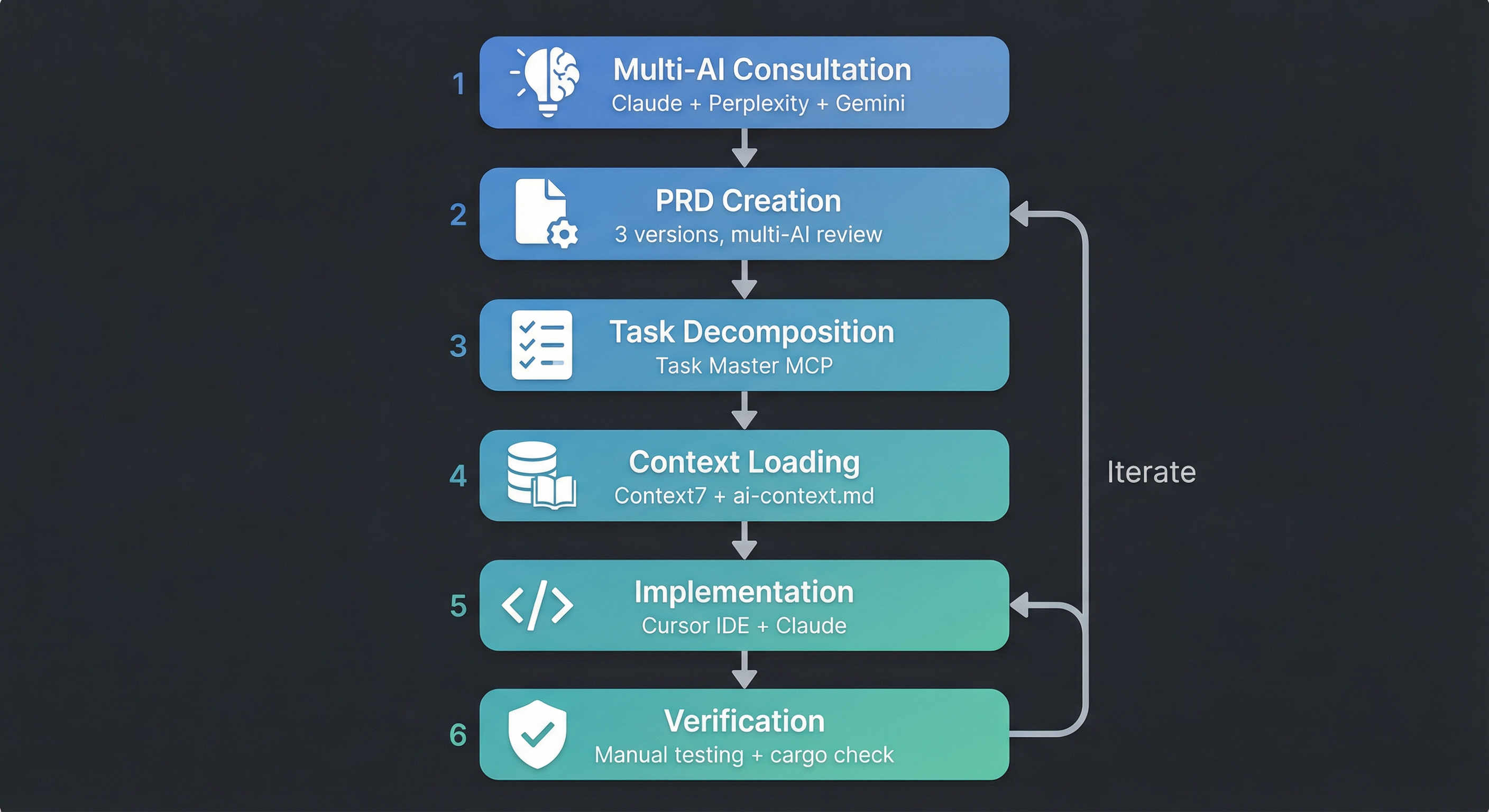
This entire application was built using AI-assisted development -- an approach we call Open Method. We share not just the code, but the complete process: the PRD, task breakdowns, handover documents, and workflow artifacts.
Read about the method:
- The AI Development Workflow I Actually Use -- The original workflow article
- docs/ai-workflow/ -- Documentation of the AI-assisted development process used to build Ironpad
Tools used: Cursor IDE, Claude Opus 4.5/4.6, Context7 MCP
Configuration
| Setting | Default | Description |
|---|---|---|
| Data directory | data/ next to executable |
Override with IRONPAD_DATA_DIR env var |
| Backend port | 3000 (auto-increments to 3010) | Dynamic port selection |
| Auto-commit | Every 60 seconds | Git commits when changes exist |
| Auto-save | 1 second debounce | Frontend saves after typing stops |
Documentation
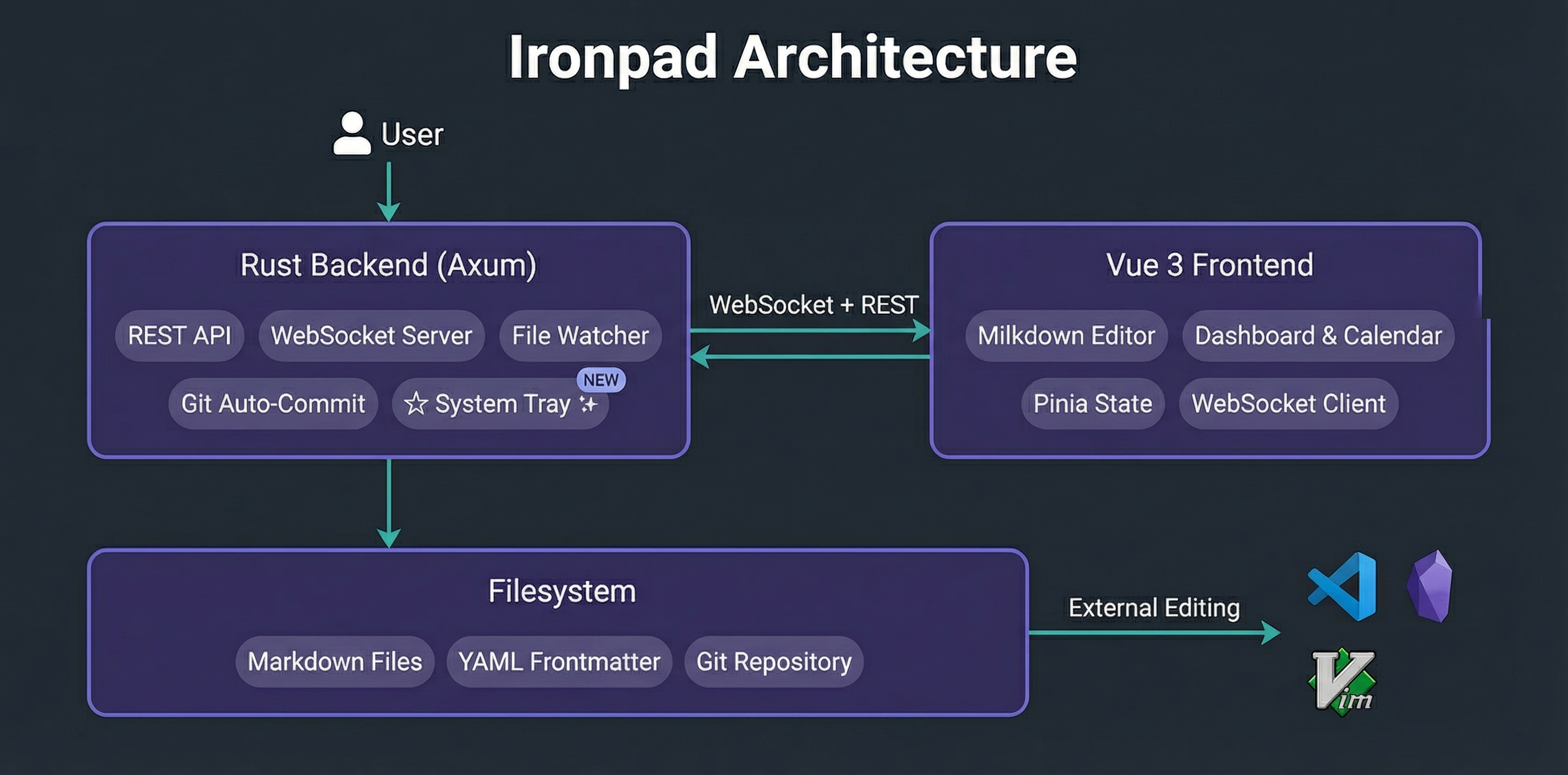
| Document | Description |
|---|---|
| docs/API.md | Complete REST API reference |
| docs/ARCHITECTURE.md | System design and technical details |
| docs/ai-workflow/ | AI development workflow and methodology |
Contributing
This is an early release and contributions are welcome!
- Check Issues for open bugs and feature requests
- Create a branch for your feature/fix
- Follow the code style (
cargo fmtfor Rust) - Test your changes thoroughly
- Submit a pull request
License
Acknowledgments
- Milkdown -- WYSIWYG Markdown editor
- Axum -- Rust web framework
- Vue.js -- Frontend framework
- Pinia -- State management
- Anthropic Claude -- AI-assisted development