
iTriangle





iTriangle is a high-performance 2D polygon triangulation library for Rust. It solves robust triangulation for real-world, messy input (holes, self-intersections, mixed winding) and is built for GIS/CAD, simulation, and rendering pipelines that need deterministic results.
For detailed performance benchmarks, check out the Performance Comparison
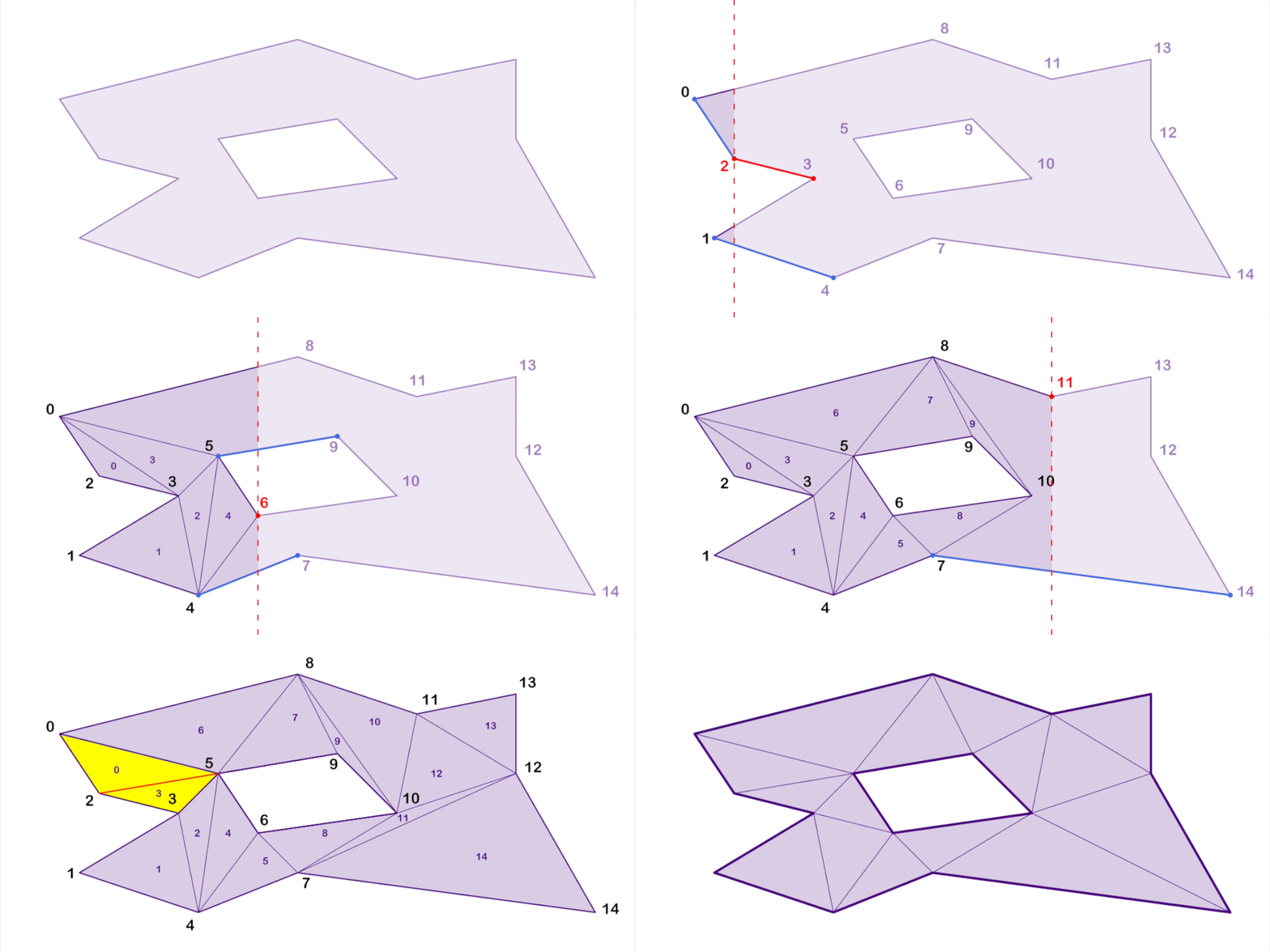
Table of Contents
- Why iTriangle?
- Features
- Architecture Overview
- Quick Start
- Documentation
- Examples
- Integer API
- Performance
- Gallery
- Contributing
- License
Why iTriangle?
- Robust on complex input: supports holes and self-intersections with automatic resolution.
- Deterministic and stable: integer-based core avoids floating-point corner cases.
- High-performance: optimized sweep-line triangulation with cache-friendly outputs.
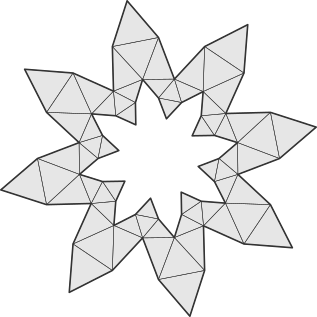
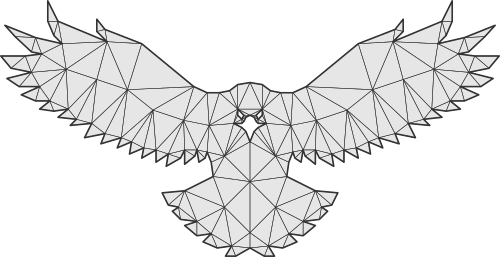
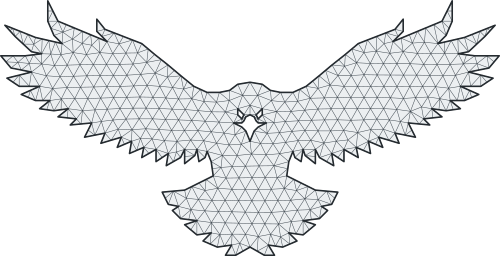
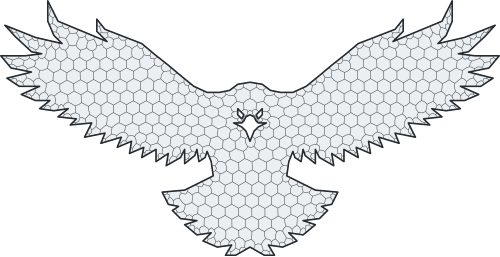
- Flexible outputs: Delaunay, convex decomposition, tessellation, and centroid nets.
Features
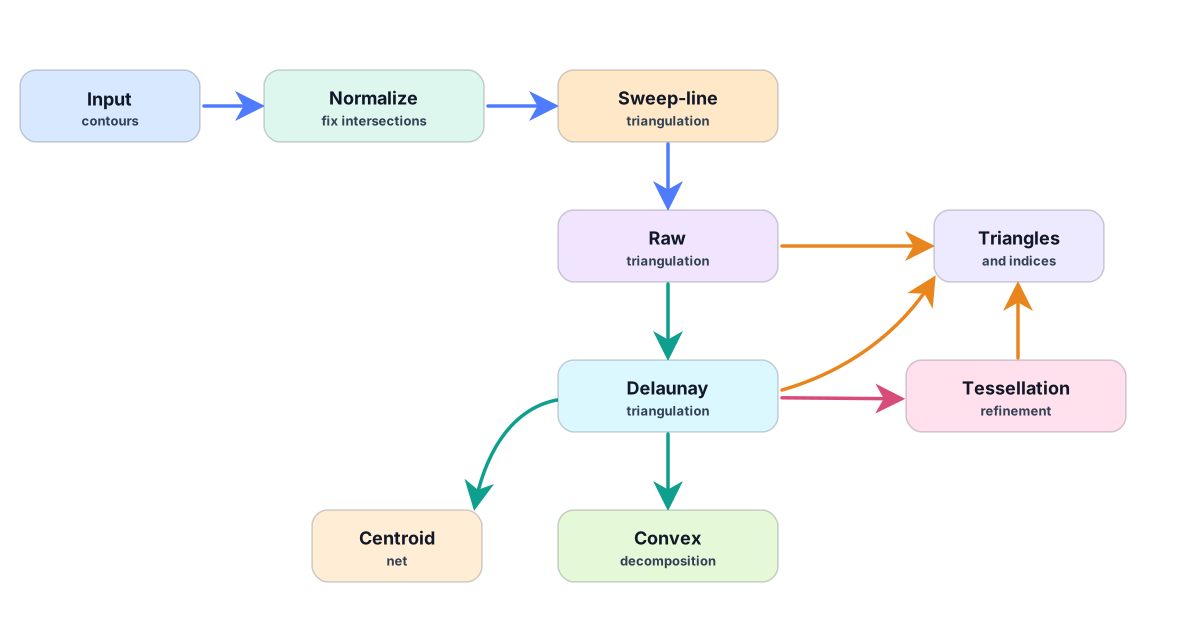
- Sweep-line Triangulation - Fast and simple triangulation of polygons with or without holes.
- Delaunay Triangulation - Efficient and robust implementation for generating Delaunay triangulations.
- Self-Intersection Handling – Fully supports self-intersecting polygons with automatic resolution.
- Adaptive Tessellation - Refine Delaunay triangles using circumcenters for better shape quality.
- Convex Decomposition - Convert triangulation into convex polygons.
- Centroidal Polygon Net: Build per-vertex dual polygons using triangle centers and edge midpoints.
- Steiner Points: Add custom inner points to influence triangulation.
- GPU-Friendly Layout: Triangles and vertices are naturally ordered by X due to the sweep-line algorithm, improving cache locality for rendering.
Architecture Overview
Quick Start
Add to your Cargo.toml:
[dependencies]
i_triangle = "0.45"
Minimal example:
use i_triangle::float::triangulatable::Triangulatable;

let contour = vec![
    [0.0, 0.0],
    [10.0, 0.0],
    [10.0, 10.0],
    [0.0, 10.0],
];

let triangulation = vec![contour].triangulate().to_triangulation::<u16>();
println!("triangles: {}", triangulation.indices.len() / 3);
By default, float input is converted to the robust integer core using i32
coordinates. If your geometry needs a different integer precision, choose it
explicitly:
use i_triangle::float::triangulatable::Triangulatable;
use i_triangle::float::triangulator::Triangulator;

let shape = vec![vec![
    [0.0, 0.0],
    [10.0, 0.0],
    [10.0, 10.0],
    [0.0, 10.0],
]];

// One-shot triangulation with i64 integer coordinates.
let mesh = shape.triangulate_as::<i64>().to_triangulation::<u32>();

// Reusable triangulator: first generic is index type, second is coordinate type.
let mut triangulator = Triangulator::<u32, i64>::default();
let mesh = triangulator.triangulate(&shape);
Documentation
Examples
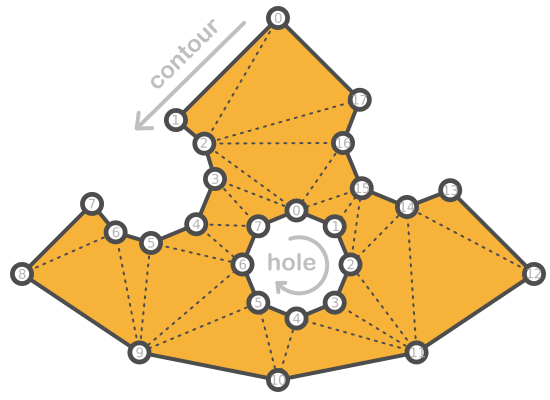
Single Shape Triangulation
use i_triangle::float::triangulatable::Triangulatable;
use i_triangle::float::triangulation::Triangulation;

let shape = vec![
    vec![
        // body
        [0.0, 20.0],    // 0
        [-10.0, 8.0],   // 1
        [-7.0, 6.0],    // 2
        [-6.0, 2.0],    // 3
        [-8.0, -2.0],   // 4
        [-13.0, -4.0],  // 5
        [-16.0, -3.0],  // 6
        [-18.0, 0.0],   // 7
        [-25.0, -7.0],  // 8
        [-14.0, -15.0], // 9
        [0.0, -18.0],   // 10
        [14.0, -15.0],  // 11
        [26.0, -7.0],   // 12
        [17.0, 1.0],    // 13
        [13.0, -1.0],   // 14
        [9.0, 1.0],     // 15
        [7.0, 6.0],     // 16
        [8.0, 10.0],    // 17
    ],
    vec![
        // hole
        [2.0, 0.0],   // 0
        [5.0, -2.0],  // 1
        [7.0, -5.0],  // 2
        [5.0, -9.0],  // 3
        [2.0, -11.0], // 4
        [-2.0, -9.0], // 5
        [-4.0, -5.0], // 6
        [-2.0, -2.0], // 7
    ],
];

let triangulation = shape.triangulate().to_triangulation::<u16>();

println!("points: {:?}", triangulation.points);
println!("indices: {:?}", triangulation.indices);

let delaunay_triangulation: Triangulation<[f64; 2], u16> =
    shape.triangulate().into_delaunay().to_triangulation();

println!("points: {:?}", delaunay_triangulation.points);
println!("indices: {:?}", delaunay_triangulation.indices);

let convex_polygons = shape.triangulate().into_delaunay().to_convex_polygons();

println!("convex polygons: {:?}", convex_polygons);

let tessellation: Triangulation<[f64; 2], u16> = shape
    .triangulate()
    .into_delaunay()
    .refine_with_circumcenters_by_obtuse_angle(0.0)
    .to_triangulation();

println!("points: {:?}", tessellation.points);
println!("indices: {:?}", tessellation.indices);

let centroids = shape
    .triangulate()
    .into_delaunay()
    .refine_with_circumcenters_by_obtuse_angle(0.0)
    .to_centroid_net(0.0);

println!("centroids: {:?}", centroids);
💡 Output: Triangle indices and vertices, where all triangles oriented in a counter-clockwise direction.
Triangulating Multiple Shapes Efficiently
If you need to triangulate many shapes, it is more efficient to use Triangulator.
use i_triangle::float::triangulation::Triangulation;
use i_triangle::float::triangulator::Triangulator;

let contours = vec![
    vec![[0.0, 0.0], [4.0, 0.0], [4.0, 4.0], [0.0, 4.0]],
    vec![[5.0, 0.0], [9.0, 0.0], [9.0, 4.0], [5.0, 4.0]],
];

// Uses u32 triangle indices and the default i32 integer coordinate solver.
let mut triangulator = Triangulator::<u32>::default();

// Enable Delaunay refinement
triangulator.delaunay(true);

// Use fast Earcut solver for contours with ≤ 64 points
triangulator.earcut(true);

let mut triangulation = Triangulation::with_capacity(100);

for contour in contours.iter() {
    // Triangulate using self-intersection resolver
    triangulator.triangulate_into(contour, &mut triangulation);

    println!("points: {:?}", triangulation.points);
    println!("indices: {:?}", triangulation.indices);
}
Integer API
The integer API is useful when your coordinates are already quantized or when you want direct control over the robust integer core. It avoids float-to-int adapter setup and returns integer points unchanged.
Use IntPoint with IntContour, IntShape, or IntShapes-compatible containers:
use i_triangle::int::triangulatable::IntTriangulatable;
use i_triangle::i_overlay::i_float::int::point::IntPoint;

let contour = vec![
    IntPoint::new(0, 0),
    IntPoint::new(10, 0),
    IntPoint::new(10, 10),
    IntPoint::new(0, 10),
];

let triangulation = contour.triangulate().into_triangulation::<u16>();

assert_eq!(triangulation.points.len(), 4);
assert_eq!(triangulation.indices.len(), 6);
For repeated triangulation, use IntTriangulator and reuse its internal buffers:
use i_triangle::int::triangulation::IntTriangulation;
use i_triangle::int::triangulator::IntTriangulator;
use i_triangle::i_overlay::i_float::int::point::IntPoint;

let contours = vec![
    vec![
        IntPoint::new(0, 0),
        IntPoint::new(10, 0),
        IntPoint::new(10, 10),
        IntPoint::new(0, 10),
    ],
    vec![
        IntPoint::new(20, 0),
        IntPoint::new(30, 0),
        IntPoint::new(30, 10),
        IntPoint::new(20, 10),
    ],
];

let mut triangulator = IntTriangulator::<i32, u32>::default();
let mut output = IntTriangulation::<i32, u32>::default();

for contour in &contours {
    triangulator.triangulate_contour_into(contour.clone(), &mut output);
    assert!(!output.indices.is_empty());
}
If your integer contours are already valid and correctly oriented, the unchecked API skips validation:
use i_triangle::int::unchecked::IntUncheckedTriangulatable;
use i_triangle::i_overlay::i_float::int::point::IntPoint;

let contour = vec![
    IntPoint::new(0, 0),
    IntPoint::new(10, 0),
    IntPoint::new(10, 10),
    IntPoint::new(0, 10),
];

let triangulation = contour.uncheck_triangulate().into_triangulation::<u16>();
assert_eq!(triangulation.indices.len(), 6);
Performance
Benchmarks and interactive demos are available here:
Gallery
| Delaunay | Convex Polygons | Steiner Points |
|---|---|---|
 |
 |
 |
| Tessellation | Centroid Net | |
|---|---|---|
 |
 |
Contributing
See CONTRIBUTING.md for development setup, tests, and PR guidelines.
License
Licensed under either of:
- MIT license (LICENSE-MIT)
- Apache License, Version 2.0 (LICENSE-APACHE)