
JustBookmarks
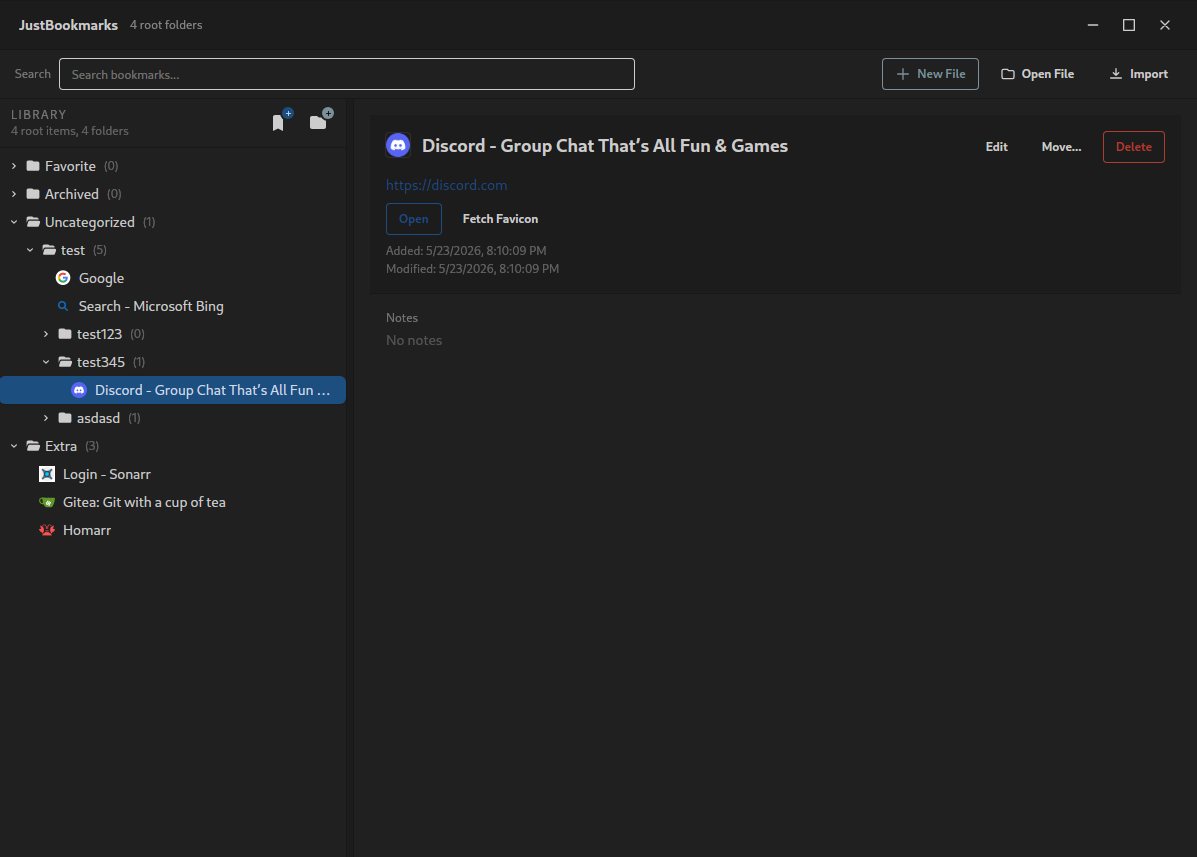
JustBookmarks is a desktop bookmark manager for people who want one clean, browser-independent source of truth.
It keeps everything in a plain Netscape Bookmarks HTML file, so you can manage your bookmarks outside any specific browser and import them wherever you want later.
Download
Prebuilt binaries are available on GitHub Releases:
Why I Made This
I end up switching browsers somewhat regularly: Vivaldi, Zen, Helium, Brave, and whatever else I am trying that month.
What I wanted was straightforward:
- one central book of record for my bookmarks
- an easy way to organize and clean them up
- a format I could import into basically any browser
Most of the tools I found were not a good fit.
- Some were online services like
raindrop.io - Some were more complex than I wanted, like
linkwarden
JustBookmarks is meant to be simple but complete. It is not trying to be a research tool, a cloud product, or a giant personal knowledge system. It is just an easy way to manage your bookmarks in one place.
How It Works
The app uses the Netscape Bookmark File Format, which is still the most compatible format for importing bookmarks into browsers.
That means:
- no proprietary database
- no required sync service
- no special export format to learn
- just one
.htmlfile
It is not fancy, and it does not support tags, but it does support folders, nested organization, search, editing, moving, and import/merge workflows.
You only have to manage one bookmark file. You can sync it, back it up, or version it however you like, because at the end of the day it is just a normal file on disk.
Keyboard Help
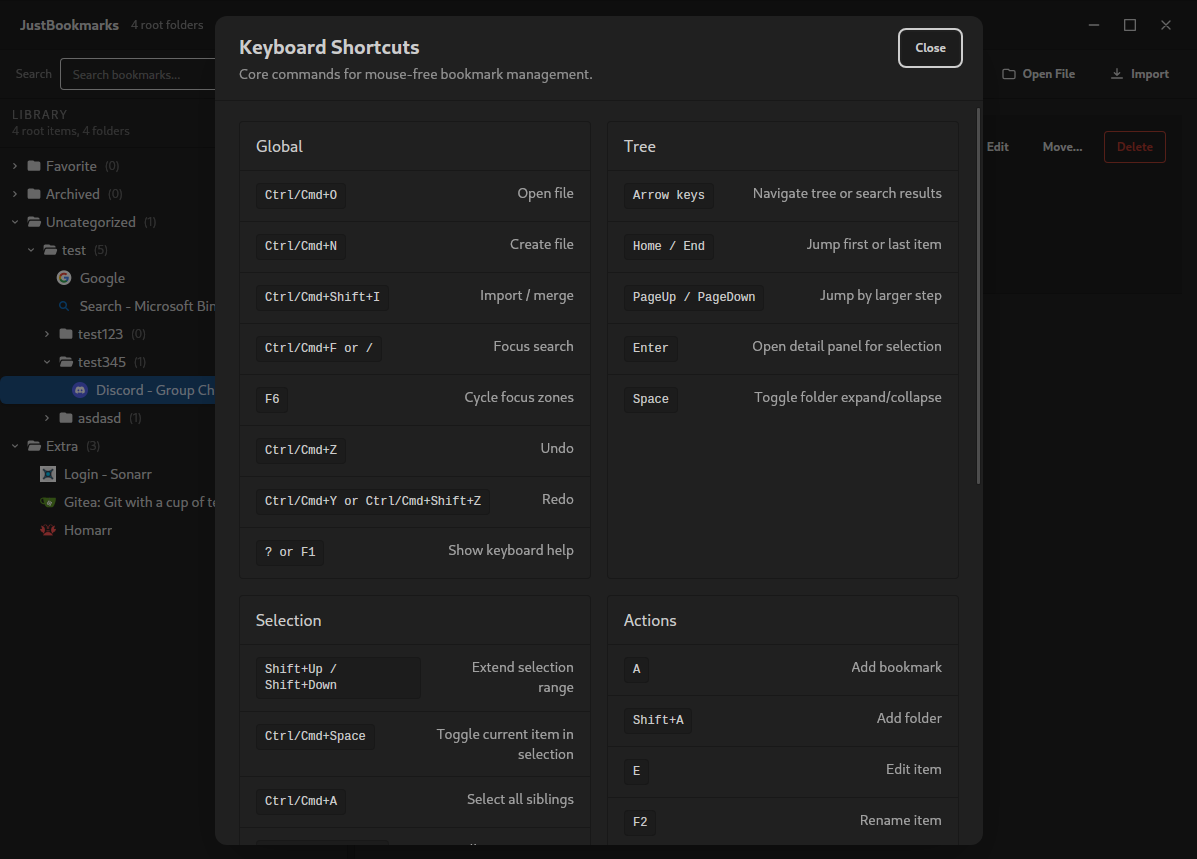
The app includes a built-in shortcut and workflow reference.
Press ? or F1 at any time to open it.
What You Can Do
- Open and manage a single bookmark HTML file
- Browse bookmarks in a folder tree
- Search bookmarks instantly
- Add, edit, move, and delete bookmarks and folders
- Refresh titles and favicons
- Import and merge another bookmark file
- Undo and redo changes
- Work primarily from the keyboard if you want to stay off the mouse
Basic Workflow
- Open an existing Netscape bookmark file, or create a new one.
- Organize your folders and bookmarks.
- Save happens automatically as you work.
- Import that same file into whichever browser you are using today.
That is the whole idea: one file, one source of truth, less browser lock-in.
Development
This repo is a Tauri app with:
- the frontend under
src/ - the Rust desktop host under
src-tauri/ - repo-root npm scripts for testing and launch
Prerequisites
Install:
- Node.js and npm
- Rust and Cargo
- Tauri platform prerequisites for your OS
On Linux, that usually includes WebKitGTK and related build dependencies required by Tauri.
Install Dependencies
npm install
Run In Development
npm run tauri dev
Tauri uses the repo-root scripts in package.json to prepare the frontend entrypoint before launch.
Testing
Run the non-browser test suite:
npm test
Run the browser test suite:
npm run test:browser
The browser runner auto-downloads chrome-headless-shell into a repo-local directory when needed and uses --dump-dom to execute and validate frontend tests.
Generate Node coverage:
npm run test:coverage
This writes LCOV output to coverage/lcov.info.
Generate browser coverage:
npm run test:browser:coverage
This writes LCOV output to coverage/browser.lcov.
Generate both and merge them:
npm run test:coverage:all
This writes merged LCOV output to coverage/all.lcov.
Generate a browsable HTML coverage report:
npm run test:coverage:html
This requires genhtml from the lcov package. When installed, it writes the HTML report to coverage/html/.
Run the standard verification flow:
npm run verify
Building
Build a production desktop app:
npm run tauri build
Frontend Docs
For frontend work, start with:
docs/agent-project-context.mddocs/frontend-architecture.mddocs/frontend-maintainability-guidelines.mddocs/naf-html-usage-guidelines.mdguide.md