
kanban.nvim
Neovim kanban plugin. Manage task as a kanban board in neovim. Task information is import and export by markdown file. Compatible with obsidian kanban.
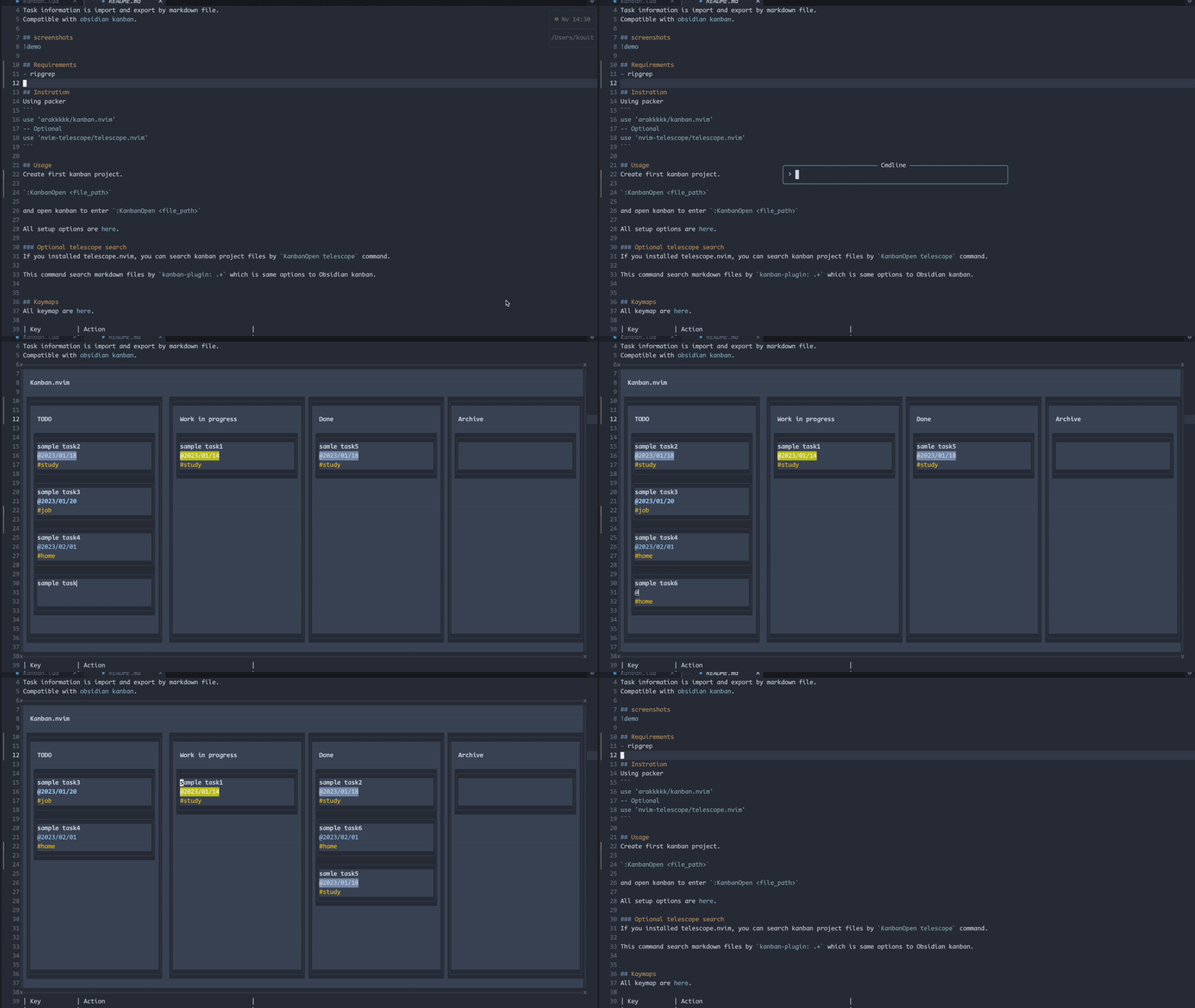
screenshots
Requirements
- ripgrep
Installation
Using packer
use 'arakkkkk/kanban.nvim'
-- Optional
use 'nvim-telescope/telescope.nvim'
and setup
require("kanban").setup({
	markdown = {
		description_folder = "./tasks/",  -- Path to save the file corresponding to the task.
		list_head = "## ",
	}
})
Using lazy.nvim
return {
  "arakkkkk/kanban.nvim",
  -- Optional
  dependencies = {
    "nvim-telescope/telescope.nvim",
  },

  config = function()
    require("kanban").setup({
      markdown = {
        description_folder = "./tasks/", -- Path to save the file corresponding to the task.
        list_head = "## ",
      },
    })
  end,
}
With the above settings, you can manage tasks as follows
.
└── kanban.md
    └── tasks           # Configured by setup option (description_folder)
        ├── task1.md    # Memo for task1
        ├── task2.md    # Memo for task2
        ├── task3.md    # Memo for task3
        └── task4.md    # Memo for task4
Usage
Create first kanban project.
:KanbanCreate <file_path>
and open kanban to enter :KanbanOpen <file_path>.
You can add new tasks with a and move cards to focus with <C-h/j/k/l>.
You can also move a card with H/J/K/L.
See more keymap for information on how to create and move tasks.
In a task card, the first line of text is as the task title, the string beginning with @ is treated as the deadline, and the characters beginning with # are treated as tags.
All setup options are here.
Format of task cards
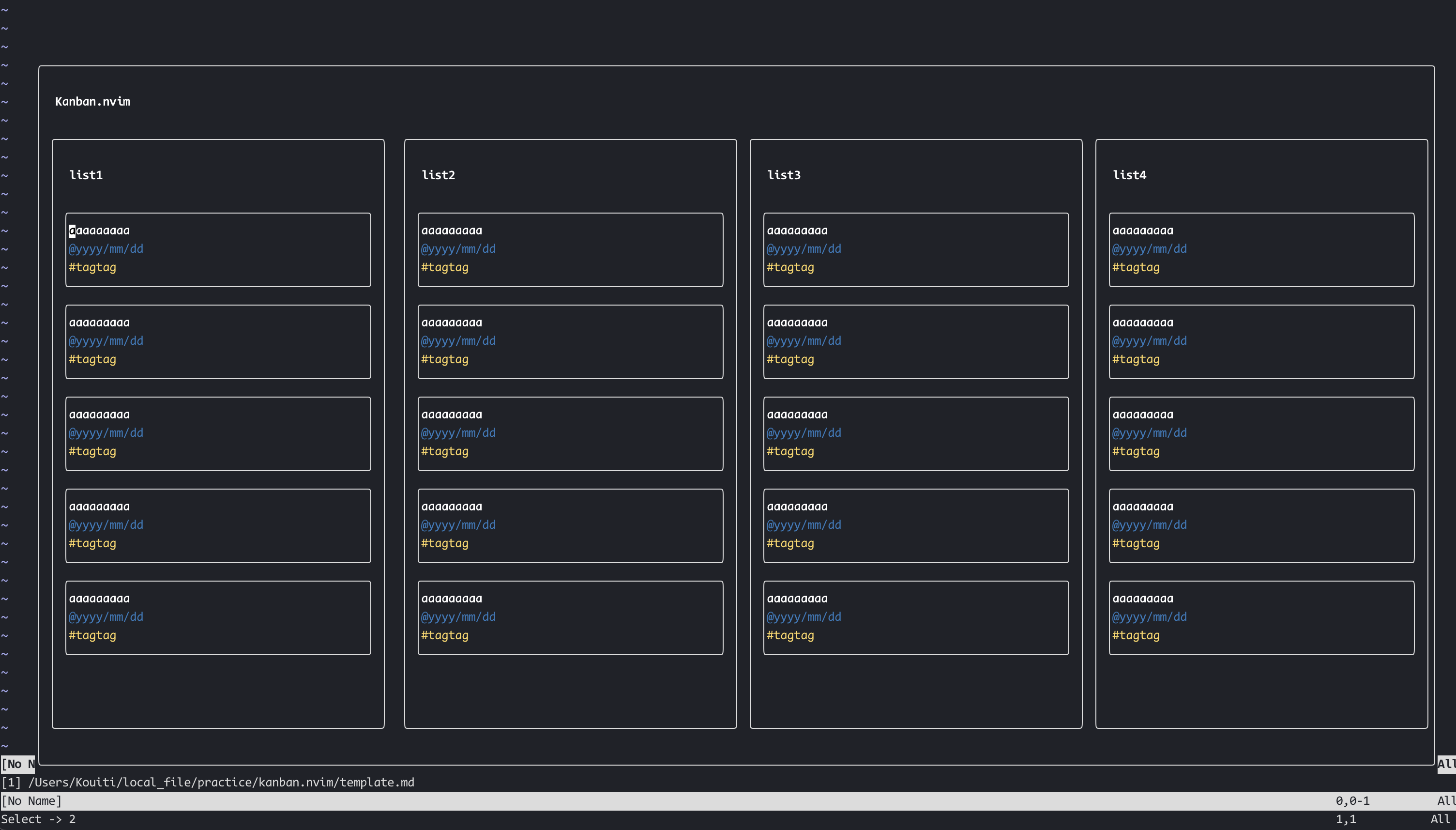
- First line is Task title.
- Line beginning with
#are tag. - Line beginning with
@is due.
Integration
Obsidian.nvim
If you are an obsidian.nvim user, you can use this plugin as an Obsidian command.
Examples:
:Obsidian kanban open task.md:Obsidian kanban create task.md
see more at obsidian.nvim
Telescope search
If you installed telescope.nvim, you can search kanban project files by KanbanOpen telescope command.
This command search markdown files by kanban-plugin: .+ which is same options to Obsidian kanban.
Completion (Optional)
kanban.nvim can provide in-buffer completion for due dates (@...) and tags (#...) via optional completion engines. The plugin works without any of these; install only if you want completion.
What gets completed
@due tokens are expanded to dates:@today,@2d,@1w,@2m,@1y,@/MM/DD,@//DD, weekdays@su..@sa, and next-week variants like@nmo,@nwe, etc. Candidates insert the concrete date like@2025/09/07.#tags are suggested from existing task tags found in the current Kanban board (unique, case-insensitive match).
nvim-cmp
- Install: hrsh7th/nvim-cmp
- Auto setup: If
nvim-cmpis installed, kanban.nvim automatically registers a source namedkanbanand enables it forfiletype=kanban. No extra config is required. - Manual tweak (optional):
-- Example: change sources order for kanban buffers
require('cmp').setup.filetype('kanban', {
  sources = require('cmp').config.sources({
    { name = 'kanban' },
    { name = 'buffer' },
    { name = 'path' },
  })
})
blink.cmp
- Install: saghen/blink.cmp
- Add the provider in your blink.cmp setup:
require('blink.cmp').setup({
  sources = {
    default = { 'lsp', 'path', 'buffer', 'kanban' },
    providers = {
      kanban = {
        name = 'kanban',
        module = 'kanban.fn.cmp.blink.cmp',
        score_offset = 15, -- optional: bump priority
        opts = {},         -- reserved for future options
      },
    },
  },
})
The provider is active only when filetype=kanban and replaces the token under the cursor using textEdit for precise insertion.
Kaymaps
All keymap are here.
| Key | Action |
|---|---|
| <C-h/j/k/l> | Focus left/below/above/right task. |
| <S-h/j/k/l> | Move task to left/below/above/right. |
| gg | Focus top task in the list. |
| G | Focus bottom task in the list. |
| <leader>lr | Rename list. |
| <leader>la | Add list. |
| <leader>ld | Delete list. |
| <C-o> | Add task. |
| <C-t> | Complete task. |
| :w<CR> | Save kanban. |
| q | Quit. |
| <CR> | Add task description in another markdown file. |