



 COPR:13.1
Disclaimer: Katifetch is an independent project and is not affiliated with, endorsed by, or sponsored by any Linux distribution or organization, including but not limited to the Fedora Project™, Red Hat™, or Valve™. All trademarks, logos, and names (e.g., Fedora™, Bazzite™, Steam Deck™, COPR™) are the property of their respective owners and are used solely for identification and compatibility purposes.
Katifetch is also not affiliated with, endorsed by, or sponsored by any BSD project, including but not limited to FreeBSD™, OpenBSD™, NetBSD™, or DragonFlyBSD™. The BSD logos (such as the FreeBSD demon or other ASCII BSD logos) are the property of their respective owners and are used in Katifetch only for identification and compatibility purposes.
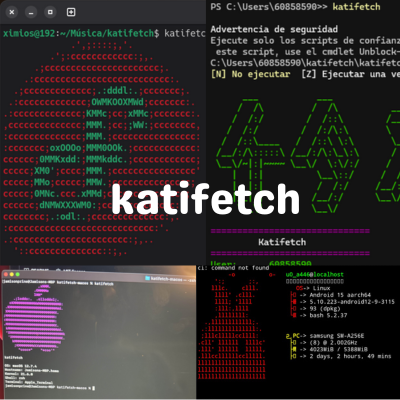
Katifetch is a customizable system information tool written in Bash, inspired by Neofetch. It supports themes, ASCII logos for many Linux distributions and BSD distributions, and user configuration via ~/.katifetchrc.
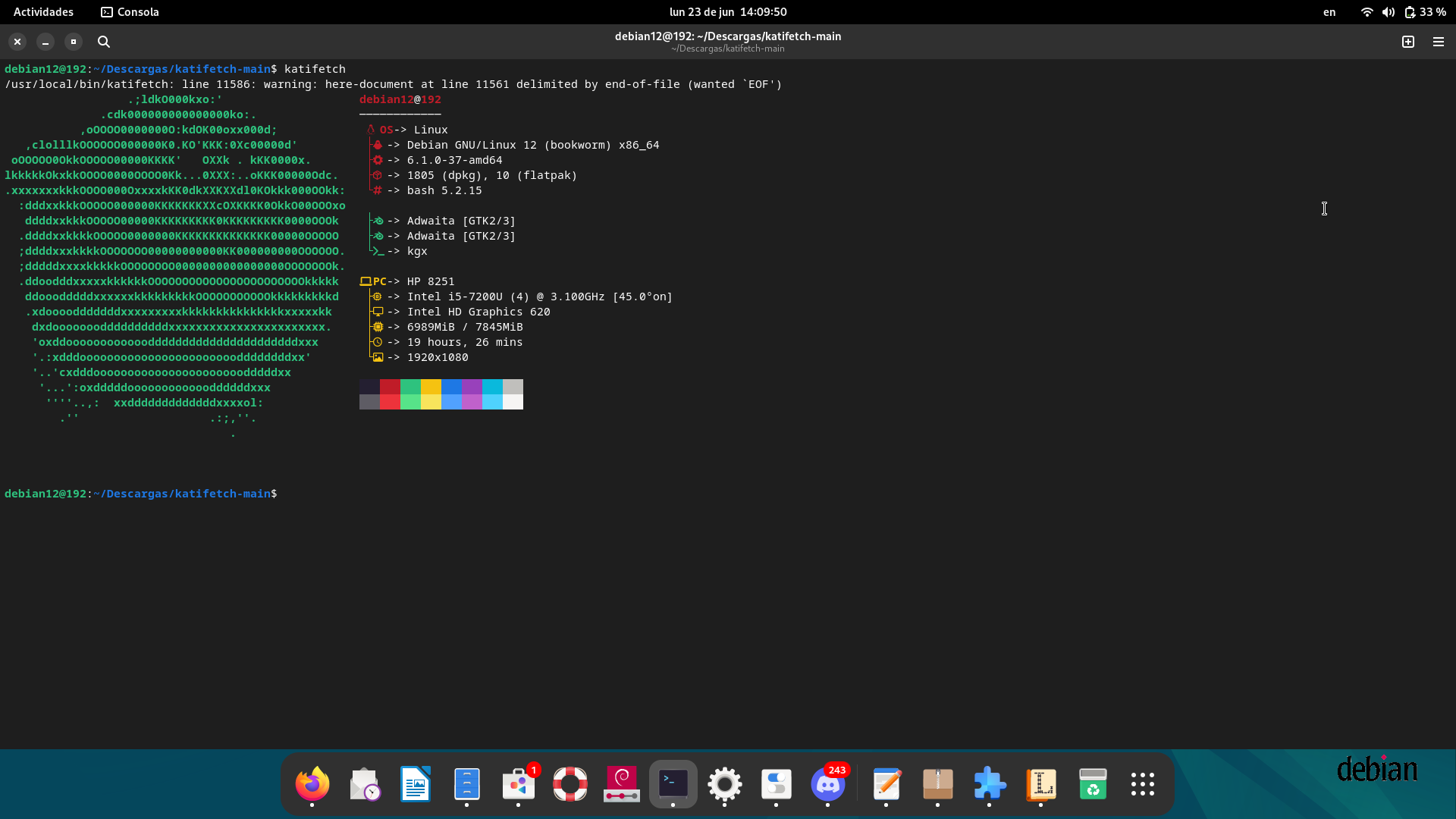
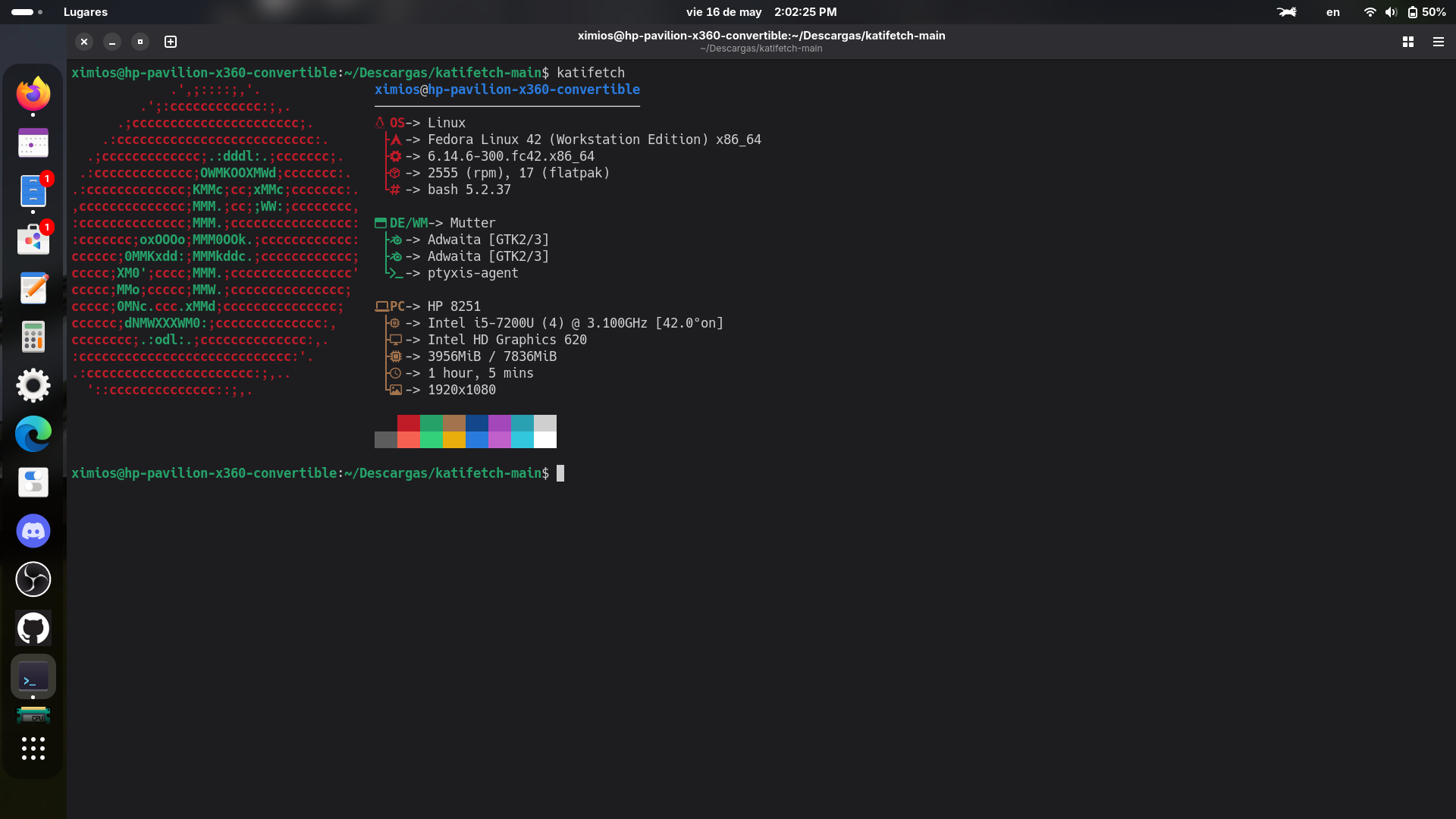
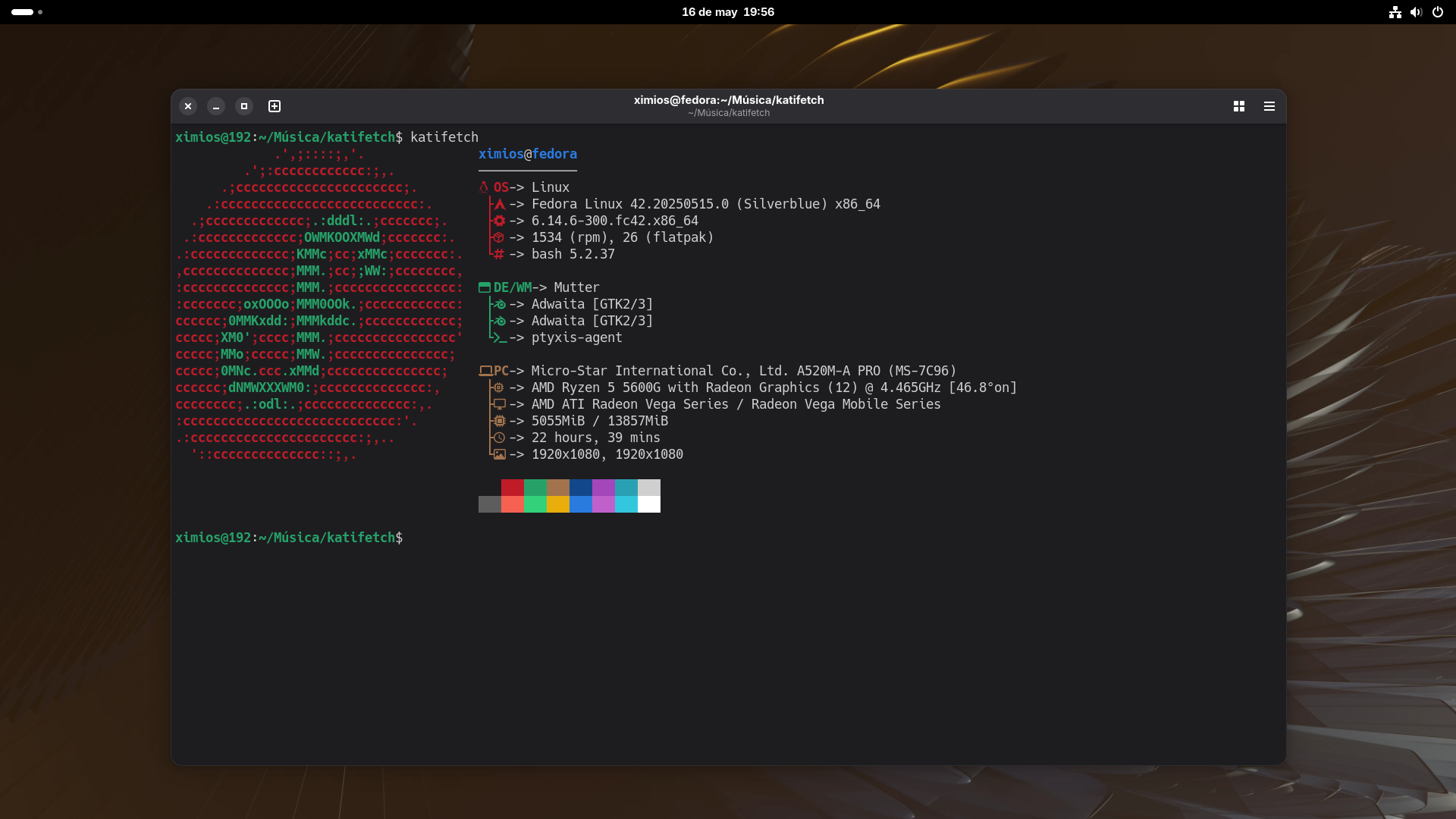
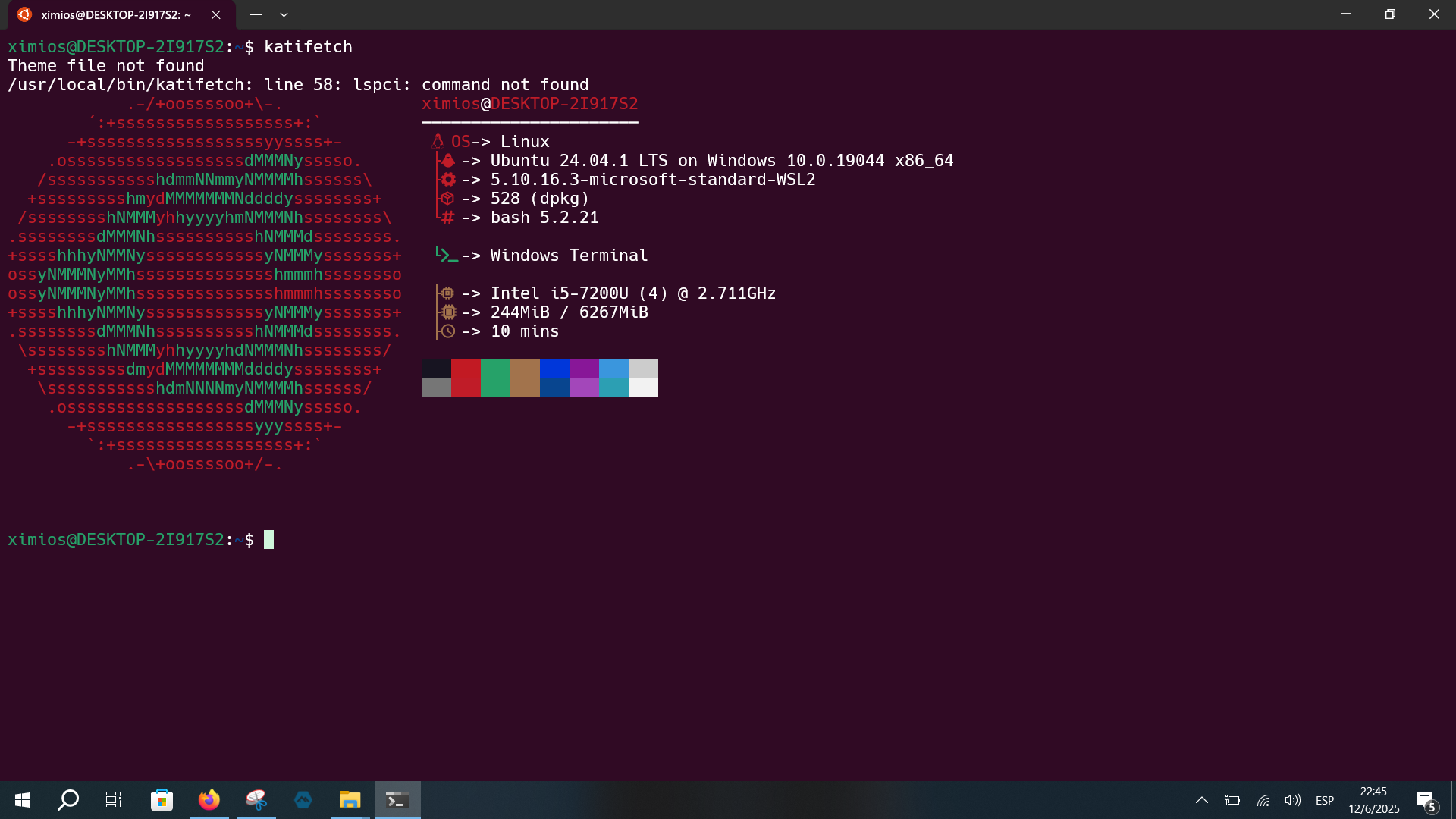
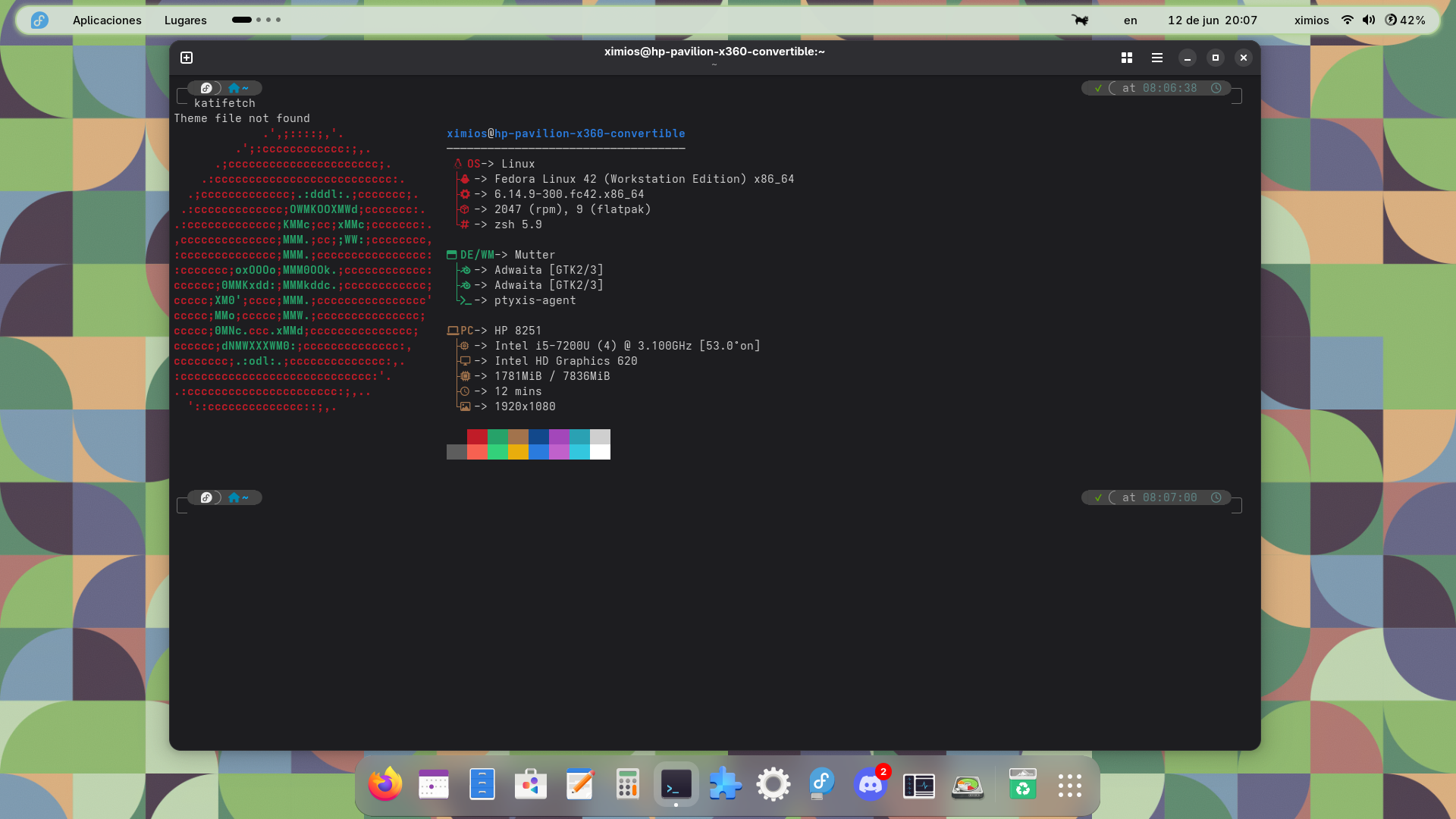
📸 Screenshots
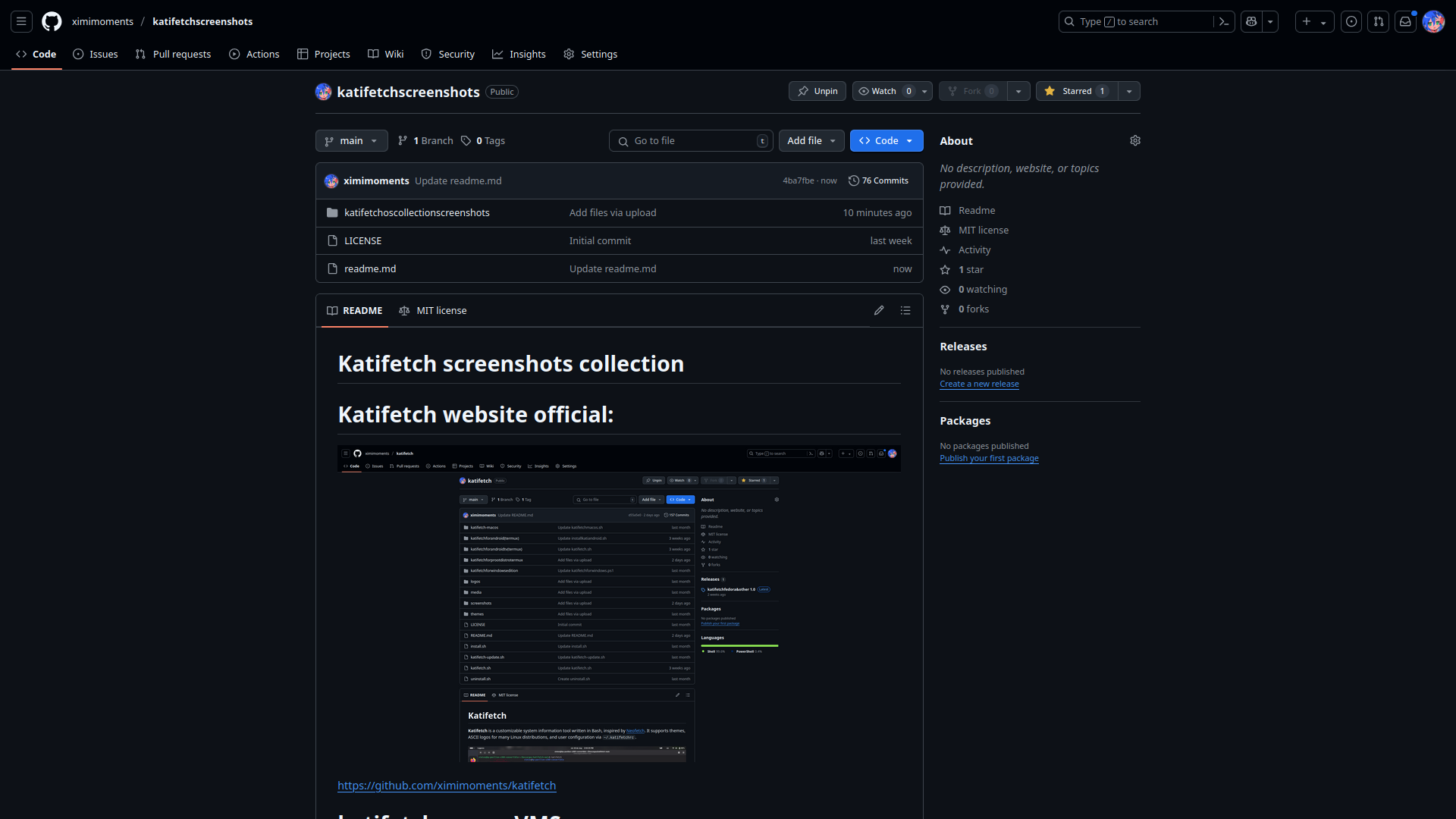
See more screenshots from different operating systems here:
👉 More screenshots available in this repository
Unreleases editions
See more Unreleases edition from different operating systems here:
👉 More Unreleases editions available in this repository
✅ Platform Compatibility
| Platform | Status | Notes |
|---|---|---|
| Linux | ✅ | Native Bash support |
| macOS | ✅ | Bash with Apple logo |
| Windows 11 | ✅ | PowerShell version (.ps1) with optional PATH setup |
| Windows 10 | ✅ | PowerShell + .bat command (run katifetch from console) |
| WSL (Windows Subsystem for Linux) | ✅ | Native Linux version with WSL detection + Windows integration |
| Android (Termux) | ✅ | Runs in Termux with custom logo |
| Android (proot-distro) | ✅ | Runs in Debian/Ubuntu containers via proot-distro |
| Android TV (Termux) | ✅ | Runs in Termux with Android logo |
| Fedora (COPR repo) | ✅ | Installable via COPR |
| Ubuntu/Debian (.deb) | ✅ | Official .deb package available — easy install |
| Ubuntu 10.04 | ✅ | Basic Bash script support with colored logo |
| Arch Linux (AUR) | ✅ | Available in the Arch User Repository — install via yay or other AUR helpers |
| BSD (FreeBSD / OpenBSD / NetBSD / DragonFly / Unknown BSD) | ✅ | Bash edition with full color logos, installer, uninstaller, updater |
🧪 Bazzite Compatibility
| Edition | Status | Notes |
|---|---|---|
Bazzite KDE Plasma (Desktop) |
✅ | Official Katifetch script with detailed UI & vivid colors |
Bazzite GNOME (Base) |
✅ | Dedicated script included — detected automatically |
Bazzite Steam Deck (KDE Plasma) |
✅ | Requires Steam Deck hardware — includes custom tweaks |
Bazzite Steam Deck (GNOME) |
✅ | Runs only on Steam Deck — separate detection logic |
Other distros using Bazzite script |
❌ | Not supported — shows error message on execution |
Features
- Detects CPU, GPU, RAM, uptime, shell, and more.
- Uses beautiful ASCII logos.
- Supports user themes and color customization.
- Auto-update checker.
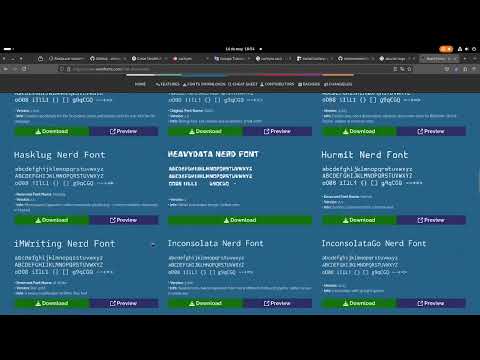
- Nerd Fonts compatible for icon customization.
⭐ Star History
katifetch: how to install nerdfont
📦 Installation
git clone https://github.com/ximimoments/katifetch.git
cd katifetch
chmod +x install.sh
./install.sh
🔄 Update
To update Katifetch, run:
chmod +x katifetch-update
./katifetch-update
🧼 Uninstall
To remove Katifetch from your system:
chmod +x uninstall.sh
./uninstall.sh
🎨 Customize
Edit the file ~/.katifetchrc to configure your Katifetch:
# Example .katifetchrc
show_logo=true
show_cpu=true
show_gpu=true
show_uptime=true
show_memory=true

theme=default
logo=cachyos
You can also add your own themes in the themes/ folder.
🚀 Run Katifetch
katifetch
And enjoy using Katifetch on Linux!
Katifetch For Old Distros And Discontinued OS
Coming Soon
Katifetch For BSD editions
Run Katifetch natively on FreeBSD and other BSD-based systems with a custom BSD logo! This edition is designed to work out of the box with FreeBSD, OpenBSD, NetBSD, DragonFlyBSD ETC
📦 Installation (BSD)
Clone the Katifetch repository:
git clone https://github.com/ximimoments/katifetch.git
Navigate to the BSD edition folder:
cd katifetch/katifetchforbsd
Run the installer:
sudo chmod +x install_katifetch.sh
sudo ./install_katifetch.sh
🔄 Update (BSD)
To update Katifetch on your BSD system:
sudo chmod +x updatebsd.sh
sudo ./updatebsd.sh
🧼 Uninstall (BSD)
To uninstall Katifetch:
sudo chmod +x uninstall_katifetch.sh
sudo ./uninstall_katifetch.sh
⚠️ and this is optional:
Have Sudo and Bash
🐚 And enjoy using Katifetch on BSD editions!
Katifetch For Windows 11
If you're on Windows 11, you can use the PowerShell version of Katifetch.
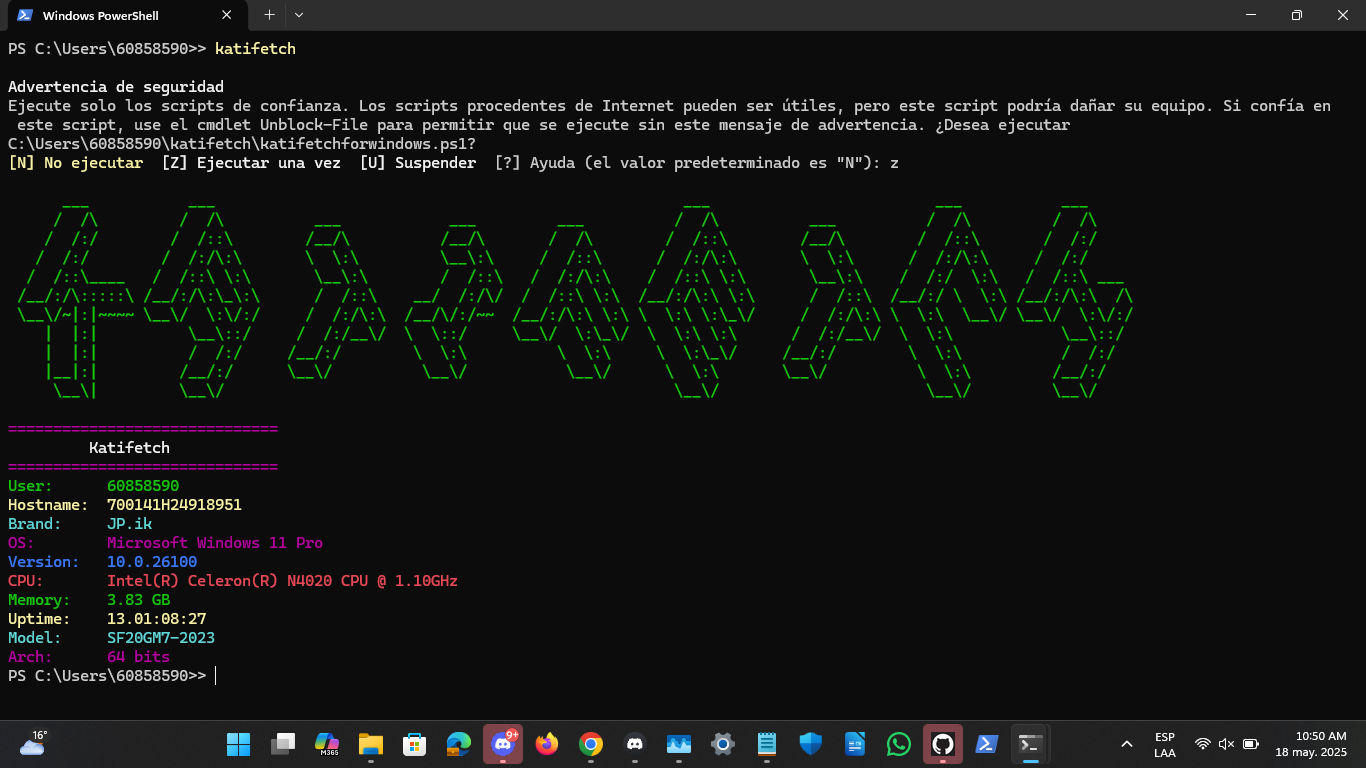
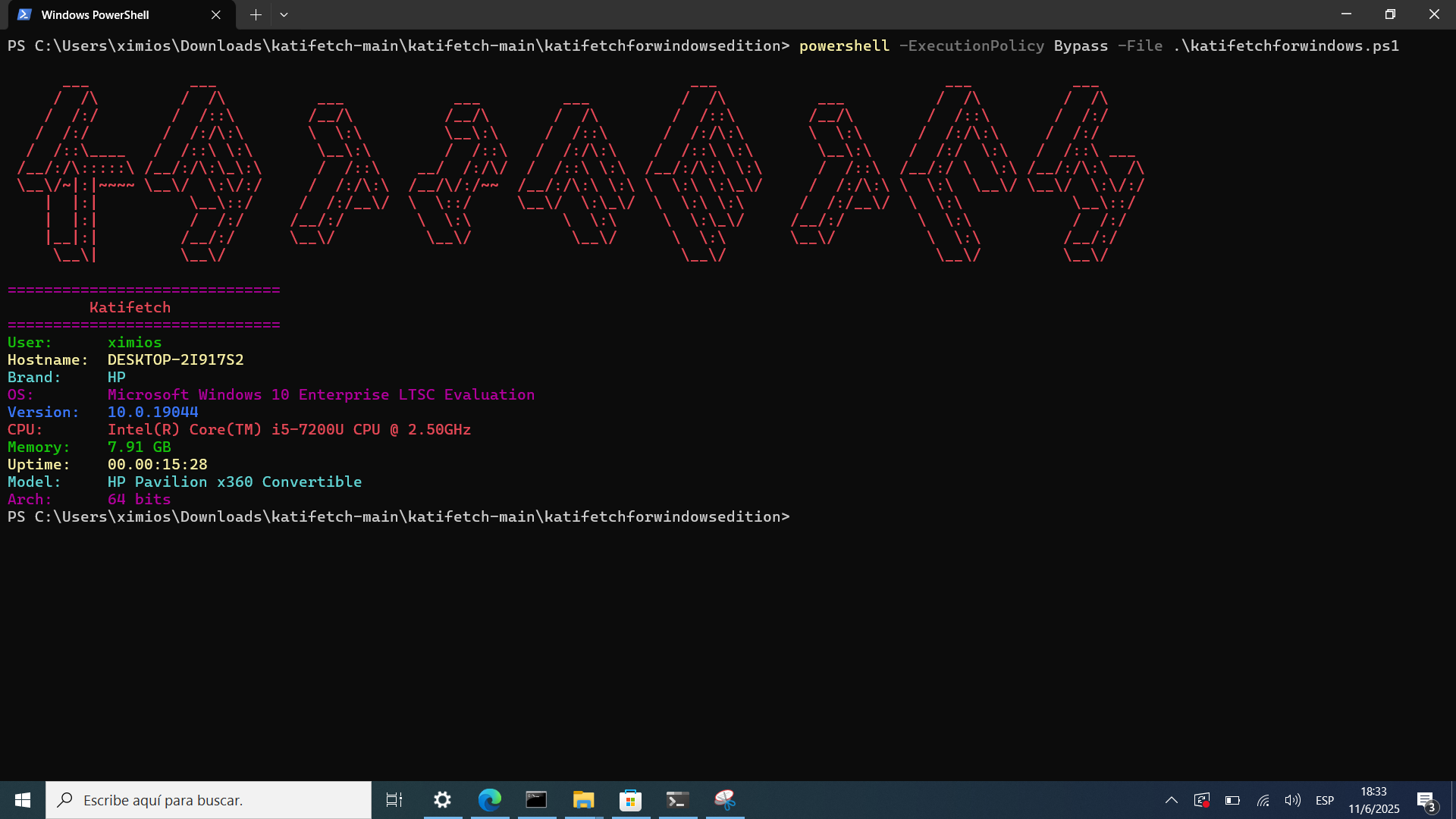
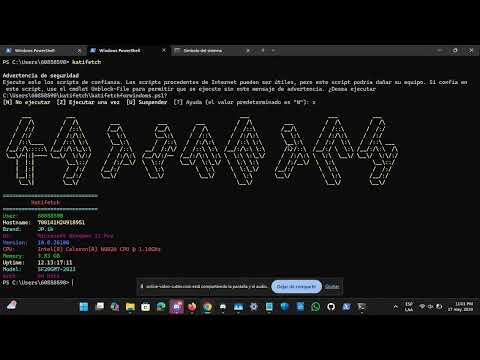
🎥 Katifetch Video Demo for Windows
📹 See how Katifetch looks on Windows 11 (PowerShell):
📦 Installation (Windows 11)
git clone https://github.com/ximimoments/katifetch.git
cd katifetch
cd katifetchforwindowsedition
powershell -ExecutionPolicy Bypass -File .\install.ps1
🔄 Update (Windows 11)
powershell -ExecutionPolicy Bypass -File .\katifetch-update.ps1
🧼 Uninstall (Windows 11)
powershell -ExecutionPolicy Bypass -File .\uninstall.ps1
And enjoy using Katifetch on Windows 11 edition!
Katifetch For Windows 10 edition
If you're using Windows 10, especially Enterprise LTSC Evaluation 2021, you can run the special PowerShell edition of Katifetch designed for older systems.
📦 Installation (Windows 10)
- Download or clone the repository:
git clone https://github.com/ximimoments/katifetch.git
- Navigate to the Windows batch edition folder:
cd katifetch\katifetchforwindowsedition
- Run the install script:
katifetch
🔄 Update (Windows 10)
To update Katifetch, run:
update.bat
🧼 Uninstall (Windows 10)
To uninstall Katifetch, run:
uninstall.bat
And enjoy using Katifetch on Windows 10 edition!
Katifetch For Windows 1.0
I know this might sound crazy, but I tried to make my own version of Katifetch for Windows 1.0. It's rather minimalist because it's not like the transition from Windows XP to Windows 11 where everything is accessible through PowerShell. In this version, I had to use what was available in that version. It's somewhat limited, but the downside, the one I didn't like, is that I was going to use KATIFETCH.BAT, but its limit is 7 characters, so you'll have to use KATIFET.BAT instead.
And don't confuse Windows 1.0 with Windows 10; version 1.0 has a period in the number, and the other doesn't.
is tiny the guide for install this soo,
📦 Installation (Windows 1.0)
you have to make a file called
KATIFET.BAT
the code (you have to write this a hand bcz you can't copy and paste on old windows, or on usb, idk)
@echo off
cls

echo -----------------------------
echo        Katifetch
echo -----------------------------
echo.

echo OS:
ver
echo.

echo Kernel:
echo MS-DOS
echo.

echo Date:
echo N/A
echo.

echo Shell:
echo COMMAND.COM
echo.
🔄 Update (Windows 1.0)
Idk, but if you want, you could improve the version and update it. And if you want, send the code to the official Katifetch Discord server and we'll add it to the next update :3. And if you want to wait to update, no problem.
🧼 Uninstall (Windows 1.0)
Just remove the file of the code erasing all
And enjoy using Katifetch on Windows 1.0 edition! (or in your retro pc with this version)
Katifetch For Chocolatey (https://community.chocolatey.org/packages/katifetch)
📦 Installation (Chocolatey repo)
choco install katifetch
🔄 Update (Chocolatey repo)
choco upgrade katifetch
🧼 Uninstall (Chocolatey repo)
choco uninstall katifetch
And enjoy using Katifetch on Chocolatey (Windows repos)!
Katifetch For Haiku/BeOS
Normal
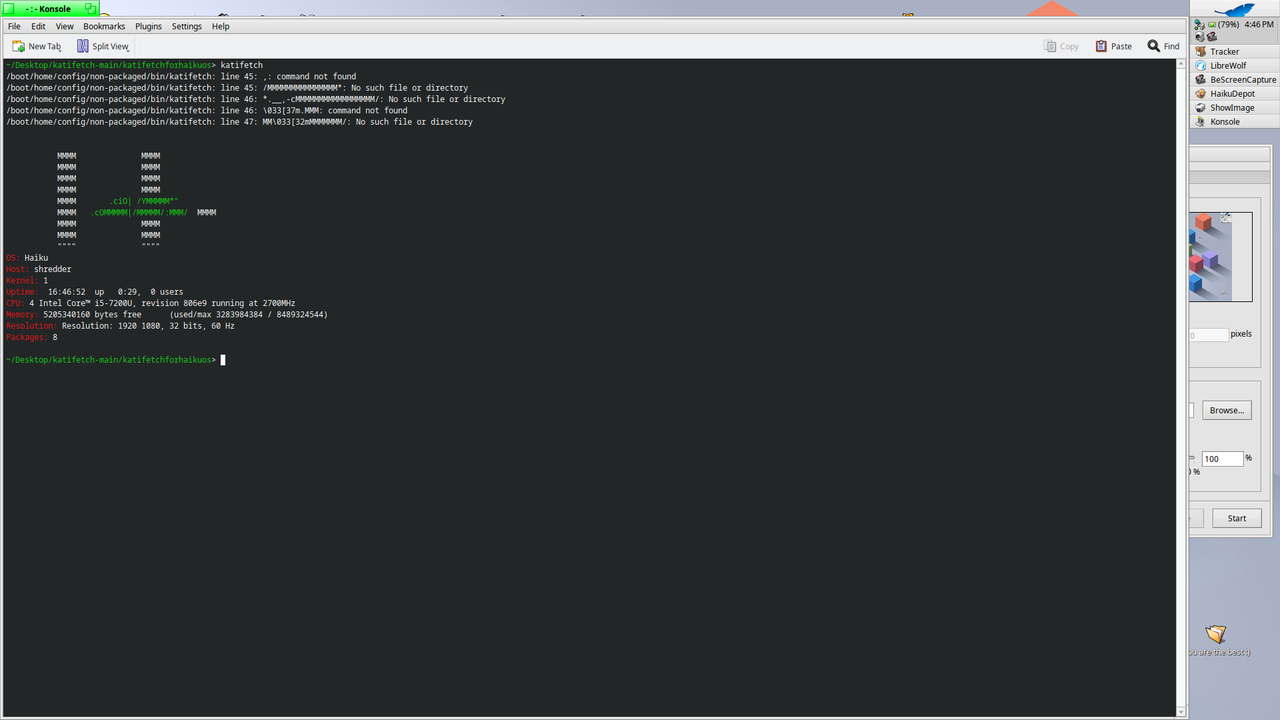
Small
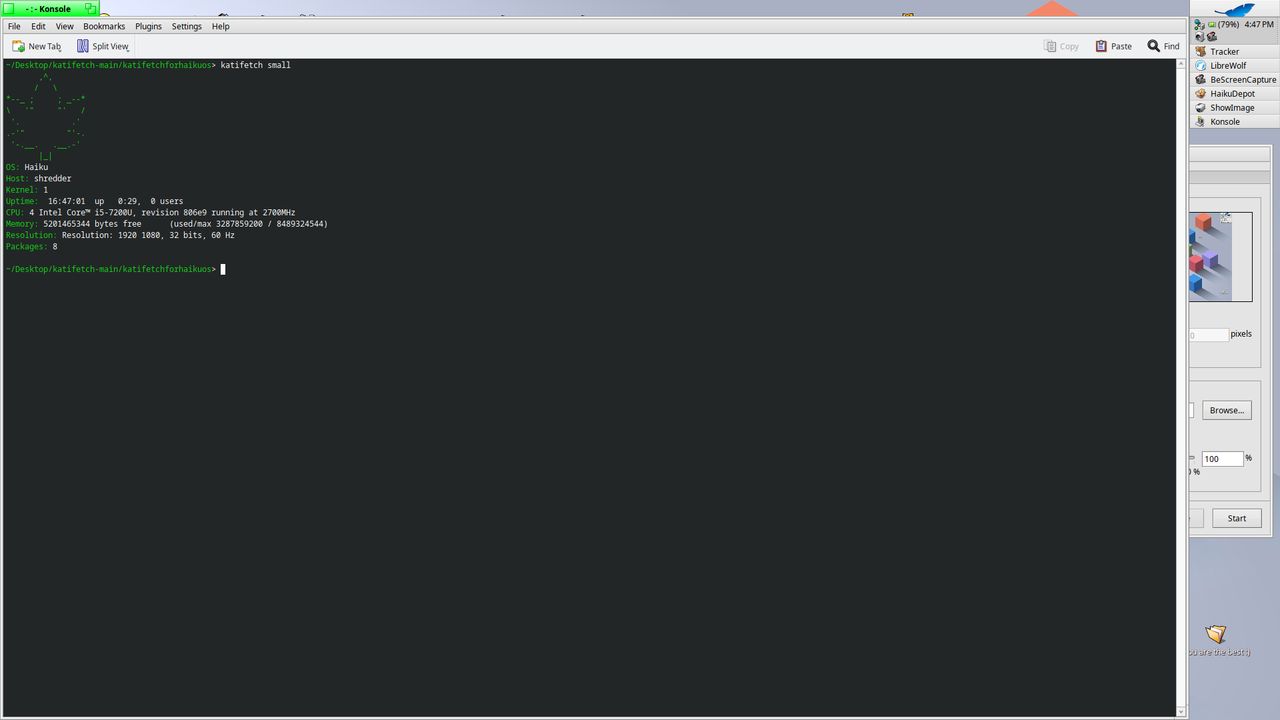
📦 Installation (Haiku/BeOS)
chmod +x install.sh
./install.sh
Same chmod command of linux but on Haiku or BeOS
🔄 Update (Haiku/BeOS)
update katifetch for haiku here (source code bcz yea, idk what put here and is no updater for haiku)
https://github.com/ximimoments/katifetch/archive/refs/heads/main.zip
🧼 Uninstall (Haiku/BeOS)
chmod +x uninstall_haiku.sh
./uninstall_haiku.sh
Katifetch for macOS
.png)
collaboration with:
Katifetch also supports macOS with the same Bash-based script.
📦 Installation (macOS)
git clone https://github.com/ximimoments/katifetch.git
cd katifetch
cd katifetch-macos
chmod +x install.sh
./install.sh
🔄 Update (macOS)
chmod +x update-macos.sh
./update.sh
🧼 Uninstall (macOS)
To remove Katifetch on macOS:
chmod +x uninstall.sh
./uninstall.sh
And enjoy using Katifetch on macOS!
Katifetch For Homebrew 🍺
Katifetch is available through its official Homebrew tap.
📦 Install
First, add the tap:
brew tap ximimoments/katifetch

Then install Katifetch:

brew install katifetch
🔄 Update
brew update
brew upgrade katifetch
🧼 Uninstall
brew uninstall katifetch


To remove the tap:

brew untap ximimoments/katifetch
🌍 Supported Platforms
Katifetch works with:
- macOS (via Homebrew)
- Linux (via Homebrew or manual install)
- WSL (via Homebrew or manual install)
- macOS on VM (via Homebrew)
Homebrew project: https://brew.sh
Katifetch for Android
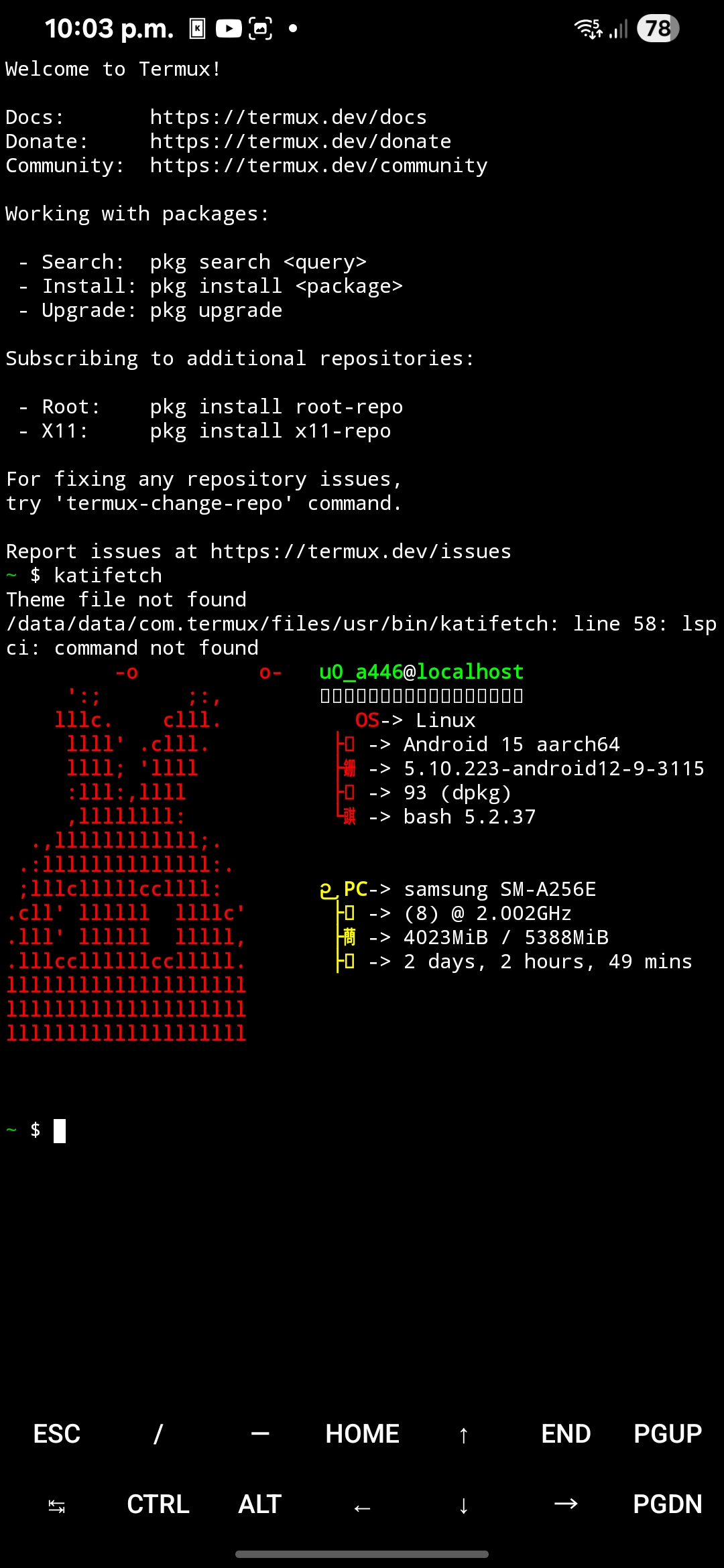
Here's where the crazy stuff starts: katifetch on Android? Yes! katifetch on Android. After many days of development on this project and thinking about which devices to use, katifetch was officially launched on Android! That is, only on Termux. How cool is that? You can install Termux on f-droid and in the Play Store, which is typical. And what's it about? The same Linux katifetch as always, but with a customized Android logo to match the style.
📦 Installation (Android termux)
First download git on termux
pkg install git
and then
git clone https://github.com/ximimoments/katifetch.git
Now we go to the cd part, that is, put the exact katifetch directory for android termux and chmod
ls
cd katifetch
cd katifetchforandroid\(termux\)/
ls
chmod +x katifetchmenu.sh
./katifetchmenu.sh
press 1 | enter | press 4
and ready!!!
🔄 Update (Android termux)
./katifetchmenu.sh
press 2 | enter | press 4
and ready!!!
🧼 Uninstall (Android termux)
./katifetchmenu.sh
press 3 | enter | press 4
and ready!!!
KATIFETCH ON FEDORA REPO :D
but first
📦 first enable the dnf copr:
sudo dnf copr enable ximios/katifetch
📦 Install katifetch:
sudo dnf install katifetch
🔄 Update katifetch (to get the latest version):
sudo dnf update katifetch
🔄📦 Reinstall katifetch (if needed):
sudo dnf reinstall katifetch
🧼 Remove katifetch:
sudo dnf remove katifetch
🚀 Run katifetch:
katifetch
And enjoy using Katifetch with Fedora Copr
Katifetch for Proot-Distro (Android Termux)
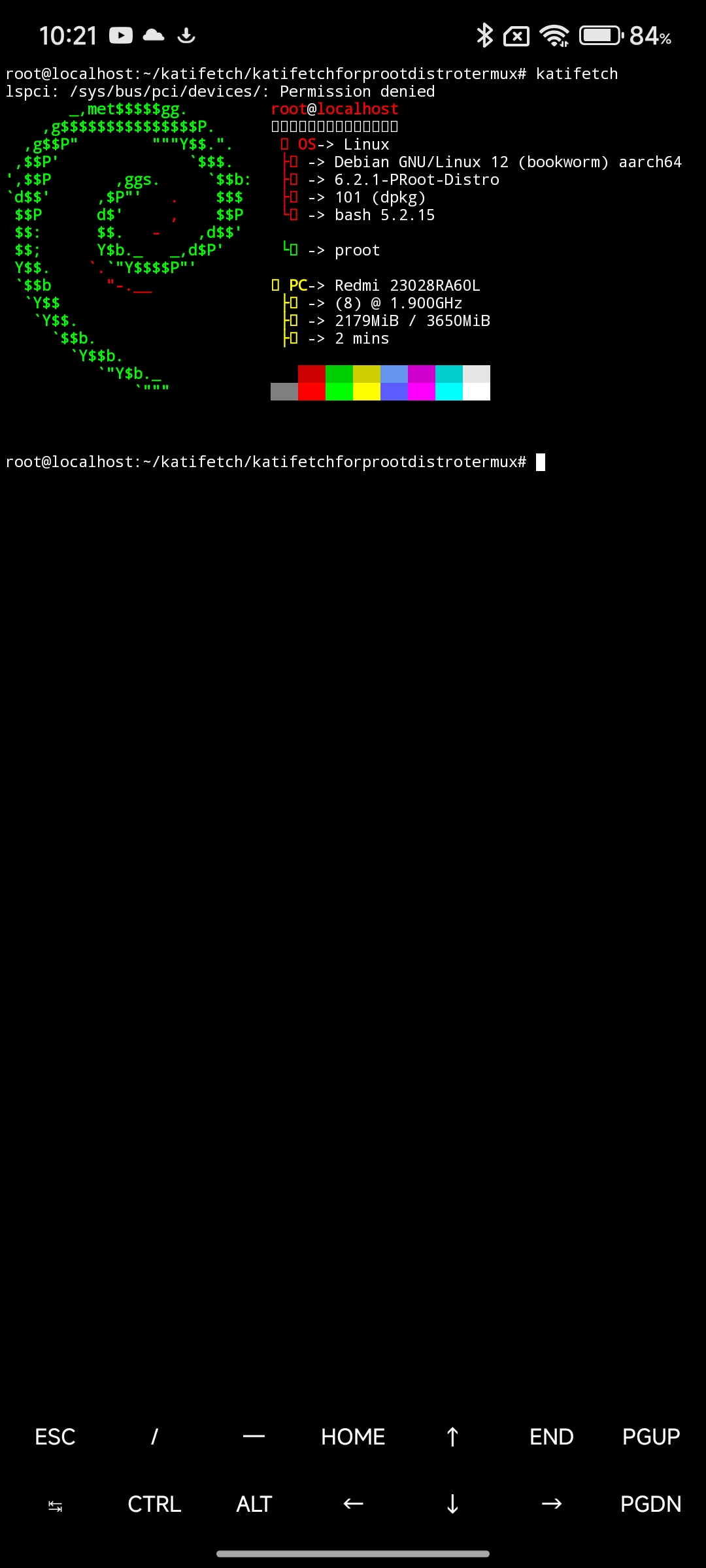
Run Katifetch inside a Linux container using proot-distro on Termux!
📦 Installation (Proot-Distro in Termux)
1. Log in to your Proot-Distro
Replace <your_distro> with your installed distro name (e.g. debian, ubuntu, fedora):
proot-distro login <your_distro>
2. Clone the Katifetch repository
git clone https://github.com/ximimoments/katifetch.git
3. Navigate to the Proot-Distro folder
cd katifetch/katifetchforprootdistrotermux/
4. Make the installer executable
chmod +x install.sh
💡 Note: A version without
chmodis coming soon for easier setup.
5. Install Katifetch
./install.sh
🧼 Uninstall (Proot-Distro Termux)
To remove Katifetch from your Proot-Distro environment:
chmod +x uninstall.sh
./uninstall.sh
🔄 Update (Proot-Distro Termux)
To update Katifetch inside your Proot-Distro environment:
chmod +x katifetch-update.sh
./katifetch-update.sh
Katifetch for GRUB
Katifetch can also live inside GRUB as a custom boot menu entry.
This version displays a Katifetch-style system overview directly from the GRUB menu, acting as a visual easter egg before booting your operating system.
⚠️ Important note
GRUB cannot fetch real-time system data.
All information shown is static or marked as Unknown by design.
✨ Features
- Katifetch-style layout inside GRUB
- ASCII logo and formatted system overview
- Safe: does not boot an OS
- Automatically returns to the GRUB menu
- Works on BIOS and UEFI systems
📦 Installation (GRUB)
Open the GRUB custom entries file
sudo nano /etc/grub.d/40_custom
Paste the following menuentry at the end of the file
(below the comments, without modifying the header):
menuentry "Katifetch" {
    clear
    echo ""
    echo ",,                                           Katifetch"
    echo "  .g8\"\"\"bgd                     *MM          -----------------------------------------------------"
    echo ".dP'     \`M                      MM          Hardware Information"
    echo "dM'       \` \`7Mb,od8 \`7MM  \`7MM  MM,dMMb.    Device   -> {Your Devices Name}"
    echo "MM            MM' \"'   MM    MM  MM    \`Mb   CPU      -> {Your CPU}"
    echo "MM.    \`7MMF' MM       MM    MM  MM     M8   GPU      -> {Your GPU}"
    echo "\`Mb.     MM   MM       MM    MM  MM.   ,M9   RAM      -> Unknown"
    echo "  \`\"bmmmdPY .JMML.     \`Mbod\"YML.P^YbmdP'    Monitor  -> {Your Monitor}"
    echo "                                             Disk (/) -> Unknown / {Your storage} (unknown %)"
    echo "                                             -----------------------------------------------------"
    echo "                                             Software Information"
    echo "                                             Distro   -> {Your Distro}"
    echo "                                             Kernel   -> {Your Kernel}"
    echo "                                             DE       -> GRUB"
    echo "                                             WM       -> GRUB"
    echo "                                             TTY      -> GRUB"
    echo "                                             Font     -> Unknown"
    echo "                                             Shell    -> Unknown"
    echo "                                             Battery  -> Unknown"
    echo "                                             Packages -> Unknown"
    echo "                                             Uptime   -> Unknown"
    echo "                                             Icons    -> Unknown"
    echo "                                             -----------------------------------------------------"
    echo "                                             Palette"
    echo "                                             o o o o o o o o"
    echo ""
    echo "                                             Returning to GRUB menu..."
    sleep 8
}
Regenerate GRUB configuration:
sudo grub2-mkconfig -o /boot/grub2/grub.cfg
if grub2 does not exist
sudo grub-mkconfig -o /boot/grub/grub.cfg
Reboot your system.
🚀 Usage
Reboot your PC
In the GRUB menu, select Katifetch
Katifetch will be displayed for a few seconds
GRUB automatically returns to the main menu
🧼 Uninstall (GRUB)
To remove Katifetch from GRUB:
Edit the custom entries file:
sudo nano /etc/grub.d/40_custom
Delete the menuentry "Katifetch" { ... } block
Regenerate GRUB:
sudo grub2-mkconfig -o /boot/grub2/grub.cfg
if grub2 does not exist
sudo grub-mkconfig -o /boot/grub/grub.cfg
Reboot.
💡 Tip
Katifetch for GRUB is meant as a visual / aesthetic feature or easter egg,
not as a real operating system entry.
And Enjoy Katifetch on grub!!!
🧡 Katifetch for Ubuntu 10.04
Minimal version of Katifetch designed exclusively for legacy systems like Ubuntu 10.04 LTS.
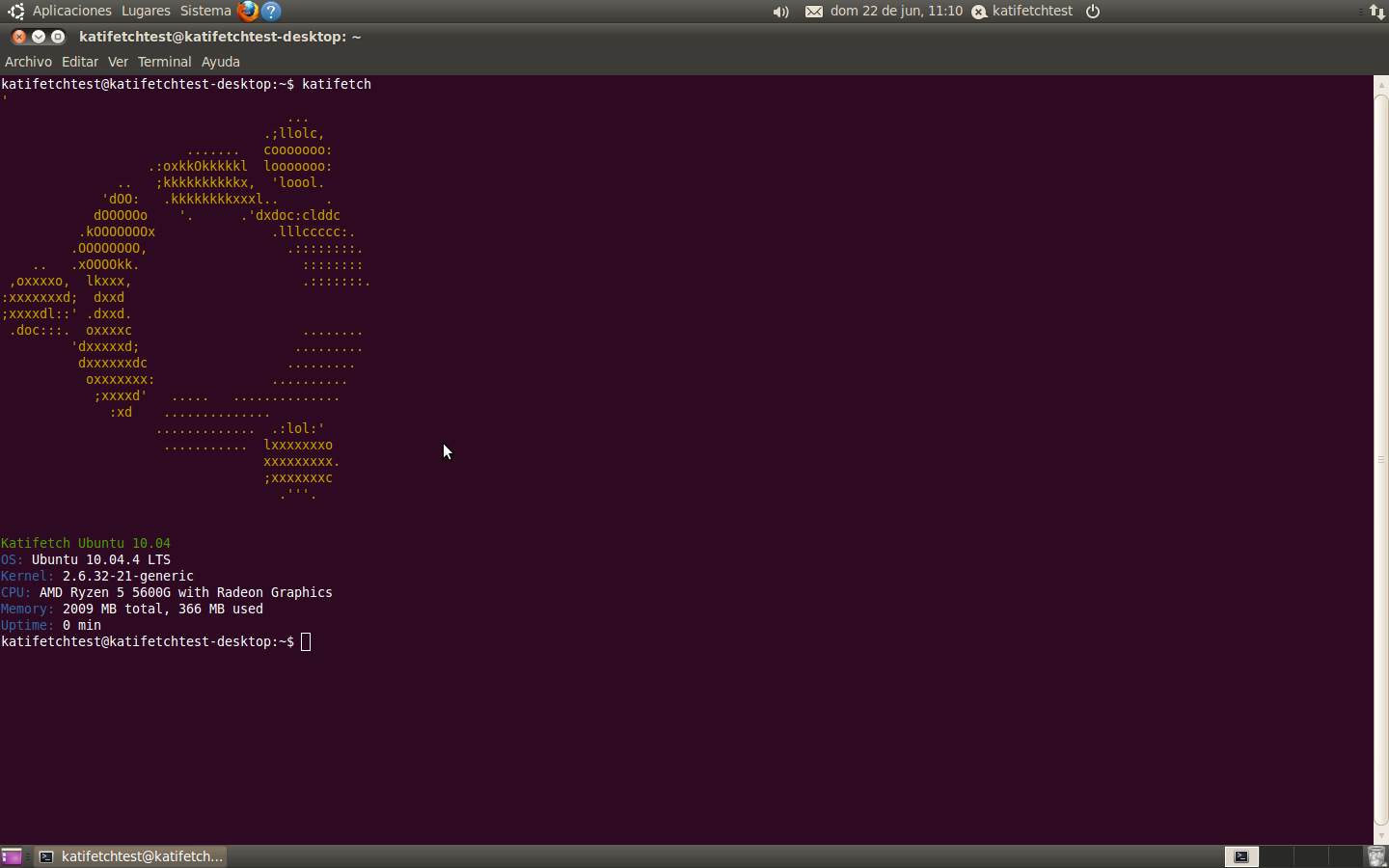
📖 Full tutorial: | How to Install Katifetch on Ubuntu 10.04 (PDF) |
📦 Installation
git clone https://github.com/ximimoments/katifetchubuntu10.04.git
cd katifetchubuntu10.04
chmod +x install.sh
sudo ./install.sh
🔄 Update
To update Katifetch:
chmod +x update.sh
sudo ./update.sh
🧼 Uninstall
To remove Katifetch:
chmod +x uninstall.sh
sudo ./uninstall.sh
🖥 Run Katifetch
katifetch
✨ Features
-
🎨 Orange ASCII logo
-
💻 System info: OS, Kernel, CPU, Memory, Uptime
-
🐚 Bash-compatible
-
⚙️ Lightweight and fast
-
🧠 Compatible with low-memory environments
And enjoy using Katifetch on Ubuntu 10.04!
Katifetch for Bazzite Editions
Katifetch supports multiple editions of Bazzite, each one tailored to its desktop environment or device (GNOME, KDE Plasma, Steam Deck). Choose the one that matches your setup!
📦 Installation (All Bazzite Editions)
git clone https://github.com/ximimoments/katifetch.git
cd katifetch
cd katifetchforbazzite
chmod +x install.sh
./install.sh
A menu will appear to select the edition:
-
Bazzite GNOME (Base)
-
Steam Deck KDE
-
Steam Deck GNOME
-
Bazzite KDE Plasma
🔄 Update (All Editions)
chmod +x update.sh
./update.sh
🧼 Uninstall (All Editions)
chmod +x uninstall.sh
./uninstall.sh
🎮 Available Editions
Bazzite GNOME (Base) katifetchforbazzite-gnome.sh Default Bazzite edition
Bazzite KDE Plasma katifetchforbazzite.sh Standard KDE desktop edition
Bazzite Steam Deck KDE katifetchforbazzite-steamdeck-kde.sh Optimized for Steam Deck KDE
Bazzite Steam Deck GNOME katifetchforbazzite-steamdeck-gnome.sh flavor for Steam Deck users
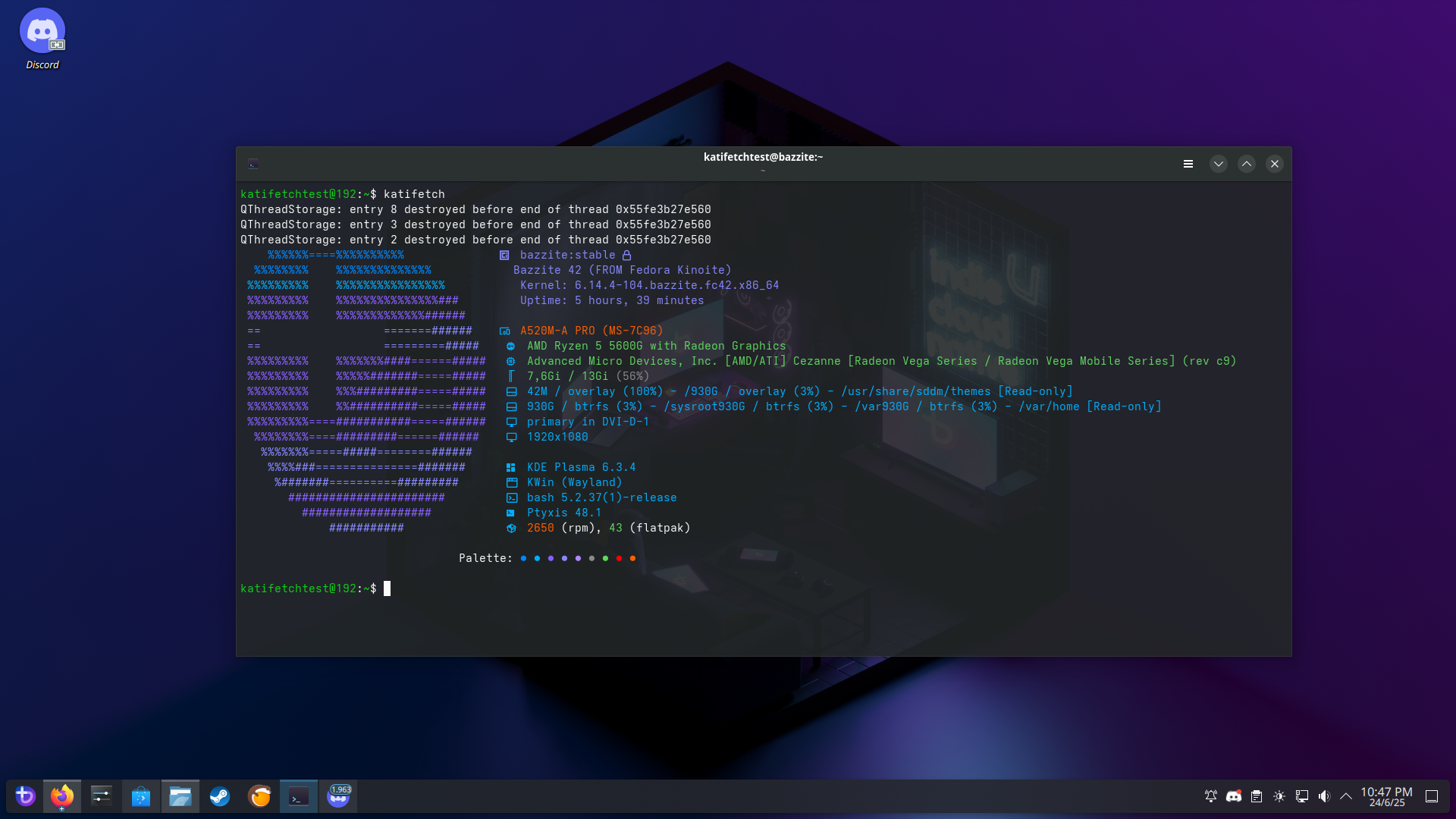
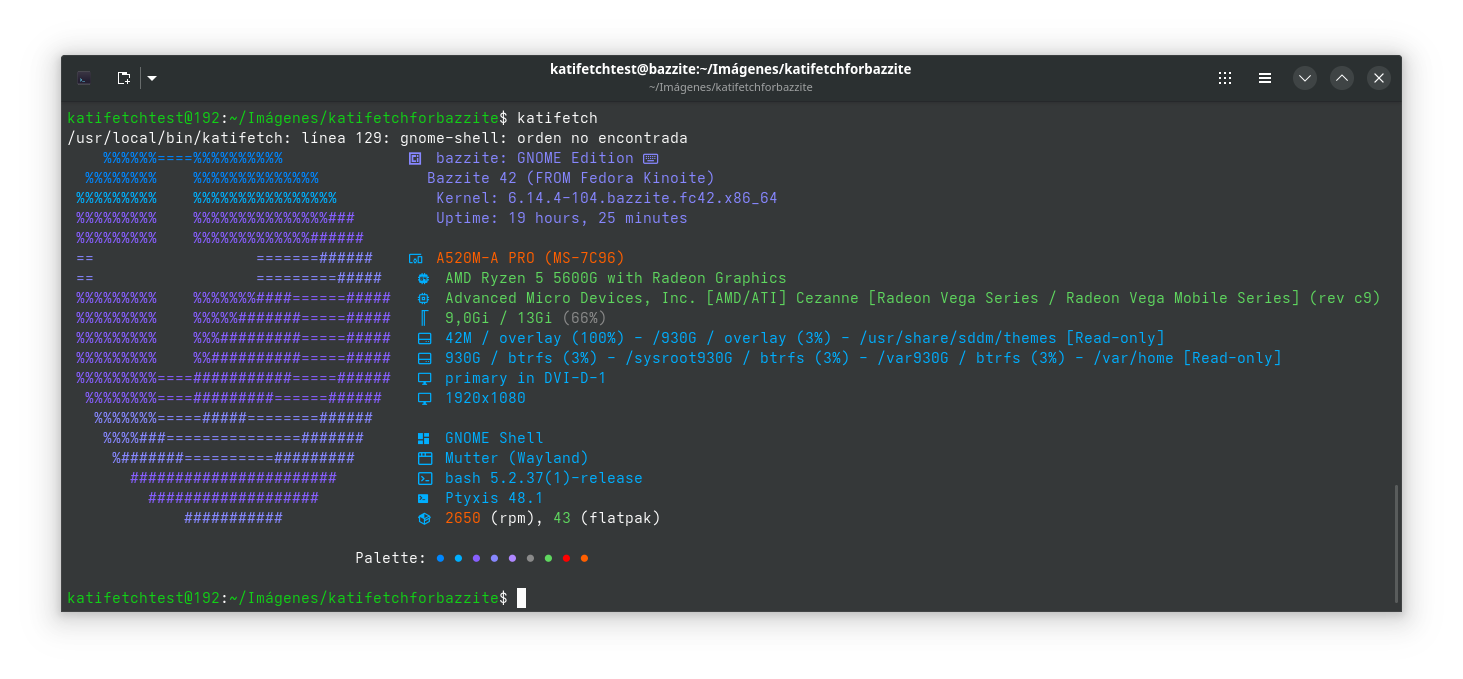
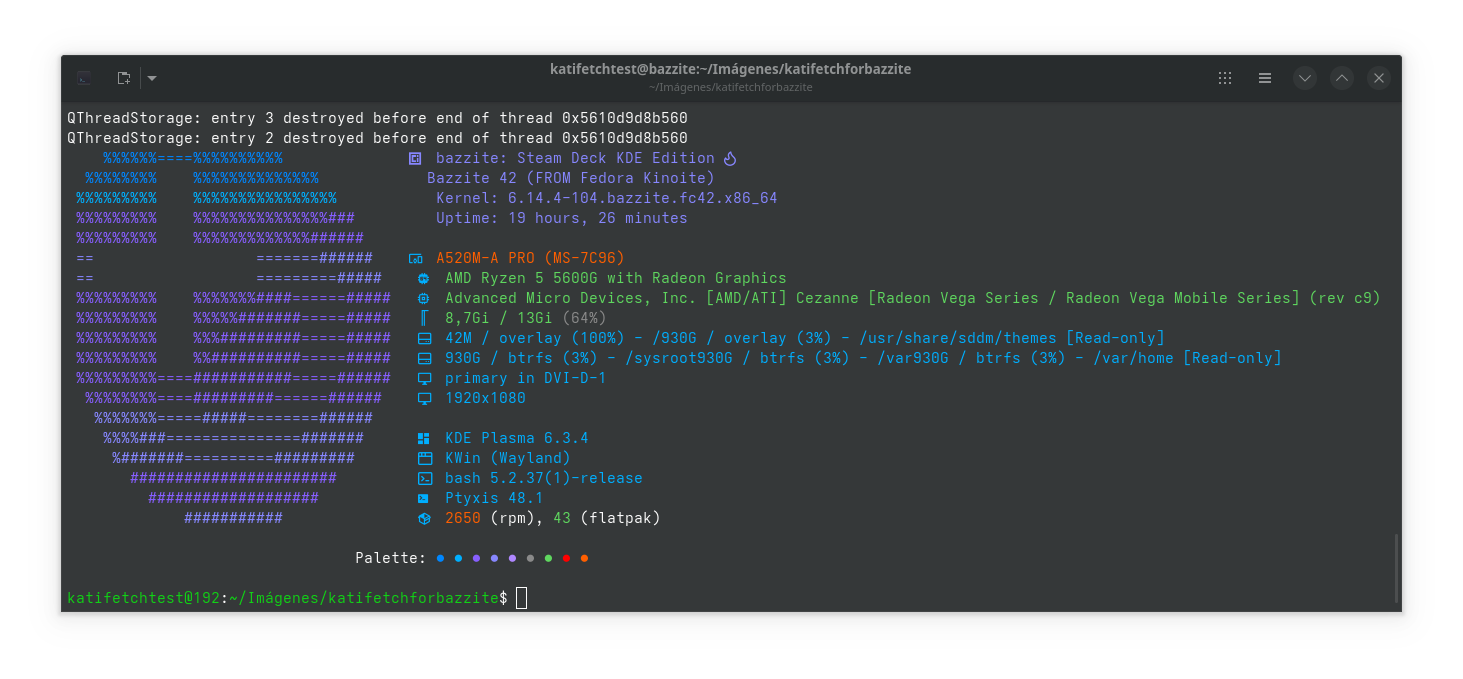
🖼️ Screenshots
Bazzite KDE Plasma
Bazzite GNOME
Steam Deck KDE
Steam Deck GNOME
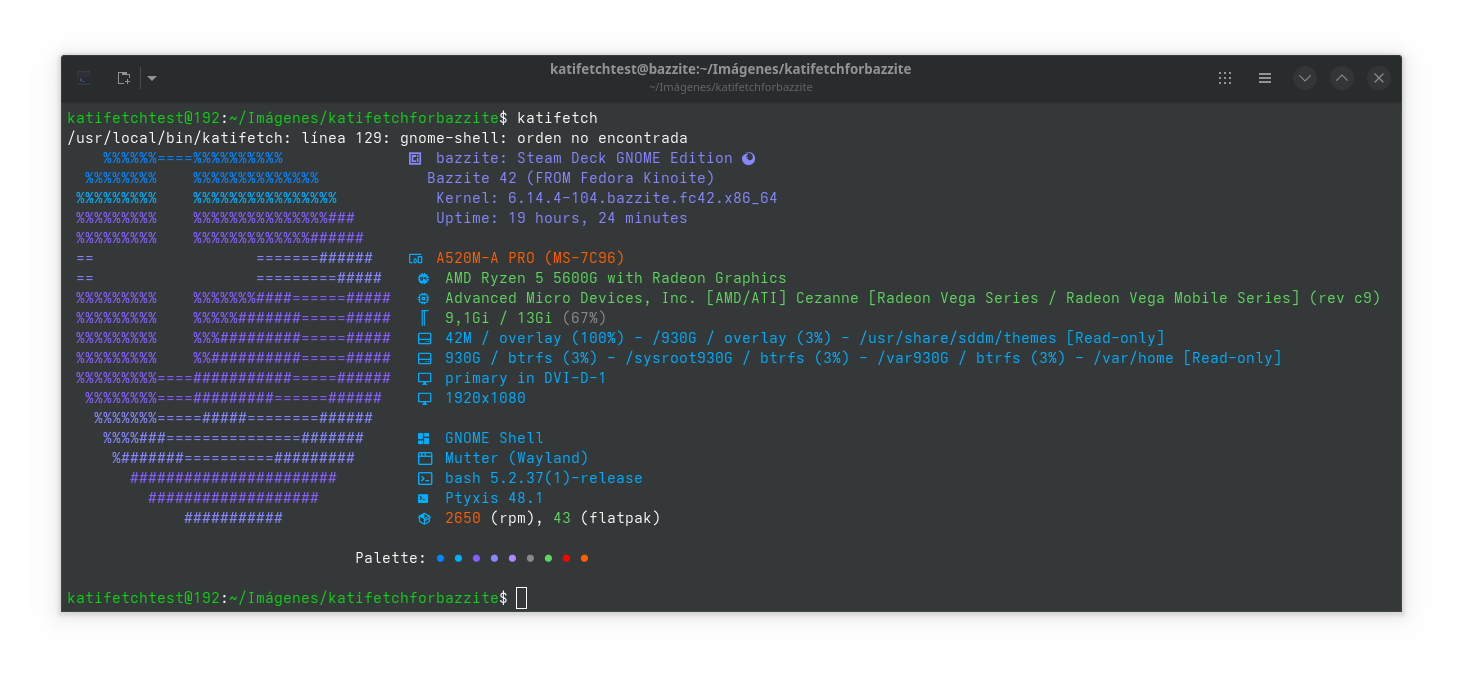
Enjoy Katifetch in your Bazzite-powered setup! 🐧💻🎮
Katifetch for Arch Linux
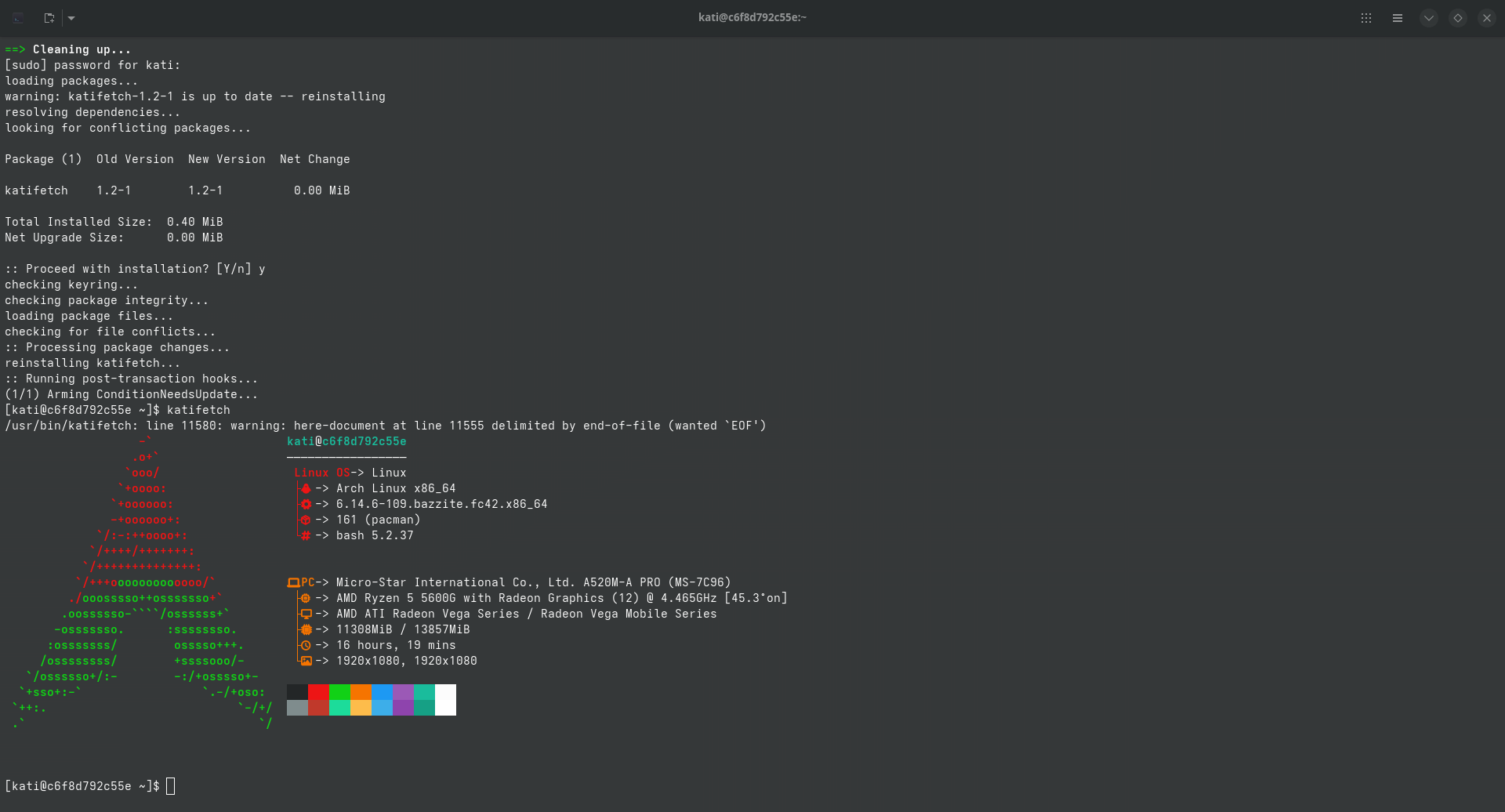
Arch Linux users, meet Katifetch! 🧠📟
Now available directly from the AUR — fast, clean, and customizable.
📦 Installation (AUR)
With an AUR helper like yay:
yay -S katifetch
Or manually via makepkg:
git clone https://aur.archlinux.org/katifetch.git
cd katifetch
makepkg -si
🔗 AUR package: aur.archlinux.org/packages/katifetch
🔄 Updating Katifetch
Using an AUR helper:
yay -Syu katifetch
Or manually:
cd katifetch
git pull
makepkg -si
🧼 Uninstall
sudo pacman -Rns katifetch
Katifetch runs perfectly on Arch, Manjaro, EndeavourOS, and any Arch-based distro. Stay lightweight, stay minimal. 🐧
🐧 Tested Environments
- ✅ Arch container (systemd-nspawn, podman, toolbox, etc.)
— 🙏 Thank you for supporting Katifetch! —
— From the Katifetch community 💙 —
📢 Join the Community
Join our growing community to get help, share your setups, or contribute! 👉 Join our Discord server
Podcast katifetch on NotebookLM ai
🎥 We're on TikTok!
Follow Katifetch for updates, demos & more:
👉 @katifetch
📷 We're on Youtube!
Subscribe Katifetch for updates, demos & more:
👉 @katifetch

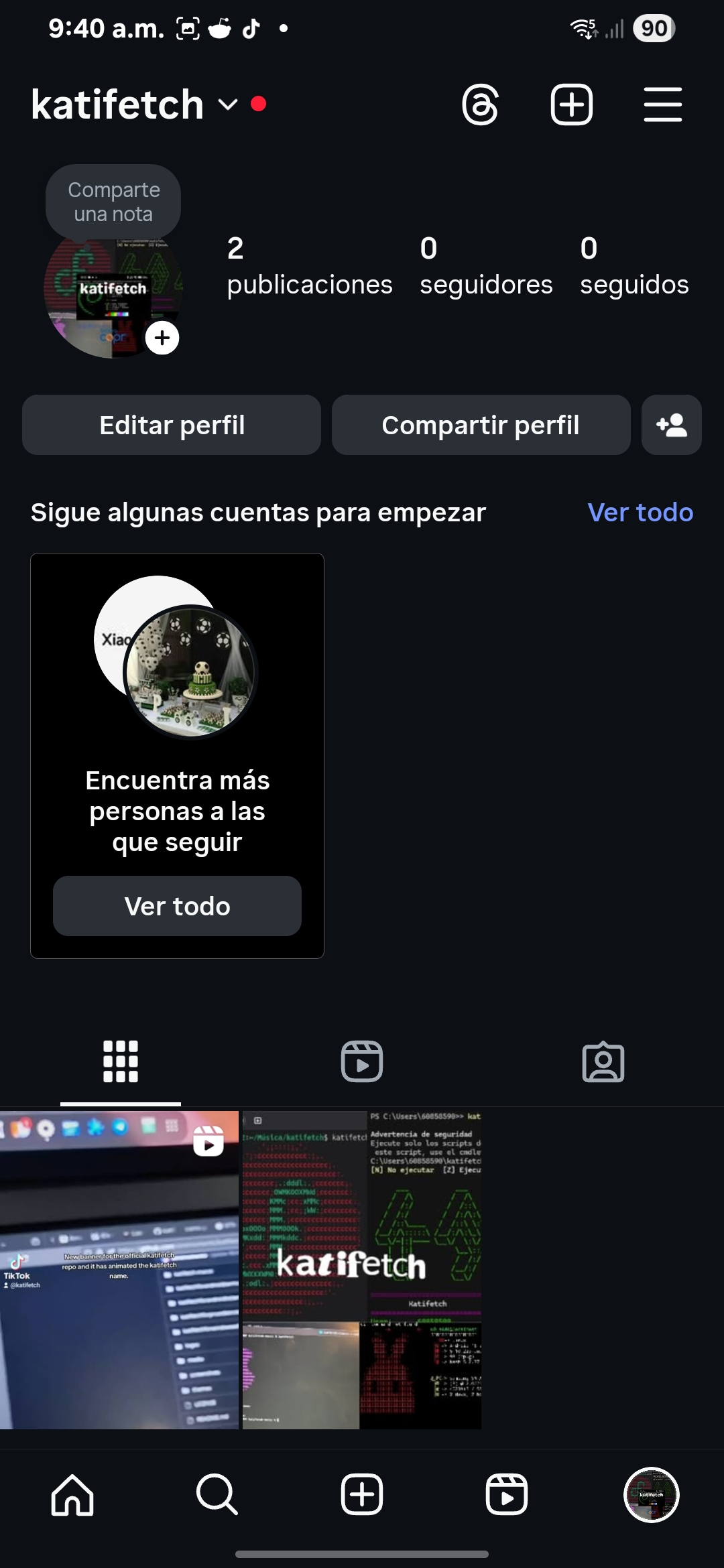
📸 We're on Instagram!
folloe Katifetch for updates, demos & more:
👉 @katifetch
 ---
---
👥 Join our Reddit Community!
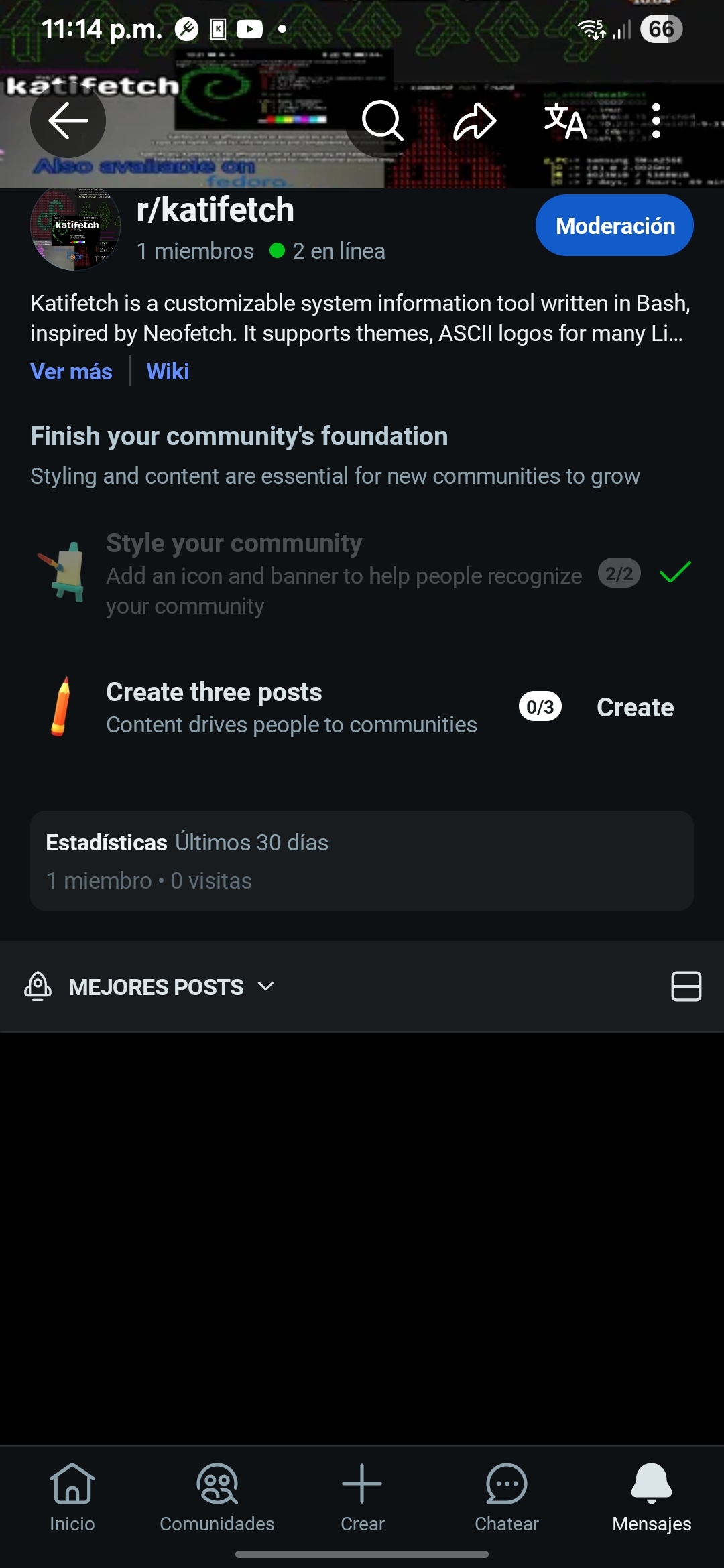
Got feedback? Want to share your setup or ask something? You're welcome in the official Katifetch subreddit: 👉 r/katifetch
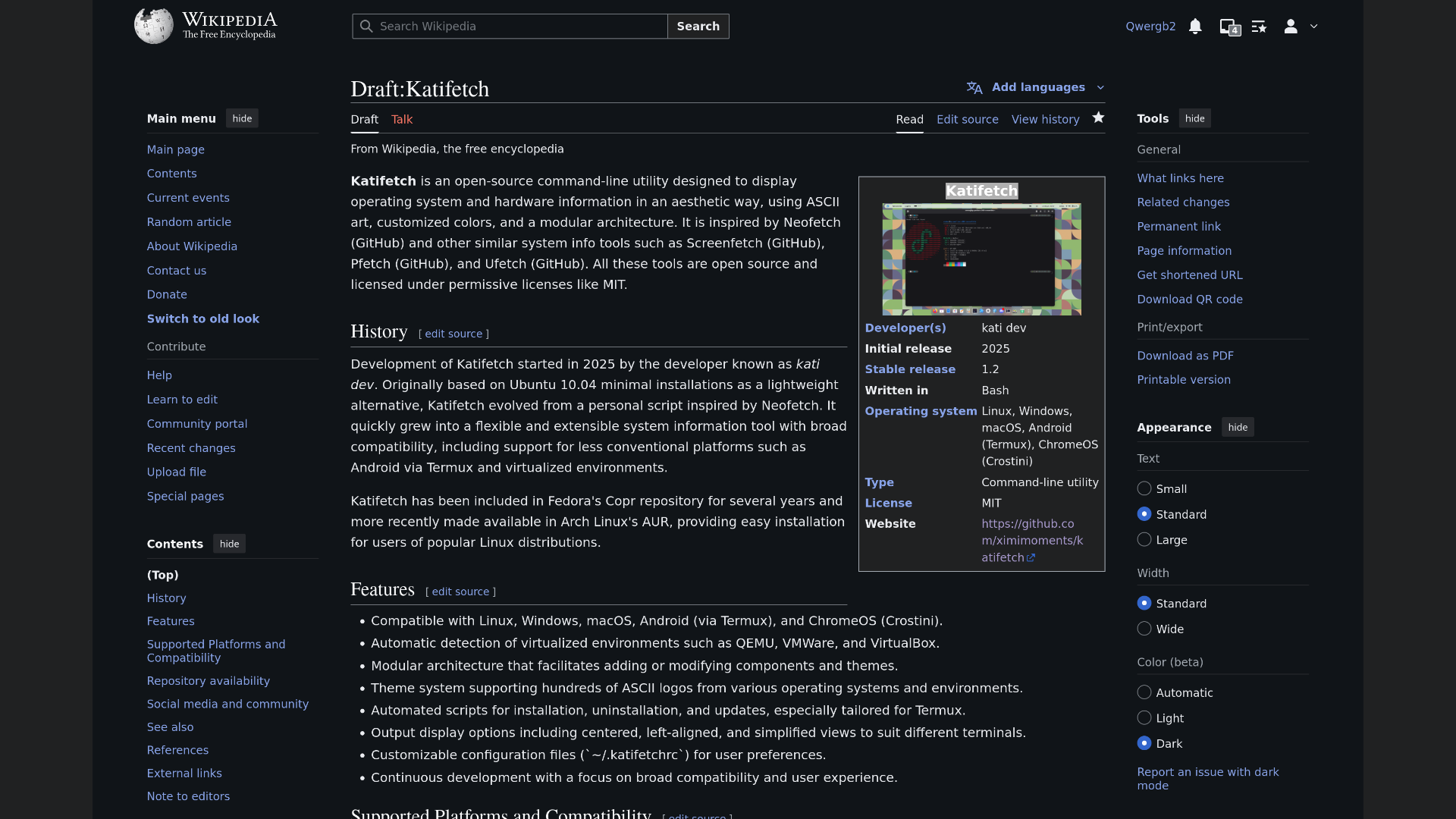
📖 We're on Wikipedia!
Explore the full history, features, compatibility list, and more about Katifetch:
👉 Katifetch Wikipedia Draft
🗣️ Real user feedback
Hey man, Katifetch is so cool. I just installed it and I love how much easier it is to configure compared to Fastfetch.
It’s a bit slower than Fastfetch (maybe just my laptop lol), but I really like the project. You should totally add it to the AUR.
💬 Help us grow and shape the future of Katifetch!
📬 Contact
- 👨💻 Developer: ximimoments
- ✉️ Email (Global) : [email protected]
- ✉️ Email (Spanish) : [email protected]
- 🐙 GitHub: @ximimoments
- 🎮 Discord:
katifetch - 🎮 Discord Main Account:
valentinothelinuxandwindowsuser - 🎵 TikTok: @katifetch
Free and open-source — Built with ❤️ in Uruguay 🇺🇾
South America