
A self-hosted web application for converting manga and comics to e-reader optimized formats





📖 Overview
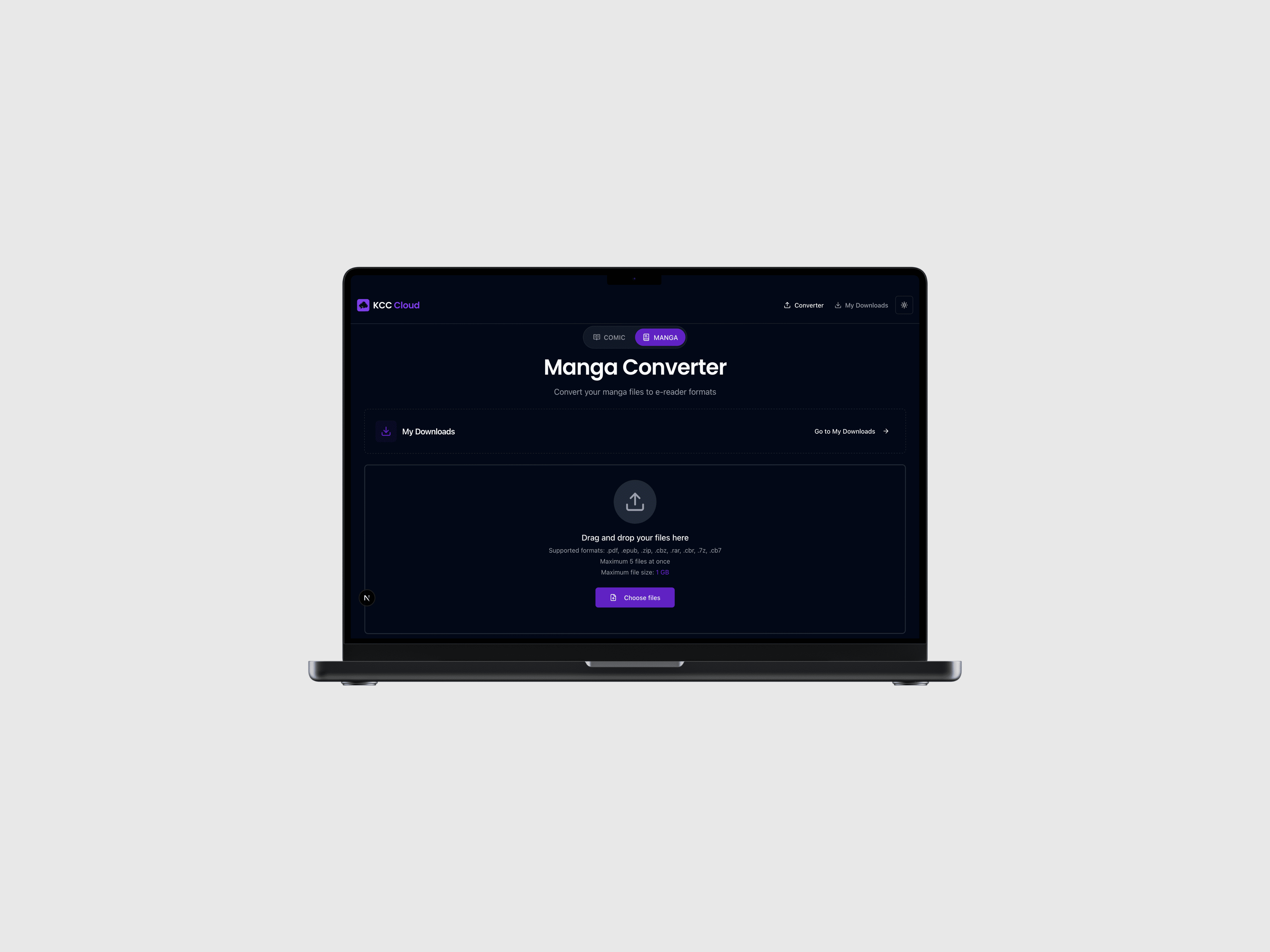
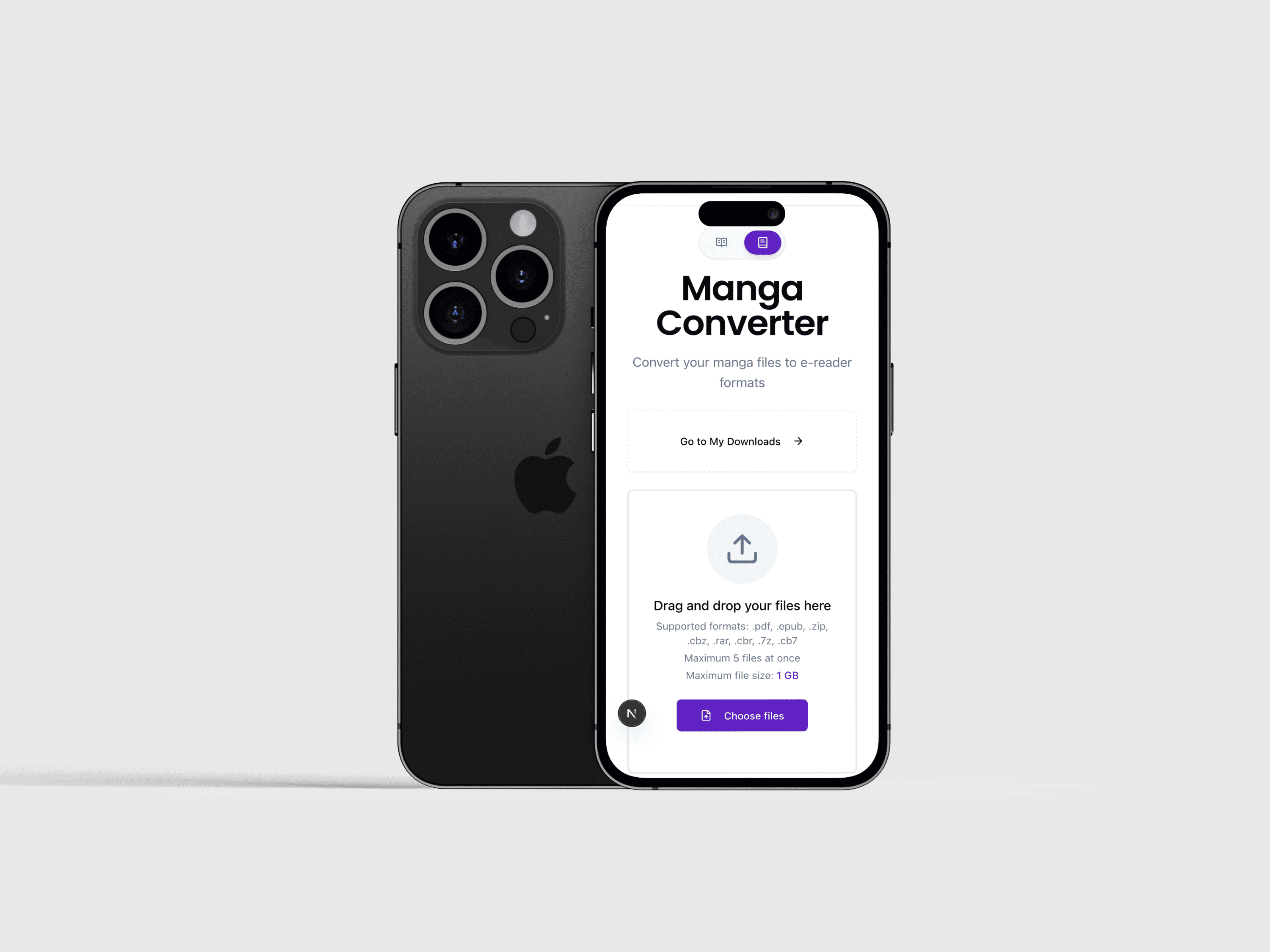
KCC Cloud transforms your manga, comics, and documents into e-reader optimized formats (EPUB, MOBI, PDF, KFX, CBZ) with a modern, responsive web interface. Built for self-hosting with Docker, it provides multi-device access, real-time job monitoring, and parallel processing capabilities.
🚀 Try it now: www.mangaconverter.com — No installation required!
💡 Tip: Works great on mobile too! Try uploading a file from your smartphone to see the responsive design in action.
Built on KCC
This project is powered by Kindle Comic Converter (KCC), an excellent open-source tool by Ciro Mattia Gonano and Paweł Jastrzębski. We're deeply grateful for their work, which forms the conversion engine of this application.
Why Choose the Web Interface?
While KCC's desktop GUI is fantastic, this web-based alternative offers compelling advantages for modern workflows:
| Benefit | Description |
|---|---|
| Multi-Device Access | Access the converter from any device—desktop, tablet, or smartphone—via your browser |
| Simultaneous Processing | Celery worker pool enables parallel conversion of multiple files, significantly faster than sequential GUI processing |
| One-Time Setup | Deploy once with Docker Compose, then access from anywhere on your network—no repeated installations |
| Centralized Storage | All conversions stored on the server, accessible from any device without file transfers |
| Always Available | Runs 24/7 as a service, queue jobs anytime without launching a desktop application |
| Responsive Design | Optimized UI for mobile, tablet, and desktop—convert manga on your phone while commuting |
| Real-Time Monitoring | Live progress updates via WebSocket, monitor conversions from multiple devices simultaneously |
| Job History | Persistent database tracks all conversions, redownload files anytime |
📱 Usage
Basic Conversion
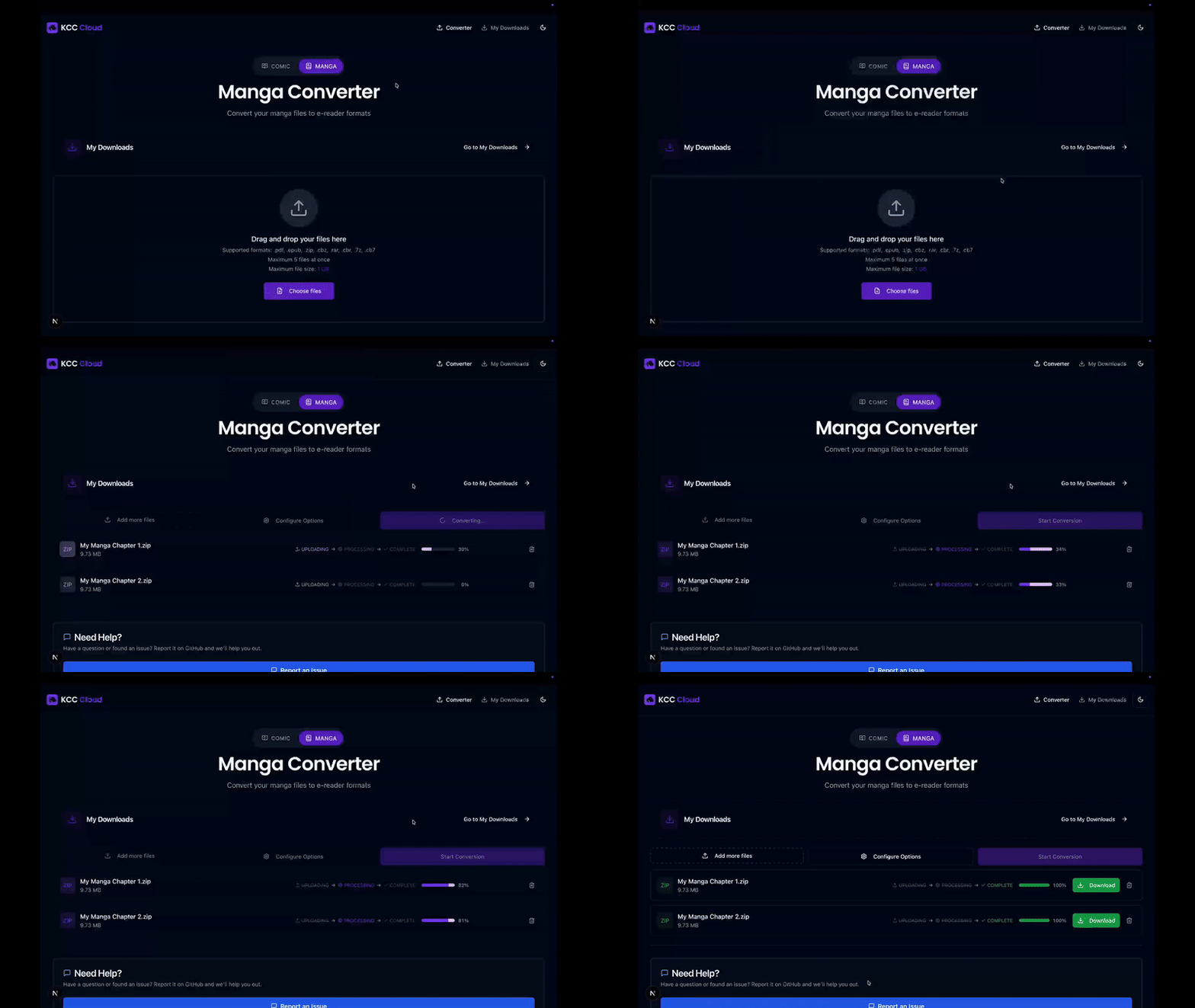
- Upload Files: Drag-and-drop or click to browse
- Select Device: Choose from 35+ e-reader profiles (e.g., Kindle Paperwhite, Kobo Clara)
- Configure Options (optional): Expand "Advanced Options" for fine-tuning
- Convert: Click "Convert" button
- Monitor: Watch real-time progress with ETA
- Download: Click download button when complete
Advanced Options
Fine-tune your conversions with 25+ parameters including image processing, cropping, borders, manga-specific settings, and output quality controls.
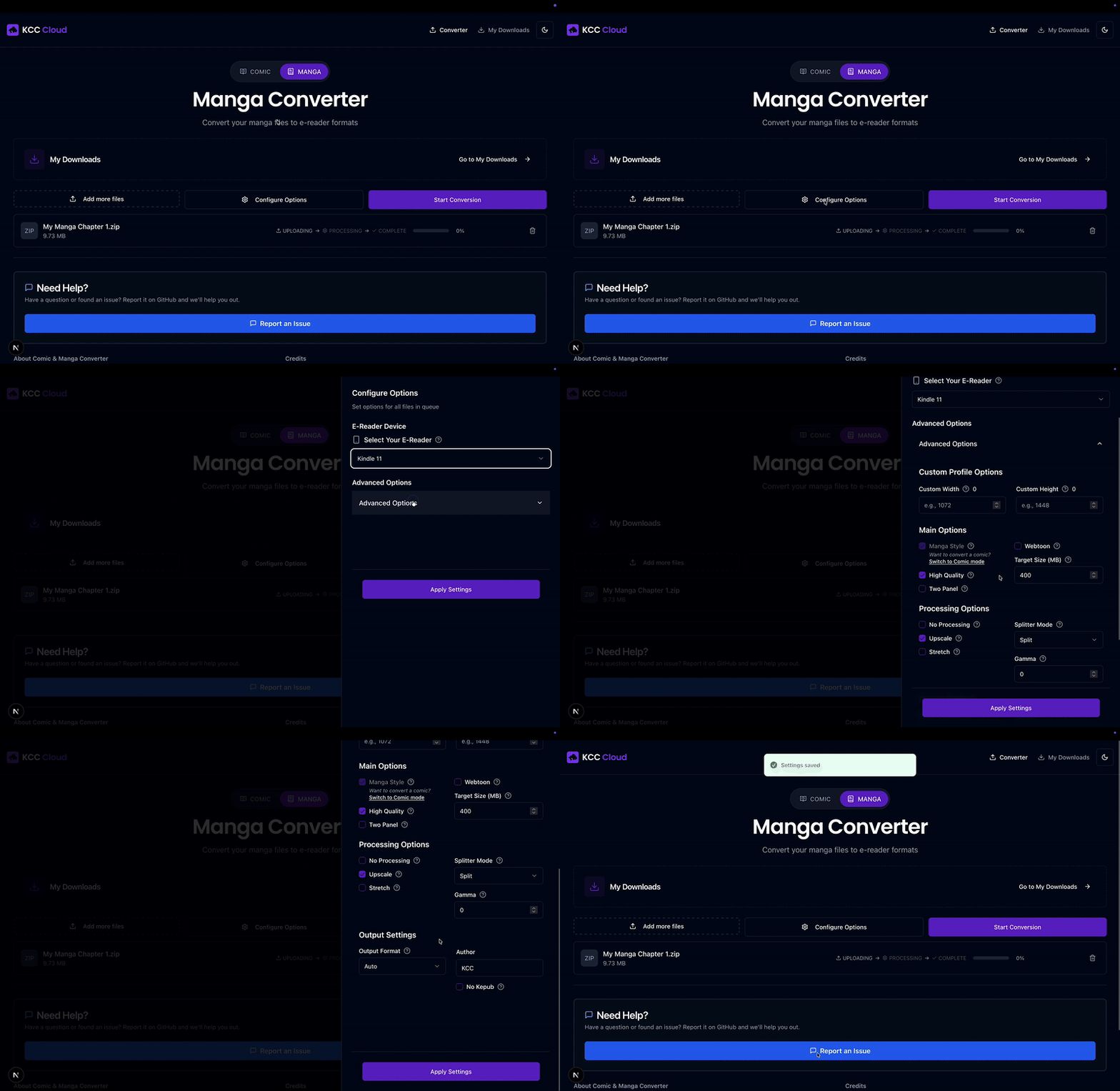
View all 25+ conversion parameters
Image Processing
- Upscale images for higher quality
- Stretch to fill screen (no borders)
- High quality mode (slower, better output)
- Auto-level for contrast adjustment
- Force grayscale or color
Cropping & Margins
- Margin detection (4 levels: none to aggressive)
- Page number removal
- Preserve original margins
- Cropping power adjustment
Borders
- Black/white border detection
- Force black or white borders
- Border size control
Output Quality
- Gamma correction (0.1-2.0)
- Target file size limits
- mozJPEG compression
- Force PNG format
Manga-Specific
- Right-to-left reading mode
- Two-panel detection
- Webtoon mode (vertical scroll)
- Spread shift for two-page layouts
Orientation
- Rotation (0°, 90°, 180°, 270°)
- Auto-rotation
- Landscape split mode
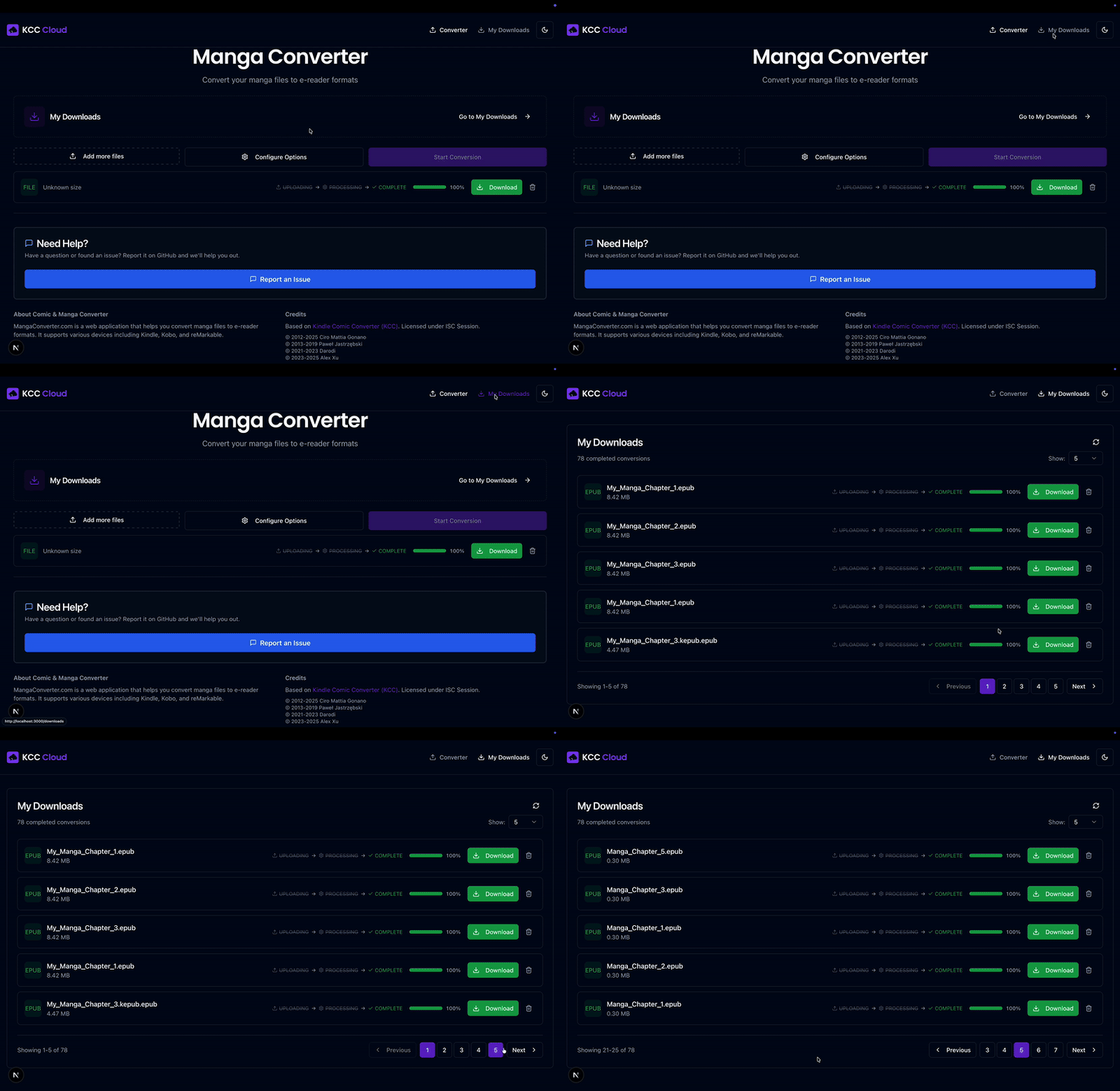
Downloads Page
Access all your completed conversions with download links, file details, and the ability to delete conversions you no longer need.
🏗️ Architecture
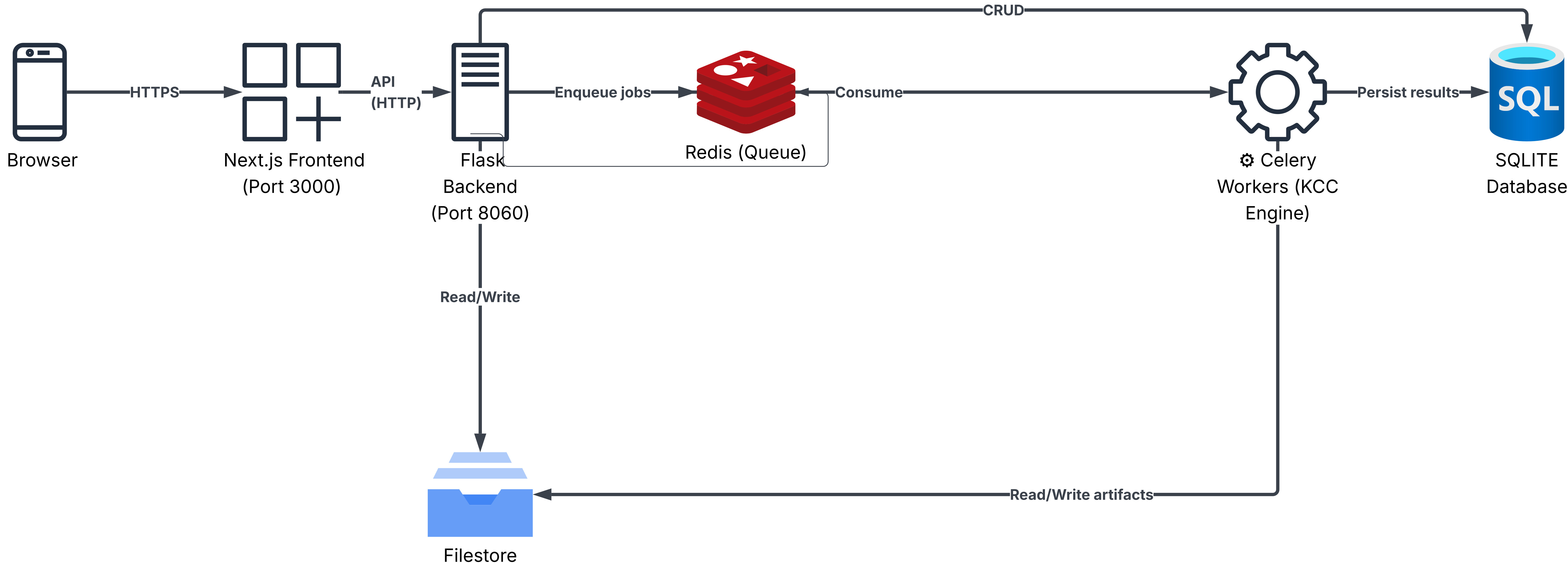
Microservices Architecture:
- Frontend: Next.js 16 with React 19, TypeScript, Tailwind CSS, Radix UI
- Backend API: Flask 2.0 with Gunicorn, Socket.IO for WebSocket real-time updates
- Task Queue: Celery 5.3 with Redis broker for distributed job processing
- Database: SQLite for job metadata and history
- Storage: Local filesystem for uploads and converted files
- Deployment: Docker Compose orchestration with scalable worker pool







🚀 Quick Start
Prerequisites
- Docker & Docker Compose installed
- 2GB+ RAM available
- 10GB+ disk space for conversions
Installation (Docker Compose)
-
Create a new folder for your deployment (anywhere on your machine):
mkdir mangaconverter && cd mangaconverter -
Set up KindleGen (optional, but recommended for MOBI/AZW support):
Download the Linux version from archive.org/details/kindlegen and place it in
./volumes/kindlegen/:mkdir -p ./volumes/kindlegen cd ./volumes/kindlegen wget https://dn710205.ca.archive.org/0/items/kindlegen/kindlegen chmod +x kindlegen cd ../.. -
Create a
docker-compose.ymlwith the following content:services: kcc-cloud: image: nilsleo/kcc-cloud:latest container_name: kcc-cloud restart: unless-stopped ports: - "8654:80" environment: - USER_ID=1024 # set to your user id (run: id -u) - GROUP_ID=100 # set to your group id (run: id -g) - TZ=Europe/Berlin # set your timezone - NEXT_PUBLIC_MAX_FILES=10 - CELERY_WORKERS=4 # parallel conversions; increase for more throughput volumes: - ./volumes/kcc-web-data:/data # KindleGen mount (if set up in step 2) - ./volumes/kindlegen:/opt/backend/kindlegen:ro -
Start the app:
docker compose up -d -
Access the web interface:
Scaling Workers
Increase CELERY_WORKERS in your docker-compose.yml and redeploy:
environment:
  - CELERY_WORKERS=5   # e.g., 5 parallel workers
Then apply the change:
docker compose up -d
⚙️ Configuration
Environment Variables
Key configuration options in .env:
| Variable | Default | Description |
|---|---|---|
CELERY_CONCURRENCY |
2 | Jobs per worker container |
NEXT_PUBLIC_MAX_FILES |
10 | Max simultaneous uploads |
NEXT_PUBLIC_MAX_FILE_SIZE |
1GB | Max single file size |
ALLOWED_ORIGINS |
localhost:3000 | CORS allowed origins |
Performance Tuning
For high-volume conversions:
# .env adjustments
CELERY_CONCURRENCY=4          # More jobs per worker
GUNICORN_TIMEOUT=1200         # Longer timeout for large files

# Scale workers
docker compose up -d --scale celery-worker=10
For low-resource systems:
# .env adjustments
CELERY_CONCURRENCY=1          # Single job per worker
🤝 Contributing
We welcome contributions! Please see CONTRIBUTING.md for guidelines.
📄 License
This project is licensed under the ISC License - see the LICENSE file for details.
🙏 Acknowledgments
Special thanks to:
- Ciro Mattia Gonano and Paweł Jastrzębski for creating Kindle Comic Converter
- The open-source community for all the amazing libraries and tools
⭐ Found this useful?
Star this repo to help others discover it!


Made with ❤️ for the manga and comic community
🌐 Try Live Demo • Report Bug • Request Feature