KendoReact
NOTE: We use this repo as a bug tracker and to list helpful KendoReact resources. This repository does not contain the KendoReact source code.
KendoReact is an enterprise-grade React UI library with 120+ free and premium components including a rich data visualization library. We're on a mission to help you design and build business apps with React much faster.

Table of Contents
Common Support Questions
Can I use KendoReact for free?
KendoReact Free is a free version of the KendoReact component library that includes over 50 customizable, enterprise-grade components. The free React component library includes essential components such as a performant React data grid, React date inputs, dropdowns, buttons and more, with features such as theming, accessibility, and localization.
All components included in KendoReact Free are part of KendoReact (premium) and, with a few exceptions (see React UI Components with Both Free and Premium Functionality), each component's full functionality is free.
Where can I find help?
- For community support we recommend asking questions on our public forum or Stack Overflow using the kendo-react-ui tag.
- KendoReact license holders can use our official support channel to submit support tickets.
How do I report a bug?
If you want to report a bug with KendoReact, please start by reviewing this repo’s issue tracker to make sure your issue has not already been reported. If you can’t find your issue there, please follow the following reproduction steps:
- Find an example in the KendoReact documentation that looks similar to your use case.
- Open that example in StackBlitz by using the EDIT IN STACKBLITZ button.
- Fork the StackBlitz project by using the FORK button at the top of the StackBlitz interface.
- Modify the code in your StackBlitz project so that it shows the issue you’re having with KendoReact. Try to include the minimum possible amount of code.
- Save your StackBlitz project by using the SAVE button at the top of the StackBlitz interface.
- Copy the URL of your StackBlitz project from your browser’s address bar.
- Open a new issue in this repo and your StackBlitz link in the description.
- Provide any additional information necessary for us to reproduce the problem, such as browser version, steps to perform, etc.
We might not be able to act on issues without a runnable demo.
If you need assistance on troubleshooting or isolating a problem, you can request a remote assistance session through our Support Ticket system. Remote Assistance is included in our Ultimate Support subscription.
When do you plan to release feature X?
- Check the KendoReact Roadmap to see a list of features we have planned.
- If your feature isn’t listed there, check our feedback portal. If you don’t see your feature on our portal, you can request the feature there.
React UI Components
Components marked with a purple diamond or (premium) require a commercial license or an active trial license. All other components are free, no sign-up or license is required.
Animations

Barcodes

Buttons

Charts

Common Utilities

Conversational UI
Data Grid

* This is a free React component with premium features such as RSC mode, server-side capabilities, advanced filtering and grouping, and others. The free feature set does not require any sign-up or license. The premium features require a commercial license or an active trial license.
Data Query

Data Tools

Date Inputs

Date Math

Dialogs

Drawing

Dropdowns

** DropDownList and MultiSelect are free React dropdown components with premium filtering and virtualization. The free feature set does not require any sign-up or license. The premium features require a commercial license or an active trial license.
Editor

Excel Export

File Saver

Form

Gantt

Gauges

Indicators

Inputs

Labels

Layout

ListBox

ListView

Notification

PDF Processing

Pivot Grid
Popup

Progress Bars

Ripple

Scheduler

ScrollView (Carousel)

Sortable

Tooltips

TreeList

TreeView

Upload

OrgChart

SpreadSheet

PDFViewer

TaskBoard

Design-to-Development Support
Four Design Themes
Four Figma UI Design Kits
Page Templates & Building Blocks
Customize the KendoReact Themes to Match Your Brand
Sample Applications
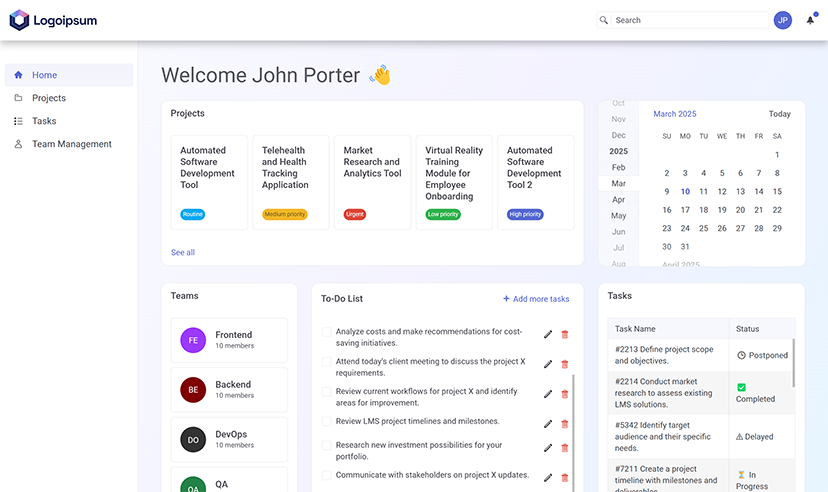
Project Tracker Application
The Project Tracker Application showcases the free KendoReact UI components and features, including a Data Grid, AppBar, Buttons, Inputs, Dropdowns and Icons. It demonstrates the integration of KendoReact components with Vite and uses Tailwind CSS utility classes.
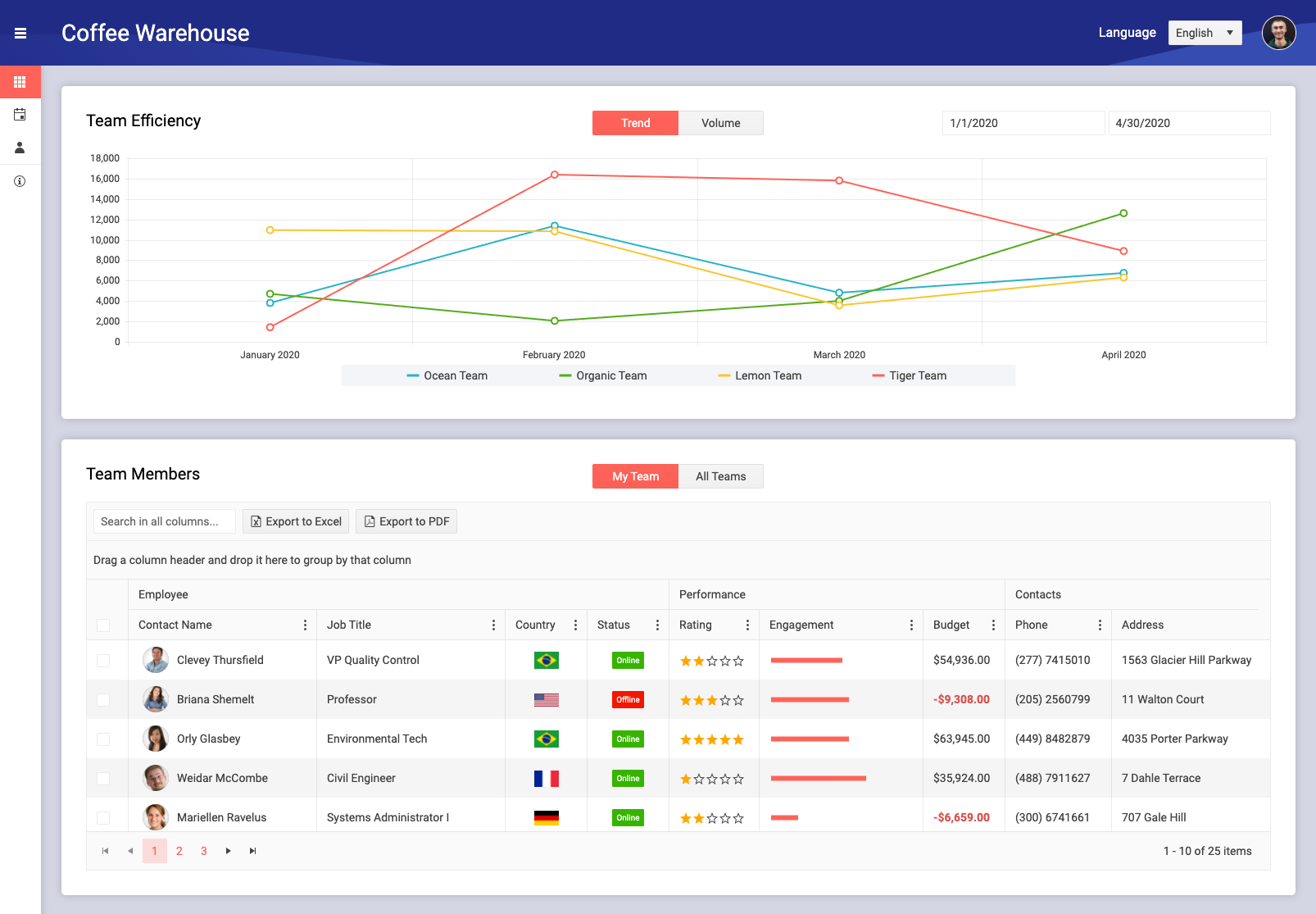
React Dashboard Application
We created the React Dashboard Application following the best practices of building UI with KendoReact components, which makes it a fantastic learning resource. You can see how easy it is to set up complex components such as the React Data Grid (Table), Charts, Scheduler or Forms.
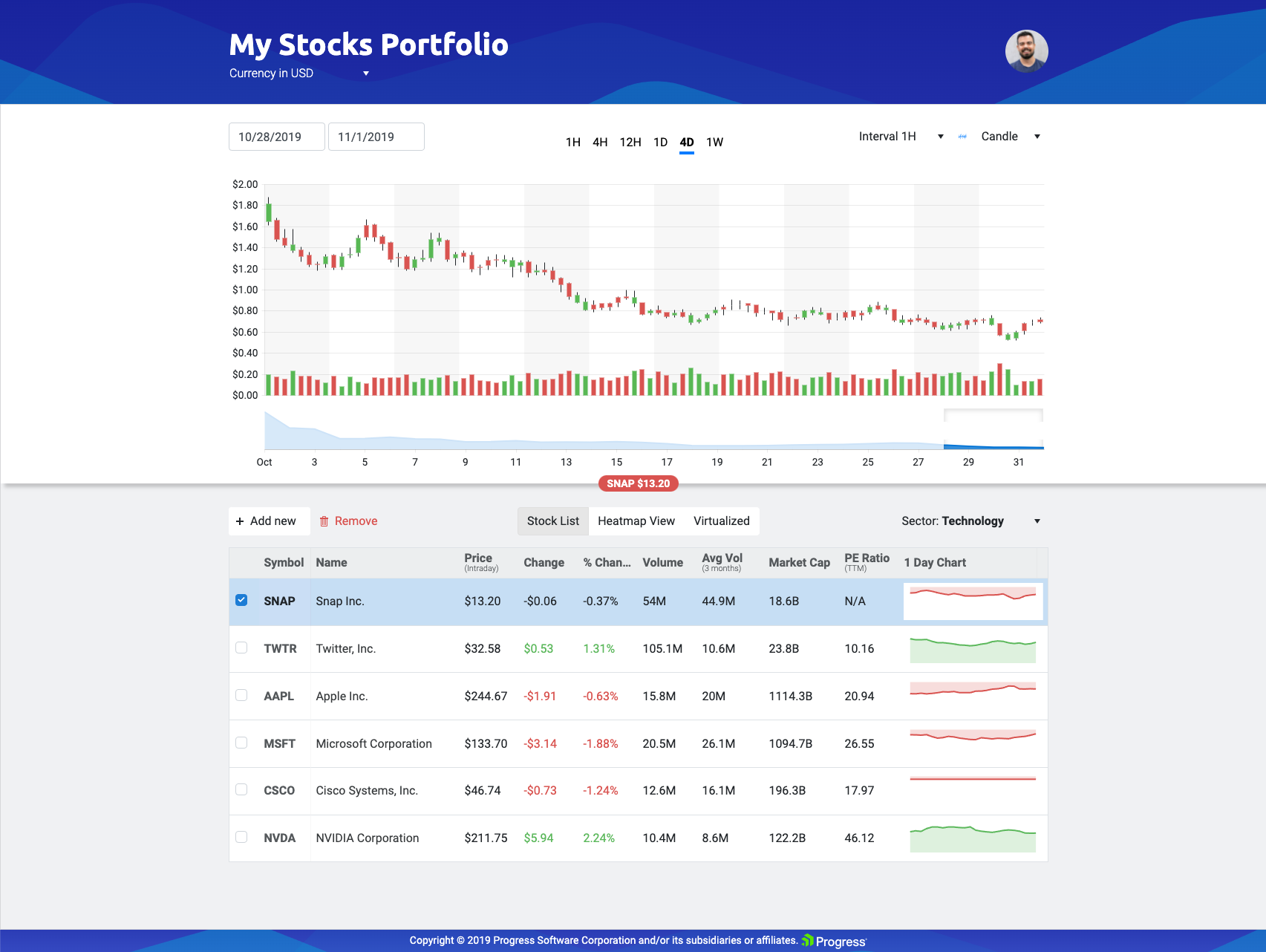
Financial Portfolio Application
The React Financial Portfolio Application shows how to create fast, beautiful and dynamic financial dashboards. It takes full advantage of React's fast rendering and shows dynamic data updates in real time which allows monitoring data with no visible delay.
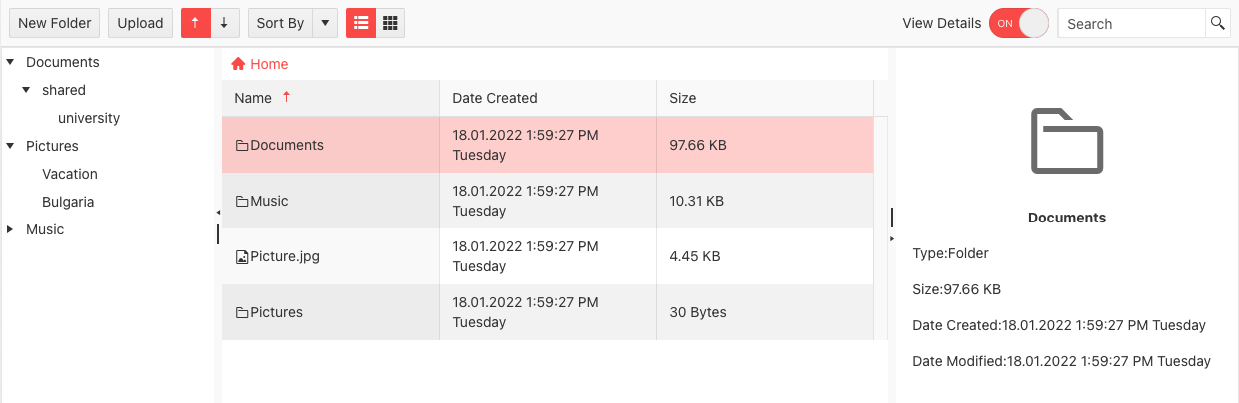
File Manager Template Application
The React File Manager Application is an Explorer-like application built entirely with KendoReact components that enables you to manage files and folders. You can show additional information about the selected file in a template-customizable Preview Pane, which you can show or hide through a switch button.
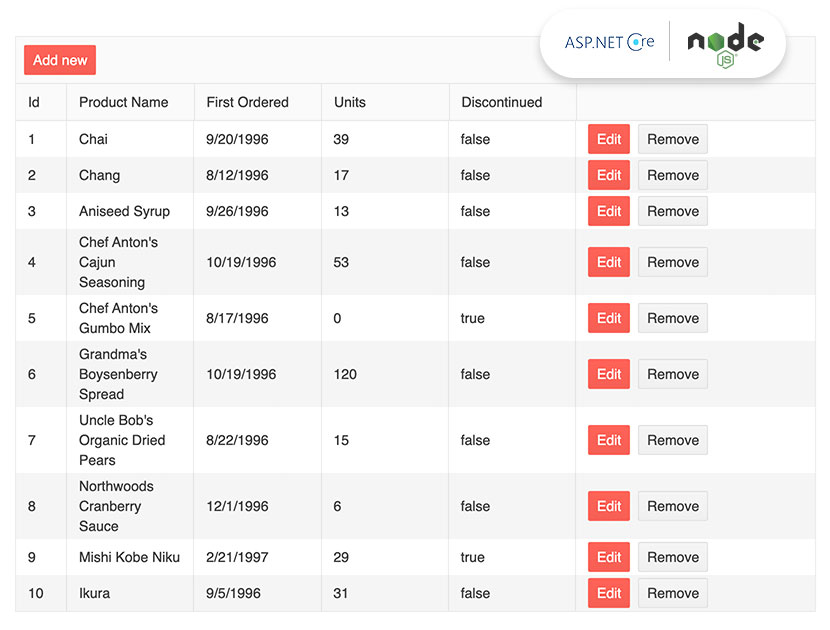
React Data Grid with NodeJS / ASP.NET Core Server Example
You can take advantage of two full stack sample applications built with the KendoReact Data Grid on the frontend and Node.js and ASP.NET Core on the backend to use as a reference when building your own applications. We hope they help to reduce the complexity of hooking up a server to our React Data Table component.
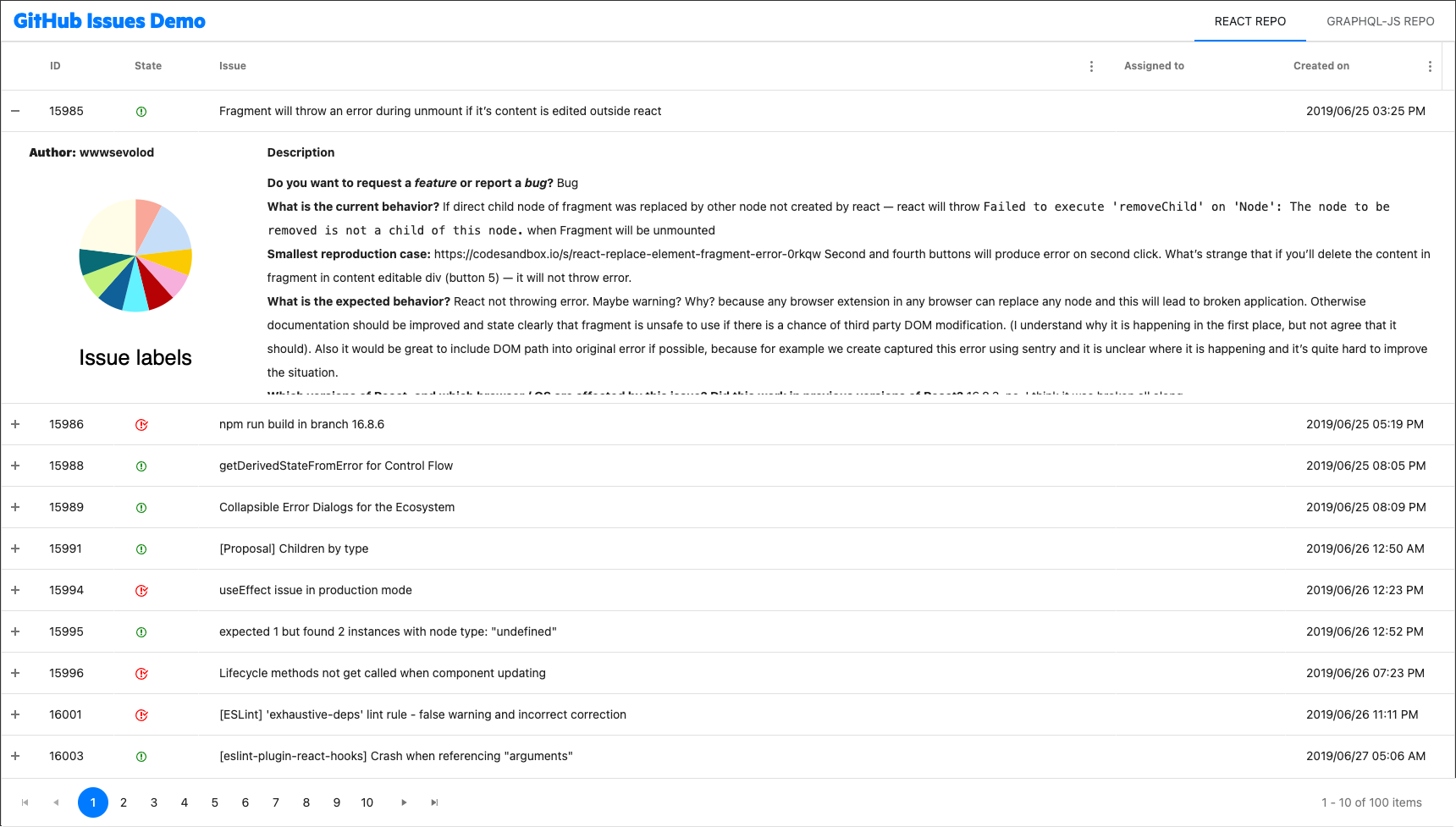
GitHub Issues Grid
The React GitHub Issues Application shows off how to use a KendoReact Data Grid to manage a large data set—in this case, all issues in the main Facebook React and GraphQL repositories.
Useful Links
- Roadmap—See what’s coming to KendoReact.
- Changelog—A full list of what’s changed in KendoReact releases.
- KendoReact Free—Check out the differences between the free and premium React component libraries.
- Support hub—Technical resources and how-to articles.
- Video Onboarding—Free on-demand technical training.
- Pricing—Learn more about what you get with a KendoReact license.
- React Blogs—Explore many helpful expert-written blogs and tutorials on everything React, including KendoReact-specific guides.
Licensing
KendoReact is an enterprise-grade UI library with 120+ free and premium components offering unmatched value for building business applications, including premium components such as the React Form, React Charts, and React Scheduler, unique features such as the React server components (RSC) data grid mode, as well as legendary support.
The 50+ free React components included in KendoReact Free require no sign-up or license. To use the premium components and features, you will need to install a license key when adding the package to your project. To receive a license key, you need to either purchase a license or register for a free trial. Doing so indicates that you accept the KendoReact License Agreement. For more information, please refer to the KendoReact My License page.
The 30-day free trial gives you access to all KendoReact components and their full functionality. Additionally, for the period of your license, you get access to our legendary technical support provided directly by the KendoReact dev team!
|
KendoReact Free |
KendoReact Trial |
KendoReact |
| React components |
50+ |
120+ |
120+ |
| Four professional themes |
Yes |
Yes |
Yes |
| Four Figma UI Kits |
Yes |
Yes |
Yes |
| Page Templates & Building Blocks |
1 |
Yes |
Yes |
| ThemeBuilder |
Free* |
Ultimate |
Ultimate |
| Source code |
No |
No |
Yes |
| Visual Studio Code extension |
1 starter template |
Full functionality |
Full functionality |
| Legendary customer support |
No |
Yes (trial) |
Yes |
* This service requires a free Telerik account.
