

Kilas - WhatsApp Gateway API
🚀 Modern, Fast & Reliable WhatsApp Gateway Built with Baileys




Powerful WhatsApp Gateway with beautiful dashboard, multi-session support, and comprehensive REST API
Features • Quick Start • API Documentation • Docker • n8n Integration
⚠️ Disclaimer
This is an unofficial WhatsApp API implementation. This project is not affiliated with, authorized, maintained, sponsored or endorsed by WhatsApp or any of its affiliates or subsidiaries. This is an independent and unofficial software. Use at your own risk.
Important Notes:
- Using this software may violate WhatsApp's Terms of Service
- Your WhatsApp account could be banned for using unofficial clients
- This project is for educational and development purposes only
- The developers are not responsible for any misuse or damage caused by this software
✨ Features
🎨 Beautiful Dashboard
- Modern UI/UX with vibrant gradients and glassmorphism effects
- Real-time monitoring via WebSocket connections
- Multi-session management - Handle multiple WhatsApp accounts
- Live event logging - See all activities in real-time
- Built-in API Tester - Test all endpoints directly from dashboard
- QR Code Scanner - Easy WhatsApp authentication
🔌 Comprehensive API
- ✅ 17+ REST API Endpoints for complete WhatsApp automation
- ✅ Send Messages - Text, images, documents, locations, and more
- ✅ Quote/Reply Messages - Reply to specific messages in groups or private chats
- ✅ Typing Indicator - Show/hide typing status programmatically
- ✅ Group Management - Create groups, manage participants
- ✅ Contact Management - Fetch and manage contacts
- ✅ Status Updates - Post WhatsApp status programmatically
- ✅ Webhook Support - Receive real-time events with selective filtering
- ✅ File Upload, Base64 & URL - Flexible media handling (3 methods)
🛡️ Enterprise Ready
- 🔒 Optional API Key Authentication - Secure your endpoints
- 🌐 CORS Configuration - Flexible cross-origin settings
- 💾 Auto-Save Media - Automatically save incoming media files
- 📊 Session Persistence - Sessions survive server restarts
- 🐳 Docker Support - Easy deployment with Docker Compose
- 📝 Comprehensive Logging - Track all activities with Pino logger
🗄️ SQLite Data Persistence (NEW)
- 💾 Persistent Storage - All dashboard data stored in SQLite database
- 📤 Outgoing Messages - Track all sent messages with status (pending/sent/delivered/read)
- 📡 Webhook History - Webhook logs persist across server restarts
- ⚡ Live Events - Events history saved and survives page refresh
- 🔍 Message Detail Modal - View full message content, Message ID, and API response
- ⏱️ Real-time Status Updates - See message delivery status (✓ sent, ✓✓ delivered, ✓✓ read)
- 📊 Full Pager Navigation - First, Prev, Next, Last with page info (Page X of Y)
- 🏠 Zero-Config - SQLite database auto-creates on startup
- 🐳 Docker Volume - Data persists across container restarts
🔗 Integration Support
- 🤖 n8n Workflow Automation - Official n8n community node available
- 📦 Easy Installation - Install via
@dickyermawan/n8n-nodes-kilas - ⚡ No-Code Automation - Build WhatsApp workflows visually in n8n
- 🔄 Seamless Integration - Connect Kilas with 400+ n8n integrations
📸 Screenshots
Login Page
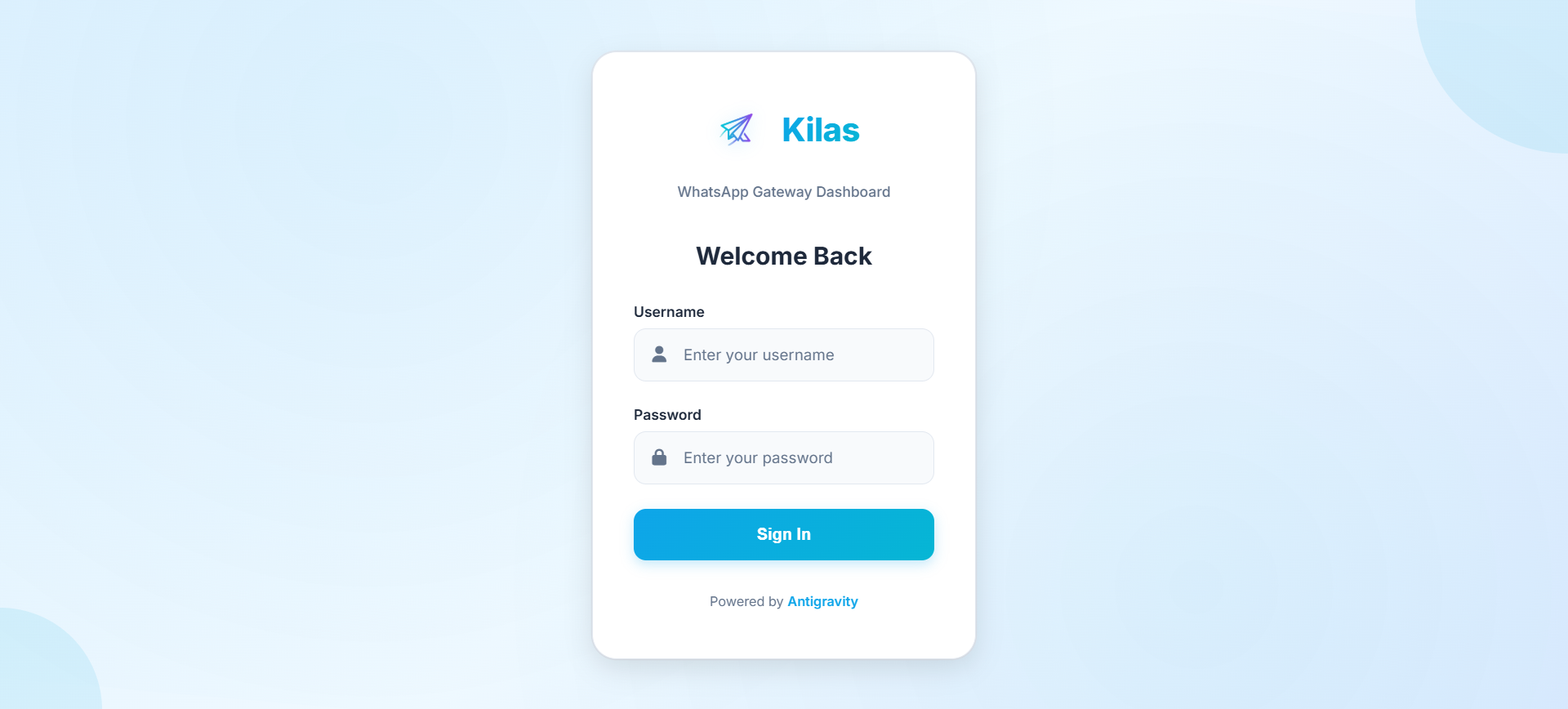
Modern login interface with gradient design
Live Events & Logs
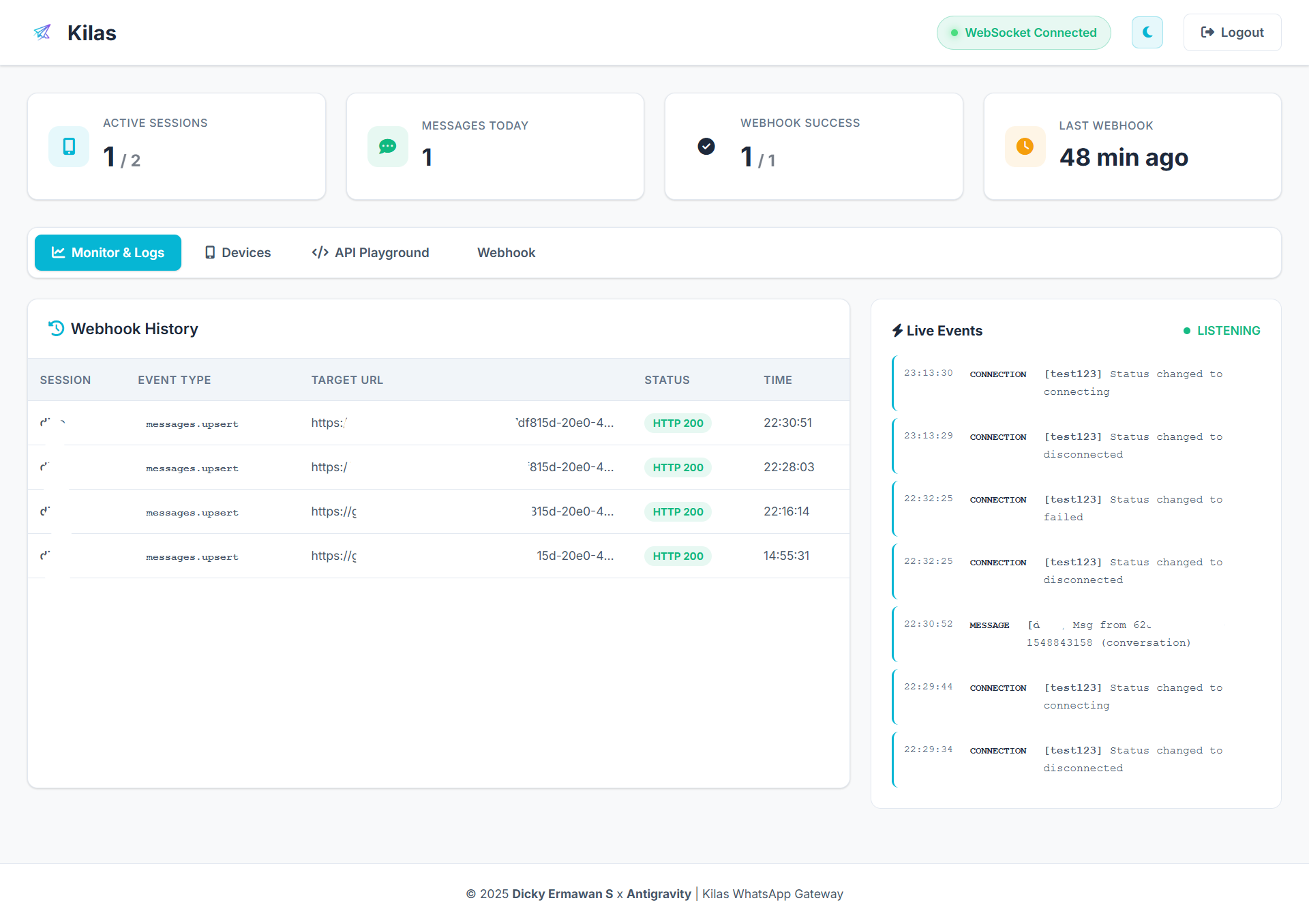
Real-time event logging with WebSocket connection
Device Management
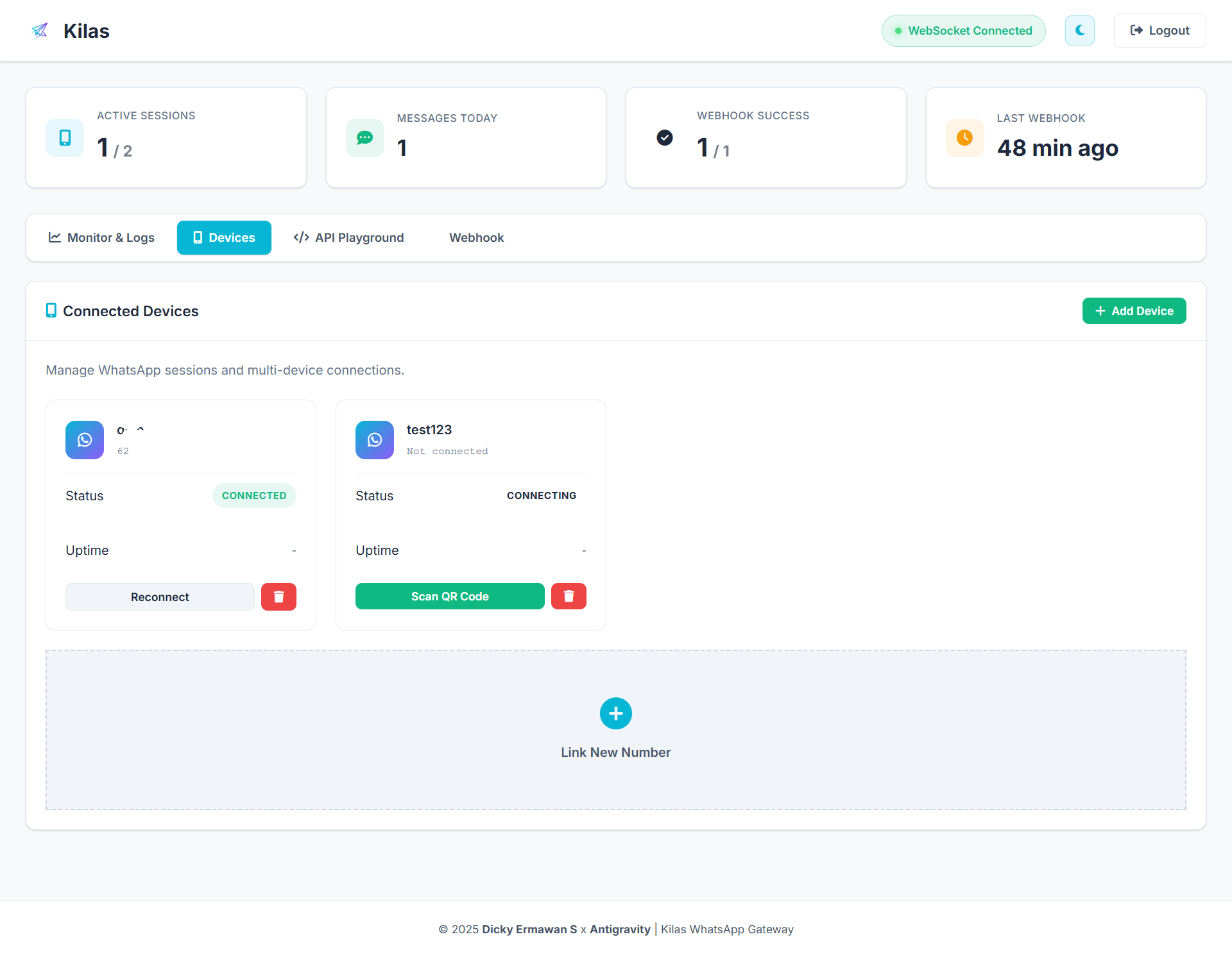
Multi-session WhatsApp device management with QR code scanner
API Playground
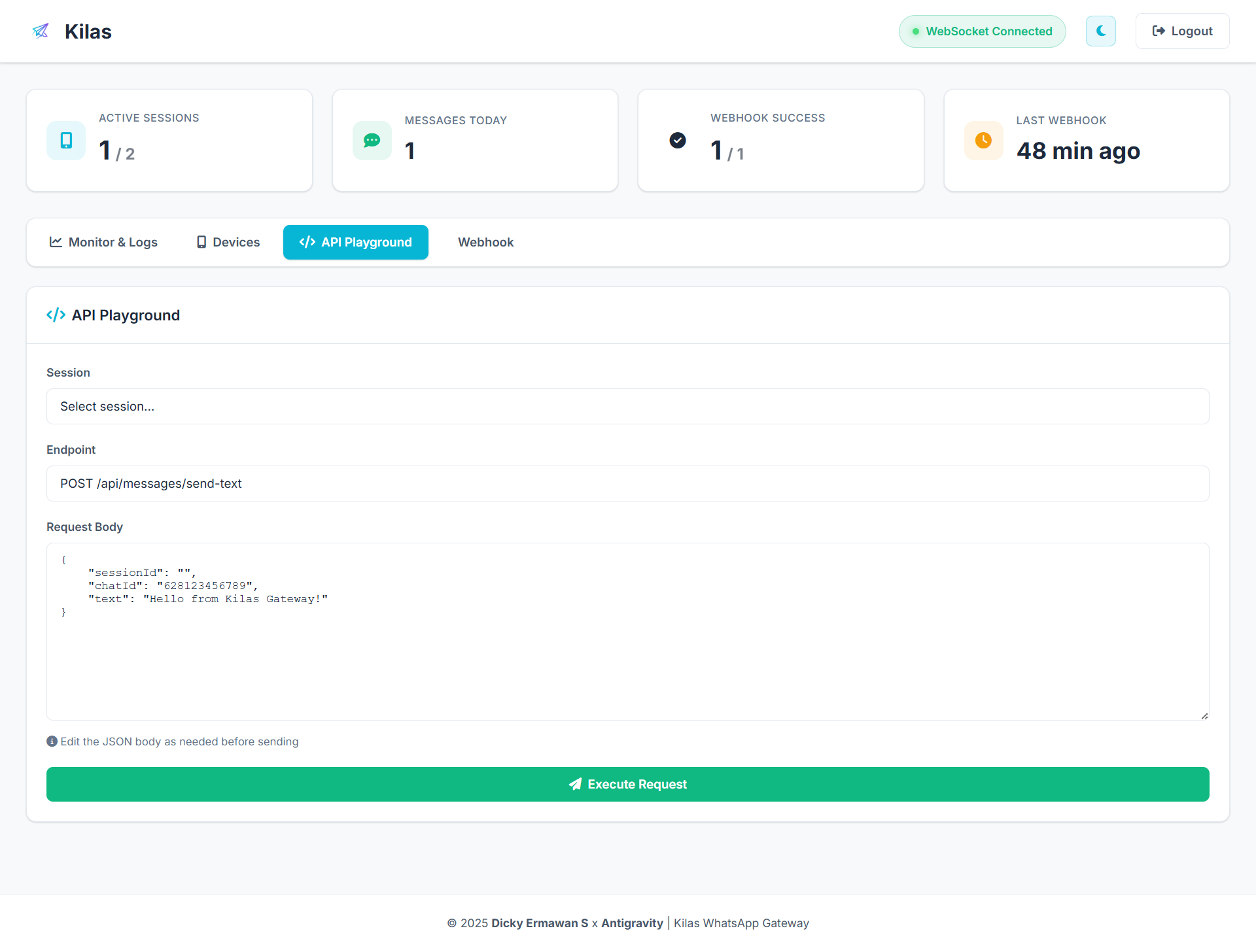
Built-in API tester to test all endpoints directly from dashboard
Webhook Configuration
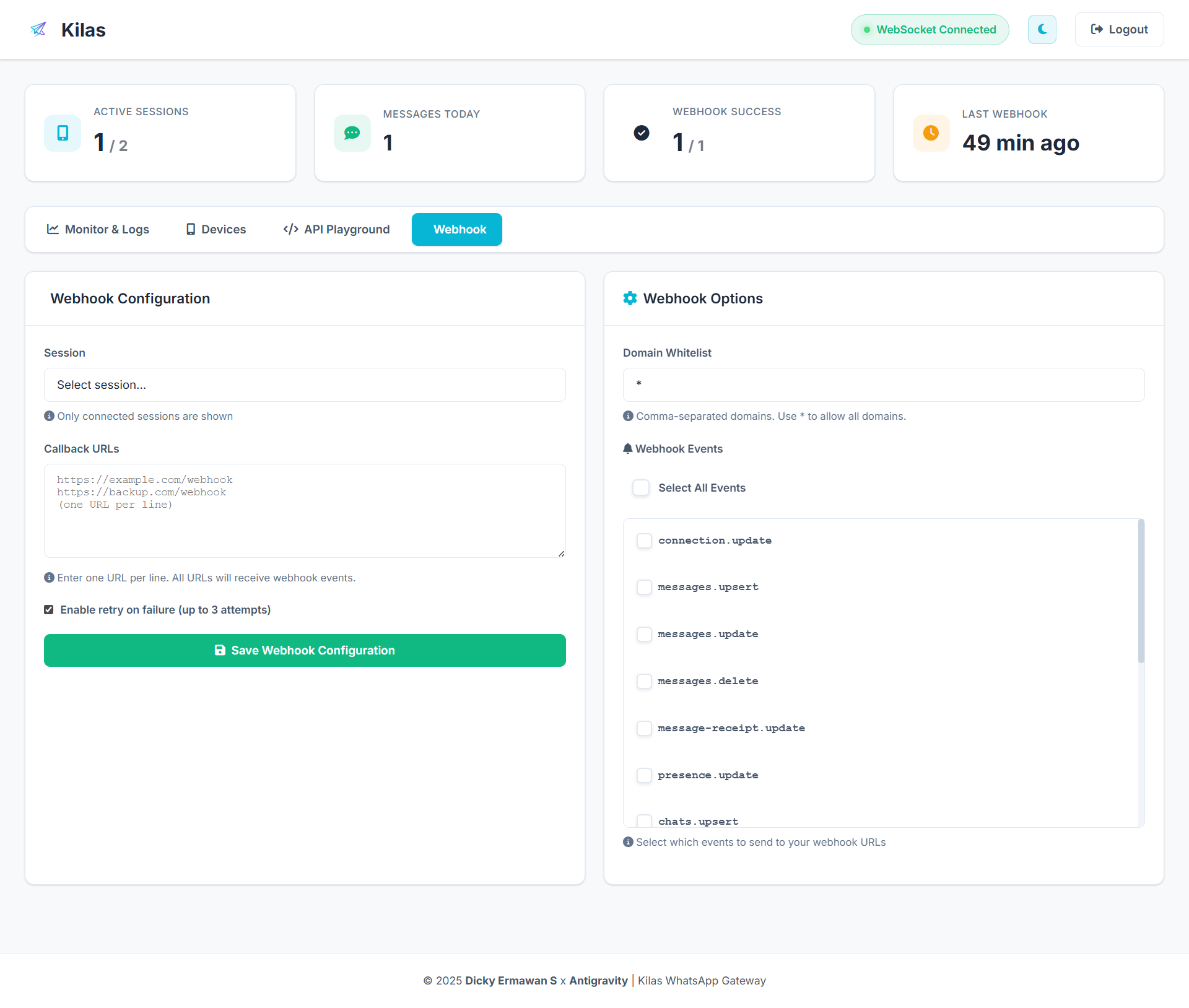
Configure webhooks with selective event filtering
🚀 Quick Start
Prerequisites
- Node.js >= 18.0.0
- npm or yarn
- Docker (optional, for containerized deployment)
Installation
Option 1: Manual Installation
# Clone the repository
git clone https://github.com/dickyermawan/kilas.git
cd kilas

# Install dependencies
npm install

# Configure environment variables
cp .env.example .env
# Edit .env with your preferred settings

# Start the server
npm start
Option 2: Using Docker Compose (Recommended)
# Clone the repository
git clone https://github.com/dickyermawan/kilas.git
cd kilas

# Create .env file
cp .env.example .env
# Edit .env with your preferred settings

# Start with Docker Compose
docker compose up -d

# View logs
docker compose logs -f
First Steps
- Access Dashboard: Open http://localhost:3000/dashboard
- Login: Use credentials from
.env(default: admin/admin123) - Create Session: Click "New Session" and scan QR code with WhatsApp
- Start Using: Your WhatsApp is now connected! 🎉
🐳 Docker Deployment
Option 1: Using Pre-built Image from Docker Hub (Recommended)
The fastest way to deploy Kilas is using the pre-built image from Docker Hub:
1. Create docker-compose.yml:
services:
  kilas:
    image: dickyermawan/kilas:latest
    container_name: kilas-gateway
    restart: unless-stopped
    ports:
      - "3001:3001"
    environment:
      - PORT=3001
      - ADMIN_USERNAME=admin
      - ADMIN_PASSWORD=admin123
      - API_KEY=admin123
      - CORS_ORIGIN=*
    volumes:
      # Named volumes for automatic permission handling
      - sessions_data:/app/sessions
      - media_data:/app/media
      - db_data:/app/data

volumes:
  sessions_data:
    driver: local
  media_data:
    driver: local
  db_data:
    driver: local
2. Start the container:
# Pull and start
docker compose up -d

# View logs
docker compose logs -f

# Check status
docker compose ps
3. Access the dashboard:
Open http://localhost:3001/dashboard in your browser.
Default credentials:
- Username:
admin - Password:
admin123
⚠️ IMPORTANT: Change
ADMIN_PASSWORDandAPI_KEYin docker-compose.yml for production!
Option 2: Build from Source
If you want to build the image yourself:
# Clone the repository
git clone https://github.com/dickyermawan/kilas.git
cd kilas

# Create .env file
cp .env.example .env
# Edit .env with your settings (PORT=3001 by default)

# Build and start
docker compose up -d --build

# View logs
docker compose logs -f
Configuration
All settings are configured via .env file:
# Server Configuration
PORT=3001  # Default port for both host and container

# Admin Credentials
ADMIN_USERNAME=admin
ADMIN_PASSWORD=admin123

# API Authentication
API_KEY=admin123

# CORS Configuration
CORS_ORIGIN=*
To change port: Edit PORT in .env and restart:
docker compose down
docker compose up -d
Data Persistence
Session, media, and database data are stored in named volumes:
sessions_data: WhatsApp session filesmedia_data: Uploaded media filesdb_data: SQLite database (outgoing messages, webhook history, live events)
Benefits:
- ✅ Automatic permission handling (no manual
chownneeded) - ✅ Data persists across container restarts
- ✅ Data persists even if container is removed
- ✅ Works on all platforms (Windows, Linux, Mac)
Data is safe during:
docker compose restart  # ✅ Data preserved
docker compose down && docker compose up -d  # ✅ Data preserved
docker compose pull && docker compose up -d  # ✅ Data preserved
Data will be lost if:
docker compose down -v  # ❌ Removes volumes (don't use -v flag!)
docker volume rm kilas_sessions_data  # ❌ Manually deletes volume
Backup & Restore
Backup sessions:
docker run --rm -v kilas_sessions_data:/data -v $(pwd):/backup alpine tar czf /backup/sessions-backup.tar.gz -C /data .
Restore sessions:
docker run --rm -v kilas_sessions_data:/data -v $(pwd):/backup alpine tar xzf /backup/sessions-backup.tar.gz -C /data
Docker Commands
# Start containers
docker compose up -d

# View logs
docker compose logs -f

# Stop containers
docker compose down

# Restart containers
docker compose restart

# Update to latest image
docker compose pull
docker compose up -d

# Access container shell
docker exec -it kilas-gateway sh

# Remove all data (CAUTION: deletes sessions!)
docker compose down -v
Environment Variables
| Variable | Description | Default |
|---|---|---|
PORT |
Server port | 3000 |
ADMIN_USERNAME |
Dashboard login username | admin |
ADMIN_PASSWORD |
Dashboard login password | admin123 |
API_KEY |
API authentication key (leave empty to disable) | admin123 |
CORS_ORIGIN |
CORS allowed origins (* for all, or comma-separated domains) | * |
SESSION_DIR |
Directory for session data | ./sessions |
MEDIA_DIR |
Directory for media files | ./media |
DATA_DIR |
Directory for SQLite database | ./data |
🤖 n8n Integration
Kilas has official support for n8n - the powerful workflow automation platform. Build WhatsApp automation workflows visually with no code required!
Installation
Install the Kilas community node in your n8n instance:
# In your n8n installation directory
npm install @dickyermawan/n8n-nodes-kilas
Or install via n8n UI:
- Go to Settings → Community Nodes
- Click Install
- Enter:
@dickyermawan/n8n-nodes-kilas - Click Install
Features
- ✅ Send Messages - Text, images, documents, locations
- ✅ Quote/Reply - Reply to specific messages
- ✅ Typing Indicator - Control typing status
- ✅ Session Management - Create and manage WhatsApp sessions
- ✅ Webhook Trigger - Receive WhatsApp events in real-time
- ✅ Group Management - Create groups, manage participants
- ✅ Contact Operations - Fetch and manage contacts
Quick Start
-
Add Kilas Credentials
- Node:
Kilas API - Base URL:
http://localhost:3001 - API Key: Your configured API key
- Node:
-
Create Workflow
- Trigger: Kilas Webhook (receive messages)
- Action: Kilas (send reply)
-
Example Workflow
Webhook Trigger → Filter → Kilas Send Message
Use Cases
- 📱 Customer Support Bot - Auto-reply to customer inquiries
- 🔔 Notifications - Send alerts from any system to WhatsApp
- 📊 CRM Integration - Sync WhatsApp messages with your CRM
- 🤖 Chatbot - Build intelligent chatbots with AI integration
- 📅 Appointment Reminders - Automated scheduling notifications
Resources
- n8n Node Package: @dickyermawan/n8n-nodes-kilas
- n8n Documentation: n8n.io/docs
- Workflow Templates: Coming soon!
📚 API Documentation
Authentication
All API endpoints (except /api/auth/login) require authentication via API key in the header:
x-api-key: your_secret_api_key
To disable authentication, set API_KEY= (empty) in .env.
📨 Messages API
Send Text Message
Endpoint: POST /api/messages/send-text
PHP Example:
<?php
$data = [
    'sessionId' => 'MySession',
    'chatId' => '628123456789',  // or '[email protected]'
    'text' => 'Hello from Kilas! 🚀'
];

$ch = curl_init('http://localhost:3000/api/messages/send-text');
curl_setopt($ch, CURLOPT_RETURNTRANSFER, true);
curl_setopt($ch, CURLOPT_POST, true);
curl_setopt($ch, CURLOPT_POSTFIELDS, json_encode($data));
curl_setopt($ch, CURLOPT_HTTPHEADER, [
    'Content-Type: application/json',
    'x-api-key: your_secret_api_key'
]);

$response = curl_exec($ch);
curl_close($ch);

$result = json_decode($response, true);
print_r($result);
?>
Response:
{
  "success": true,
  "message": "Message sent"
}
Send Quote/Reply Message
Endpoint: POST /api/messages/send-text
Reply to a specific message by providing the quotedMessageId.
Request Body:
{
  "sessionId": "MySession",
  "chatId": "628123456789",
  "text": "This is a reply to your message",
  "quotedMessageId": "3EB0123456789ABCDEF"
}
PHP Example:
<?php
$data = [
    'sessionId' => 'MySession',
    'chatId' => '628123456789',
    'text' => 'This is a reply!',
    'quotedMessageId' => '3EB0123456789ABCDEF'  // Message ID to quote
];

$ch = curl_init('http://localhost:3001/api/messages/send-text');
curl_setopt($ch, CURLOPT_RETURNTRANSFER, true);
curl_setopt($ch, CURLOPT_POST, true);
curl_setopt($ch, CURLOPT_POSTFIELDS, json_encode($data));
curl_setopt($ch, CURLOPT_HTTPHEADER, [
    'Content-Type: application/json',
    'x-api-key: your_secret_api_key'
]);

$response = curl_exec($ch);
curl_close($ch);

print_r(json_decode($response, true));
?>
Response:
{
  "success": true,
  "message": "Message sent"
}
Note: Get message ID from webhook events or message logs.
Start Typing Indicator
Endpoint: POST /api/messages/typing/start
Show "typing..." indicator in the chat.
Request Body:
{
  "sessionId": "MySession",
  "chatId": "628123456789"
}
PHP Example:
<?php
$data = [
    'sessionId' => 'MySession',
    'chatId' => '628123456789'
];

$ch = curl_init('http://localhost:3001/api/messages/typing/start');
curl_setopt($ch, CURLOPT_RETURNTRANSFER, true);
curl_setopt($ch, CURLOPT_POST, true);
curl_setopt($ch, CURLOPT_POSTFIELDS, json_encode($data));
curl_setopt($ch, CURLOPT_HTTPHEADER, [
    'Content-Type: application/json',
    'x-api-key: your_secret_api_key'
]);

$response = curl_exec($ch);
curl_close($ch);

print_r(json_decode($response, true));
?>
Response:
{
  "success": true,
  "message": "Typing indicator started"
}
Stop Typing Indicator
Endpoint: POST /api/messages/typing/stop
Stop "typing..." indicator in the chat.
Request Body:
{
  "sessionId": "MySession",
  "chatId": "628123456789"
}
PHP Example:
<?php
$data = [
    'sessionId' => 'MySession',
    'chatId' => '628123456789'
];

$ch = curl_init('http://localhost:3001/api/messages/typing/stop');
curl_setopt($ch, CURLOPT_RETURNTRANSFER, true);
curl_setopt($ch, CURLOPT_POST, true);
curl_setopt($ch, CURLOPT_POSTFIELDS, json_encode($data));
curl_setopt($ch, CURLOPT_HTTPHEADER, [
    'Content-Type: application/json',
    'x-api-key: your_secret_api_key'
]);

$response = curl_exec($ch);
curl_close($ch);

print_r(json_decode($response, true));
?>
Response:
{
  "success": true,
  "message": "Typing indicator stopped"
}
Note: Typing indicator auto-stops after ~30 seconds if not manually stopped.
Check Message Status
Endpoint: GET /api/messages/status/:messageId
Check delivery status of a sent message (pending/sent/delivered/read).
URL Parameters:
messageId: The message ID returned when sending a message
PHP Example:
<?php
$messageId = '3EB0ABC123XYZ'; // Message ID from send response

$ch = curl_init("http://localhost:3001/api/messages/status/{$messageId}");
curl_setopt($ch, CURLOPT_RETURNTRANSFER, true);
curl_setopt($ch, CURLOPT_HTTPHEADER, [
    'x-api-key: your_secret_api_key'
]);

$response = curl_exec($ch);
curl_close($ch);

print_r(json_decode($response, true));
?>
Response:
{
  "success": true,
  "messageId": "3EB0ABC123XYZ",
  "status": "read",
  "sessionId": "MySession",
  "recipient": "628123456789",
  "messageType": "text",
  "createdAt": "2025-12-26T07:30:00.000Z",
  "updatedAt": "2025-12-26T07:35:00.000Z"
}
Status Values:
| Status | Description |
|---|---|
pending |
Message queued, not yet sent |
sent |
Message sent to WhatsApp server (✓) |
delivered |
Message delivered to recipient (✓✓) |
read |
Message read by recipient (✓✓ blue) |
Send Image
Endpoint: POST /api/messages/send-image
Method 1: File Upload (Multipart)
PHP Example:
<?php
$ch = curl_init('http://localhost:3000/api/messages/send-image');

$postData = [
    'sessionId' => 'MySession',
    'chatId' => '628123456789',
    'caption' => 'Check out this image!',
    'image' => new CURLFile('/path/to/image.jpg', 'image/jpeg', 'image.jpg')
];

curl_setopt($ch, CURLOPT_RETURNTRANSFER, true);
curl_setopt($ch, CURLOPT_POST, true);
curl_setopt($ch, CURLOPT_POSTFIELDS, $postData);
curl_setopt($ch, CURLOPT_HTTPHEADER, [
    'x-api-key: your_secret_api_key'
]);

$response = curl_exec($ch);
curl_close($ch);

print_r(json_decode($response, true));
?>
Method 2: Base64 (JSON)
PHP Example:
<?php
$imageData = file_get_contents('/path/to/image.jpg');
$base64Image = base64_encode($imageData);

$data = [
    'sessionId' => 'MySession',
    'chatId' => '628123456789',
    'caption' => 'Image from base64',
    'image' => 'data:image/jpeg;base64,' . $base64Image
];

$ch = curl_init('http://localhost:3000/api/messages/send-image');
curl_setopt($ch, CURLOPT_RETURNTRANSFER, true);
curl_setopt($ch, CURLOPT_POST, true);
curl_setopt($ch, CURLOPT_POSTFIELDS, json_encode($data));
curl_setopt($ch, CURLOPT_HTTPHEADER, [
    'Content-Type: application/json',
    'x-api-key: your_secret_api_key'
]);

$response = curl_exec($ch);
curl_close($ch);

print_r(json_decode($response, true));
?>
Method 3: URL (Baileys Native)
Send image directly from URL - Baileys downloads and sends automatically.
PHP Example:
<?php
$data = [
    'sessionId' => 'MySession',
    'chatId' => '628123456789',
    'imageUrl' => 'https://example.com/image.jpg',
    'caption' => 'Image from URL'
];

$ch = curl_init('http://localhost:3001/api/messages/send-image');
curl_setopt($ch, CURLOPT_RETURNTRANSFER, true);
curl_setopt($ch, CURLOPT_POST, true);
curl_setopt($ch, CURLOPT_POSTFIELDS, json_encode($data));
curl_setopt($ch, CURLOPT_HTTPHEADER, [
    'Content-Type: application/json',
    'x-api-key: your_secret_api_key'
]);

$response = curl_exec($ch);
curl_close($ch);

print_r(json_decode($response, true));
?>
Send Document
Endpoint: POST /api/messages/send-document
Method 1: File Upload
PHP Example:
<?php
$ch = curl_init('http://localhost:3000/api/messages/send-document');

$postData = [
    'sessionId' => 'MySession',
    'chatId' => '628123456789',
    'caption' => 'Important document',
    'document' => new CURLFile('/path/to/document.pdf', 'application/pdf', 'document.pdf')
];

curl_setopt($ch, CURLOPT_RETURNTRANSFER, true);
curl_setopt($ch, CURLOPT_POST, true);
curl_setopt($ch, CURLOPT_POSTFIELDS, $postData);
curl_setopt($ch, CURLOPT_HTTPHEADER, [
    'x-api-key: your_secret_api_key'
]);

$response = curl_exec($ch);
curl_close($ch);

print_r(json_decode($response, true));
?>
Method 2: Base64
PHP Example:
<?php
$documentData = file_get_contents('/path/to/document.pdf');
$base64Document = base64_encode($documentData);

$data = [
    'sessionId' => 'MySession',
    'chatId' => '628123456789',
    'caption' => 'Document from base64',
    'filename' => 'invoice.pdf',
    'mimetype' => 'application/pdf',
    'document' => 'data:application/pdf;base64,' . $base64Document
];

$ch = curl_init('http://localhost:3000/api/messages/send-document');
curl_setopt($ch, CURLOPT_RETURNTRANSFER, true);
curl_setopt($ch, CURLOPT_POST, true);
curl_setopt($ch, CURLOPT_POSTFIELDS, json_encode($data));
curl_setopt($ch, CURLOPT_HTTPHEADER, [
    'Content-Type: application/json',
    'x-api-key: your_secret_api_key'
]);

$response = curl_exec($ch);
curl_close($ch);

print_r(json_decode($response, true));
?>
Method 3: URL (Baileys Native)
Send document directly from URL - Baileys downloads and sends automatically.
PHP Example:
<?php
$data = [
    'sessionId' => 'MySession',
    'chatId' => '628123456789',
    'documentUrl' => 'https://example.com/document.pdf',
    'filename' => 'invoice.pdf',
    'mimetype' => 'application/pdf',
    'caption' => 'Document from URL'
];

$ch = curl_init('http://localhost:3001/api/messages/send-document');
curl_setopt($ch, CURLOPT_RETURNTRANSFER, true);
curl_setopt($ch, CURLOPT_POST, true);
curl_setopt($ch, CURLOPT_POSTFIELDS, json_encode($data));
curl_setopt($ch, CURLOPT_HTTPHEADER, [
    'Content-Type: application/json',
    'x-api-key: your_secret_api_key'
]);

$response = curl_exec($ch);
curl_close($ch);

print_r(json_decode($response, true));
?>
Send Location
Endpoint: POST /api/messages/send-location
PHP Example:
<?php
$data = [
    'sessionId' => 'MySession',
    'chatId' => '628123456789',
    'latitude' => -6.200000,
    'longitude' => 106.816666,
    'address' => 'Jakarta, Indonesia'
];

$ch = curl_init('http://localhost:3000/api/messages/send-location');
curl_setopt($ch, CURLOPT_RETURNTRANSFER, true);
curl_setopt($ch, CURLOPT_POST, true);
curl_setopt($ch, CURLOPT_POSTFIELDS, json_encode($data));
curl_setopt($ch, CURLOPT_HTTPHEADER, [
    'Content-Type: application/json',
    'x-api-key: your_secret_api_key'
]);

$response = curl_exec($ch);
curl_close($ch);

print_r(json_decode($response, true));
?>
👥 Sessions API
Get All Sessions
Endpoint: GET /api/sessions
PHP Example:
<?php
$ch = curl_init('http://localhost:3000/api/sessions');
curl_setopt($ch, CURLOPT_RETURNTRANSFER, true);
curl_setopt($ch, CURLOPT_HTTPHEADER, [
    'x-api-key: your_secret_api_key'
]);

$response = curl_exec($ch);
curl_close($ch);

$sessions = json_decode($response, true);
print_r($sessions);
?>
Response:
{
  "success": true,
  "sessions": [
    {
      "id": "MySession",
      "status": "connected",
      "user": {
        "id": "628123456789",
        "name": "My WhatsApp"
      }
    }
  ]
}
Create New Session
Endpoint: POST /api/sessions/create
PHP Example:
<?php
$data = ['sessionId' => 'NewSession'];

$ch = curl_init('http://localhost:3000/api/sessions/create');
curl_setopt($ch, CURLOPT_RETURNTRANSFER, true);
curl_setopt($ch, CURLOPT_POST, true);
curl_setopt($ch, CURLOPT_POSTFIELDS, json_encode($data));
curl_setopt($ch, CURLOPT_HTTPHEADER, [
    'Content-Type: application/json',
    'x-api-key: your_secret_api_key'
]);

$response = curl_exec($ch);
curl_close($ch);

print_r(json_decode($response, true));
?>
Delete Session
Endpoint: DELETE /api/sessions/:id
PHP Example:
<?php
$sessionId = 'MySession';

$ch = curl_init("http://localhost:3000/api/sessions/$sessionId");
curl_setopt($ch, CURLOPT_RETURNTRANSFER, true);
curl_setopt($ch, CURLOPT_CUSTOMREQUEST, 'DELETE');
curl_setopt($ch, CURLOPT_HTTPHEADER, [
    'x-api-key: your_secret_api_key'
]);

$response = curl_exec($ch);
curl_close($ch);

print_r(json_decode($response, true));
?>
👨👩👧👦 Groups API
Get All Groups
Endpoint: GET /api/groups/:sessionId
PHP Example:
<?php
$sessionId = 'MySession';

$ch = curl_init("http://localhost:3000/api/groups/$sessionId");
curl_setopt($ch, CURLOPT_RETURNTRANSFER, true);
curl_setopt($ch, CURLOPT_HTTPHEADER, [
    'x-api-key: your_secret_api_key'
]);

$response = curl_exec($ch);
curl_close($ch);

$groups = json_decode($response, true);
print_r($groups);
?>
Create Group
Endpoint: POST /api/groups/create
PHP Example:
<?php
$data = [
    'sessionId' => 'MySession',
    'subject' => 'My New Group',
    'participants' => ['628123456789', '628987654321']
];

$ch = curl_init('http://localhost:3000/api/groups/create');
curl_setopt($ch, CURLOPT_RETURNTRANSFER, true);
curl_setopt($ch, CURLOPT_POST, true);
curl_setopt($ch, CURLOPT_POSTFIELDS, json_encode($data));
curl_setopt($ch, CURLOPT_HTTPHEADER, [
    'Content-Type: application/json',
    'x-api-key: your_secret_api_key'
]);

$response = curl_exec($ch);
curl_close($ch);

print_r(json_decode($response, true));
?>
📇 Contacts API
Get All Contacts
Endpoint: GET /api/contacts/:sessionId
PHP Example:
<?php
$sessionId = 'MySession';

$ch = curl_init("http://localhost:3000/api/contacts/$sessionId");
curl_setopt($ch, CURLOPT_RETURNTRANSFER, true);
curl_setopt($ch, CURLOPT_HTTPHEADER, [
    'x-api-key: your_secret_api_key'
]);

$response = curl_exec($ch);
curl_close($ch);

$contacts = json_decode($response, true);
print_r($contacts);
?>
📢 Status API
Post Status Update
Endpoint: POST /api/status/post/text
PHP Example:
<?php
$data = [
    'sessionId' => 'MySession',
    'text' => 'My Status Update 🚀',
    'backgroundColor' => 0xff1a1f3a,
    'font' => 1
];

$ch = curl_init('http://localhost:3000/api/status/post/text');
curl_setopt($ch, CURLOPT_RETURNTRANSFER, true);
curl_setopt($ch, CURLOPT_POST, true);
curl_setopt($ch, CURLOPT_POSTFIELDS, json_encode($data));
curl_setopt($ch, CURLOPT_HTTPHEADER, [
    'Content-Type: application/json',
    'x-api-key: your_secret_api_key'
]);

$response = curl_exec($ch);
curl_close($ch);

print_r(json_decode($response, true));
?>
🔔 Webhook API
Configure Webhook
Endpoint: POST /api/webhook/:sessionId
PHP Example:
<?php
$sessionId = 'MySession';

$data = [
    'webhookUrl' => 'https://your-webhook-url.com/endpoint',
    'events' => [
        'connection.update',
        'messages.upsert',
        'messages.update'
    ]
];

$ch = curl_init("http://localhost:3000/api/webhook/$sessionId");
curl_setopt($ch, CURLOPT_RETURNTRANSFER, true);
curl_setopt($ch, CURLOPT_POST, true);
curl_setopt($ch, CURLOPT_POSTFIELDS, json_encode($data));
curl_setopt($ch, CURLOPT_HTTPHEADER, [
    'Content-Type: application/json',
    'x-api-key: your_secret_api_key'
]);

$response = curl_exec($ch);
curl_close($ch);

print_r(json_decode($response, true));
?>
Available Events:
connection.update- Connection status changesmessages.upsert- New messages receivedmessages.update- Message updates (read receipts, edits)messages.delete- Deleted messagespresence.update- User presence (online/offline)chats.upsert- New chatschats.update- Chat updatescontacts.upsert- Contact updatesgroups.upsert- New groupsgroup-participants.update- Group participant changescall- Incoming calls
Webhook Payload Structure:
{
  "event": "messages.upsert",
  "sessionId": "MySession",
  "timestamp": "2024-01-01T12:00:00.000Z",
  "data": {
    "type": "notify",
    "messages": [{...}],
    "isGroup": false,           // true if message is from a group
    "chatType": "private"       // 'private' or 'group'
  }
}
Get Webhook Configuration
Endpoint: GET /api/webhook/:sessionId
PHP Example:
<?php
$sessionId = 'MySession';

$ch = curl_init("http://localhost:3000/api/webhook/$sessionId");
curl_setopt($ch, CURLOPT_RETURNTRANSFER, true);
curl_setopt($ch, CURLOPT_HTTPHEADER, [
    'x-api-key: your_secret_api_key'
]);

$response = curl_exec($ch);
curl_close($ch);

print_r(json_decode($response, true));
?>
Test Webhook
Endpoint: POST /api/webhook/:sessionId/test
PHP Example:
<?php
$sessionId = 'MySession';

$ch = curl_init("http://localhost:3000/api/webhook/$sessionId/test");
curl_setopt($ch, CURLOPT_RETURNTRANSFER, true);
curl_setopt($ch, CURLOPT_POST, true);
curl_setopt($ch, CURLOPT_HTTPHEADER, [
    'x-api-key: your_secret_api_key'
]);

$response = curl_exec($ch);
curl_close($ch);

print_r(json_decode($response, true));
?>
Delete Webhook
Endpoint: DELETE /api/webhook/:sessionId
PHP Example:
<?php
$sessionId = 'MySession';

$ch = curl_init("http://localhost:3000/api/webhook/$sessionId");
curl_setopt($ch, CURLOPT_RETURNTRANSFER, true);
curl_setopt($ch, CURLOPT_CUSTOMREQUEST, 'DELETE');
curl_setopt($ch, CURLOPT_HTTPHEADER, [
    'x-api-key: your_secret_api_key'
]);

$response = curl_exec($ch);
curl_close($ch);

print_r(json_decode($response, true));
?>
🏗️ Project Structure
kilas/
├── public/                 # Frontend files
│   ├── css/               # Stylesheets
│   ├── js/                # JavaScript files
│   ├── images/            # Images and logo
│   └── *.html             # HTML pages
├── src/
│   ├── lib/               # Core libraries
│   │   ├── BaileysHandler.js    # WhatsApp connection handler
│   │   ├── SessionManager.js    # Multi-session management
│   │   ├── WebhookSender.js     # Webhook delivery system
│   │   └── MediaHandler.js      # Media file handler
│   ├── middleware/        # Express middleware
│   │   └── auth.js        # API authentication
│   ├── routes/            # API routes
│   │   ├── auth.js        # Authentication routes
│   │   ├── sessions.js    # Session management
│   │   ├── messages.js    # Message sending
│   │   ├── groups.js      # Group management
│   │   ├── contacts.js    # Contact management
│   │   ├── status.js      # Status updates
│   │   └── webhook.js     # Webhook configuration
│   └── websocket/         # WebSocket handlers
│       └── socketHandler.js
├── sessions/              # WhatsApp session data
├── media/                 # Saved media files
├── server.js              # Main server file
├── Dockerfile             # Docker configuration
├── docker compose.yml     # Docker Compose config
├── .env                   # Environment variables
└── package.json           # Dependencies
🛠️ Tech Stack
- Backend: Node.js, Express.js
- WebSocket: Socket.IO for real-time communication
- WhatsApp: @whiskeysockets/baileys
- Frontend: Vanilla JavaScript, Modern CSS with Glassmorphism
- File Upload: Multer
- Logging: Pino
- HTTP Client: Axios (for webhooks)
- QR Code: qrcode library
🤝 Contributing
We welcome contributions from the community! Here's how you can help:
Ways to Contribute
- Report Bugs - Open an issue with detailed information
- Suggest Features - Share your ideas for improvements
- Submit Pull Requests - Fix bugs or add new features
- Improve Documentation - Help make our docs better
- Share Your Experience - Star the repo and spread the word!
Development Setup
# Fork and clone the repository
git clone https://github.com/dickyermawan/kilas.git
cd kilas

# Install dependencies
npm install

# Create .env file
cp .env.example .env

# Start development server
npm run dev
Pull Request Guidelines
- Fork the repository
- Create a feature branch (
git checkout -b feature/amazing-feature) - Commit your changes (
git commit -m 'Add amazing feature') - Push to the branch (
git push origin feature/amazing-feature) - Open a Pull Request
Please ensure:
- Code follows existing style conventions
- All tests pass
- Documentation is updated if needed
- Commit messages are clear and descriptive
🐛 Troubleshooting
QR Code Not Appearing
- Wait 30-60 seconds for QR generation
- Check Live Events for "QR Code received" log
- Ensure WebSocket is connected (green indicator in dashboard)
Session Not Connecting
- Scan QR before it expires (~60 seconds)
- Try deleting and recreating the session
- Check browser console for errors
- Verify WhatsApp app is updated to latest version
"Request Entity Too Large" Error
- The server supports up to 50MB request body size
- For larger files, consider compressing before sending
- Recommended max file size: 10-15MB for optimal performance
Docker Container Issues
# Check container status
docker compose ps

# View logs
docker compose logs -f

# Restart container
docker compose restart

# Rebuild from scratch
docker compose down
docker compose up -d --build
API Returns 401 Unauthorized
- Verify
x-api-keyheader is included in request - Check API key matches value in
.env - To disable auth, set
API_KEY=(empty) in.env
📄 License
This project is licensed under the MIT License - see the LICENSE file for details.
MIT License

Copyright (c) 2025 Dicky Ermawan S

Permission is hereby granted, free of charge, to any person obtaining a copy
of this software and associated documentation files (the "Software"), to deal
in the Software without restriction, including without limitation the rights
to use, copy, modify, merge, publish, distribute, sublicense, and/or sell
copies of the Software, and to permit persons to whom the Software is
furnished to do so, subject to the following conditions:

The above copyright notice and this permission notice shall be included in all
copies or substantial portions of the Software.

THE SOFTWARE IS PROVIDED "AS IS", WITHOUT WARRANTY OF ANY KIND, EXPRESS OR
IMPLIED, INCLUDING BUT NOT LIMITED TO THE WARRANTIES OF MERCHANTABILITY,
FITNESS FOR A PARTICULAR PURPOSE AND NONINFRINGEMENT. IN NO EVENT SHALL THE
AUTHORS OR COPYRIGHT HOLDERS BE LIABLE FOR ANY CLAIM, DAMAGES OR OTHER
LIABILITY, WHETHER IN AN ACTION OF CONTRACT, TORT OR OTHERWISE, ARISING FROM,
OUT OF OR IN CONNECTION WITH THE SOFTWARE OR THE USE OR OTHER DEALINGS IN THE
SOFTWARE.
🙏 Acknowledgments
Built with Antigravity
This project was built with the assistance of Antigravity - Google DeepMind's advanced agentic coding AI. Antigravity helped accelerate development, improve code quality, and implement best practices throughout the project.
Special Thanks
- @whiskeysockets/baileys - The amazing WhatsApp Web API library
- Socket.IO - Real-time bidirectional event-based communication
- Express.js - Fast, unopinionated web framework for Node.js
- All Contributors - Thank you for making this project better!
📞 Support & Community
- Issues: GitHub Issues
- Discussions: GitHub Discussions
- Email: [email protected]
🌟 Star History
If you find this project useful, please consider giving it a ⭐ on GitHub!