
Kiorg


Kiorg is a performance focused cross-platform file manager with Vim-inspired key bindings. It is built using the egui framework.
Key Features
- Lightingly fast rendering and navigation
- Multi-tab support
- Vim-inspired keyboard shortcuts
- Built-in zoxide like fuzzy directory teleport
- Content preview for various file formats including code syntax highlight, image, video,pdf, epub, etc.
- Customizable shortcuts and color themes through TOML config files
- Cross-platform support (Linux, macOS, Windows)
- Bookmarks for quick access to frequently used directories
- Single self-contained binary with battery included
- Builtin terminal emulator
- App state persistence
- Language agnostic plugin system
- Undo/redo file operations
Screenshots
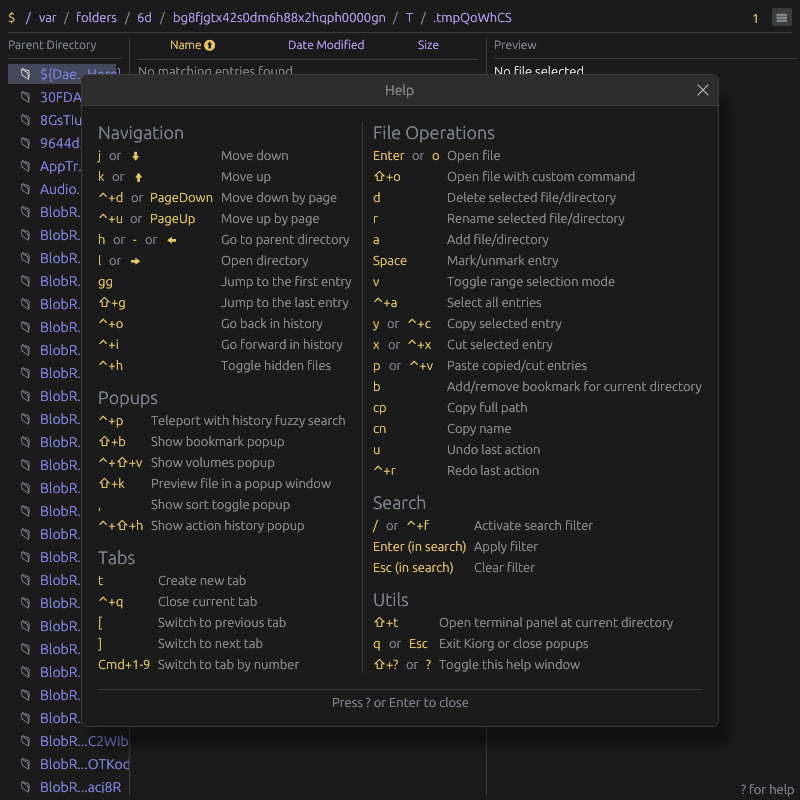
Built-in help menu with keyboard shortcuts
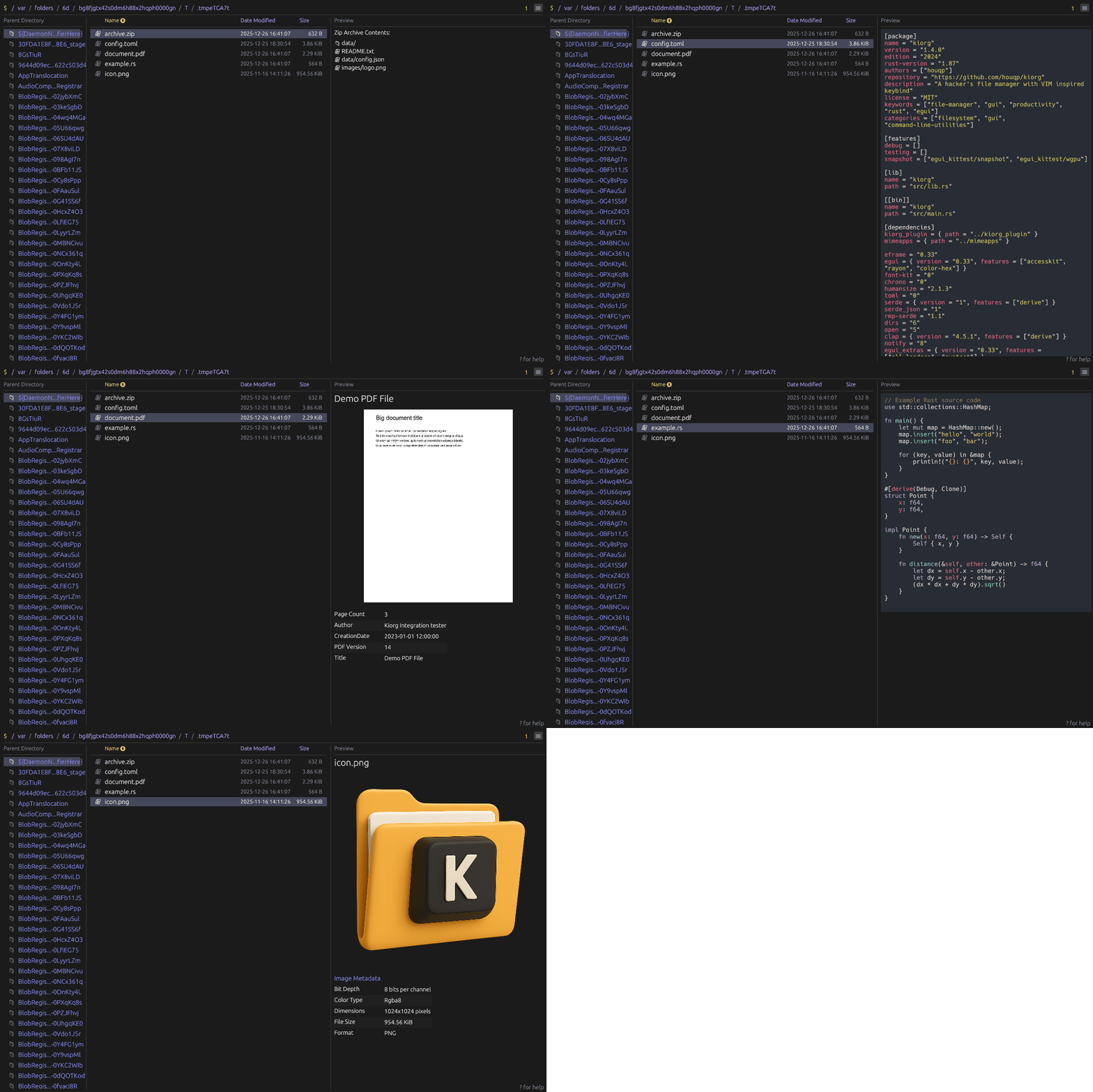
File content preview
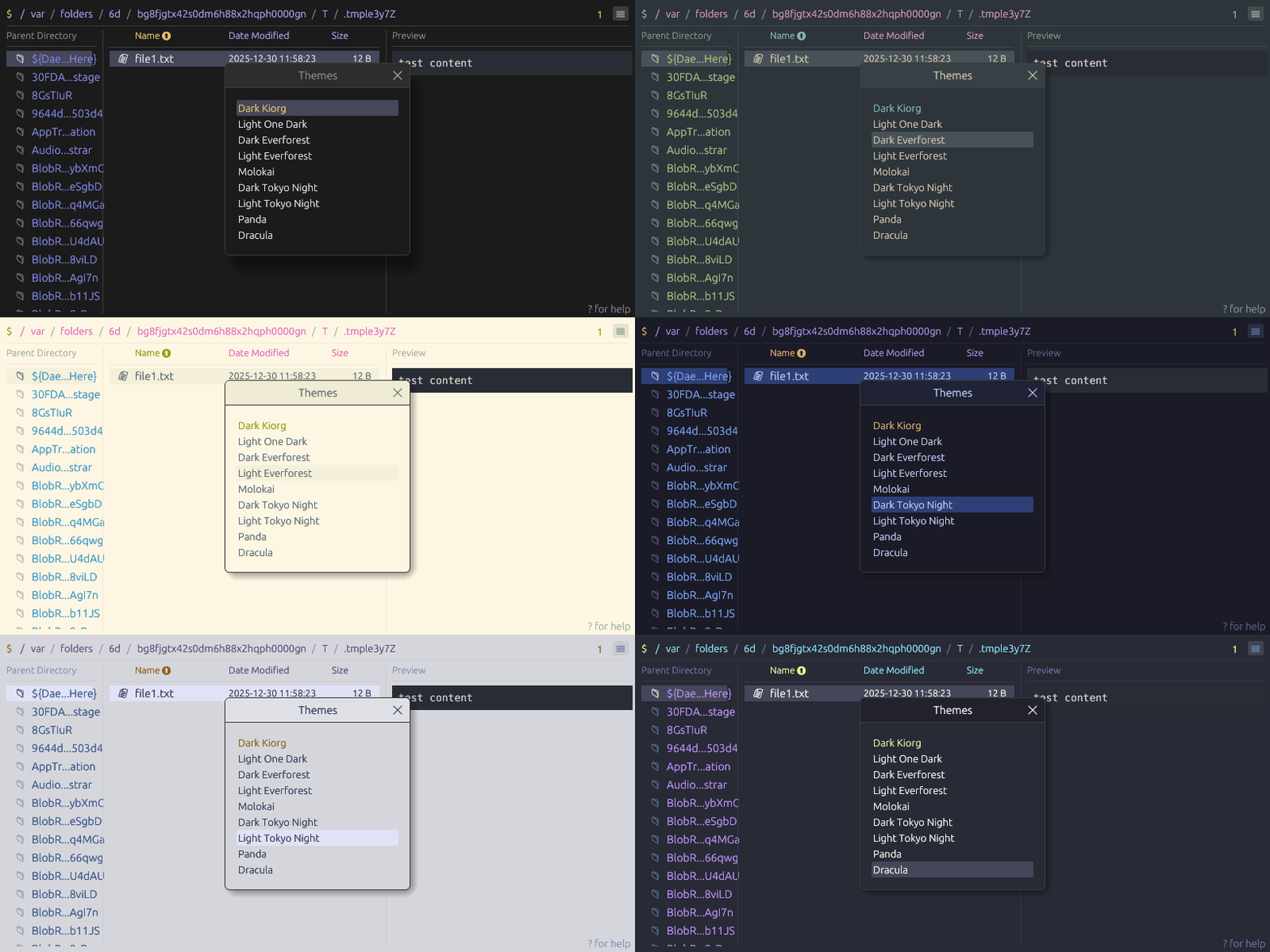
Customizable color themes
Installation
Pre-built binaries for all platforms are available on the releases page.
Alternatively, you can build and install from source using cargo:
cargo install --locked --git https://github.com/houqp/kiorg.git kiorg
Configuration
Kiorg reads the config.toml TOML configuration file stored in the following locations:
- Linux:
~/.config/kiorg/ - macOS:
~/.config/kiorg/(if it exists) or~/Library/Application Support/kiorg/ - Windows:
%APPDATA%\kiorg\
Sample Configuration
# Sort preference configuration (optional)
[sort_preference]
column = "Name"             # Sort column: "Name", "Modified", "Size", or "None"
order = "Ascending"         # Sort order: "Ascending" or "Descending"

[layout]
preview = 0.5 # Increase preview default width ratio to 50%

# Override default shortcuts (optional)
[shortcuts]
MoveDown = [
  { key = "j" },
  { key = "down" }
]
MoveUp = [
  { key = "k" },
  { key = "up" }
]
DeleteEntry = [
  { key = "d" }
]
ActivateSearch = [
  { key = "/" },
  { key = "f", ctrl = true }
]
Custom Theme
To define a custom theme:
# Select your custom theme
theme = "my_cool_theme"

# Define the custom theme colors
[[custom_themes]]
name = "my_cool_theme"
display_name = "My Cool Theme"
[custom_themes.colors]
fg = "#FAF7F0"                  # Main text color
bg = "#000000"                  # Main background color
bg_light = "#080808"            # Lighter background (panels, separators)
bg_extreme = "#050505"          # Darkest background (scrollbars, inputs)
bg_selected = "#1A1A1A"         # Selected item background
bg_fill = "#1A1A1A"             # UI element background
bg_interactive_fill = "#262626" # Interactive element background
bg_active = "#333333"           # Active element background
fg_selected = "#FAF7F0"         # Selected text color
fg_light = "#4E5A6A"            # Dimmed/secondary text
fg_folder = "#87CEEB"           # Folder icon color
highlight = "#FFA247"           # Highlight color
link_text = "#7FA5CC"           # Link text color
link_underscore = "#58B8FD"     # Link underline color
warn = "#FFA247"                # Warning color
error = "#D06666"               # Error color
success = "#6BBF59"             # Success color
You can try asking LLM to generate these custom theme configs for you based on themes from other apps, it typically works one shot.
Development
Common workflows
- To run static analysis:
cargo clippy --workspace --all-targets -- -D warnings - To execute tests, run:
cargo testorcargo nextest run- Recommend nextest since it's 2-3x faster.
- To regenerate screenshots in readme:
UPDATE_SNAPSHOTS=1 cargo test --features=snapshot
Design patterns
- Composition over inheritance.
- Simple modular design and avoid unnecessary abstractions.
- Leverage async operations for long-running tasks to prevent blocking UI rendering.
- Implementing user preference persistence for improved user experience.
- Clean layout with compact spacing and alignment, functionality over flashy visuals.