
KodaStream
📺 A headless shoppable video platform ✨
🔥 Features
- Timed overlays: Overlay images, text and CTAs.
- Simulated live: Stream pre-recorded content as if it were live.
- VOD (Video on Demand): Allow users to watch content on-demand.
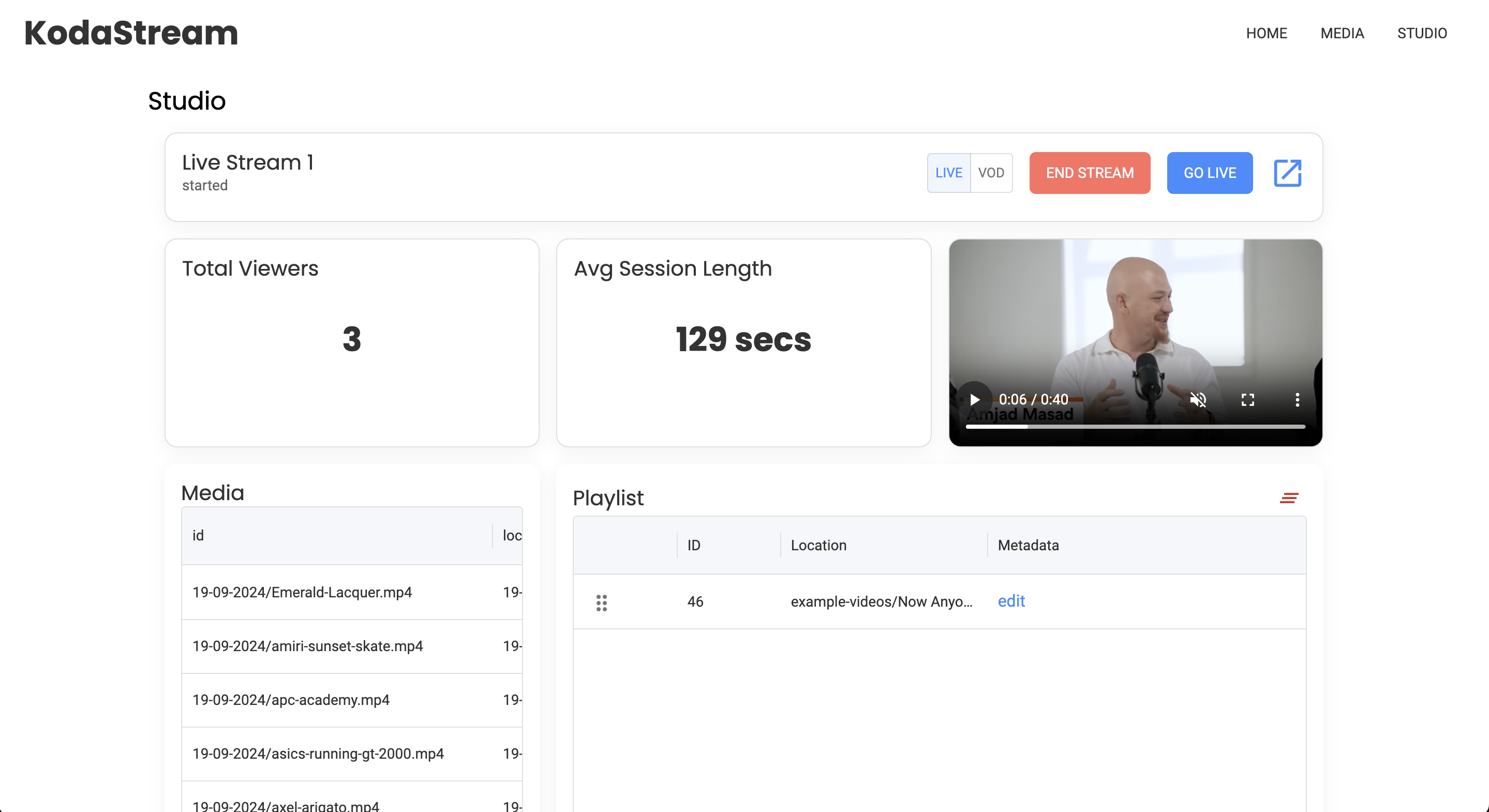
- User-friendly management UI: Easy-to-use interface for managing content.
- HLS broadcasting: Broadcast over the HLS protocol, ensuring compatibility with most devices.
- REST API: Full-featured REST API for programmatic access.
- Chromeless video player: Customizable video player for brand-specific experiences.
- Stream analytics: View detailed analytics for your streams.
- Content scheduling: Schedule streams to start at specific times.
- Playlist curation: Create and manage playlists for continuous streaming.
- Loop live streams forever: Keep your stream running without interruptions.
- Thumbnails: Add thumbnails before to live and on demand content.
- Scalable: Scales horizontally and vertically to support growing audiences.
- CDN compatibility: Works seamlessly with popular content delivery networks (CDNs).
🤘 In Action
Watch and Shop
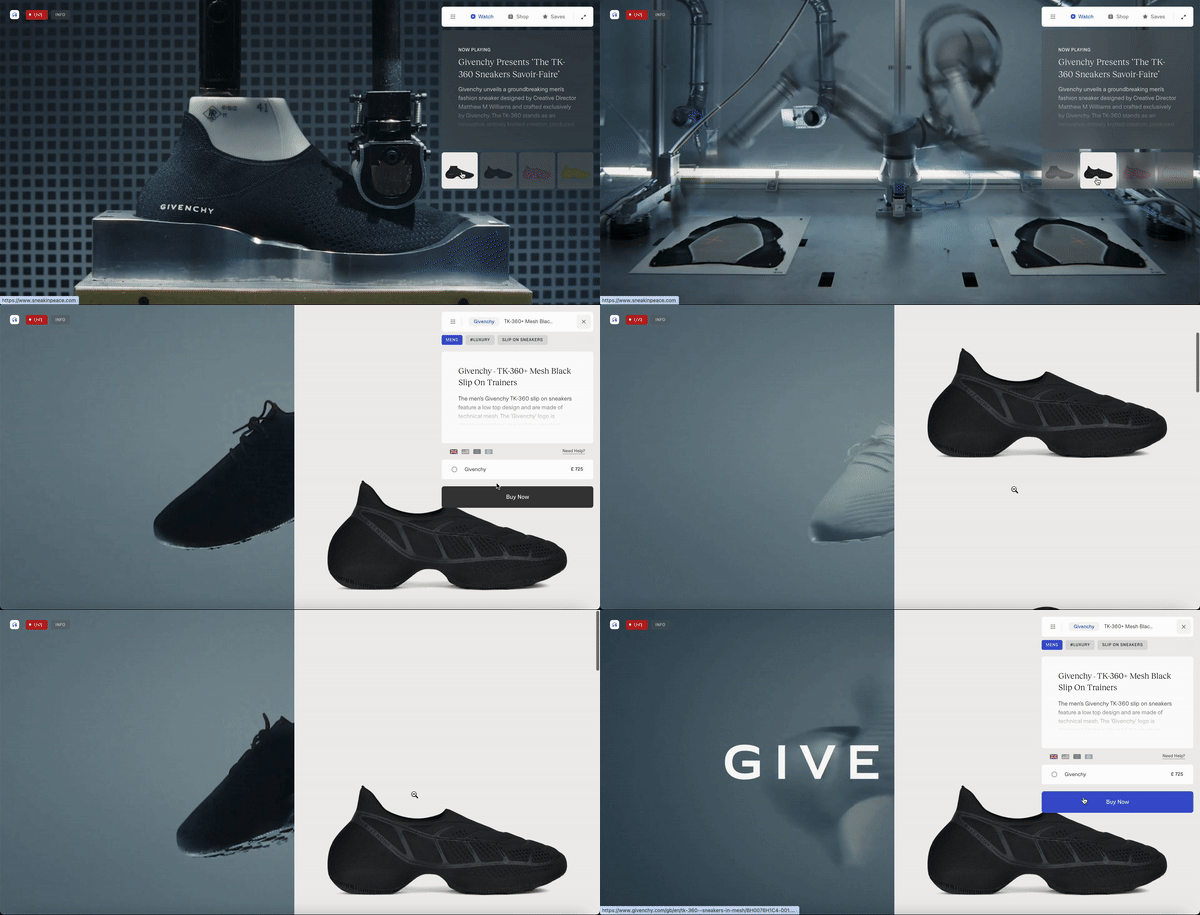
Sneakinpeace.com uses KodaStream to power a 24/7 live shopping experience. Viewers can watch together, learn more about sneakers, and even purchase items without leaving the stream.
Roadmap
- Monetization Features: We’re adding additional monetization features, such as memberships, to help you earn from your content.
- Countdown to Go Live: Set a countdown to get your audience excited about the start of your stream.
- Scheduled Start Times: Pre-schedule streams to start at exact times for better audience engagement.
- Easy Embed: No-code embed for streams on any site.
- Social Share Features: Create beautiful and shareable social posts for your streams.
- Restream to Multiple Platforms: Broadcast your content to multiple platforms simultaneously.
- Instream QR Codes: Add QR codes into your streams for promotions, links, and more.
- Live Chat and Reactions: Engage with your audience in real-time with live chat and reaction features.
Prerequisites
Before getting started, ensure you have the following installed and running on your system:
- Node.js (LTS version)
- FFmpeg: Required for video processing.
- PostgreSQL: Database for storing metadata.
- Minio: Object storage (for video files, thumbnails, and streams).
Setup Minio Buckets
- Create three buckets in Minio:
kodastream-media(for media files)kodastream-stream(for live stream data)kodastream-thumbnails(for storing thumbnails)
PostgreSQL Setup
- Create a local database in PostgreSQL called
kodastream-dev.
🚀 Quick Start
1. Set up the Environment
Ensure you have all required services running (Node.js, PostgreSQL, Minio and FFmpeg)
2. Install Dependencies
Clone the repository and install dependencies:
git clone https://github.com/KodaStream/KodaStream.git cd KodaStream npm install
3. Run Database Migrations
Run the database migrations to set up the necessary schema:
npm run migrations:run
4. Start Minio
Run Minio to create storage buckets:
minio server /tmp/data
Ensure Minio is configured with the correct access keys, and that the required buckets (kodastream-media, kodastream-streams, kodastream-thumbnails) exist.
5. Start Backend Server
Navigate to the backend directory and start the server:
cd backend
npm run start:dev
This will start the backend server, usually on http://localhost:4000.
6. Start Frontend
Navigate to the frontend directory and start the UI:
cd frontend
npm run dev
The frontend UI will be available at http://localhost:5173.
7. Access the API and UI
- The UI will be accessible at
http://localhost:5173. - The REST API can be accessed at
http://localhost:4000. - The Content API is available at
http://localhost:3000.
You can now interact with the platform via the UI or directly through the API.