
Laravel CRM



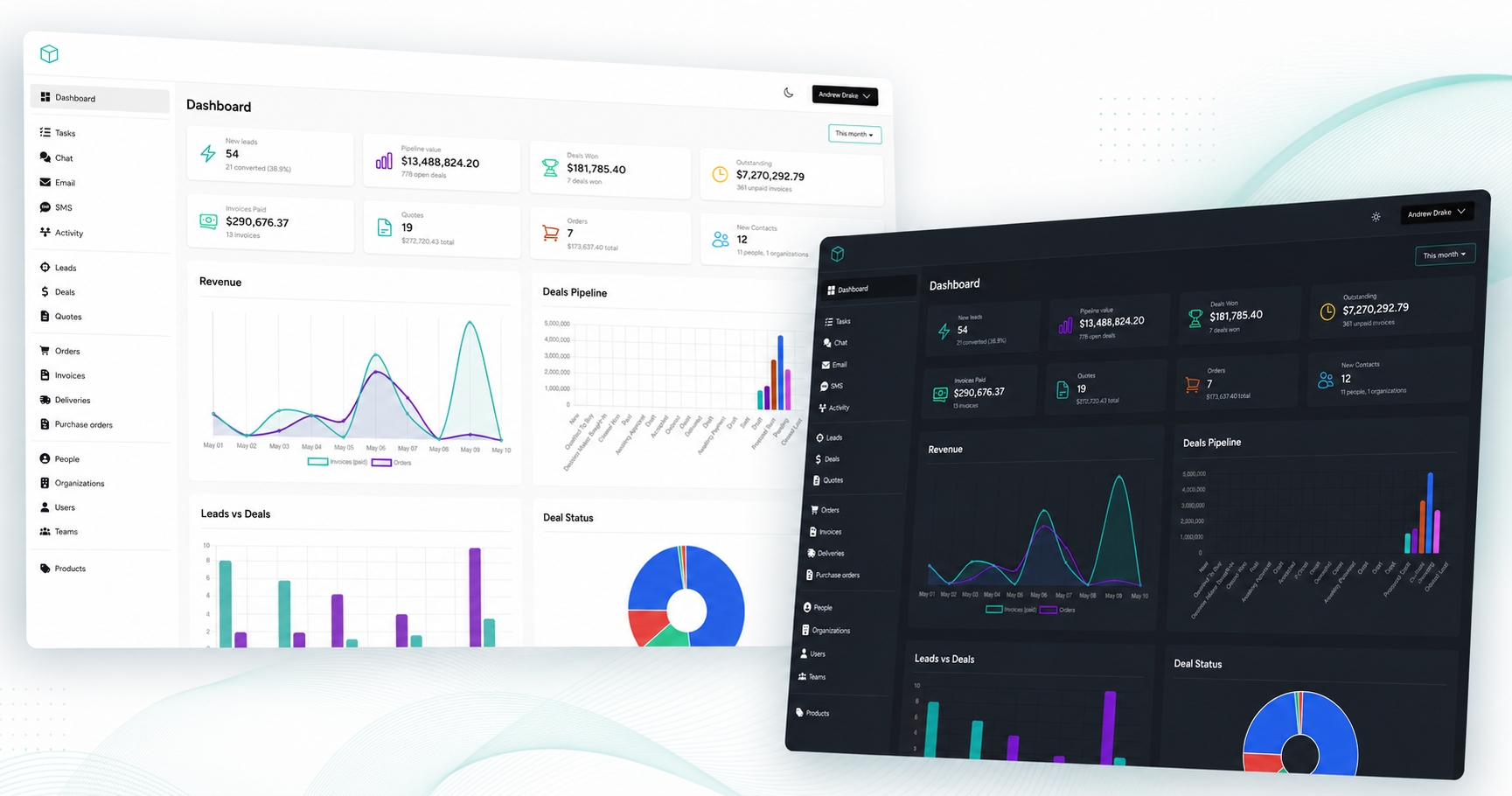
The free Laravel CRM you have been looking for, this package will add CRM functionality to your laravel projects or can be used as a complete standalone CRM built with Laravel.
Use Cases
- Use as a free CRM for your business or your clients
- Build a custom CRM for your business or your clients
- Use as an integrated CRM for your Laravel powered business (Saas, E-commerce, etc)
- Use as a CRM for your Laravel development business
- Run a multi-tenant CRM Saas business
Features
- Dashboard
- Sales leads management
- Deal management
- Quote builder
- Send quotes with accept/reject functionality
- Orders & Invoicing
- Purchase orders
- Deliveries
- Web / In-app Chat
- Email marketing
- SMS marketing
- Kanban boards
- Activity Feed / Timelines
- Custom fields
- Customer management
- Contact database management
- Products & Product Categories
- Notes & Tasks
- File uploads
- Users & Teams
- Secure registration & login
- Roles & Permissions thanks to Spatie Permissions
- Xero integration
- ClickSend integration
Live Demo
https://demo.laravelcrm.com/register
Official Documentation
For more information on how to use the package, please refer to the official documentation available on https://laravelcrm.com/docs. The documentation provides very detailed instructions on how to install and use the package.
Version Information
| Version | Laravel | Status | PHP Version |
|---|---|---|---|
| 2.x | 11.x.x - 13.x.x | Active support :rocket: | > = 8.2 |
| 1.x | 6.x.x - 11.x.x | End of life | > = 7.3 |
Installation
Note: This is a simple installation guide. For more detailed instructions, please refer to the official documentation available on https://laravelcrm.com/docs.
Step 1. Install a Laravel project if you don't have one already
https://laravel.com/docs/installation
Step 2. Make sure you have set up authentication in your project
https://laravel.com/docs/authentication
Step 3. Require the current package using composer:
composer require venturedrake/laravel-crm
Step 4. Run the installer
php artisan laravelcrm:install
Step 5. Access the CRN
Navigate to http://yoursite.com/crm (or whatever you set LARAVEL_CRM_ROUTE_PREFIX to). Log in with the owner credentials you created during installation.
Testing
composer test
Changelog
Please see CHANGELOG for more information what has changed recently.
Roadmap
- Documents
- Calendar
- CSV Import / Export
- Payments
Feedback
Participate in the discord community
Contributing
Please see CONTRIBUTING for details.
Security
If you discover any security related issues, please email [email protected] instead of using the issue tracker.
Credits
License
The MIT License (MIT). Please see License File for more information.