
Laravel Point of Sale System 🚀



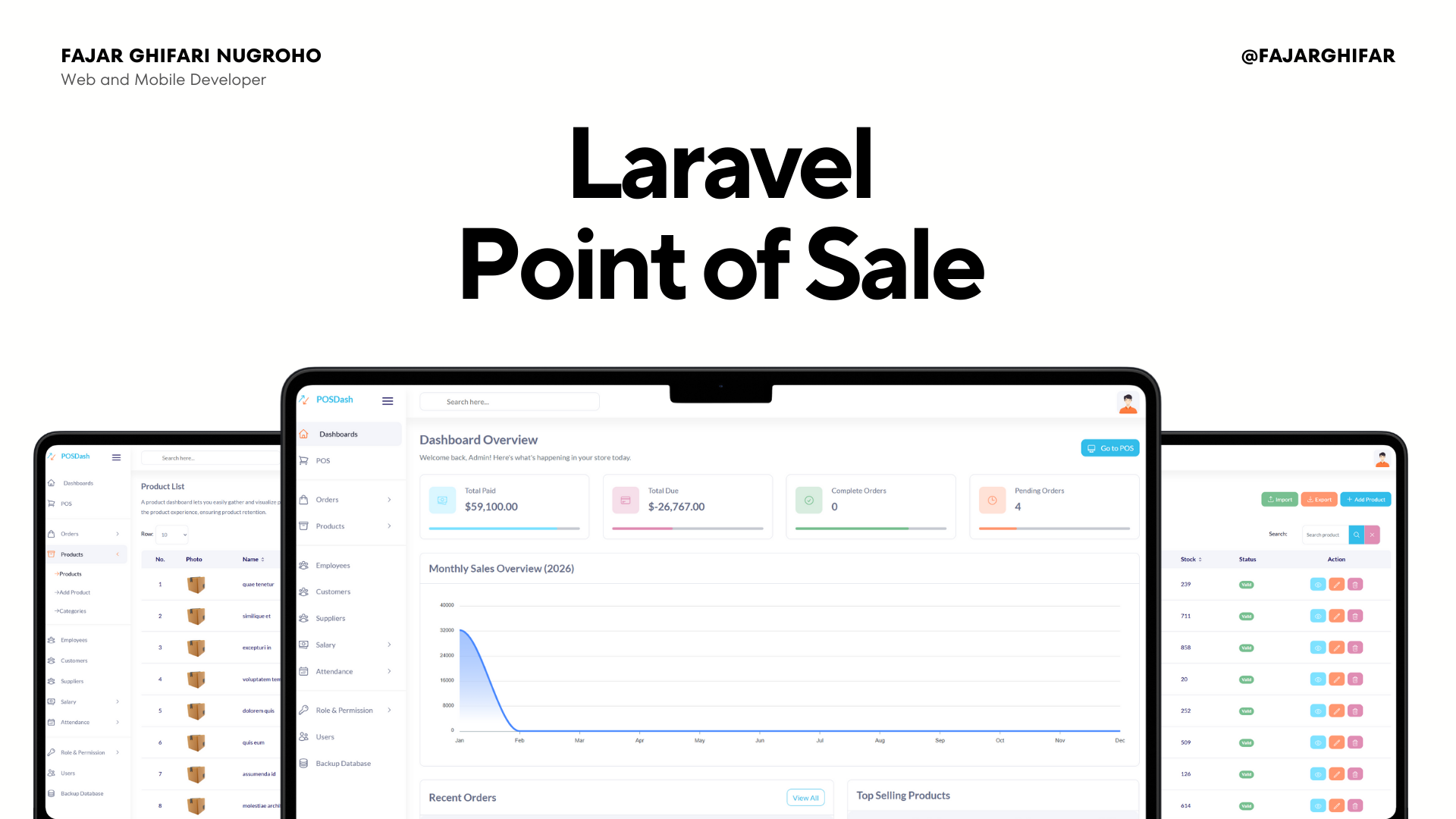
A robust, enterprise-grade Point of Sale (POS) management system built with Laravel 10 and MySQL. Designed for efficiency, this application features a Bootstrap-based responsive interface with Vanilla JS driven POS logic for maximum compatibility and performance.
✨ Key Features
🛒 Point of Sale (POS) Interface
- Efficient Transaction Processing: Fast and user-friendly interface for managing sales and carts.
- Smart Search: Quickly find products by name or code.
- Dynamic Cart: Real-time subtotal and tax calculations using
hardevine/shoppingcart.
📦 Inventory & Product Management
- Stock Tracking: Automated stock deduction upon sale completion.
- Barcode Support: Integrated
picqer/php-barcode-generatorfor product operational efficiency. - Category Management: Organize products into hierarchical categories for easier access.
👥 HR & User Management
- Employee Management: Track employee details, salaries, and attendance.
- Payroll System: Manage advance salaries and monthly payroll with history tracking.
- Role-Based Access Control (RBAC): Granular permission management powered by
spatie/laravel-permissionto secure sensitive modules.
💰 Financial & Reporting
- Order Management: Track Pending, Completed, and Due status orders.
- Interactive Dashboard: Visual analytics using ApexCharts for sales trends and top-selling products.
- Invoice Generation: Professional invoice printing for every transaction.
🛠️ Tech Stack
- Backend: Laravel 10 (PHP 8.1+)
- Frontend: Blade Templates, Bootstrap 4/5 (Layout), Tailwind CSS (Utilities), Vanilla JS
- Database: MySQL / MariaDB
- Icons: Heroicons (blade-ui-kit)
- Core Libraries:
spatie/laravel-permission: Authorizationhardevine/shoppingcart: Cart Logicharuncpi/laravel-id-generator: SKU Generationspatie/laravel-backup: DB Backups
🚀 Installation Guide
Follow these steps to set up the project locally:
1. Clone the Repository
git clone https://github.com/fajarghifar/laravel-point-of-sale
cd laravel-point-of-sale
2. Install Dependencies
composer install
npm install && npm run build
3. Environment Setup
Copy the example environment file and configure your database credentials:
cp .env.example .env
# Open .env and set DB_DATABASE, DB_USERNAME, DB_PASSWORD
Generate the application key:
php artisan key:generate
4. Database Setup & Seeding
Run the migrations and seeders to populate the database with realistic test data (Indonesian/English locale supported):
php artisan migrate:fresh --seed
5. Create Storage Link
Link the storage directory to public for image serving:
php artisan storage:link
6. Start the Server
php artisan serve
Access the app at http://localhost:8000.
🔑 Default Credentials
Use the following credentials to access the Admin Dashboard:
| Role | Username | Password |
|---|---|---|
| Admin | admin |
password |
Note: For security reasons, please change these credentials or create new users immediately after deployment.
🚀 Configuration
Cart Settings
Open ./config/cart.php to configure tax rates, number formats, and other cart-specific settings via the hardevine/shoppingcart package.
Localization
To set the Faker locale (e.g., for Seeder data), add this to your .env:
FAKER_LOCALE="id_ID" # or en_US
🤝 Contributing
Contributions are welcome! Please follow these steps:
- Fork the project.
- Create your feature branch (
git checkout -b feature/AmazingFeature). - Commit your changes (
git commit -m 'Add some AmazingFeature'). - Push to the branch (
git push origin feature/AmazingFeature). - Open a Pull Request.
📄 License
This project is open-sourced software licensed under the MIT license.
Made with ❤️ by Fajar Ghifari Nugroho