
Lashop


About Lashop
Simple shop built on Laravel 13. Works without MySQL — SQLite only.
Features
- SQLite-only — no MySQL/PostgreSQL required
- Fullajax navigation — page transitions without full reloads
- SEO-friendly — meta tags, OpenGraph, XML sitemap, clean URLs
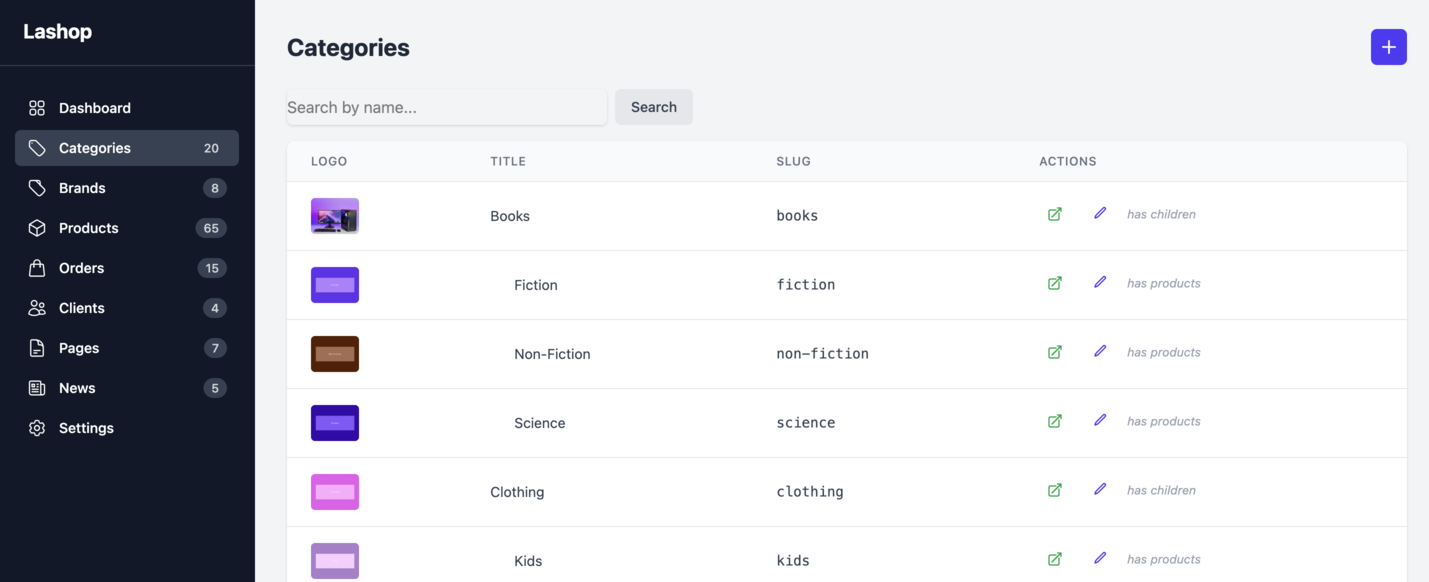
- Admin panel — products, categories, brands, pages, orders, news, settings
- E-commerce essentials — cart, checkout, order emails, stock tracking
- Tailwind CSS — utility-first styling out of the box
- Minimal dependencies — almost zero third-party packages
- Docker-ready — Laravel Sail for one-command setup
- PWA support — Service Worker for offline capabilities
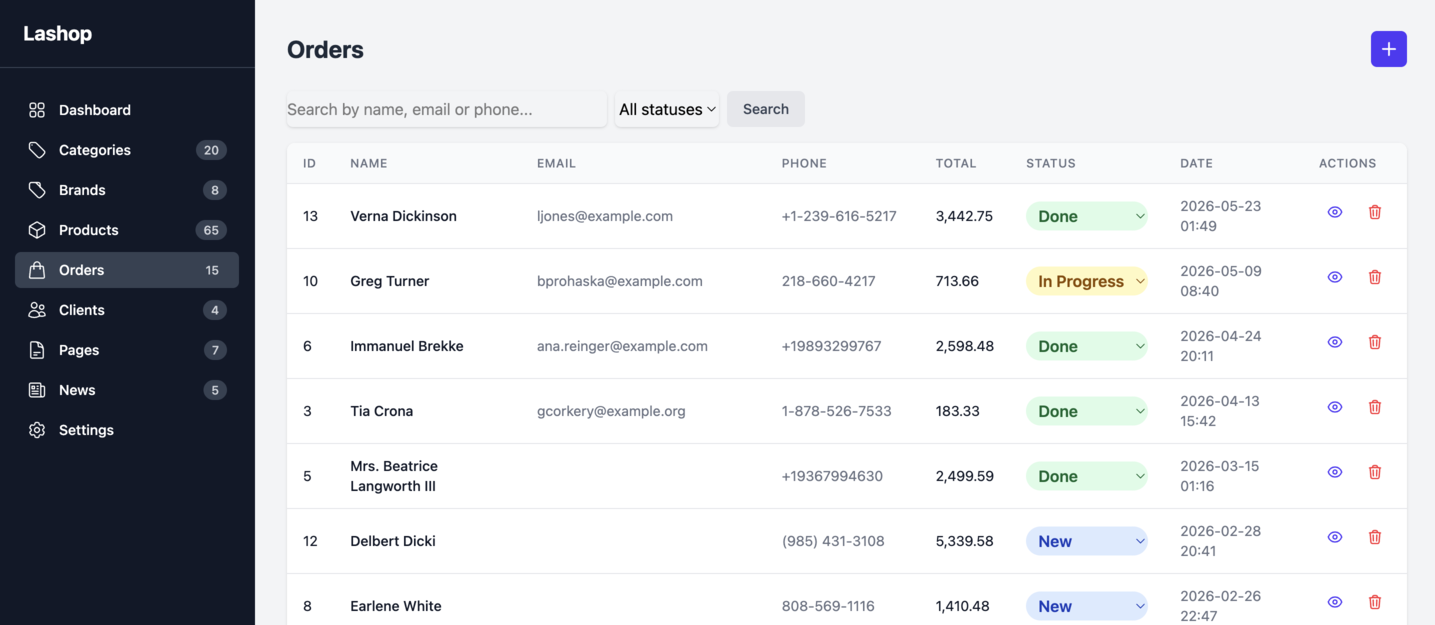
- Sorting & Filters — product search with brand/category filters, order search by name/email/phone
- Authorization — admin authentication with role-based access control
- News system — blog-like news articles with admin CRUD and frontend display
- Order management — status tracking, delivery/payment methods, item editing
- Dashboard — sales chart, auto-save notepad, entity counters
Screenshots
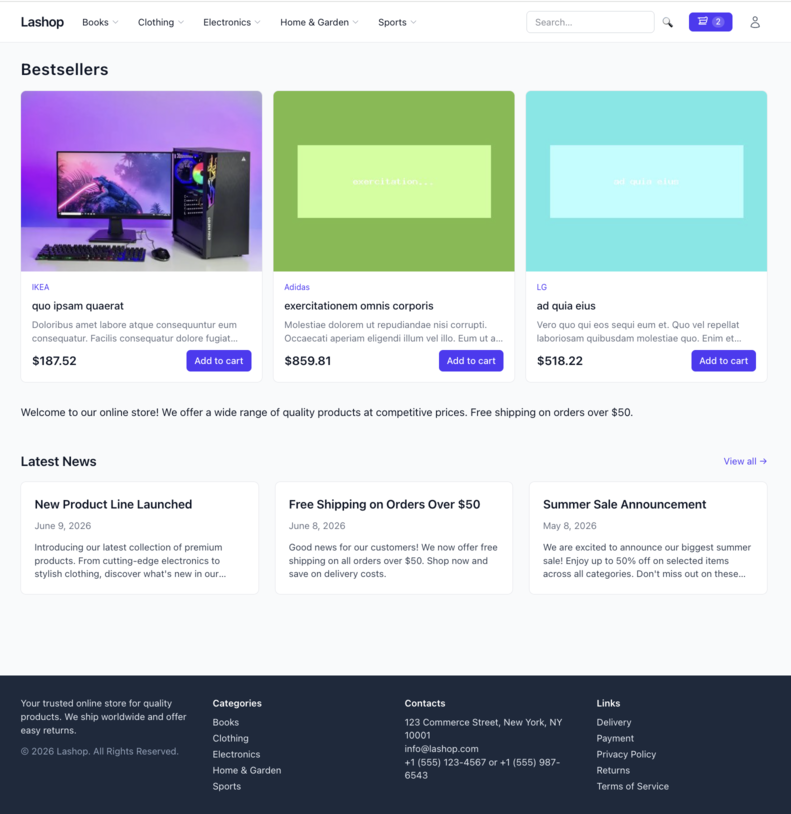
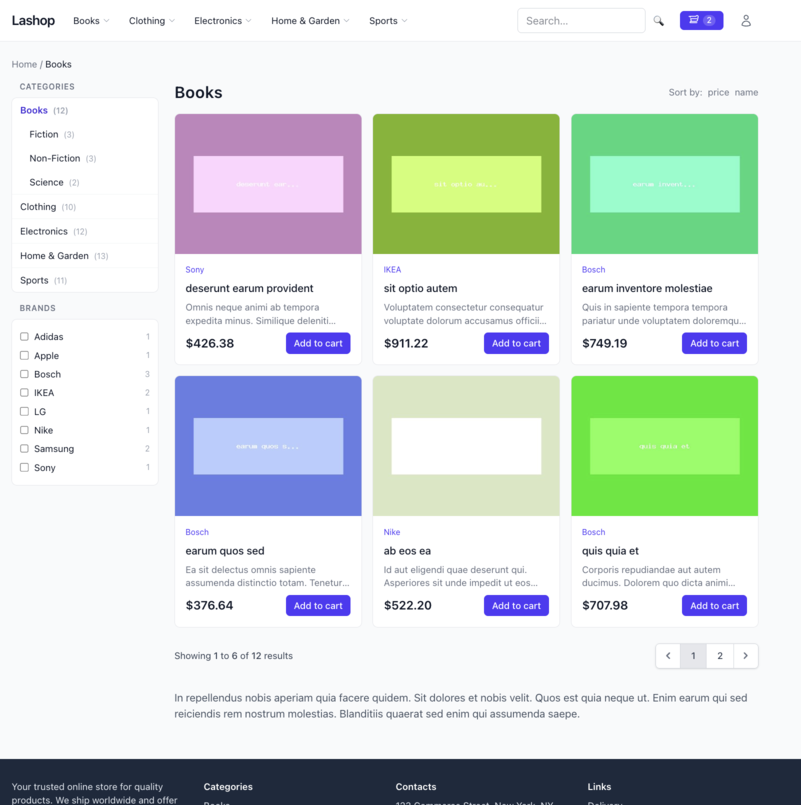
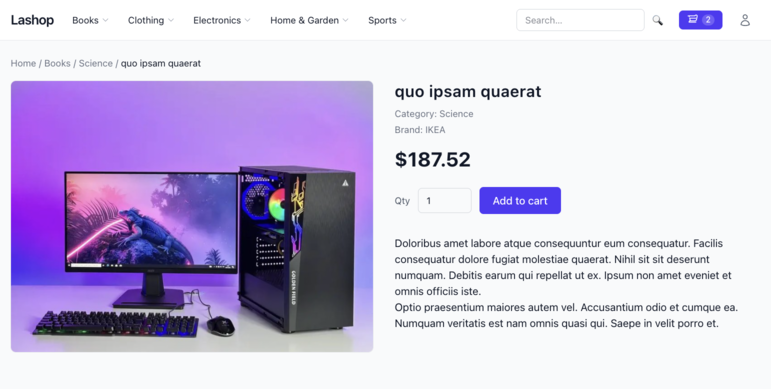
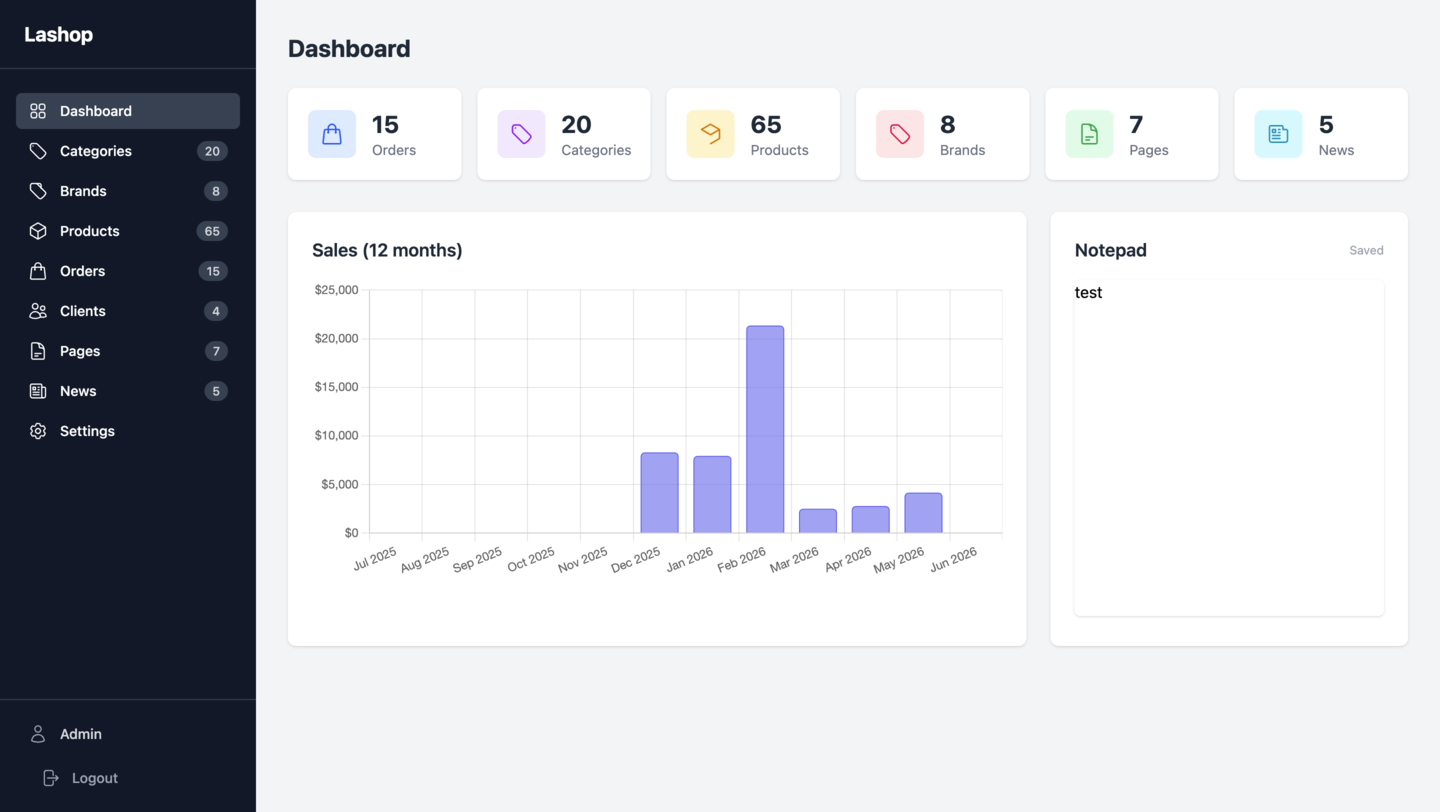
Project Structure
lashop/
├── app/
│   ├── Console/                  # Artisan commands (legacy:migrate)
│   ├── Http/
│   │   ├── Controllers/
│   │   │   ├── Admin/            # Admin panel controllers
│   │   │   │   ├── AdminController.php       # Base admin controller (auth check)
│   │   │   │   ├── BrandController.php
│   │   │   │   ├── CategoryController.php
│   │   │   │   ├── DashboardController.php
│   │   │   │   ├── NewsController.php
│   │   │   │   ├── OrderController.php
│   │   │   │   ├── PageController.php
│   │   │   │   ├── ProductController.php
│   │   │   │   └── SettingController.php
│   │   │   ├── Auth/
│   │   │   │   └── LoginController.php
│   │   │   └── Frontend/
│   │   │       ├── HomeController.php
│   │   │       ├── NewsController.php
│   │   │       ├── PageController.php
│   │   │       ├── SearchController.php
│   │   │       ├── SitemapController.php
│   │   │       └── Shop/          # E-commerce controllers
│   │   │           ├── CartController.php
│   │   │           ├── CategoryController.php
│   │   │           ├── OrderController.php
│   │   │           └── ProductController.php
│   │   ├── Middleware/
│   │   └── Requests/
│   ├── Mail/                      # Order confirmation emails
│   ├── Models/
│   │   ├── Page.php
│   │   ├── Setting.php
│   │   ├── User.php
│   │   └── Shop/
│   │       ├── Category.php       # Nested set with tree caching
│   │       ├── Order.php
│   │       ├── OrderItem.php
│   │       └── Product.php
│   ├── Providers/
│   ├── Services/
│   │   ├── CartService.php        # Cart logic (add/remove/totals)
│   │   ├── ImageService.php       # Image resize for brands/categories
│   │   └── ProductImageService.php # Image resize via Intervention
│   ├── View/Components/           # Blade components
│   └── helpers.php                # Global helper functions
├── config/
│   └── shop.php                   # Image sizes, upload path
├── database/
│   ├── factories/                 # Model factories for tests
│   ├── migrations/
│   └── seeders/
├── resources/
│   ├── css/
│   ├── js/
│   └── views/
│       ├── admin/                 # Admin panel views
│       ├── auth/
│       ├── components/            # Shared Blade components
│       └── frontend/              # Public storefront views
├── routes/
│   └── web.php                    # All routes
└── tests/
    ├── Feature/
    │   ├── Admin/                 # Admin panel tests
    │   ├── Frontend/              # Public page tests
    │   ├── Models/                # Model unit tests
    │   └── Services/
    └── Unit/
Requirements
- PHP 8.3+
- Composer
- Node 20+ / npm
- SQLite (built into PHP)
Or Docker — via Laravel Sail (recommended, nothing to install on host).
Installation
Docker / Sail (recommended)
git clone https://github.com/igoves/lashop.git && cd lashop
cp .env.example .env

# Install dependencies via a temporary Composer container
docker run --rm -v "$(pwd):/var/www/html" -w /var/www/html \
    laravelsail/php84-composer:latest composer install

./vendor/bin/sail up -d
./vendor/bin/sail artisan key:generate
./vendor/bin/sail artisan migrate
./vendor/bin/sail artisan db:seed          # creates [email protected] / secret
./vendor/bin/sail npm install
Local PHP
git clone https://github.com/igoves/lashop.git && cd lashop
cp .env.example .env
composer install
php artisan key:generate
php artisan migrate
php artisan db:seed                        # creates [email protected] / secret
npm install
Running locally
Docker / Sail
./vendor/bin/sail up -d      # start
./vendor/bin/sail npm run dev   # asset watcher (keep running while developing)

./vendor/bin/sail down       # stop
App: http://localhost · Admin: http://localhost/admin
Local PHP
php artisan serve            # start the app (terminal 1)
npm run dev                  # asset watcher (terminal 2)
App: http://localhost:8000 · Admin: http://localhost:8000/admin
Stop either process with Ctrl+C. For a one-off production-style build instead of the watcher, run npm run build — then only php artisan serve is needed.
Test Users
After seeding (php artisan db:seed), the following accounts are available:
| Role | Password | Panel | |
|---|---|---|---|
| Admin | [email protected] |
secret |
/admin |
| Customer | [email protected] |
secret |
/ |
Tests
php artisan test             # or: ./vendor/bin/pest
# single file / filter:
./vendor/bin/pest tests/Feature/Frontend/CartTest.php
./vendor/bin/pest --filter="stale slug"
# via Sail:
./vendor/bin/sail artisan test
All tests use SQLite :memory: — no database setup or asset build required.
Code Style
./vendor/bin/pint          # fix
./vendor/bin/pint --test   # check only (used in CI)
Routing
All routes are defined in routes/web.php.
Public Routes
| Method | URI | Name | Description |
|---|---|---|---|
| GET | / |
home |
Homepage |
| GET | /sitemap.xml |
sitemap |
XML sitemap |
| GET/POST | /cart |
cart.* |
View / add to cart |
| DELETE | /cart/{id} |
cart.destroy |
Remove item from cart |
| GET/POST | /search/{story} |
search.* |
Search form / results |
| POST | /orders |
orders.store |
Place an order (throttled: 5/min) |
| GET | /order/success |
orders.success |
Order confirmation page |
| GET | /news |
news.index |
News listing |
| GET | /news/{slug} |
news.show |
Single news article |
| GET | /{id}-{slug} |
products.show |
Product page (/42-my-product) |
| GET | /{slug}.html |
pages.index |
Static page (/about.html) |
| GET | /{path} |
categories.show |
Category by nested path (/electronics/phones) |
Admin Routes (prefix /admin, requires auth + admin)
| Method | URI | Name | Description |
|---|---|---|---|
| GET | /admin |
admin.dashboard |
Dashboard with sales chart |
| POST | /admin/dashboard/notepad |
admin.dashboard.saveNotepad |
Auto-save notepad |
| GET/PUT | /admin/settings |
admin.settings.* |
Site settings |
| Resource | /admin/pages |
admin.pages.* |
CRUD pages (except show) |
| Resource | /admin/categories |
admin.categories.* |
CRUD categories (except show) |
| Resource | /admin/brands |
admin.brands.* |
CRUD brands (except show) |
| Resource | /admin/products |
admin.products.* |
CRUD products (except show) |
| Resource | /admin/orders |
admin.orders.* |
List / view / edit orders |
| PATCH | /admin/orders/{order}/status |
admin.orders.updateStatus |
Quick status change |
| Resource | /admin/news |
admin.news.* |
CRUD news articles (except show) |
Route Order
Routes are declared in dependency order — catch-all category route is last so it doesn't swallow specific routes.
Extending the Project
Adding a New Model
- Create migration:
php artisan make:migration create_foos_table - Create model:
php artisan make:model Shop/Foo - Create factory:
php artisan make:factory FooFactory - Create controller:
php artisan make:controller Admin/FooController --resource - Add routes in
routes/web.phpunder the admin group - Add views in
resources/views/admin/ - Write tests in
tests/Feature/Admin/
Adding a New Admin Section
- Create controller extending
AdminController(handles auth check) - Register resource route in
routes/web.phpinside theadminmiddleware group - Create views in
resources/views/admin/ - Add sidebar link in
resources/views/admin/layout - Write feature tests
Adding a New Frontend Page
- Create controller in
app/Http/Controllers/Frontend/ - Add route in
routes/web.php - Create view in
resources/views/frontend/ - For fullajax support, return a partial when request is AJAX
Cart
Cart is session-based. Use CartService for all operations:
app(CartService::class)->add($productId, $qty);
app(CartService::class)->remove($productId);
app(CartService::class)->items(); // with loaded products and totals
Tests
All tests use SQLite in-memory database. Add tests in tests/Feature/:
php artisan test                              # all tests
./vendor/bin/pest tests/Feature/Admin/         # admin only
./vendor/bin/pest --filter="cart"              # by keyword
Legacy Data Migration
To import data from the pre-rewrite SQLite dump (docs/reference/database.sqlite):
php artisan legacy:migrate --fresh
Normalizations applied:
parent_id = 0→NULL(FK-safe)- Numeric product slugs →
slug(title) - HTML pages: embedded base64 images removed, inline event handlers stripped
- Old orders: raw
ordercolumn stored aslegacy_orderarchive text (not parsed)
Backlog
- lightbox
- cost filter
- sales
- compare
- reviews
- favorites
- popup cart
License
Lashop is open-sourced software licensed under the MIT license.