
Lazyorg

A simple terminal-based calendar and note-taking application.
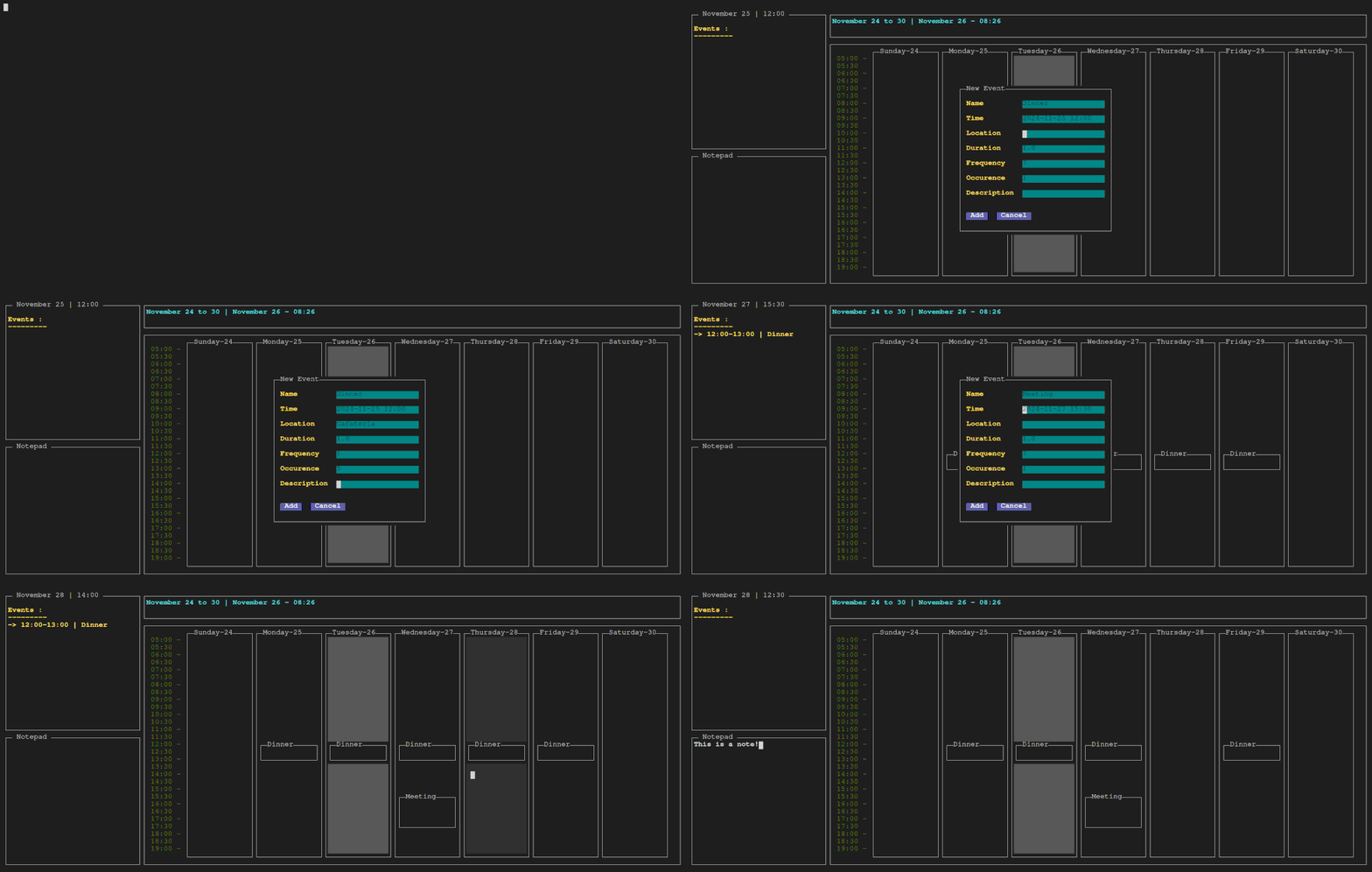
Features
- 📅 Terminal-based calendar interface
- ✨ Event creation and management
- 📝 Integrated simple notepad
- ⌨️ Vim-style keybindings
Installation
Prerequisites
- Go 1.23 or higher
Arch
yay -S lazyorg-bin
Docker Image
docker pull defnotgustavom/lazyorg
docker run -it --log-driver none --cap-drop=ALL --net none --security-opt=no-new-privileges --name lazyorg -v /usr/share/zoneinfo/Your/Location:/usr/share/zoneinfo/Your/Location:ro -e TZ=Your/Location defnotgustavom/lazyorg
Switch Your/location to your current location. Use timedatectl list-timezones to fetch a list of possible locations.
To rerun the container:
docker start -ai lazyorg
Binary Installation
Download pre-compiled binary from the latest release. MacOS and Windows have not been tested yet.
From Source
git clone https://github.com/HubertBel/lazyorg.git
cd lazyorg
go build
Usage
Navigation
h/l- Previous/Next dayH/L- Previous/Next weekj/k- Move time cursor down/up
Events
a- Add new eventd- Delete current eventD- Delete all events with same name
When creating a new event (a), you'll be prompted to fill in the following fields:
- Name: Title of event
- Time: Date and time of the event
- Location (optional): Location of the event
- Duration: Duration of the event in hours (0.5 is 30 minutes)
- Frequency: The frequency of the event in days, by default 7 or once a week
- Occurence: The number of occurence of the event, by default 1
- Description (optional): Additional notes or details about the event
View Controls
Ctrl+s- Show/Hide side viewCtrl+n- Open/Close notepadCtrl+r- Clear notepad content?- Toggle help menu
Global
Ctrl+c- Quit
Configuration
Configuration file will come in future releases. For now, when you open the app for the first time, the database is created at ~/.local/share/lazyorg/data.db in case you want to do a backup.
Contributing
Please feel free to submit a Pull Request!
- Fork the Project
- Create your Feature Branch (
git checkout -b feature/NewFeature) - Commit your Changes (
git commit -m 'Add some NewFeature') - Push to the Branch (
git push origin feature/NewFeature) - Open a Pull Request
Acknowledgments
- Inspired by lazygit
- Built with gocui TUI framework
- Thanks to defnotgustavom for the docker image
- Thanks to zeckrust for the logo
Roadmap
- Time range modification
- CLI help
- Undo/Redo
- Configuration file
- Synchronization between devices
- Import calendar from other apps (Google Calendar, Outlook)
Buy me a coffee
