
Lemmy RSS PyBot 🤖
Bringing the latest news to your favourite Lemmy communities!


🚀 Introduction
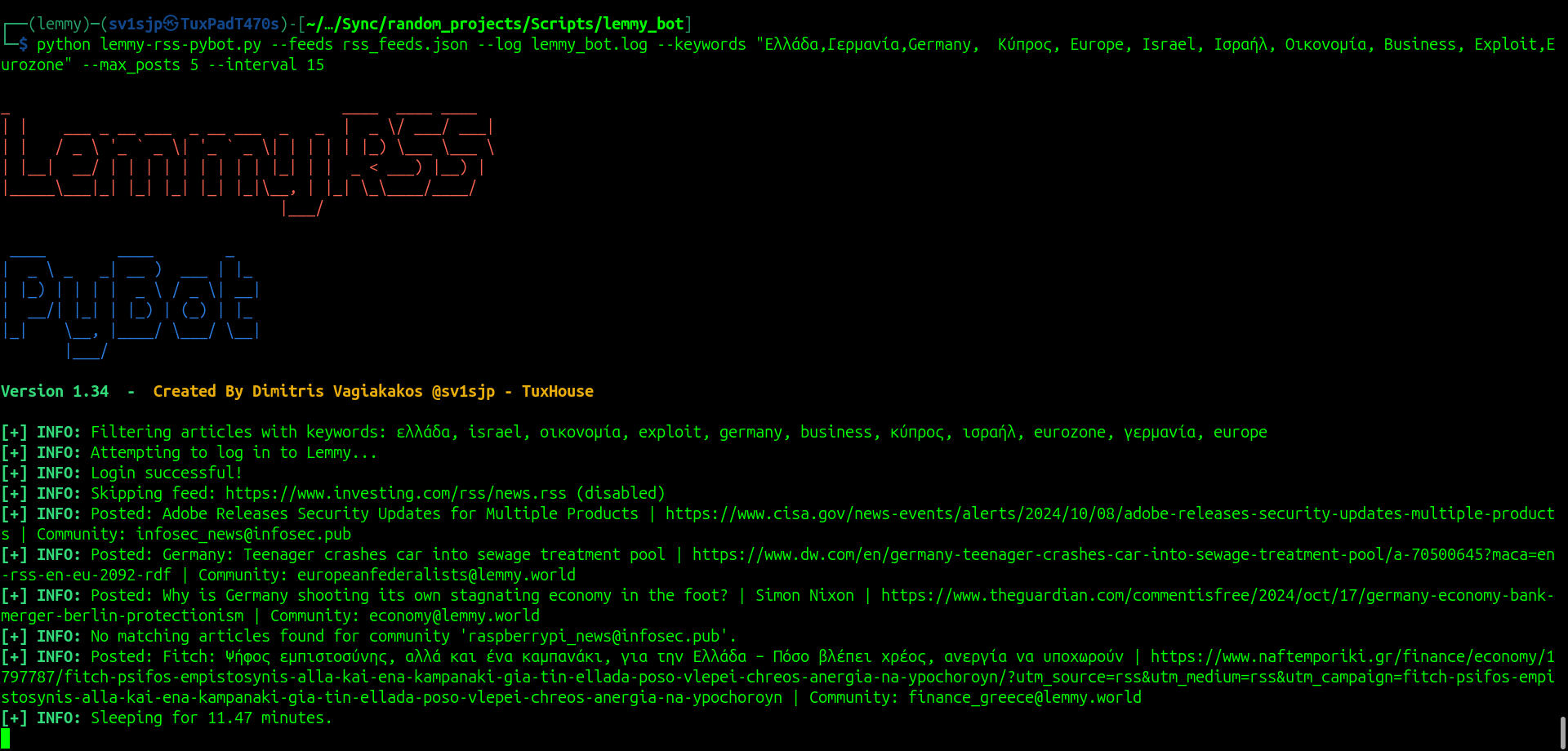
Lemmy RSS PyBot is a powerful Python bot that reads RSS feeds and posts new articles to your favorite Lemmy communities. Stay updated with the latest news, blogs, and articles time-efficiently! 🤓
✨ Features
- 📥 Reads RSS feeds from a JSON file with associated communities.
- 📝 Posts new articles to specified Lemmy communities.
- 🔍 Filters articles based on keywords specified via arguments or a file.
- ⏰ Checks for new articles every specified interval.
- ⚙️ Uses configuration files for settings and credentials.
- 📑 Keeps a log of posted articles with rotating logs and auto-clearing mechanism.
- 🛠️ Supports command-line arguments for customization.
- 💡 Includes comprehensive error handling and logging.
📦 Requirements
- Lemmy account credentials in the .env file,
- Access to Lemmy instance API,
- A json file with the desired RSS links and communites with a true label to enable them.
🛠️ Installation (both locally or in Docker container)
git clone https://github.com/sv1sjp/lemmy_rss_pybot.git
cd lemmy-rss-pybot
🔧 Configuration
Environment Variables
Create a .env file in the root directory and add your Lemmy credentials:
LEMMY_USERNAME=your_lemmy_username
LEMMY_PASSWORD=your_lemmy_password
LEMMY_INSTANCE_URL=https://your.lemmy.instance.url
RSS Feeds
Create a rss_feeds.json file to specify the RSS feeds and the Lemmy communities they should post to:
[
    {
        "feed_url": "https://newssite1.com/rss",
        "community": "[email protected]",
        "enabled": true
    },
    {
        "feed_url": "https://anotherexample.com/feed",
        "community": "[email protected]",
        "enabled": false
    }
]
🏃♂️ Usage
Running Locally
Install Requirements
pip install -r requirements.txt
python lemmy_pybot.py --feeds rss_feeds.json --log lemmy_bot.log --interval 15
Examples
-
Basic Usage:
python lemmy_pybot.py -
Using Specific Time Interval:
python lemmy-rss-pybot.py --feeds rss_feeds.json --log lemmy_bot.log --time 20 -
Post Simultaneously to Communities (2 posts each):
python lemmy-rss-pybot.py --feeds rss_feeds.json --log lemmy_bot.log --simultaneously 2 --interval 10 -
Verbose Mode:
python lemmy-rss-pybot.py --feeds rss_feeds.json --log lemmy_bot.log --verbose -
Keyword Filtering:
python lemmy-rss-pybot.py --feeds rss_feeds.json --keywords "technology, Europe, science" --max_posts 5 -
Keyword Filtering from File:
python lemmy-rss-pybot.py --feeds rss_feeds.json --keywords-file keywords.txt --max_posts 5 -
Keyword Filtering with Custom Keywords:
python lemmy-rss-pybot.py --feeds rss_feeds.json --log lemmy_bot.log --keywords "Python, AI, Machine Learning" --max_posts 5 --interval 15 -
Show detailed instructions:
python lemmy-rss-pybot.py --help
Keywords (Optional)
You can filter articles by keywords using a file or command-line arguments.
- Create a
keywords.txtfile with one keyword per line. - Or specify keywords via the
--keywordsargument.
Run with Docker Compose 🐳
The image has already been uploaded on DockerHub, however Dockerfile is available to built it by your own. In lemmy-rss-pybot folder, after configuring the required files, run:
docker-compose up -d
🎯 Contributing
Contributions are welcome! Please open an issue or submit a pull request.
📄 License
This project is licensed under the GNU Affero General Public License (AGPL) - see the LICENSE file for details.
🤝 Contributing
Contributions are welcome! Feel free to fork the repository and submit a pull request. If you encounter any issues, please open an issue on GitHub.
⚠️ Troubleshooting
- Environment Variables Not Loaded: Ensure you have a valid
.envfile in the root directory. - Missing Dependencies: Run
pip install -r requirements.txtto make sure all required packages are installed. - Syntax Issues in the JSON file: Check the example RSS feeds JSON file.
- If you encounter any issues, please check the logs for more details.
tail -f lemmy_bot.log
🚀 Lemmy RSS PyBot – Created by Dimitris Vagiakakos @sv1sjp - TuxHouse