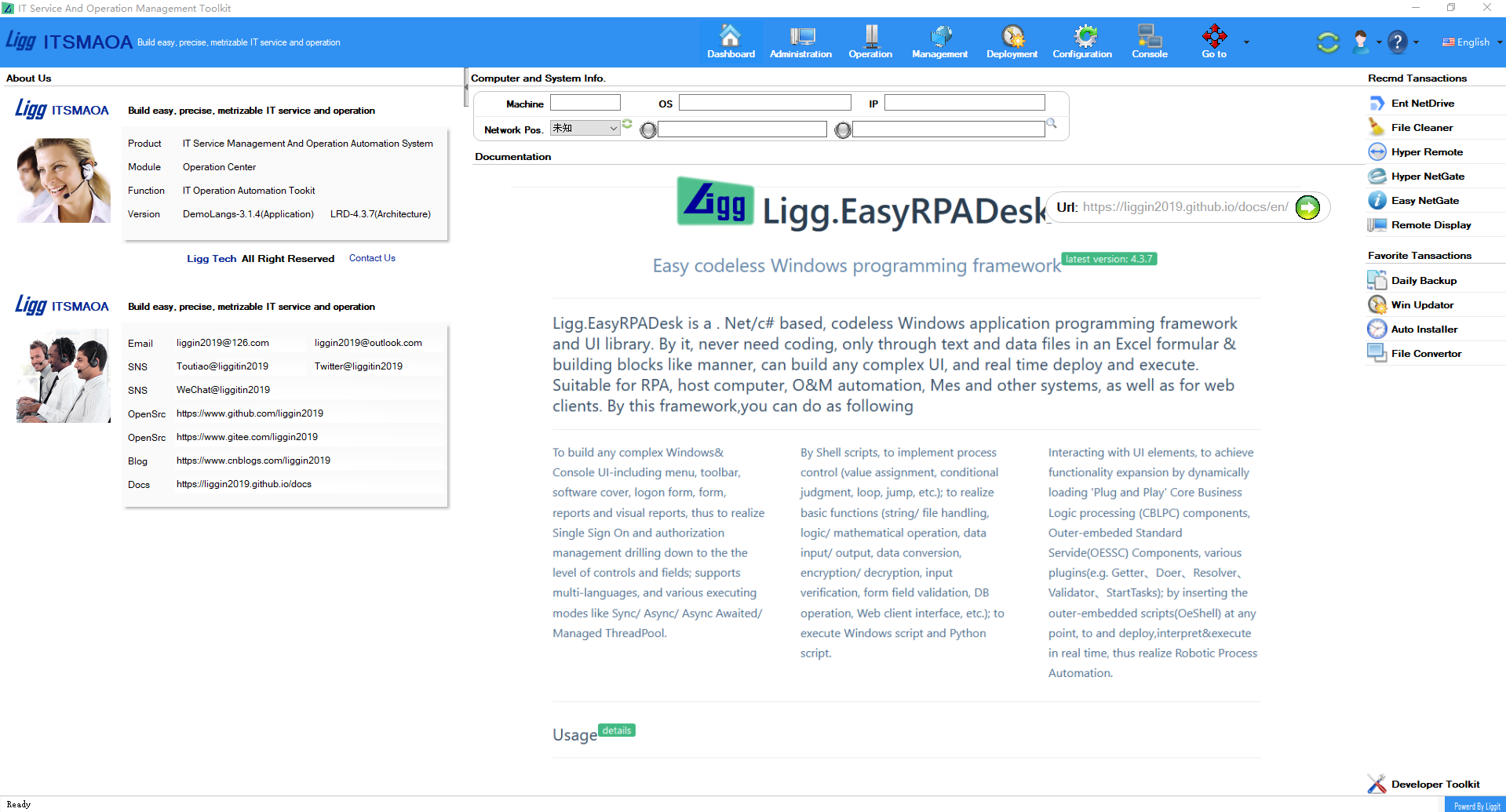
介绍
本框架是一款无码化Windows应用编程框架和UI库,包括2部分:WinformApp和ConsoleApp。通过该框架,采用原创的文本编程技术,不需任何代码,仅通过文本和数据文件(包括UI配置、Shell脚本), 以类似Excel公式的方式和搭积木的形式, 可以
- 搭建任意复杂的Windows& 控制台人机交互界面
- 支持多语言、多应用、多门户及各种运行模式(同步、异步、多线程)
- 内置基础功能,外嵌组件和插件,通过Shell脚本实现运算和过程控制
- 与UI元素之间互动,在任意点执行Shell脚本,运行基础功能,或加载运行"即插即用"的组件或插件,实时解释、部署和执行, 实现系统功能扩展和流程自动化(Robotic Process Automation)
当前版本: 4.3.7.0 帮助文档
适用范围
- 流程和运维自动化
- C/S程序和Web程序客户端(详见Ligg.LightSap的OA/ERP客户端示例)
- 办公应用及数据处理分析
- 软件开发过程中的测试和原型设计
- 自动化设备开发、调试,上位机开发
- 工具软件, 尤其安全性要求高的软件
特点
- 内置基础功能包括:
- 各类基础控件、扩展控件、菜单托盘工具栏控件
- 定时作业控件(Sheduler +OnTimeSheduler +AtTimeSheduler)
- 字符、文件处理, 逻辑、数值运算, 数据输入输出、数据格式转换、加密解密、输入验证、表单字段验证
- Python脚本执行、Windows cmd脚本执行(ProcessHelper +RunAsAdminHelper)
- 数据库操作(DbHelper +DbFactory)
- Web接口(HttpClientHelper +SoketWatcher+WebSoketWatcher +MQTTWatcher)
- 外嵌"即插即用"的组件或插件
- 外嵌组件包括:核心业务处理组件(CblpComponent)、标准服务组件(OessComponent)
- 外嵌插件包括:Getter、Doer、ConstantResolver、Validator、StartTasks
- 通过文本编程技术实现定制化和无码化
- 同时支持多种配置文件(.xlsx、 .xls、.csv、 .xml、 .json)和文本数据(Lstring、Larray、Ldict、Ltable、Lson)及其文件(.lstr、.larr、.ldict、.ltb、.lson)
- UI配置搭建应用程序界面, 通过Shell脚本(包括UI Shell、Task Shell、Oe Shell)实现运算和过程控制(赋值、条件判断、循环、跳转、递归、中断等...),运行基础功能,然后加载运行基础功能之外的"即插即用"的组件或插件
- 支持多语言、及各种运行模式(同步、异步、多线程)
- 同时支持.net Core、.net Framework
采用技术包括: .net Core、.net Framework、Autofac、Nlog、Npoi
开发环境:
- Microsoft Visual Studio 2019 Version 16.9.2
- NET Framework Version 4.7.2
- NET Core Version 3.1
- NET Standard Version 2.0
项目结构
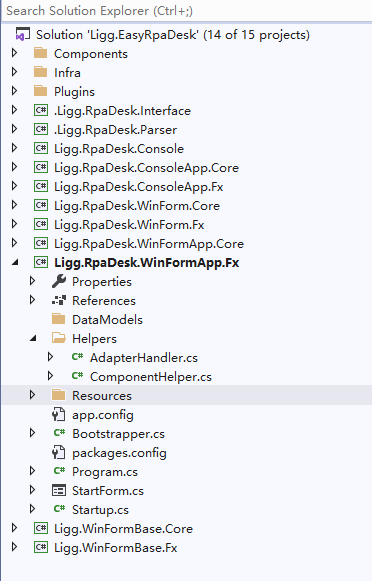
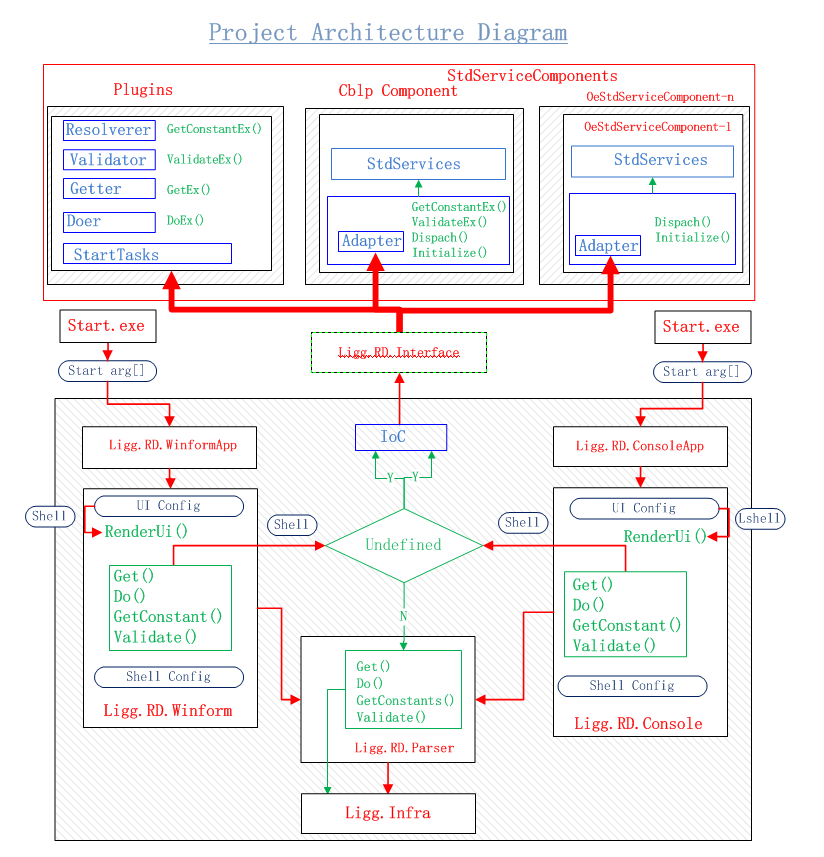
项目运行:
克隆项目
- git clone https://github.com/Liggin2019/Ligg.EasyPRADesk.git
- git clone https://gitee.com/Liggin2019/Ligg.EasyPRADesk.git
- 双击启动程序,如\debug\Demo-Console-_Start-SoftwareCover.exe,它有一个同名.ini文件指明了启动程序的执行程序和配置路径; 这2文件必须同时出现且要与Conf、Program、Data文件夹处于同级的位置;见下图
- 运行其他的启动程序, 在各个z-started文件夹取出.exe和.ini文件至当前位置,双击运行
- 如果是Web客户端,需要先启动后端服务,详见《Ligg.LightSap的OA&ERP客户端示例》
- 如果要以Core程序运行,把"path=Program\Main\netFxApp4.7.2\ConsoleApp.exe"改为path=Program\Main\netcoreapp3.1\ConsoleApp.exe即可,本架构是同时支持Framework和Core
- 运行多语言应用启动程序, 双击如\debug\DemoLangs-Winform-Mvi-NestedMenu.exe,点击
切换语言
启动程序位置
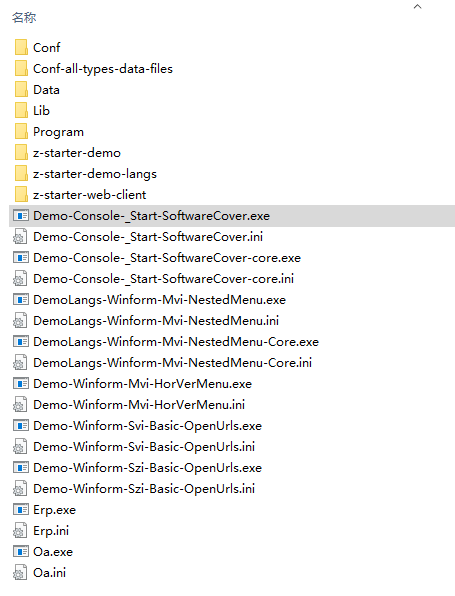
无码化编程
详见《Ligg.EasyRPADesk文档》
- 所有的配置文件都在\debug\conf\目录下
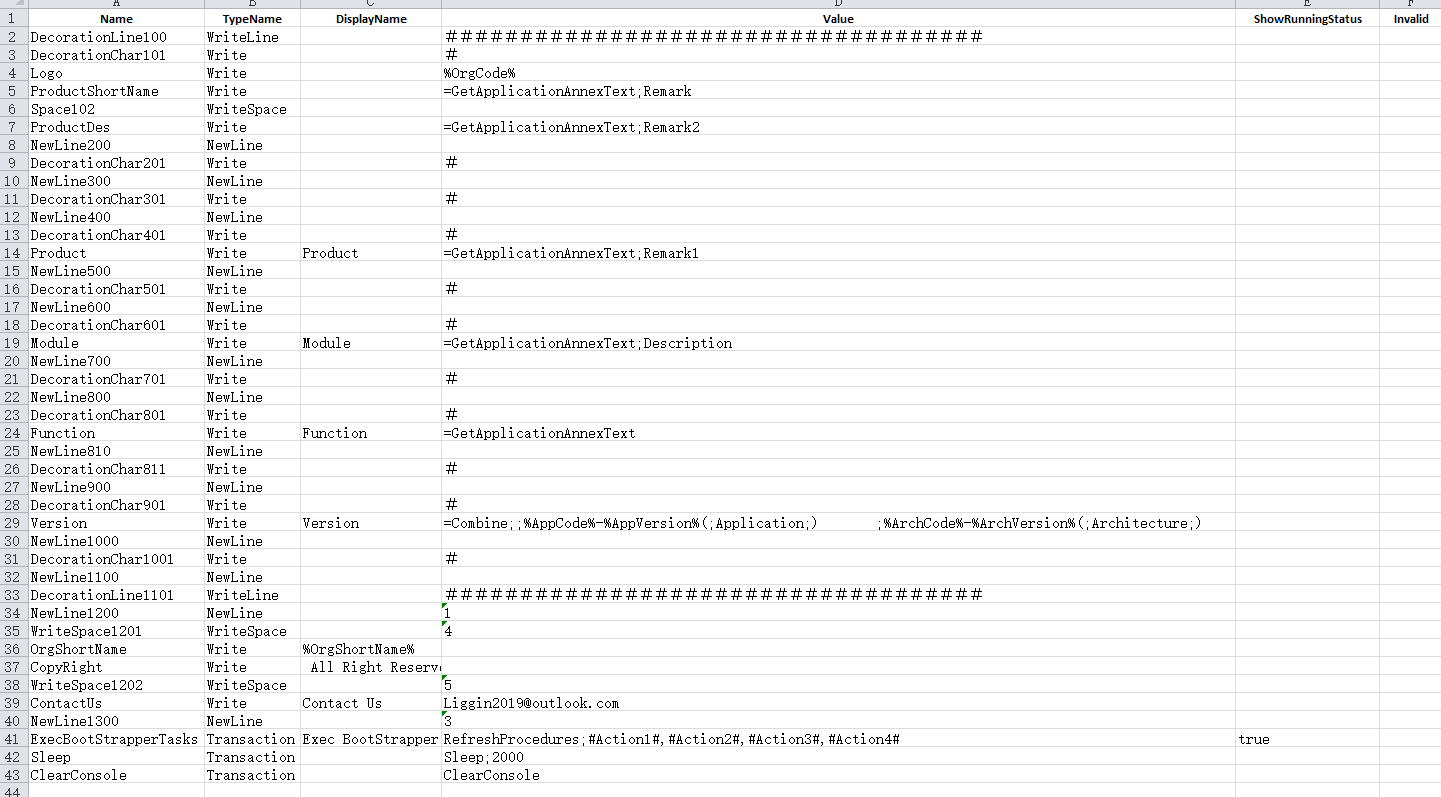
- 控制台启动程序如Demo-Console-_Start-SoftwareCover.exe的配置文件在\debug\Conf\Apps\Demo\Ui\Console\Scenarios_Start\SoftwareCover\下, ui.xml 定义单个运行界面和 Shell.xml定义运行逻辑
- Winform启动程序描述如下
- Winform Portal主界面(Mvi: Multiple-view-interface) 启动程序,如Demo-Winform-Mvi-HorVerMenu.exe的配置文件在\debug\Conf\Apps\Demo\Ui\WinForm\Portals\HorVerMenu, 在这里定义窗体、菜单、视图、托盘
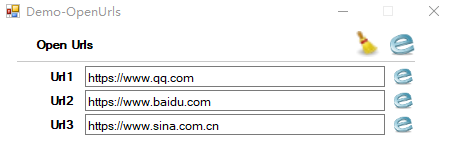
- Winform 单个View Form (Svi:Single-view-interface) 启动程序,如Demo-Winform-Svi-Basic-OpenUrls.exe 界面的配置文件在\debug\Conf\Apps\Demo\Ui\WinForm\Views\Basic\OpenUrls,在这里ui.xml定义一个View由哪几个Zone组成
- Winform 单个Zone Form (Szi:Single-zone-interface) 启动程序,如Demo-Winform-Szi-Basic-OpenUrls.exe 界面的配置文件在\debug\Conf\Apps\Demo\Ui\WinForm\Zones\Basic\OpenUrls,在这里ui.xml定义Form的运行界面,Shell.xml定义运行逻辑
- 备注: View: Demo-Winform-Svi-Basic-OpenUrls由Zone: Demo-Winform-Szi-Basic-OpenUrls和另外一个Zone组成, 而Portal由多个View和菜单、工具栏、托盘组成;View、Zone也可作为Form单独运行
- 如果需要测试,没有xml编辑器,可以去\Conf-all-types-data-files\对应文件夹下复制对应的xx.xlsx放到当前文件夹,完成测试后,把修改过后的文件改名xx-design.xlsx,然后保存为xx.csv。系统按缺省命名取不同UI配置和Shell文件的,配置文件在Debug状态下优先级顺序是.xlsx .xls .csv .xml .json; 由于.xlsx文件比较慢, 所以建议优先使用是.csv和.xml
- 下图为Demo-Console-_Start-SoftwareCover.exe Shell文件和Ui文件的内容

调试源码(以.net Framework为例,.net Core同样操作):
- 把\src\.packages的第三方引用包的文件复制到\debug\Program\Main\netfxapp4.7.2\
- Visual Studio打开\src\Ligg.EasyRpaDesk.sln
- \debug\Program\Main\netfxapp4.7.2\下有一个debug.ini文件
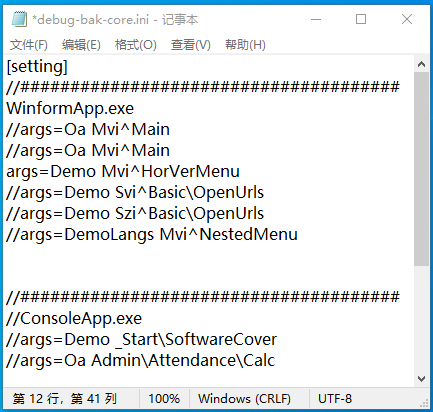
- 如果要调试Winform程序,设Ligg.RpaDesk.WinFormApp.Fx为启动项目, 注释ConsoleApp.exe 和其他args行,只保留自己的Args行; CTRL+SHIFT+B编译, F5开始调试
- 如果要调试Console程序,设Ligg.RpaDesk.ConsoleApp.Fx为启动项目, 注释WinformApp.exe和其他args行,只保留自己的Args行; CTRL+SHIFT+B编译,F5开始调试
界面
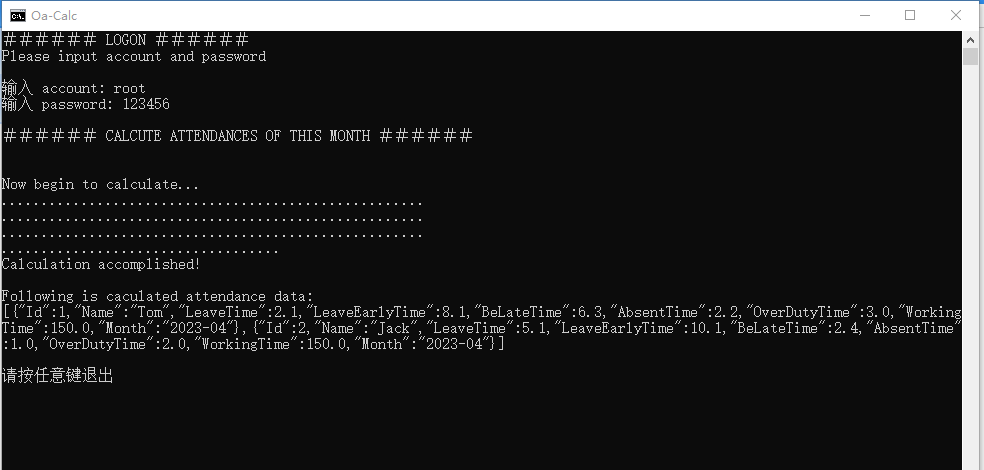
控制台界面
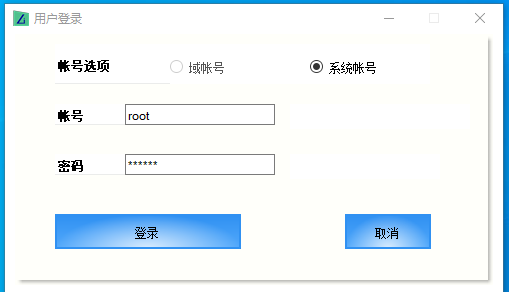
Winform界面-登录
Winform Web客户端界面-OA主门户-Nested菜单
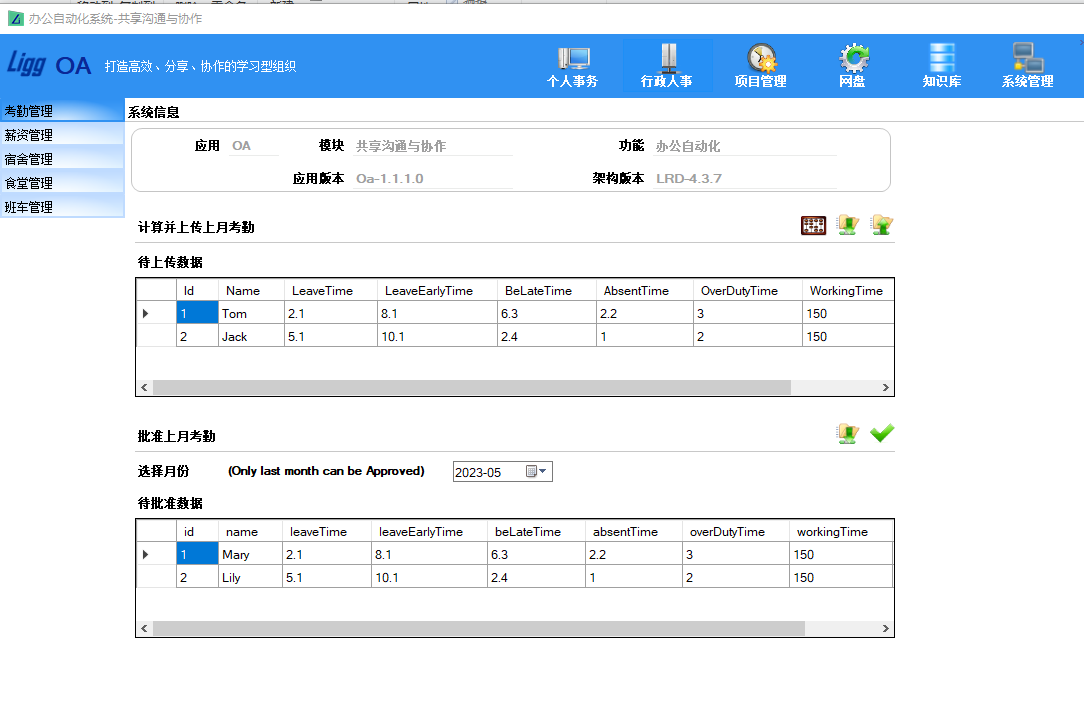
Winform Web客户端界面-ERP主门户-水平垂直菜单
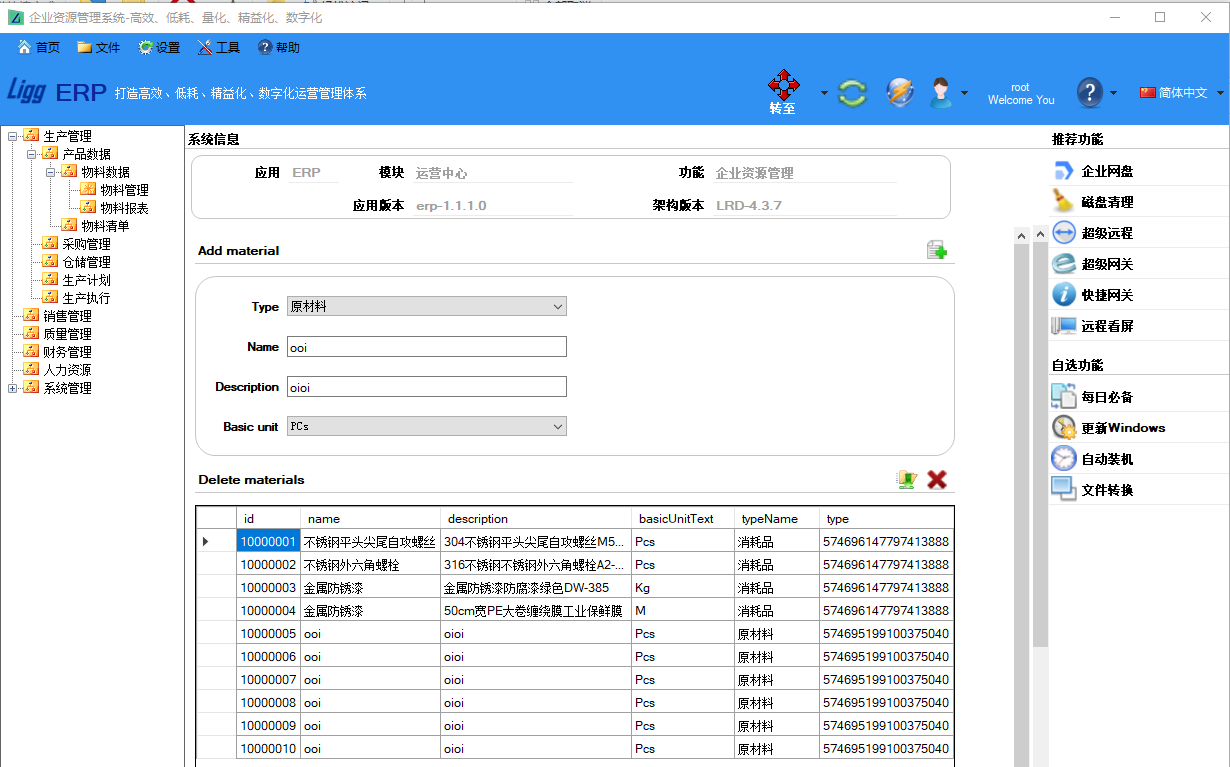
Winform C/S客户端界面-Demo主门户
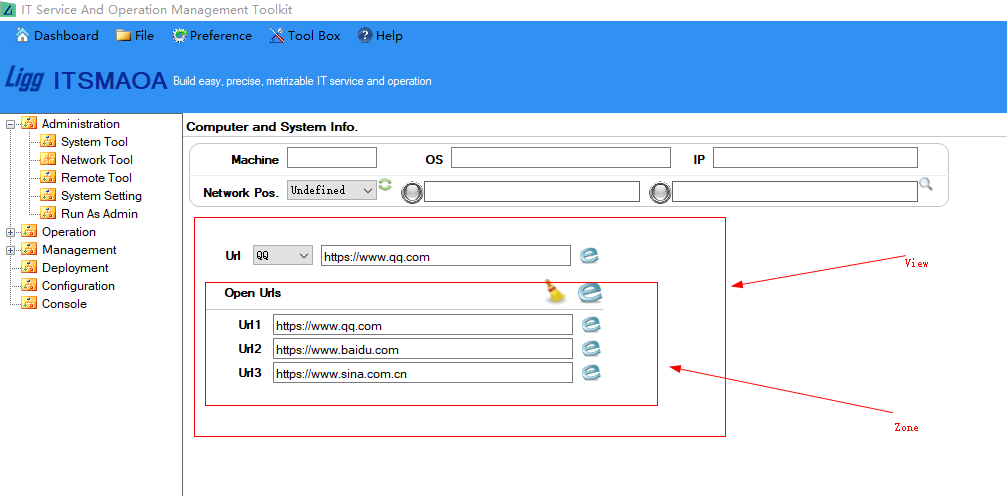
Winform Demo Svi界面
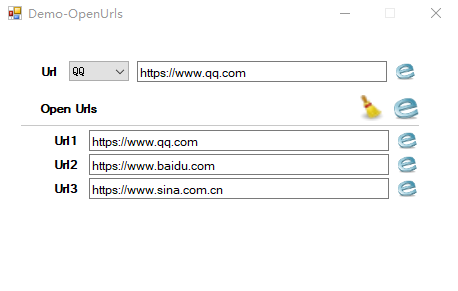
Winform Demo zvi界面
Winform C/S客户端界面-Demolangs主门户-多语言-简体中文
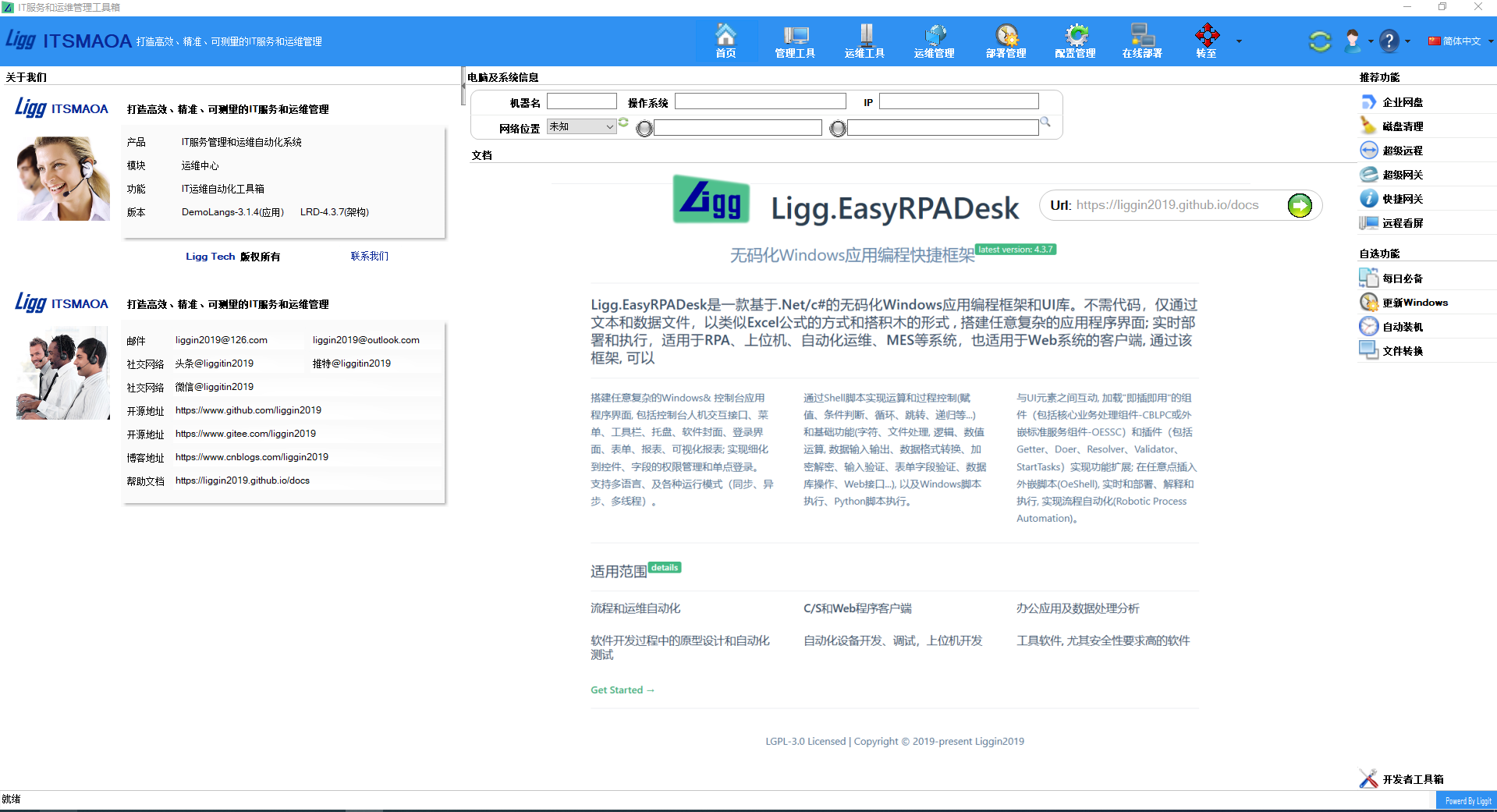
Winform C/S客户端界面-Demolangs主门户-多语言-英文