
LaC — Links as Code
Manage your personal or team link collection as a version-controlled YAML file and serve it as a clean, searchable web page.


Features
| Feature | Details |
|---|---|
| YAML-driven | Define all your links in a single, human-readable YAML file — no database required |
| Grouped links | Organise links into named sections for easy navigation |
| Live search | Client-side search filters links instantly as you type |
| Docker-ready | One-command deployment with the official Docker image |
| Configurable | Customise the page title and link behaviour via environment variables |
| Responsive design | Works seamlessly on desktop and mobile |
| Accessible | 100 % Lighthouse accessibility score; fully keyboard-navigable |
| Lightweight | Built on Flask + Tailwind CSS with minimal dependencies |
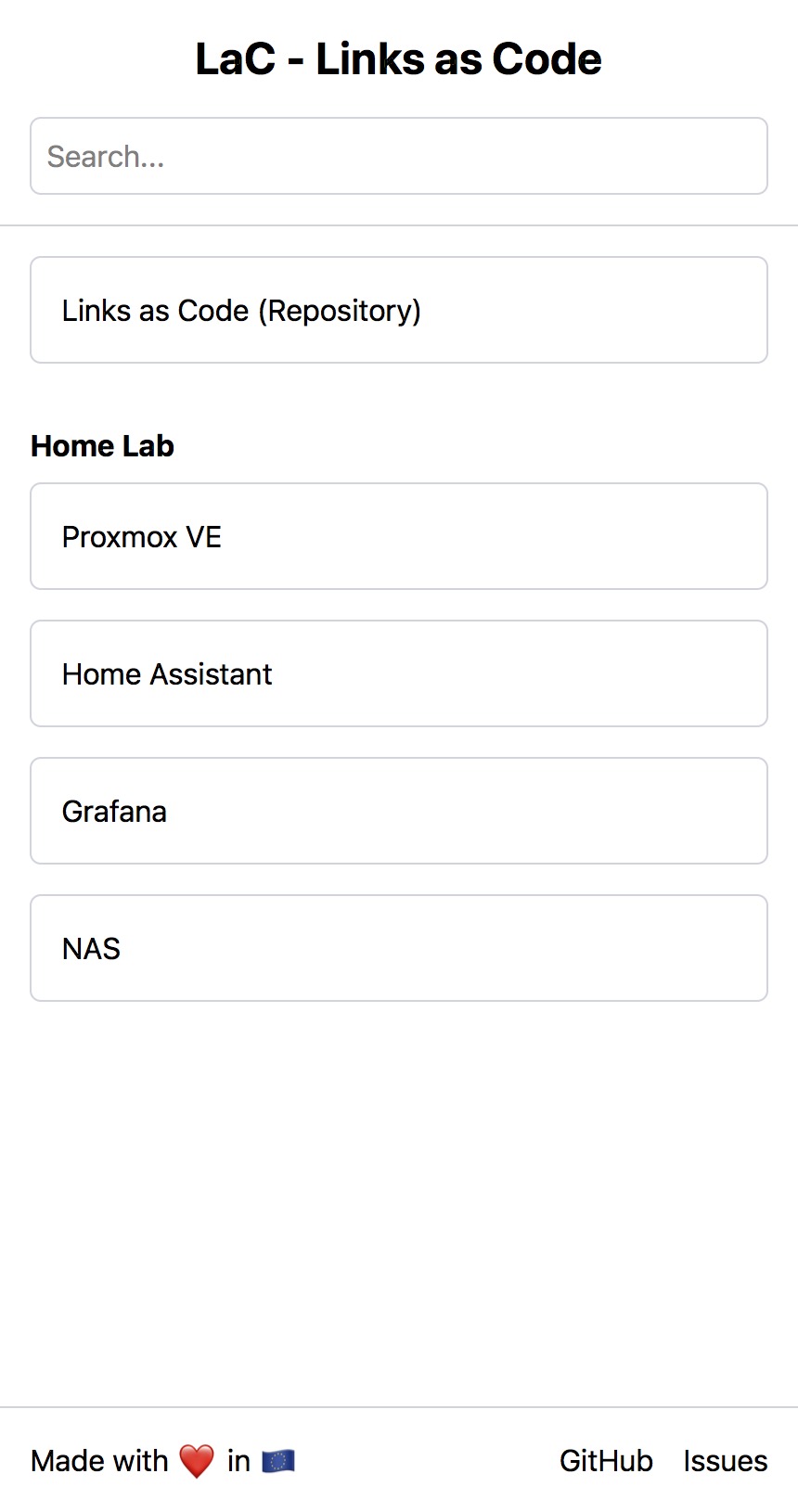
Screenshot
Quick Start
Docker Compose (recommended)
- Create a
compose.yamlfile:
services:
  lac:
    image: rothdennis/lac:latest
    container_name: lac
    restart: unless-stopped
    ports:
      - "9000:9000"
    volumes:
      - ./data:/app/data
    environment:
      TITLE: My Links
      OPEN_IN_NEW_TAB: "true"
-
Create your links file at
./data/links.yaml(see YAML Structure below). -
Start the service:
docker compose up -d
- Open http://localhost:9000 in your browser.
Docker CLI
docker run -d \
  --name lac \
  -p 9000:9000 \
  -v "$(pwd)/data:/app/data" \
  -e TITLE="My Links" \
  rothdennis/lac:latest
Configuration
All options are set via environment variables.
| Variable | Default | Description |
|---|---|---|
TITLE |
LaC - Links as Code |
Page title shown in the header and browser tab |
OPEN_IN_NEW_TAB |
true |
Open links in a new browser tab (true / false) |
DATA_DIR |
/app/data |
Path to the directory containing your links.yaml file |
DEBUG |
false |
Enable Flask debug mode (development only) |
YAML Structure
Place a .yaml or .yml file inside your data directory. The application reads the first YAML file it finds.
# Full schema reference
links:                        # (optional) Top-level ungrouped links
  - name: string              # Required — display name
    url: string               # Required — full URL
    description: string       # Optional — shown as a tooltip on hover

groups:                       # (optional) Grouped sections
  - name: string              # Required — section heading
    links:
      - name: string          # Required — display name
        url: string           # Required — full URL
        description: string   # Optional — shown as a tooltip on hover
Both links and groups are optional, but at least one should be present.
Example
# ./data/links.yaml

links:
  - name: GitHub
    url: https://github.com
    description: Code hosting and version control
  - name: Reddit
    url: https://reddit.com
    description: Social news and discussion

groups:
  - name: Search Engines
    links:
      - name: Google
        url: https://google.com
      - name: DuckDuckGo
        url: https://duckduckgo.com
        description: Privacy-focused search engine

  - name: Social Media
    links:
      - name: Twitter / X
        url: https://twitter.com
      - name: LinkedIn
        url: https://linkedin.com
Development Setup
Prerequisites
- Python 3.12+
- Node.js (for Tailwind CSS)
Steps
# Clone the repository
git clone https://github.com/rothdennis/links-as-code.git
cd links-as-code

# Create and activate a virtual environment
python3 -m venv .venv
source .venv/bin/activate

# Install Python dependencies
pip install --upgrade pip
pip install -r requirements.txt
Rebuild the CSS whenever you change Tailwind classes:
./tailwindcss -i ./src/static/input.css -o ./src/static/style.css --watch
Start the development server:
python src/main.py
The app will be available at http://localhost:9000.
Build the Docker image locally
docker compose -f compose_build.yaml up --build
License
This project is licensed under the MIT License.