
 > Prettier and simpler Material Design CalendarView




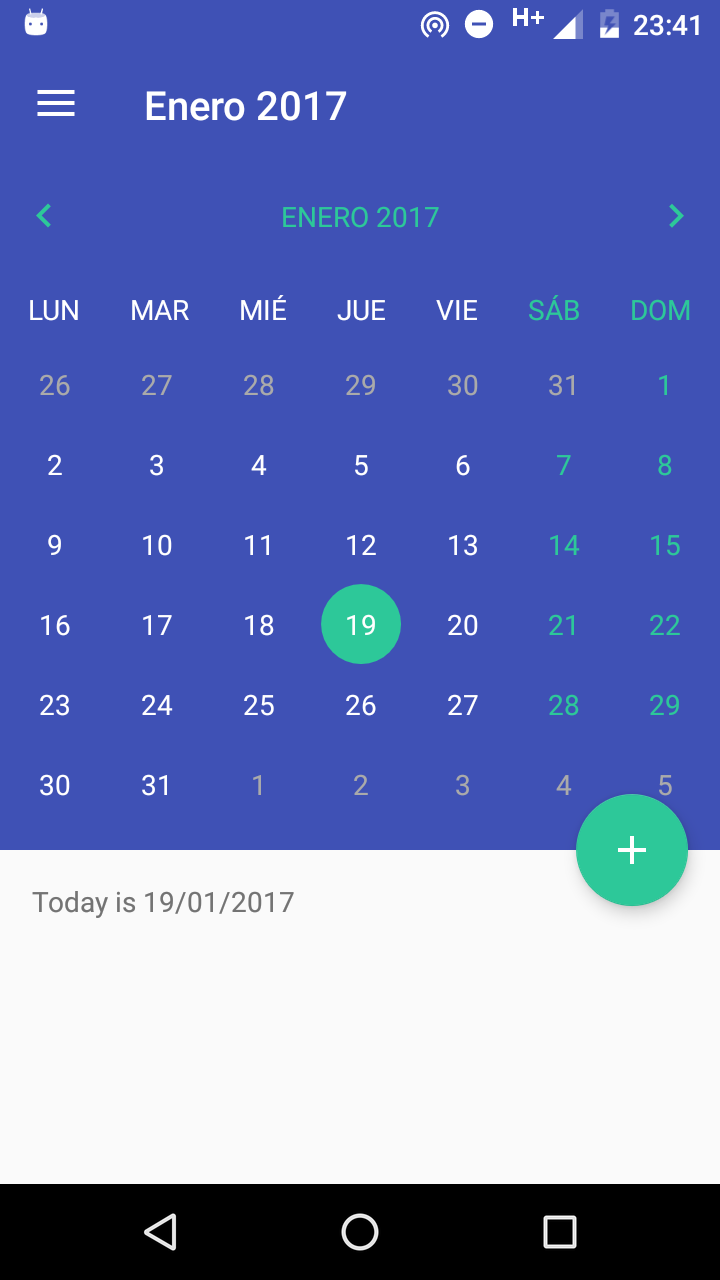
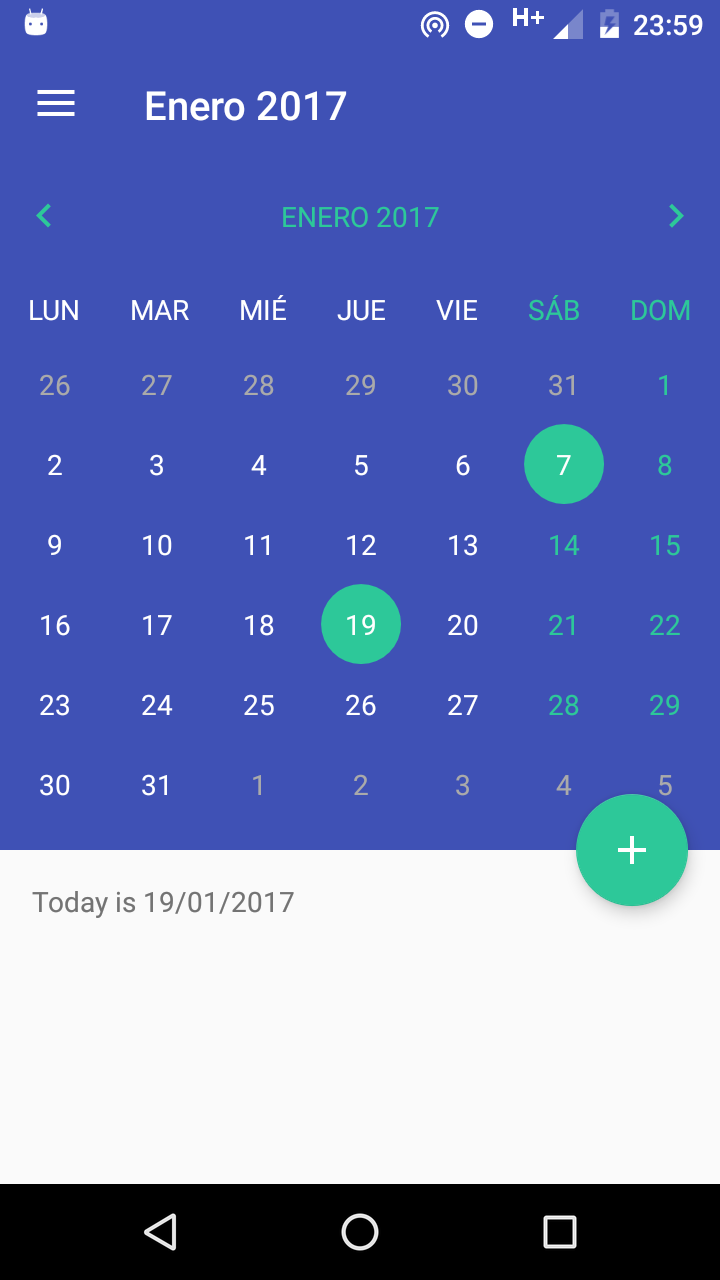
MaterialCalendarView is a prettier and simpler, material design calendar that allows full customization and it's backwards compatible with API 11+.
Screenshots

Installation
Gradle
- Add it in your root build.gradle at the end of repositories:
repositories {
	maven {
	    url "https://jitpack.io"
	}
}
- Add the dependency:
dependencies {
    compile 'com.github.BlackBoxVision:material-calendar-view:v1.5.8'
}
Maven
- Add the JitPack repository to your maven file.
<repository>
     <id>jitpack.io</id>
     <url>https://jitpack.io</url>
</repository>
- Add the dependency in the form
<dependency>
    <groupId>com.github.BlackBoxVision</groupId>
    <artifactId>material-calendar-view</artifactId>
    <version>v1.5.8</version>
</dependency>
SBT
- Add it in your build.sbt at the end of resolvers:
resolvers += "jitpack" at "https://jitpack.io"
- Add the dependency in the form:
libraryDependencies += "com.github.BlackBoxVision" % "material-calendar-view" % "v1.5.8"
Usage example
In your layout.xml file:
<io.blackbox_vision.materialcalendarview.view.CalendarView
	android:id="@+id/calendar_view"
	android:layout_width="match_parent"
	android:layout_height="wrap_content"
	android:background="@color/colorPrimary">
</io.blackbox_vision.materialcalendarview.view.CalendarView>
This example shows all the possible customization around Material Calendar View:
<io.blackbox_vision.materialcalendarview.view.CalendarView
	android:id="@+id/calendar_view"
	android:layout_width="match_parent"
	android:layout_height="match_parent"
	app:calendarIsMultiSelectDayEnabled="false"
	app:calendarIsOverflowDatesVisible="true"
	app:calendarBackgroundColor="@color/colorPrimary"
	app:calendarTitleTextColor="@color/colorAccent"
	app:calendarCurrentDayTextColor="@color/white"
	app:calendarDayOfWeekTextColor="@color/grey"
	app:calendarDayOfMonthTextColor="@android:color/white"
	app:calendarDisabledDayBackgroundColor="@color/colorPrimary"
	app:calendarDisabledDayTextColor="@android:color/darker_gray"
	app:calendarSelectedDayBackgroundColor="@color/colorAccent"
	app:calendarTitleBackgroundColor="@color/colorPrimary"
	app:calendarWeekBackgroundColor="@color/colorPrimary"
	app:calendarCurrentDayBackgroundColor="@color/teal500"
	app:calendarWeekendTextColor="@color/colorAccent"
	app:calendarButtonBackgroundColor="@color/colorAccent"
	app:calendarWeekendDays="saturday|sunday">
</io.blackbox_vision.materialcalendarview.view.CalendarView>
Then, in your Activity.java or Fragment.java initialize the calendar:
calendarView = (CalendarView) findViewById(R.id.calendar_view);

calendarView.shouldAnimateOnEnter(true)
	.setFirstDayOfWeek(Calendar.MONDAY)
	.setOnDateClickListener(this::onDateClick)
	.setOnMonthChangeListener(this::onMonthChange)
	.setOnDateLongClickListener(this::onDateLongClick)
	.setOnMonthTitleClickListener(this::onMonthTitleClick);

if (calendarView.isMultiSelectDayEnabled()) {
	calendarView.setOnMultipleDaySelectedListener(this::onMultipleDaySelected);
}

calendarView.update(Calendar.getInstance(Locale.getDefault()));
Issues
If you found a bug, or you have an answer, or whatever. Please, open an issue. I will do the best to fix it, or help you.
Contributing
Of course, if you see something that you want to upgrade from this library, or a bug that needs to be solved, PRs are welcome!
Backers
Support us with a monthly donation and help us continue our activities. [Become a backer]





Sponsors
Become a sponsor and get your logo on our README on Github with a link to your site. [Become a sponsor]



License
Distributed under the MIT license. See LICENSE for more information.