
📖 MeManga
Automatic manga downloader with a desktop app and a power-user CLI.
Track manga across 224 scrapers / 319 domains, read downloaded chapters in the built-in reader, and optionally email them to your Kindle. Works offline once chapters are downloaded.
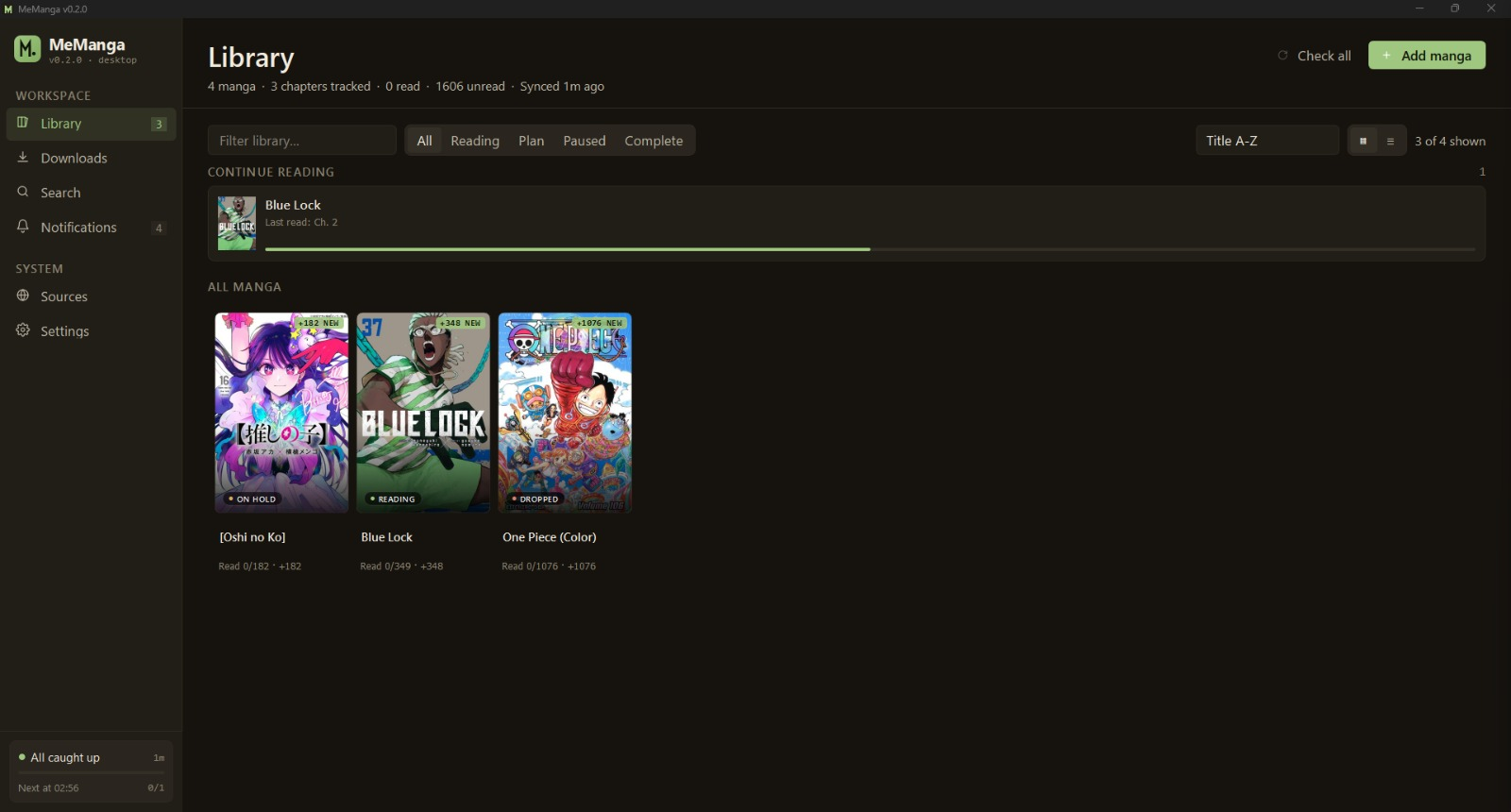




✨ Highlights
- 🖥️ Single-file desktop app —
MeManga.exe/MeManga, no Python install required - 📚 Library tracking — your read/unread state survives reboots
- 🔍 Multi-source search — 15 popular aggregators pre-checked, ranked by reliability
- 📖 Built-in reader — zoom, fit-to-page, keyboard nav, no external viewer needed
- 📥 PDF / EPUB / CBZ / ZIP / JPG / PNG / WEBP output
- 📧 Kindle delivery — auto-send chapters by email after download
- 🔄 Backup sources — fall back to a second source if the primary stops updating
- 🌐 Offline-aware — gracefully disables network actions, auto-resumes when wifi returns
- 🤝 Power-user CLI — same engine, scriptable, cron-friendly, works on headless servers
- 🔒 No telemetry, no accounts, no cloud — everything stays on your machine
📥 Download
The fastest path is the release binary. Nothing to install — double-click and you're in.
| OS | File |
|---|---|
| Windows | MeManga-windows-x64.exe |
| macOS (Apple Silicon) | MeManga-macos-arm64 |
| Linux (x86_64) | MeManga-linux-x64 |
First launch downloads Firefox (~80 MB, one-time, behind a progress dialog). Playwright uses it under the hood to scrape JS-heavy sources like MangaFire and WeebCentral.
Windows SmartScreen may warn the first time — click "More info → Run anyway". The app is not yet code-signed.
macOS Gatekeeper — right-click → Open the first time; future launches are normal.
Prefer building from source? See Build from source below.
Part 1 — Desktop App
🚀 First five minutes
When you open MeManga for the first time:
- The Library page is empty — click + Add manga in the header.
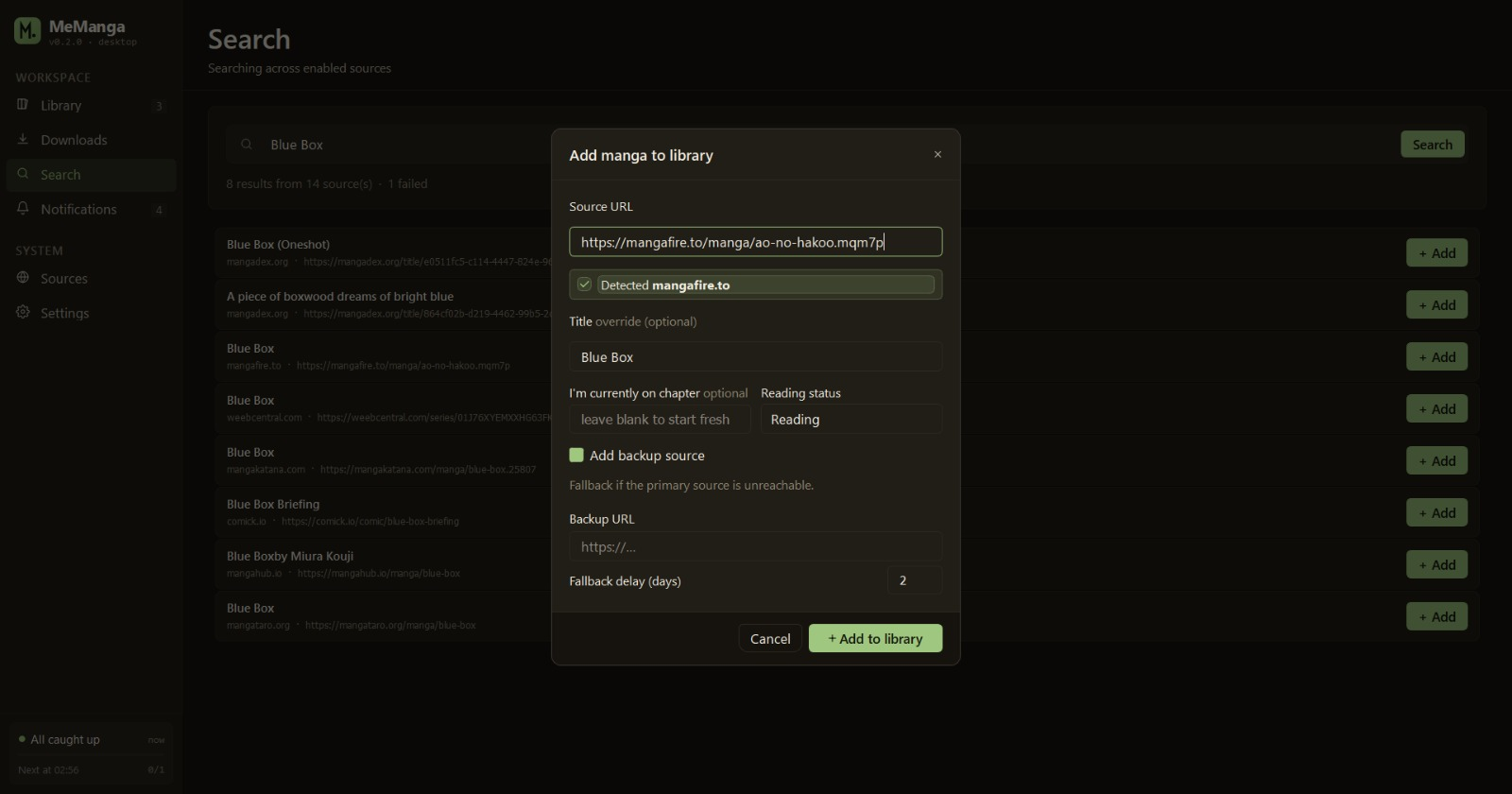
- Paste a manga URL from any supported source, or click Search in the sidebar and type the title.
- The app remembers what you added, what you've downloaded, and what you've read — across restarts and across machines (config lives in
~/.config/memanga/).
📚 Library
The Library page is your home. Cards show the cover, status pill
(READING, COMPLETED, …), an unread badge when there are new
chapters, and an in-progress bar for the current chapter you're on.
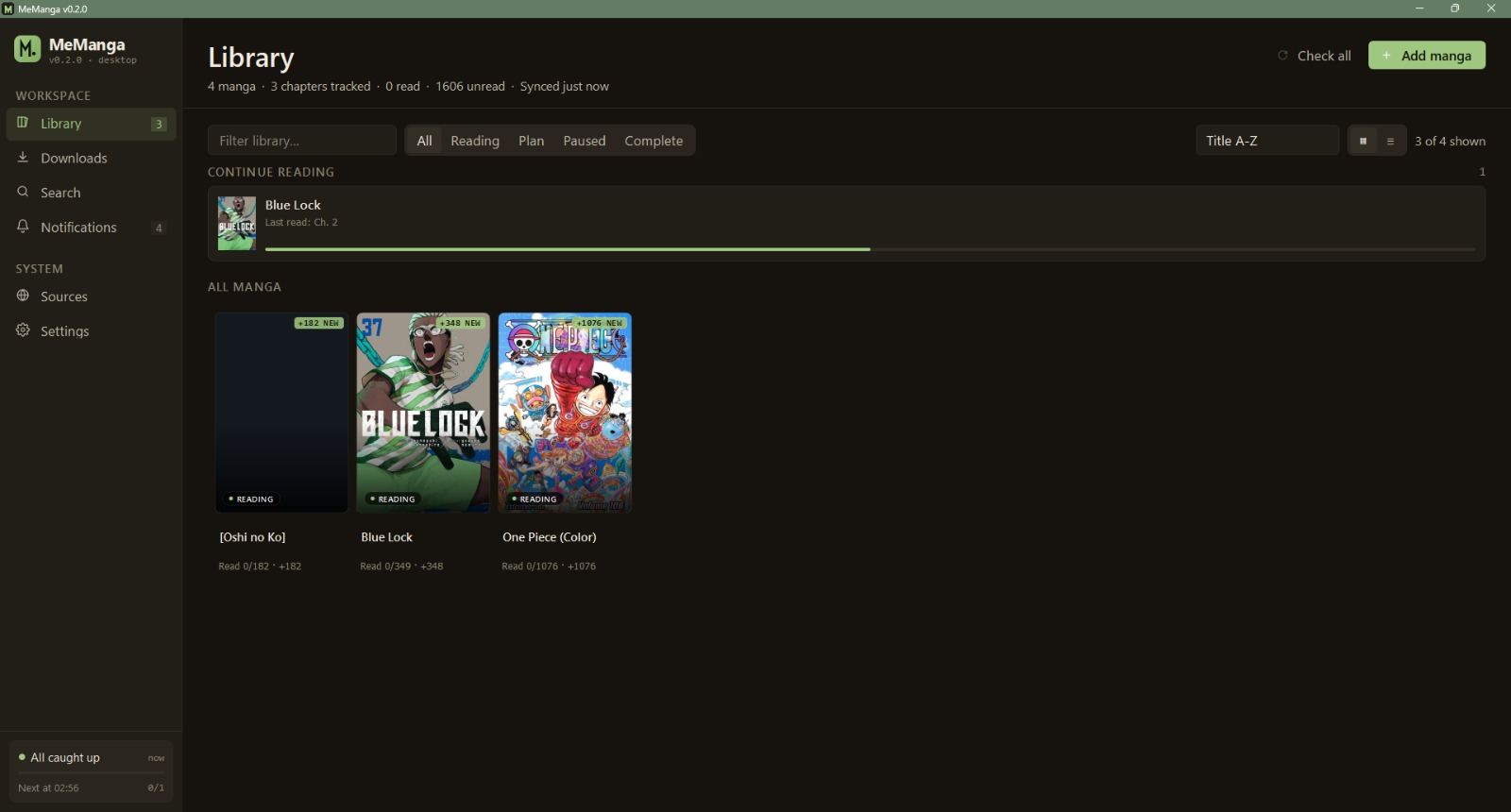
- Click a card → Detail page (chapter list, status, mode, Kindle toggle)
- Right-click → quick actions (mark as read, change status, remove)
- Top-right chip row filters by status; the chip count updates live
📖 Reader
Click any downloaded chapter on the Detail page to open it in the built-in reader.
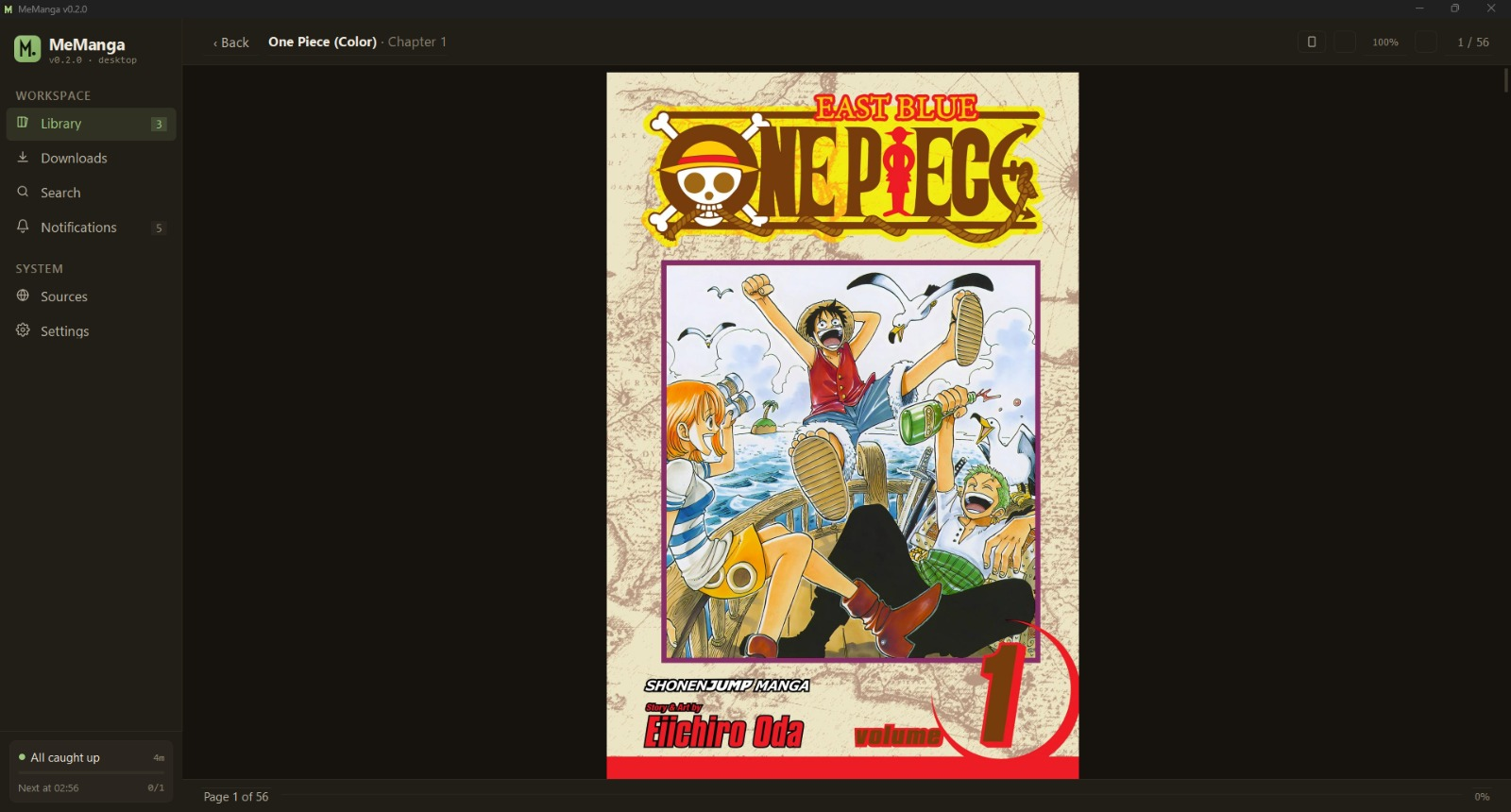
| Key / mouse | Action |
|---|---|
↑ ↓ / scroll wheel |
Scroll within page |
← → / Page Up Page Down |
Previous / next chapter |
Ctrl/Cmd + scroll |
Zoom in/out |
Ctrl/Cmd + 0 |
Reset zoom |
| Click-drag while zoomed | Pan |
Esc |
Back to Detail |
🔍 Search
Search hits only the 15 most popular working aggregators by default — MangaDex, MangaPill, MangaFire, MangaBuddy, WeebCentral, MangaKatana, Comick, MangaHub, MangaHere, MangaPanda, MangaClash, MangaHere.onl, MangaTaro, LuminousScans, TCBScans. Flip more on in the Sources tab if you want a wider net (the long-tail aggregators are usually slower or have stale catalogs).
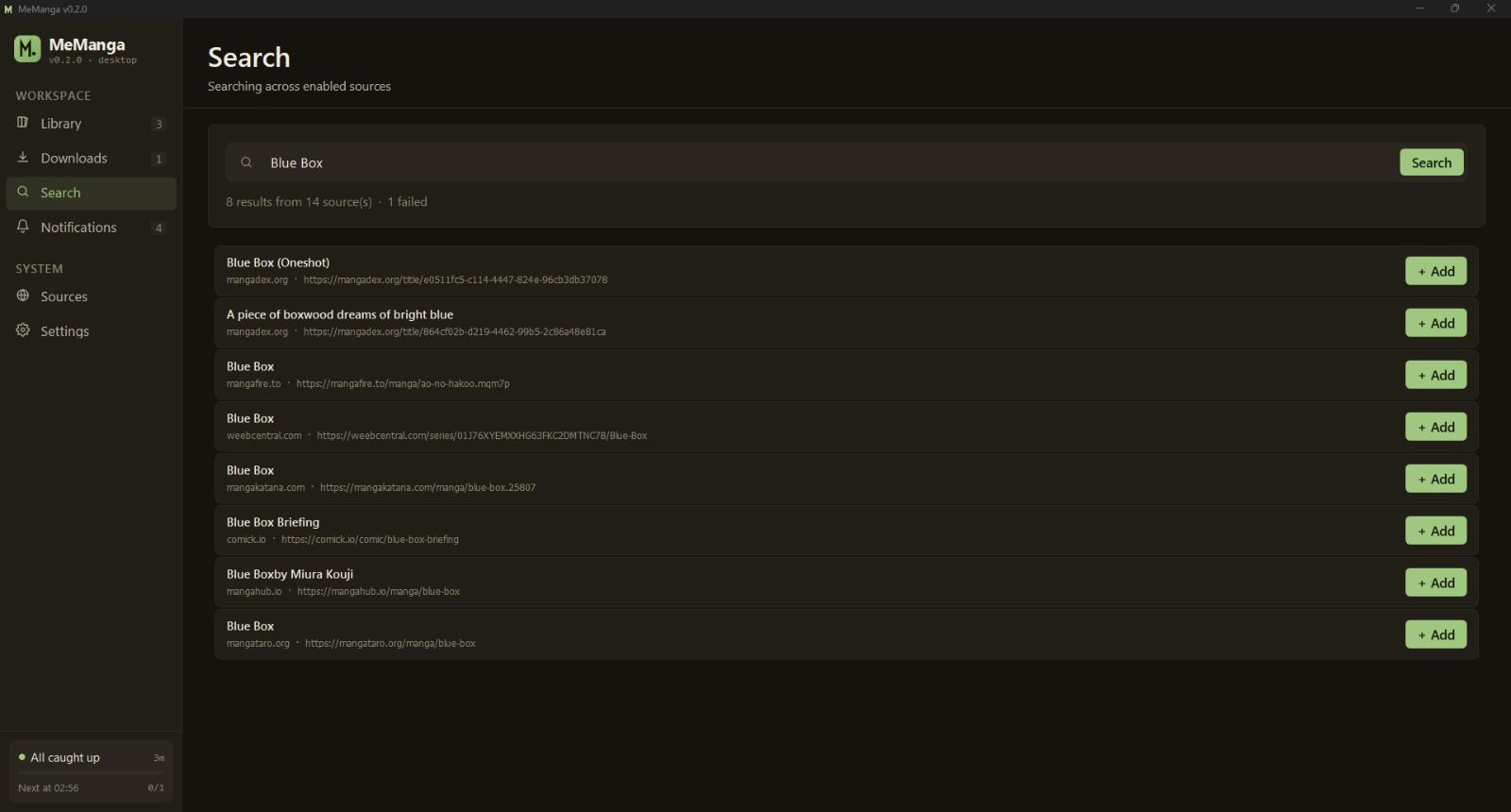
Each result row shows the source domain, a 47 ch chip telling you
how many chapters that source has, and a + Add button that drops it
straight into your library.
📥 Downloads
The Downloads page shows what's currently downloading and what just finished. Each row has progress, cancel, and "open folder" buttons. Cancel-all drains the queue cleanly.
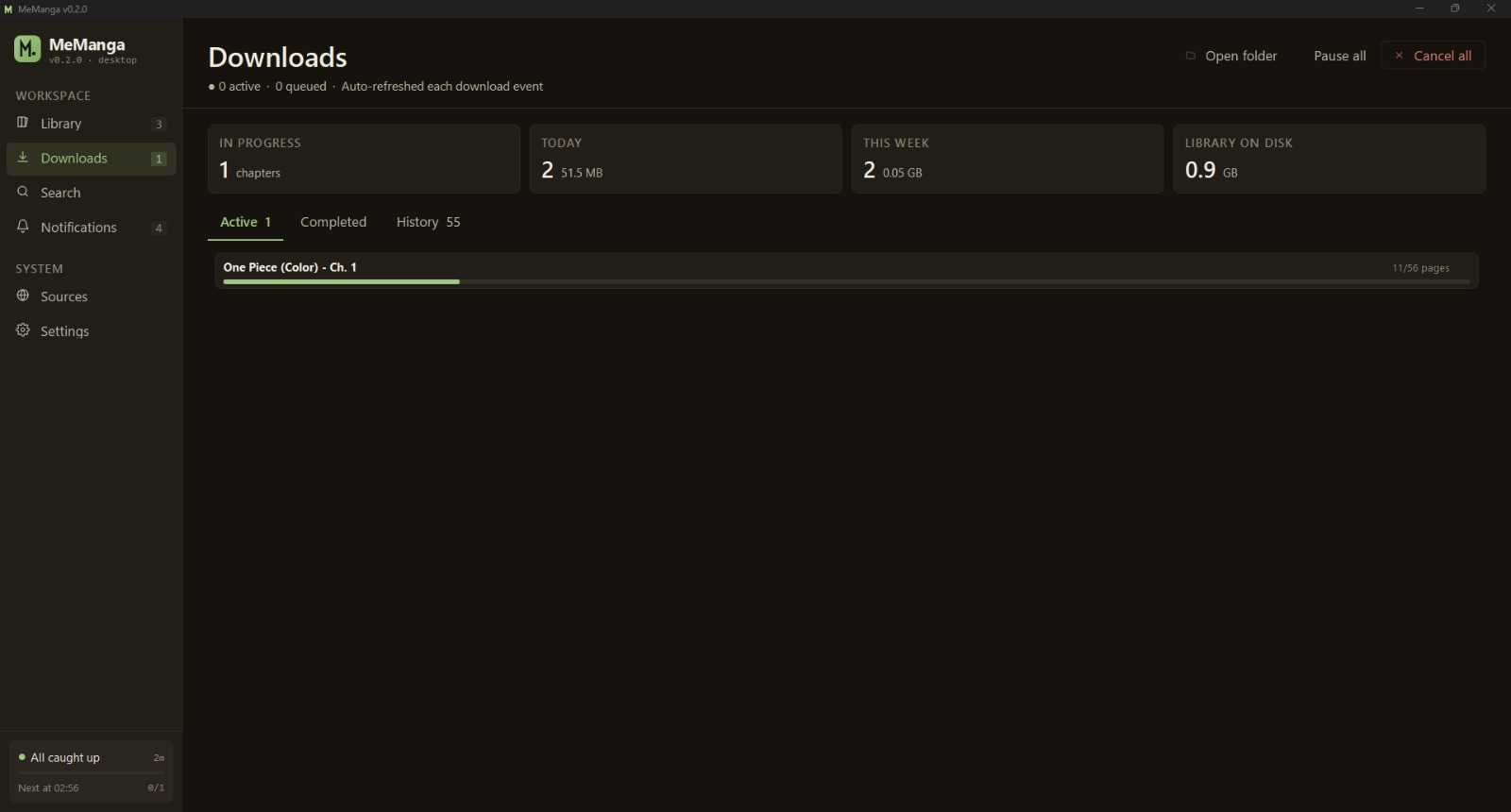
If a chapter fails partway through, MeManga retries the failed pages up to 3× with exponential back-off. If pages are still missing, the chapter is not marked as downloaded — next "Check" will pick it back up.
🌐 Sources
The Sources page shows every supported domain with its current health status (latency, last successful check, last error). Toggle individual sources on/off; your selection persists across restarts.
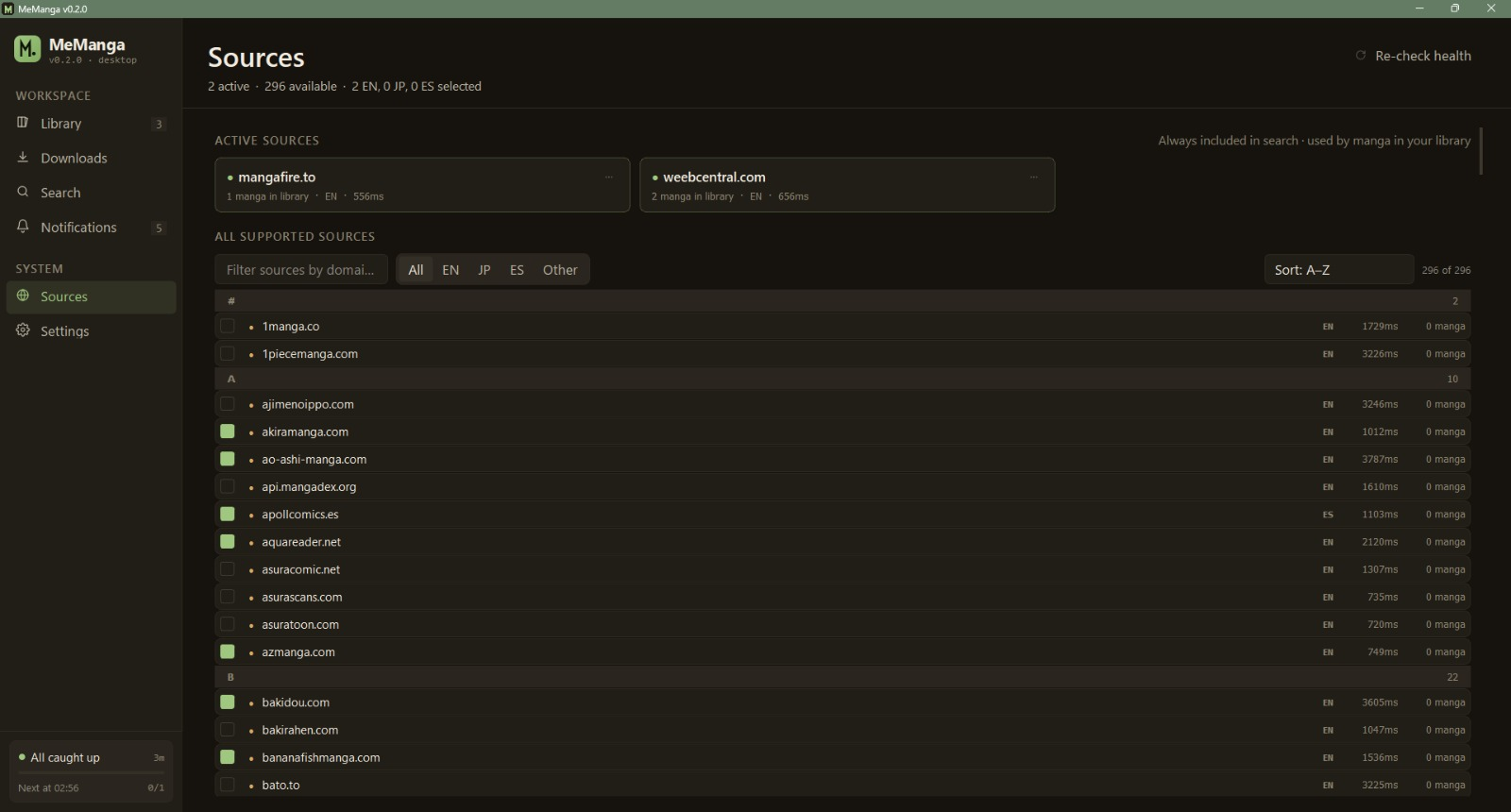
Hit Re-check health to ping every enabled source.
⚙️ Settings
- General — output format (PDF/EPUB/CBZ/…), download folder, theme, concurrency
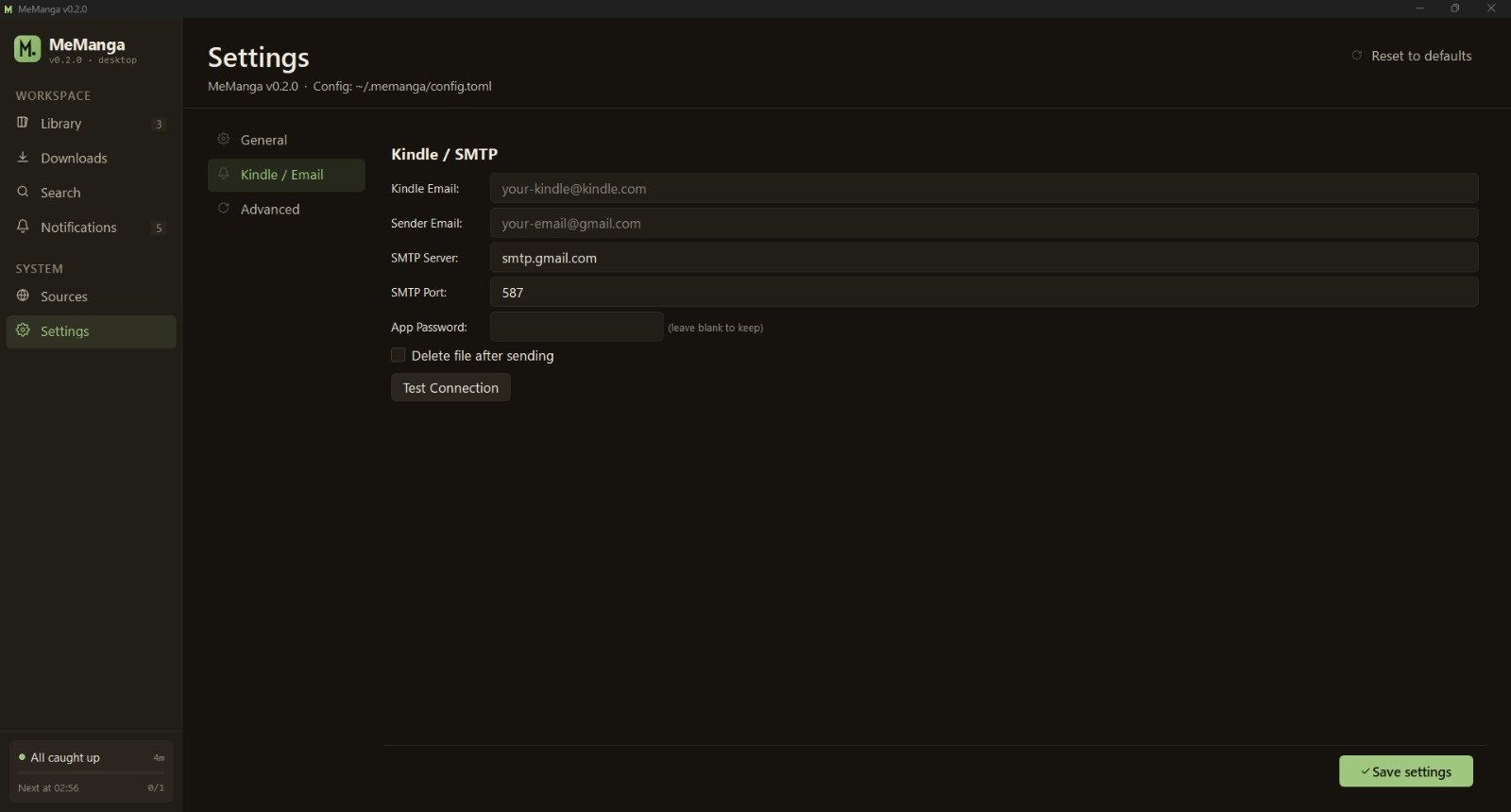
- Kindle / Email — Gmail App Password setup for sending chapters to your Kindle
- Advanced — fallback-source delay, cron, cache management
Setting up Kindle delivery
- Generate a Gmail App Password (regular passwords won't work; Google blocks them for SMTP).
- Add your Gmail address to your Amazon "Approved Personal Document E-mail List".
- In Settings → Kindle / Email, paste your Kindle email, sender Gmail, and the App Password. Hit "Test" — you'll get a "Test email sent" toast when it works.
- On the Detail page of any manga, toggle Send to Kindle after download.
PDFs over 18 MB are split automatically; EPUB / CBZ files can't be split so they fail-loud with a size warning.
Part 2 — Command-line interface
Just want the CLI? A dedicated
clibranch strips PySide6 and the GUI module out of the tree — leaner venv, fasterpip install, no Qt runtime to worry about, ideal for headless servers and Docker images.mainkeeps both.
The CLI ships in the source tree (not the release binary). It's the right tool for cron jobs, headless servers, batch operations, and scripting. The desktop app and the CLI share the same config, state, and download files — you can drive your library from both interchangeably.
Install
git clone https://github.com/meellm/MeManga.git
cd MeManga
python setup.py            # creates a venv + installs everything
The CLI lives at python -m memanga once the venv is active.
On Windows, prefer:
.\scripts\windows\setup.bat
.\scripts\windows\run.bat <command>
On macOS / Linux:
./scripts/run.sh <command>
Commands
| Command | Purpose |
|---|---|
list (ls) |
Show every tracked manga with status + chapter counts |
add |
Add a manga; supports -t TITLE -u URL [-b BACKUP_URL] or -i interactive |
set TITLE STATUS |
reading / on-hold / dropped / completed |
remove TITLE (rm) |
Drop a manga from tracking |
update TITLE … |
Edit URL, backup source, or rename |
check [TITLE] [--from N] [--auto] [--safe] |
Look for new chapters, optionally download them |
failed [--retry] [--clear] |
List / re-attempt / clear partially-failed downloads |
status |
Show config dir, download dir, manga count, last check time |
config |
Interactive settings editor |
cron install [--time 06:00] |
Schedule a daily check --auto job |
cron status / cron remove |
Inspect / uninstall the cron job |
sources |
List all 319 supported domains, marking which ones are healthy |
export FILE / import FILE |
Back up or restore your library + state as JSON |
tui |
Launch the in-terminal interactive view |
Run any subcommand with --help for full flags.
Common recipes
Add a manga with a backup source
python -m memanga add \
    -t "Blue Lock" \
    -u "https://mangapill.com/manga/580/blue-lock" \
    -b "https://mangadex.org/title/4141c5dc-c525-4df5-afd7-cc7d192a832f"
If MangaPill stops updating, MeManga falls back to MangaDex after
fallback_delay_days (default 2) — long enough for a slow-translating
primary to catch up.
Backfill an entire series from chapter 1
python -m memanga check -t "Blue Lock" --from 1 --auto --safe
--safe restarts the browser every 3 chapters to keep memory usage
flat across long bulk runs.
Schedule daily checks
# Linux/macOS — installs a crontab entry
python -m memanga cron install --time 06:00

# Windows — register a Task Scheduler entry (run as your user)
python -m memanga cron install --time 06:00
Retry every failed chapter
python -m memanga failed --retry
failed is the safety net for the "downloaded but incomplete" class of
errors — the modern downloader refuses to mark a chapter complete if
any page failed, and tracks the failure so you can batch-retry later.
🌐 Sources
The default search sweep covers these 15 verified working aggregators (popularity order):
| Source | Type | Notes |
|---|---|---|
| mangadex.org | API | Largest fan-translation library |
| mangapill.com | Requests | Fast, no Cloudflare |
| mangafire.to | Playwright | VRF bypass + image descrambling |
| mangabuddy.com | Playwright | Popular aggregator |
| weebcentral.com | Playwright | 1000+ series |
| mangakatana.com | Playwright | General library |
| comick.io | Playwright | Clean API |
| mangahub.io | Requests | Huge library |
| mangahere.cc | Requests | Reliable mirror |
| mangapanda.onl | Requests | MangaHub network |
| mangaclash.com | Playwright | Manhwa-heavy |
| mangahere.onl | Playwright | Alternate mirror |
| mangataro.org | Requests | ComicK replacement |
| luminousscans.com | Requests | Scanlation focus |
| tcbonepiecechapters.com | Requests | Jump titles (One Piece, JJK, MHA) |
200+ more aggregators are in the registry — toggle them on in the
Sources tab or via python -m memanga sources. See the
full domain list.
🛠️ Build from source
git clone https://github.com/meellm/MeManga.git
cd MeManga
python setup.py            # one-time venv setup

# Dev build — console window stays open for tracebacks
python build.py            # → ./MeManga-Dev.exe (or ./MeManga-Dev)

# Release build — no console, identical pins as the GitHub release
python build_app.py        # → ./MeManga.exe (or ./MeManga)
Both scripts produce a single file at the repo root and sweep their
build/ + dist/ scratch dirs after. The release build pulls from
requirements-lock.txt (exact pins for every transitive dep) so the
binary you rebuild from a tagged commit in six months matches what
shipped on the release day.
See CONTRIBUTING.md for project layout, test commands, scraper-add walkthroughs, and the lock-refresh flow.
📂 Where your data lives
| Path | What |
|---|---|
~/.config/memanga/config.yaml |
Library, settings, source toggles, theme |
~/.config/memanga/state.json |
Read/unread state, download history, source health |
~/.config/memanga/covers/ |
Cover image cache |
~/.config/memanga/crash.log |
Uncaught exceptions from the windowed release exe |
~/Downloads/MeManga/<title>/ |
Default download folder (changeable in Settings) |
Sensitive credentials (SMTP App Password) are stored in the OS keyring (Keychain on macOS, Credential Manager on Windows, Secret Service on Linux) — never in plain text on disk.
❓ FAQ
Will my downloads work without internet? Yes — once a chapter is on disk it opens in the reader instantly. The app gracefully disables network actions (Search, Check, Download) when it detects you're offline and re-enables them when the wifi returns.
Does it phone home / send analytics?
No. The app talks only to the manga sources you enable. No telemetry,
no crash reports auto-sent. Crash dumps go to crash.log locally —
if you want to share one in a bug report, you can.
Why does the first launch take a while? It's downloading Playwright's Firefox driver (~80 MB) so it can scrape JS-heavy sites. One-time, behind a progress dialog. After that, startup is ~2 seconds.
A source I use stopped working — what now?
- Check Sources → Re-check health for status. If it's red, the site is genuinely down or changed its HTML. File an issue with the Scraper broken template.
- Use the search-result chapter chip to spot dead sources
at a glance — they'll show no
N chchip. - Switch your manga to a backup source (Detail page → Edit) until the scraper is fixed.
Can I use this on a Raspberry Pi?
The CLI runs anywhere Python 3.10+ runs. The GUI works too if you
have a display, but on a headless Pi you'd typically use cron + the
CLI's --auto flag and xvfb-run for Playwright sources.
🤝 Contributing
PRs welcome — bug fixes, new scrapers, GUI polish, all of it. See CONTRIBUTING.md for the dev setup, test commands, and PR checklist. There are issue templates for bugs, features, and broken scrapers.
For security-sensitive reports, see SECURITY.md.
📄 License
MIT — see LICENSE.