Mikrotik NGINX Reverse Proxy
Container
[!WARNING]
- you need physical access to the router to enable support for the container feature, it is disabled by default;
- once the container feature is enabled, containers can be added/configured/started/stopped/removed remotely!
- if the router is compromised, containers can be used to easily install malicious software in your router and over network;
- your router is as secure as anything you run in container;
- if you run container, there is no security guarantee of any kind;
- running a 3rd party container image on your router could open a security hole/attack vector/attack surface;
- an expert with knowledge how to build exploits will be able to jailbreak/elevate to root;
[!NOTE]
External disk is highly recommended
RouterOS containers ROS Wiki
Download release version Extra packages and upload file to device (example filename: container-7.12.1-arm64.npk) + reboot
/system/device-mode/update container=yes
You will need to confirm the device-mode with a press of the reset button, or a cold reboot, if using container on X86.
Add virtual interface (settings NAT, Bridge if you need)
/interface/veth/add name=veth1 address=172.17.0.2/24 gateway=172.17.0.1
add registry
/container/config/set registry-url=https://registry-1.docker.io tmpdir=usb1/tmp
mount points
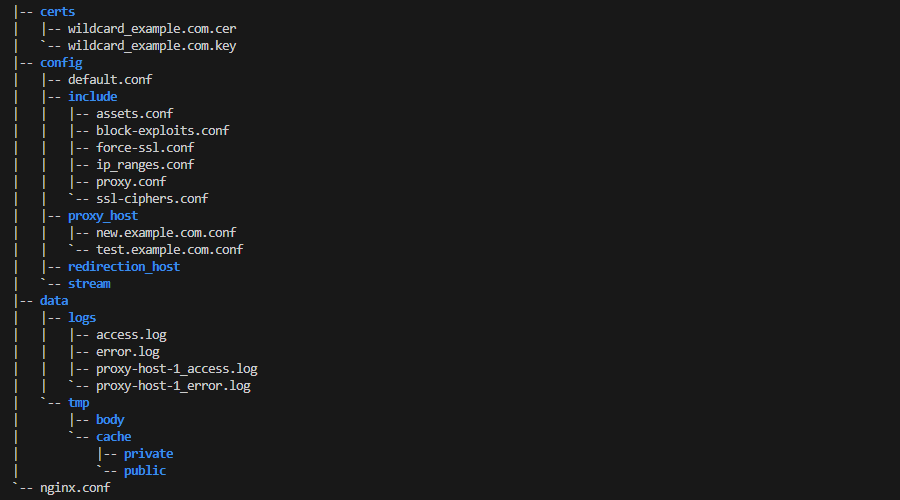
/container mounts
add dst=/etc/nginx/nginx.conf name=nginx_conf src=/usb1/nginx/nginx.conf
add dst=/etc/nginx/certs name=certs src=/usb1/nginx/certs
add dst=/data name=nginx_data src=/usb1/nginx/data
add dst=/etc/nginx/conf.d name=nginx_confd src=/usb1/nginx/config
docker hub latest version is nginx:1.25.3-alpine
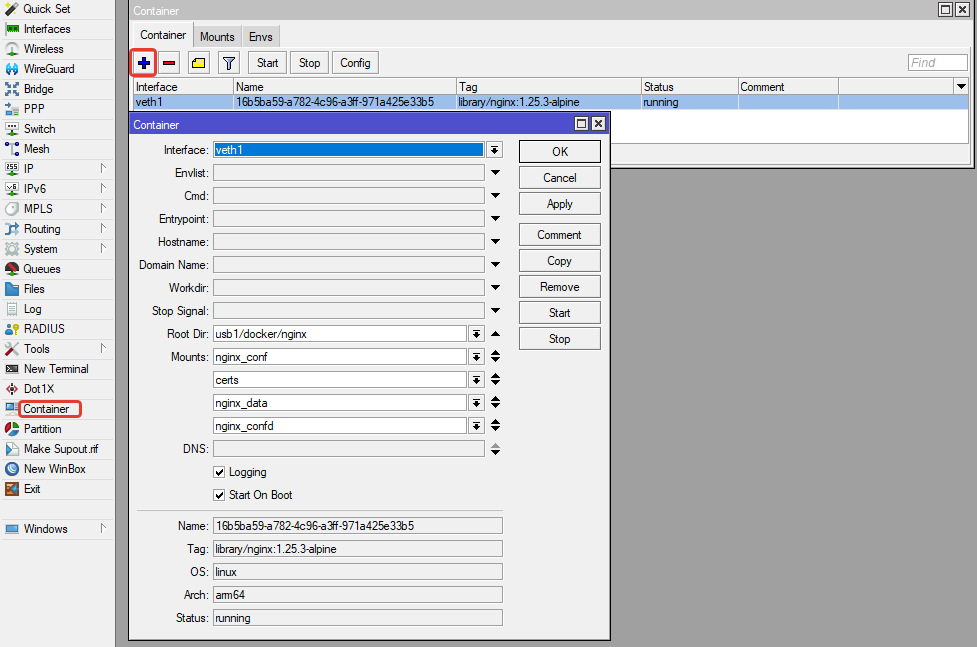
/container/add remote-image=nginx:1.25.3-alpine interface=veth1 root-dir=usb1/docker/nginx mounts=nginx_conf,nginx_confd,nginx_data,certs