
MkDocs Quiz Plugin




A modern MkDocs plugin to create interactive quizzes directly in your markdown documentation. Perfect for educational content, tutorials, and documentation that requires user engagement.
📚 Documentation and examples: https://ewels.github.io/mkdocs-quiz/
Features
- ✨ Simple markdown syntax - Create quizzes using GitHub-flavored markdown checkboxes
- 🎯 Multiple quiz types - Single choice (radio), multiple choice (checkboxes), and fill-in-the-blank
- ⚡ Instant feedback - Visual indicators show correct/incorrect answers
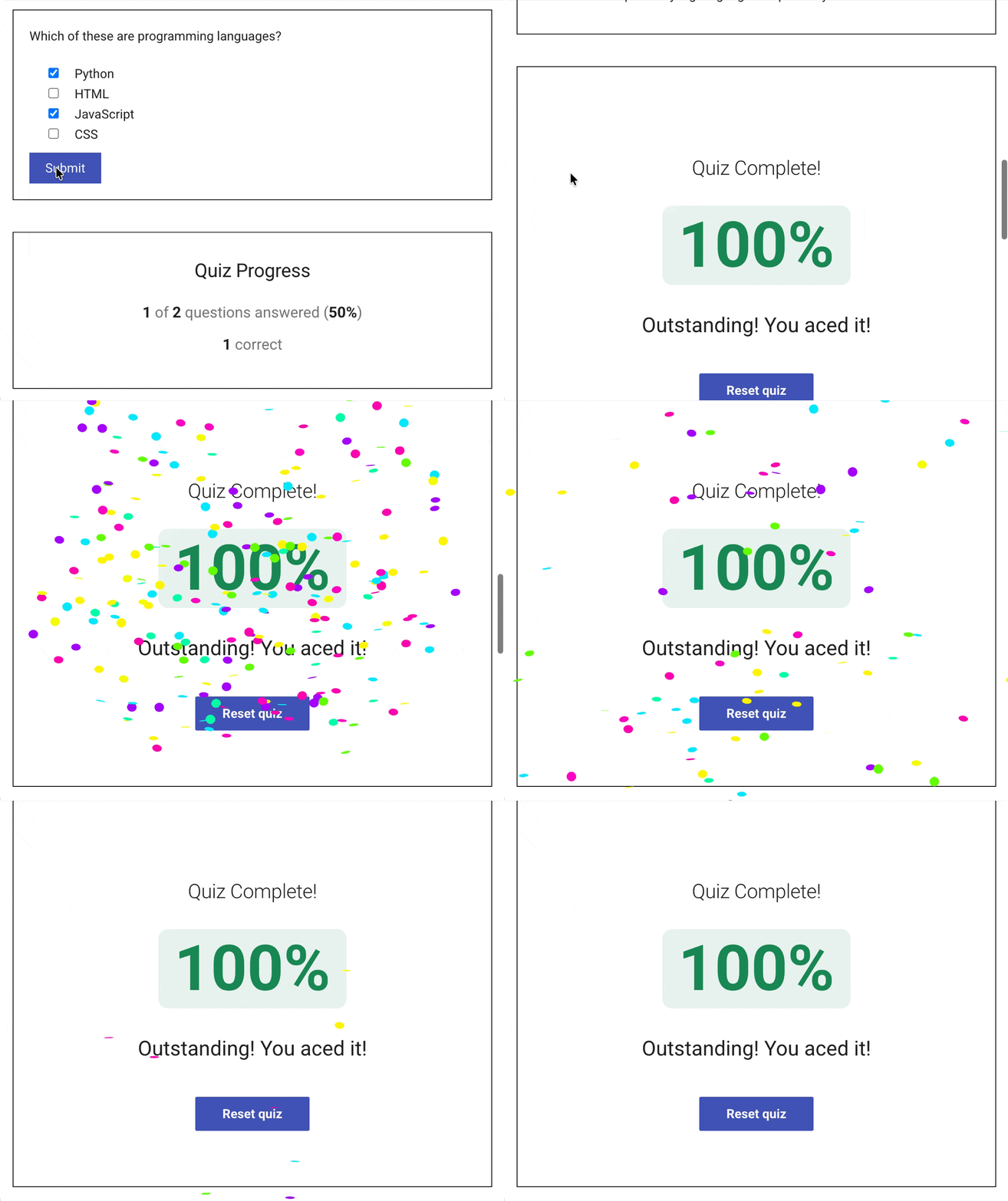
- 📊 Progress tracking - Automatic progress sidebar and results panel, with confetti 🎉
- 💾 Results saved - Answers are saved to the browser's local storage
- 🌐 Internationalization - Quiz elements support multi-lingual sites
- 📤 LMS Export - Export quizzes to QTI format for Canvas, Blackboard, Moodle
- 🖥️ CLI Quiz Runner - Take quizzes in your terminal, from local files or website URLs
[!TIP] Check out the documentation to see the plugin in action.
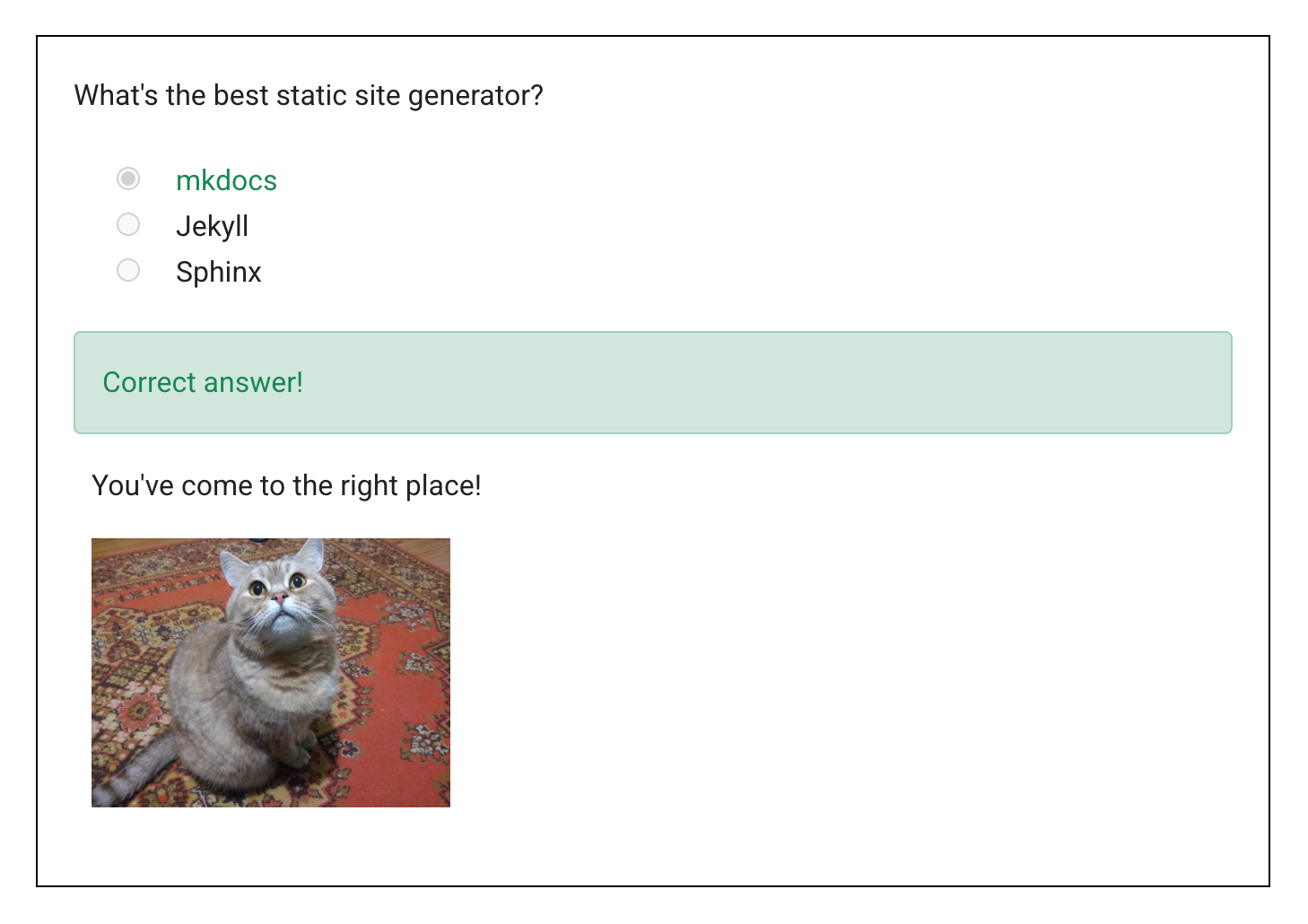
<quiz>
What's the best static site generator?
- [x] mkdocs
- [ ] Jekyll
- [ ] Sphinx
If you entered mkdocs, you've come to the right place!

</quiz>
Installation
Install the package with pip:
pip install mkdocs-quiz
Quick Start
1. Enable the plugin
Add the plugin to your mkdocs.yml:
plugins:
  - mkdocs_quiz
2. Add your first question
Create a quiz with radio buttons (only one correct answer):
<quiz>
What is 2+2?
- [x] 4
- [ ] 3
- [ ] 5

Correct! Basic math is important.
</quiz>
Use - [x] for correct answers and - [ ] for incorrect answers.
If multiple answers are correct, checkboxes instead of radio buttons will be shown (the user has to select all correct answers).
3. Intro text and results
Insert these placeholder comments for some intro text with a reset button and a final results panel (which shoots confetti when you finish):
<!-- mkdocs-quiz intro -->

..quiz content here..

<!-- mkdocs-quiz results -->
CLI Quiz Runner
Take quizzes directly in your terminal:
# Interactive mode - select from discovered quizzes in the current repository
# (you can also use `mkdocs-quiz` instead of `quiz`)
quiz

# Run from a website URL
quiz run https://ewels.github.io/mkdocs-quiz/multiple-choice/

# Run a specific file
mkdocs-quiz run docs/quiz.md

See the CLI Runner documentation for more details.
Contributing
Contributions are welcome! Please see the contribution guidelines for details.
License
This project is licensed under the Apache License 2.0 - see the LICENSE file for details.
Credits
- Original author: Sebastian Jörz
- Rewritten by: Phil Ewels
Changelog
See CHANGELOG.md for version history and changes.