
MMM-RAIN-MAP


A Rain Radar Map based on the Rainviewer API for the MagicMirror² platform.
Click here for the Forum Thread.
Contribution welcome.
Support
If you also like this module and want to thank, please rate this repository with a star or donate a small amount that is worth it to you.
Features
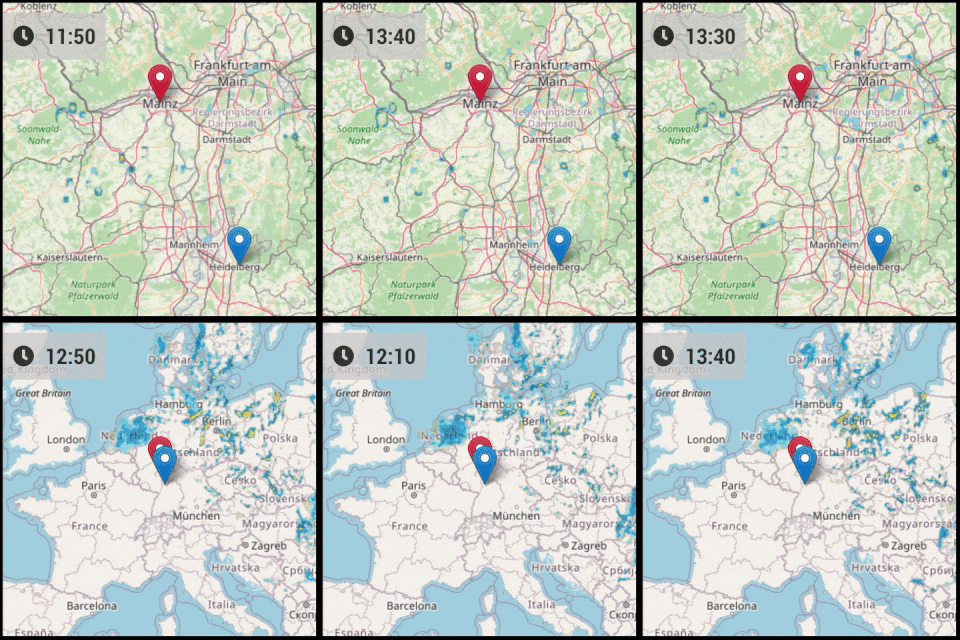
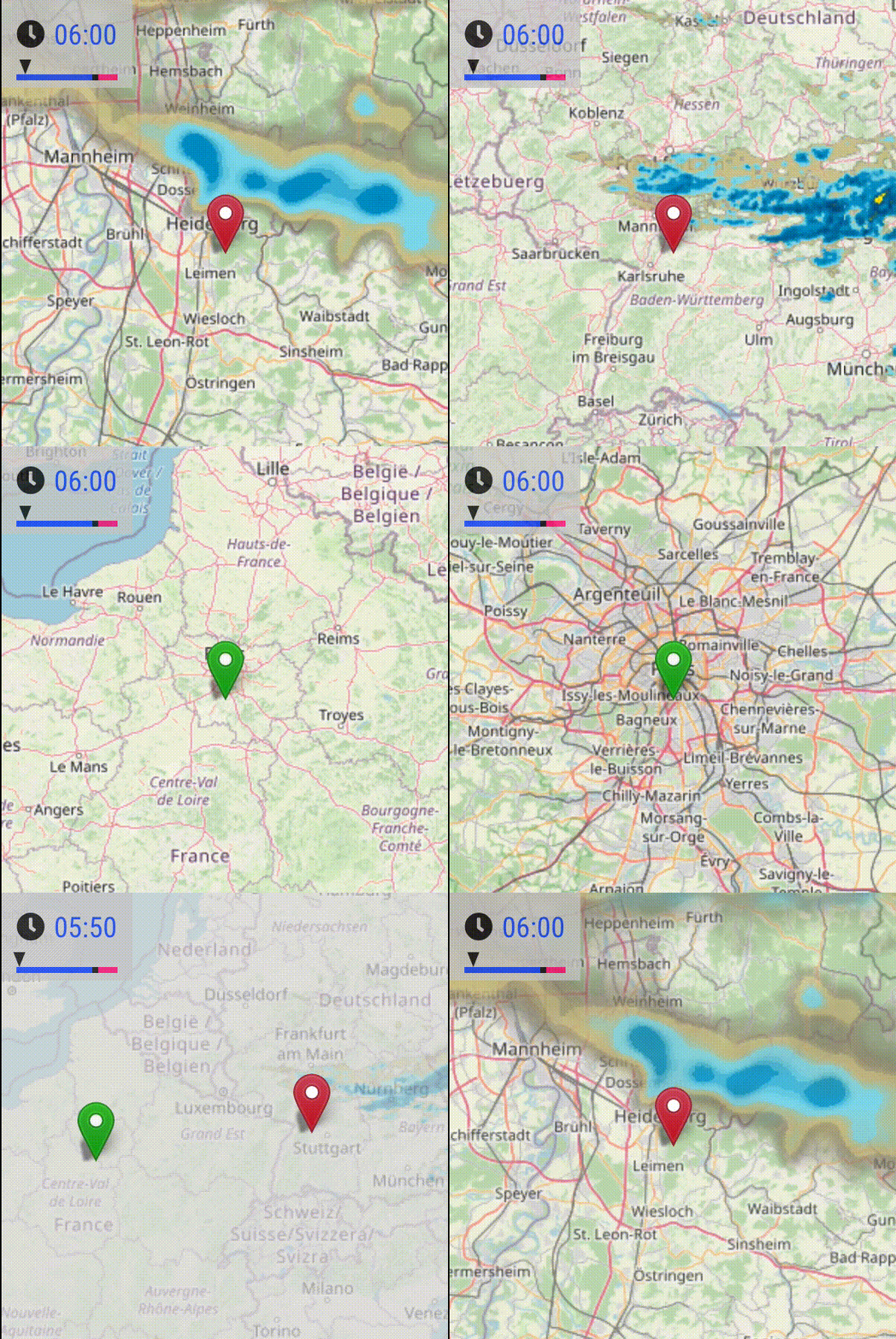
- Displays Rainviewer.com radar layers on OpenStreetMap
- Every 10 minutes a new weather snapshot is published
- The snapshots of the last 2 hours are available, which show the weather events of the past
- Option to place multiple markers on map
- Option for multiple, alternating map positions
- Option to only show in current rainy weather conditions. Works only together with weather or MMM-OpenWeatherForecast as dependency.
- (Experimental) Option to hide other modules in case of rain in favor to get more space.
Demos
Installation
Navigate to the MagicMirror/modules directory and execute the following command
git clone https://github.com/jalibu/MMM-RAIN-MAP
Configuration
Configuration example
Add the module configuration into the MagicMirror/config/config.js file:
    {
      module: "MMM-RAIN-MAP",
      position: "top_left",
      config: {
        animationSpeedMs: 800,
        colorizeTime: true,
        defaultZoomLevel: 6,
        displayTime: true,
        displayTimeline: true,
        displayClockSymbol: true,
        displayHoursBeforeRain: -1,
        extraDelayLastFrameMs: 2000,
        extraDelayCurrentFrameMs: 5000,
        invertColors: false,
        markers: [
          { lat: 49.41, lng: 8.717, color: "red" },
          { lat: 48.856, lng: 2.35, color: "green" }
        ],
        mapPositions: [
          { lat: 49.41, lng: 8.717, zoom: 7, loops: 1 },
          { lat: 49.41, lng: 8.717, zoom: 5, loops: 2 },
          { lat: 48.856, lng: 2.35, zoom: 5, loops: 1 },
          { lat: 48.856, lng: 2.35, zoom: 7, loops: 2 },
          { lat: 49.15, lng: 6.154, zoom: 4, loops: 2 }
        ],
        mapUrl: "https://a.tile.openstreetmap.de/{z}/{x}/{y}.png",
        mapHeight: "420px", // must be a pixel value (no percent)
        mapWidth: "420px", // must be a pixel value (no percent)
        maxHistoryFrames: 6,
        substituteModules: [],
        updateIntervalInSeconds: 600,
      }
    },
Configuration options
| Option | Description |
|---|---|
animationSpeedMs |
Determines how fast the frames are played. Type: int Default value: 800 (time per frame in milliseconds) |
colorizeTime |
Set true, to colorize the timestamps. Type: boolean Default value: true |
colorScheme |
⚠️ RainViewer free API limitation: only color scheme 2 (Universal Blue) is available. Other values are ignored and the module uses 2.Type: number Default value: 2 |
defaultZoomLevel |
Fallback/default zoom value that is used if it is not explicitly set in a MapPostion. Type: intRange: 0 (whole world) - 7 (city level) — limited by RainViewer radar tile APIDefault value: 6 |
displayTime |
Set true, to display the time for each frame. Type: boolean Default value: true |
displayClockSymbol |
Set true, to display a clock symbol as time prefix. Type: boolean Default value: true |
displayTimeline |
Set true, to display a timeline. Type: boolean Default value: true |
displayHoursBeforeRain |
This option allows, to show or hide the map depending on the expected or current weather situation. The allowed values and options depend on your weather module which feeds MMM-RAIN-MAP with weather conditions under the hood. Supported modules and different functionality Basic options, provided by both modules: If set to 0 the map shows up on rain, if set to -1 the map is always displayed.
number Default value: -1 |
extraDelayLastFrameMs |
Add an extra delay to pause the animation on the last frame. Type: int Default value: 1000 (time in milliseconds) |
extraDelayCurrentFrameMs |
Add an extra delay to pause the animation on the frame for the current weather situation. Type: int Default value: 5000 (time in milliseconds) |
invertColors |
Option to invert the colors of the map tiles. Can be used to display the map in a kind of dark mode. Type: boolean Default value: false |
markers |
Optional list of markers on the map. See examples and Markers-Object documentation below for details. Type: array[Marker] Default value: Sample set |
mapPositions |
Required: List of zoom/center positions for the map. See examples and MapPosition-Object documentation below for details. 💡 Tip: You can get the latitude and longitude for your location from the URL bar at openstreetmap.org. Type: array[MapPosition] Default value: Sample set |
mapHeight |
Height of the map. Must be string with pixels and "px" postfix. Percentage values won't work. Type: string (pixels) Default value: '420px' |
mapWidth |
Width of the map. Must be a string with pixels and "px" postfix. Percentage values won't work. Type: string (pixels) Default value: '420px' |
mapUrl |
Option to use an alternative map. In most cases you are fine with the default but you can find more maps here. Type: stringDefault value: 'https://a.tile.openstreetmap.de/{z}/{x}/{y}.png'Official OSM server: 'https://tile.openstreetmap.org/{z}/{x}/{y}.png'Alternative uncolored map: 'https://tiles.wmflabs.org/bw-mapnik/{z}/{x}/{y}.png' |
maxHistoryFrames |
Maximum number of history frames. There is one frame every 10 minutes. Setting this to 6 would show history radar layers of the last hour until now. If set to -1, all available history frames are shown. As of today, the API provides 12 history frames -> 2h. Type: int Default value: 6 (1 hour of history to reduce API load) |
maxForecastFrames |
⚠️ CURRENTLY UNAVAILABLE: RainViewer's free API no longer provides forecast/nowcast data. Type: int Default value: 0 |
substituteModules |
(Experimental) If displayHoursBeforeRain is set to 0 or higher, you can define a list of module names that are hidden in favor of the map. Type: array[string] Default value: [] Example: ['MMM-Jast', 'calendar']Legacy alias: substitudeModules (deprecated) |
timeFormat |
Option to override the MagicMirror's global time format to 12 or 24 for this module. Type: int Default value: [Global Config] or 24 |
updateIntervalInSeconds |
Update interval for fetching new radar frames from the RainViewer.com API. (New frames are released every 10 minutes) Type: int Default value: 600 (10 minutes in seconds to align with API update frequency) |
Update the module
Just enter the module's directory, pull the update and install the dependencies:
cd ~/MagicMirror/modules/MMM-RAIN-MAP
git pull
Marker Object
Markers are visual pin icons placed on the map at specific coordinates. They are purely decorative and do not define the visible map area. A typical use case is marking your home and workplace so you can easily spot them while watching the rain radar.
| Option | Description |
|---|---|
lat |
Required: Marker's latitude. Type: float |
lng |
Required: Marker's longitude. Type: float |
color |
Marker's color. Possible values: 'black','blue','gold','green','grey','orange','red','violet','yellow'Type: string |
MapPosition Object
Map positions define the visible map area — where the map is centered and at what zoom level. The map cycles through all configured positions, staying at each one for the configured number of animation loops.
| Option | Description |
|---|---|
lat |
Required: Position's latitude. Type: float |
lng |
Required: Position's longitude. Type: float |
zoom |
Either set a zoom level or defaultZoomLevel is used. Range: 0 (whole world) - 7 (city level) — limited by RainViewer radar tile APIType: number |
loops |
Number of loops/iterations until the map moves to the next position. If no number is set, a value of 1 is used.Type: number |
Contribution and Development
This module is written in TypeScript and compiled with Rollup.
The source files are located in the /src folder.
Compile target files with node --run build.
Contribution for this module is welcome!
Thanks to
- Thanks to all supporters who gave a small donation out of gratitude for my work.
- All testers for their feedback.
- MMM-RAIN-RADAR by jojoduquartier for inspiration.
License
This project is licensed under the MIT License - see the LICENSE file for details.
Changelog
All notable changes to this project will be documented in the CHANGELOG.md file.