
Modzy - Label Studio Sample Project






This sample project demonstrates how to use Modzy and Label studio to dynamically re-label production inferences using a combination of semi-supervised learning, explainable AI, and human-in-the-loop review. This is a comprehensive and low-lift way to create training data sets from production data that can be used to retrain a machine learning model.
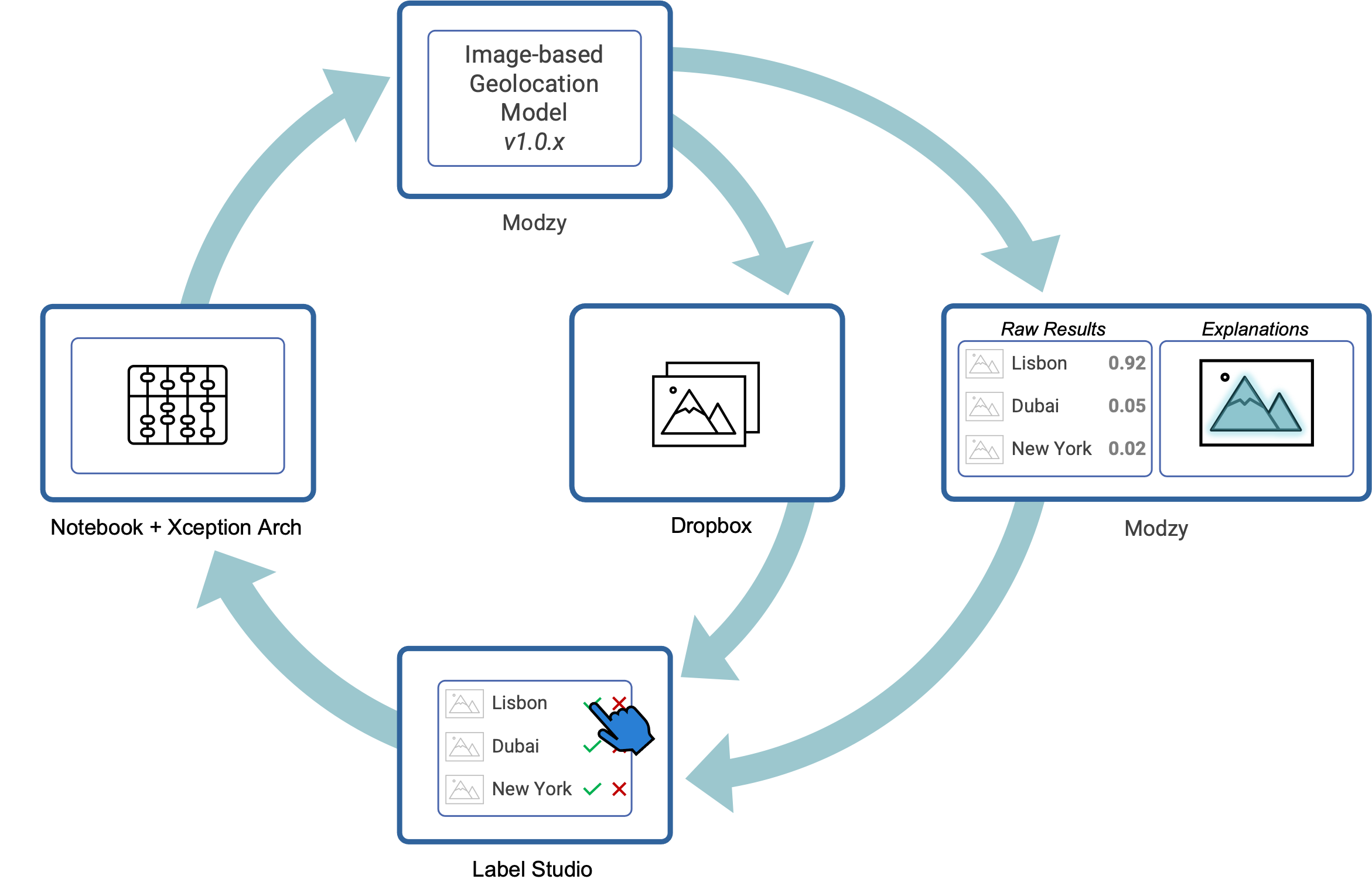
This sample project uses:
 For model inference and explainability
 As a makeshift data lake for storing images
 For labeling production inference results
Installation & Set-Up
Label Studio Set-up
- First, install Label Studio and start it up. Instructions can be found here (installing with PIP was a breeze)
- Once it's running, log in and download your API access token
- Finally, create a project in Label Studio. Then go to "Settings" > "Labeling Interface" and paste in label-classes.html as code
Modzy Set-up
In your instance of Modzy, create a project and then download your project api key.
Dropbox Set-up
- If you don't have one, create a free Dropbox account
- Then, you'll need to create a Dropbox App
- Next, give your app the following permissions:
files.metadata.writefiles.content.writefiles.content.readsharing.write - Finally, generate an access token
Environment Set-Up
Before you can start running the sample images as inferences, you'll need to do the following:
- Clone this repo
- [Optional, but recommended] Create a virtual environment within your project folder and activate it
- Run
$ pip install -r requirements.txtto install all necessary dependencies - Create a copy of .env-sample and rename it to
.env. Then update it to include your API access tokens for Modzy, Dropbox, and Label Studio - Run
$ source .envto load your environment variables - Update the
labelStudioURLvariable in import-annotations.py to the URL of your instance of Label Studio
Usage
Send sample images to Modzy and Dropbox
The next step will send the images in the /images-test folder to a model that executes "Image-based Geolocation" which means that it will try to predict where in the world the image was taken. Then the image will be uploaded to Dropbox.
In your terminal run:
$ python3 inference.py
Run import-annotations.py
Finally, send all predictions generated from Modzy over to Label Studio for review and labeling.
In your terminal run:
$ python3 import-annotations.py