
💰 moneystill – Budget Planner




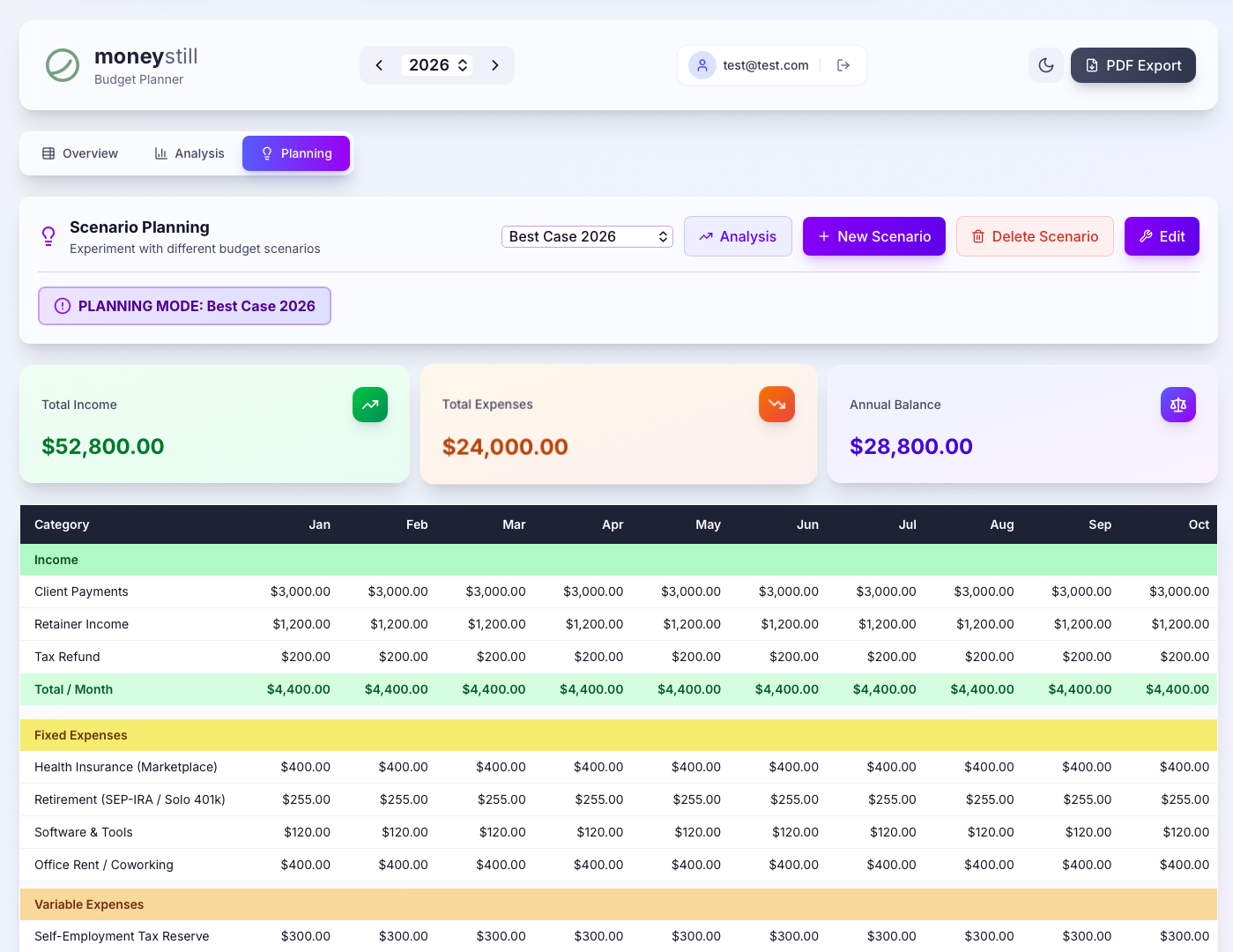
A premium, modern personal budget planning application built with React and PocketBase. Track income, expenses, and savings with elegant monthly breakdowns, scenario planning, rich analytics, and professional PDF exports.
☁️ Managed Hosting
Don't want to deal with servers, Docker, or configuration? We offer a fully managed version of moneystill with automatic backups, updates, and priority support.
🏠 Get started in 30 seconds at moneystill.com
🚀 Features
- Monthly Budget Table – Track income, fixed expenses, and variable expenses across all 12 months
- Scenario Planning – Create "what-if" scenarios to compare against live data
- Rich Analytics – Sankey flow charts, expense distribution, trend analysis, savings rate
- PDF Export – Generate professional reports in US Letter format
- Stripe Subscriptions – Integrated billing with Stripe Checkout and Customer Portal
- OAuth Authentication – Secure login via Google or GitHub
- Onboarding Wizard – Guided setup with 5 US-optimized budget profiles
- Data Portability – Export/import your data as JSON backups
Tech Stack
| Layer | Technology |
|---|---|
| Frontend | React + Vite |
| Backend | PocketBase |
| Payments | Stripe (Checkout + Webhooks) |
| Styling | Tailwind CSS |
| Charts | Chart.js / Recharts |
| jsPDF + html2canvas |
Getting Started
Prerequisites
- Node.js v18+
- PocketBase v0.22+
Local Development
-
Clone the repository:
git clone https://github.com/krisauseu/moneystill.git cd moneystill -
Configure environment:
cp .env.example .env # Edit .env with your actual values -
Start PocketBase:
./pocketbase serve -
Start the frontend:
cd frontend
npm install
npm run dev
Docker Deployment
# Build and start all services
docker compose up -d --build

# Frontend: http://localhost:3000 (or your configured port)
# PocketBase Admin: http://localhost:8090/_/ (or your configured port)
Environment Variables
| Variable | Description | Example / Default |
|---|---|---|
VITE_POCKETBASE_URL |
PocketBase API URL | https://pb.yourdomain.com |
STRIPE_SECRET_KEY |
Stripe secret key | sk_test_... |
STRIPE_PRICE_ID |
Stripe subscription price ID | price_... |
FRONTEND_URL |
Public frontend URL (for redirects) | https://app.yourdomain.com |
PORT |
Local port for the frontend service | 3000 (Default) |
Project Structure
moneystill/
├── frontend/           # React + Vite frontend
│   ├── src/
│   │   ├── components/ # UI components
│   │   ├── data/       # Onboarding profiles
│   │   ├── utils/      # PDF generation, data mapping
│   │   ├── api/        # PocketBase API layer
│   │   ├── context/    # Auth & Theme providers
│   │   └── lib/        # PocketBase client
│   ├── Dockerfile
│   └── package.json
├── pb_hooks/           # PocketBase hooks (Stripe integration)
├── docker-compose.yml  # Multi-service Docker setup
├── .env.example        # Environment variable template
└── README.md
OAuth Integration Setup
To enable Google or GitHub login:
- Go to the PocketBase Admin UI -> Settings -> Auth providers.
- Select Google or GitHub.
- Enter the Client ID and Client Secret obtained from the respective developer consoles.
- Activate the provider.
Stripe Integration Setup
- Create a Stripe account and get your Secret Key from the Dashboard.
- Create a Product in Stripe for the subscription.
- Create a Price for that product and copy the Price ID (starts with
price_...). - Configure Webhooks (for production):
- Set the webhook endpoint to
https://pb.yourdomain.com/api/stripe-webhook. - Ensure the PocketBase instance is publicly accessible.
- Set the webhook endpoint to
License
AGPL-3.0-only – See LICENSE for details.