
MonoPix
Turn Fake Pixel Art Real
Fast, free, and runs in your browser. No server, no account.


Try It Now
Snap — Turn Fake Pixel Art into Real Pixel Art
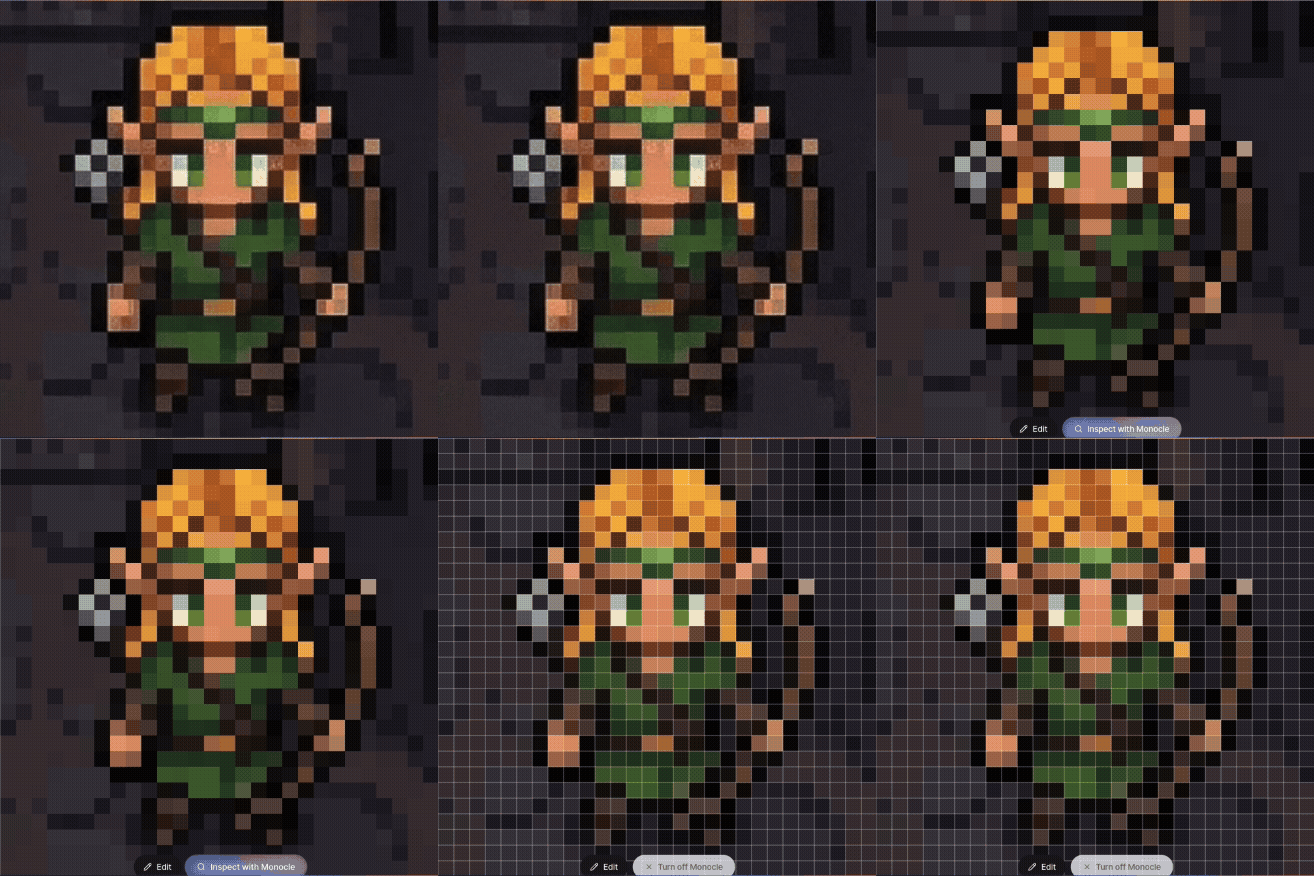
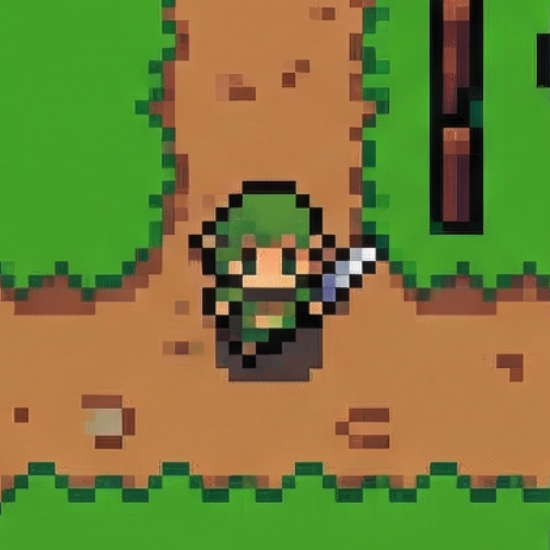
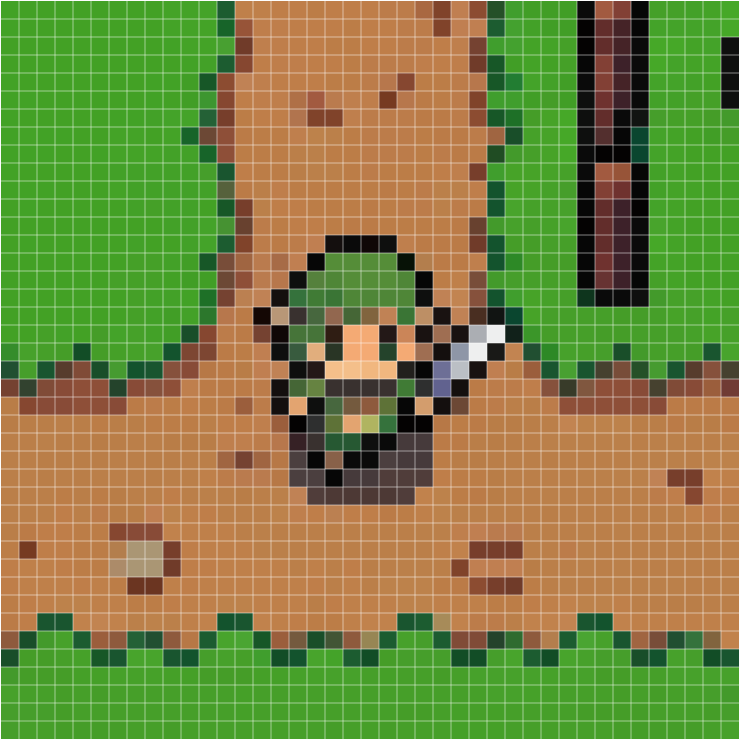
Most AI-generated pixel art is fake — blurry edges, anti-aliased borders, misaligned grids. It looks like pixel art but every cell has slightly different sizes and mixed colors.
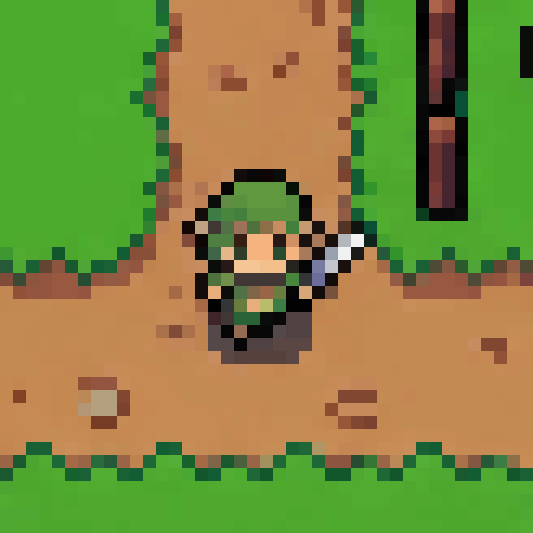
Snap fixes all of that. It auto-detects the original pixel grid, rebuilds every cell with a single clean color, and outputs a perfectly uniform grid. Transparency is fully preserved.
No resolution to set. No manual alignment. Just drop the image and hit convert.
| Before (blurry, misaligned) | After (clean, uniform) | After + Grid overlay |
|---|---|---|
 |
 |
 |
Powered by fast-pixelizer — our open-source pixel art engine.
Input quality note
ChatGPT-generated "pixel art" is often a poor Snap input. It may look pixelated, but the source image itself frequently contains uneven cell widths, uneven cell heights, soft edges, and off-axis boundaries before repair even starts. Snap can regularize that output, but it cannot guarantee perfect recovery when the original lattice was already inconsistent.
If you are generating new images specifically for Snap, we recommend Nano Banana or any workflow that preserves a true square low-resolution grid from the start.
Clean & Detail — Generate Pixel Art from Any Image
| Original | Clean | Detail |
|---|---|---|
 |
 |
 |
Clean — most frequent color per cell. Sharp, graphic edges.
Detail — average color per cell. Smoother gradients, more texture.
Features
- Snap — auto-detect pixel grid in AI art, rebuild with perfect alignment. Transparency preserved
- Clean / Detail — convert any image to pixel art, 8×8 to 256×256
- Crop — 1:1 editor with drag & zoom
- Compare — before / after / split views + Monocle magnifier for snap results
- Download — PNG export, original size or resized
- History — last 10 results saved locally
- Dark mode — full dark mode support
- i18n — English, Korean, Japanese, Chinese, Spanish
All processing runs in a Web Worker. Nothing leaves your device.
Getting Started
Requirements: Node.js 18+
git clone https://github.com/handsupmin/mono-pix.git
cd mono-pix
npm install
npm run dev
Open http://localhost:5173.
Scripts
| Command | Description |
|---|---|
npm run dev |
Start development server |
npm run build |
Production build |
npm run preview |
Preview production build |
npm run lint |
Run ESLint |
npm run lint:fix |
Auto-fix lint errors |
npm run format |
Format with Prettier |
Stack
React 19 · TypeScript 5.9 · Vite · Tailwind CSS v4 · shadcn/ui · Zustand · fast-pixelizer · Dexie.js · react-easy-crop · react-i18next
Contributing
Contributions are welcome! Fork the repo, create a branch, and open a PR.
npm run lint:fix   # fix lint errors
npm run format     # format code
npm run build      # verify build passes
Support
If you like MonoPix, consider buying me a coffee!

License
MIT