



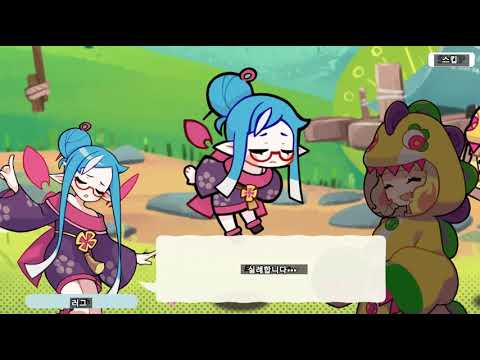
Sample video
MORT
MORT is a program that extracts dialogs from the screen in real time using OCR and outputs a translations using DB or machine translation.
Currently, English and Japanese translation/extraction can be extracted by default, and it can also be translated by linking with a hooking program using the save to clipboard function.
[Latest version download and release notes - https://blog.naver.com/killkimno/70179867557]
Features
- Realtime translate
- OCR - TesseractOCR , Windows OCR, Google Cloud Vision OCR, Snipping Tool OCR, Easy OCR
- Machine translation - Naver Papago, Google Web, Google Sheet, ezTrans, DeepL
- Language Patch with using DB
- Multiple OCR areas
- Img adjust
System Requirement
- Windows 10 or higer
- 64bit os
- .NET 9 or higer
- Visual Studio 2022 Visual C++ (x64) - vcredist_x64.exe
How to use
Basic usage
- After setting in the quick settings, press Trnaselate on the remote control to start translation
- Or Preferences tab -> Set the OCR language according to the language of the game to be translated
- Remote control -> Click Search and select the area where the lines appear
- Click Apply on MORT main form
- Remote control -> Real-time translation by pressing Translate
User Manual
Custom usage
Add translation result language code
You can add Google Translator language code in the UserData/UserTransCode.txt file
code, name
(ex : it, Italian)
A list of language codes can be found here: https://cloud.google.com/translate/docs/languages?hl=en
Custom API usage
- You can use a custom API based on HTTP
- Translation Type -> Custom API
- Advanced Settings -> Custom API URL Settings
POST Rule
name - string
text - string - ocr string
target - string - translation result language code
source - string - ocr language code

ex
{
"name" : "test",
"text" : "tank divsion" ,
"target" : "ko",
"source" : "en"
...
}


Reponse Rule
result - string - translation result text
errorCode - string - error code
errorMessage - string - error message

ex
{
"result" : "탱크 사단",
"errorMessage" : "",
"errorCode" : "0"
}
- Example1 - Using LibreTranslate
-
Translator address to use as an example
-
sample code
- https://github.com/CommitComedian/LT_Mort
- Thank you @CommitComedian for creating the sample!
Example2 - Using NLLB
-
Translator address to use as an example
-
sample code
- https://github.com/TUVup/NLLB_serveMORTapi
- Thank you @TUVup for creating the sample!
FAQ
Can i use FullScreen Mode?
- No you can't use it in fullscreen games, please use windowed mode, borderless windowed mode instead
I'm using 32-bit Windows. Can I use MORT?
- Use 32bit version MORT
- https://blog.naver.com/killkimno/222936631523
I'm using 64-bit Windows. But Can't run with this error 0x8007045A.
- CPU must Support AVX2. If Your CPU not support AVX2, Use 32bit version MORT instead
- https://blog.naver.com/killkimno/222936631523
Develop the project
Development environment
- Visaul Studio 2019 or higer
- Tesseract OCR 5.2.0
- NHocr 0.21
Create a build and run environment
- Set the project to Release mode. Set the target CPU to X64.
- Build the project first
- Can't run after build. The reason is that there are no essential files required for run
- Unzip the latest build files into the release folder to get the required files
- MORT_CORE.DLL , nhocr.DLL To modify This dll, please refer to the related projects below
Related Project
-
MORT Core - MORT_CORE_DLL
-
MORT NHocr - nhocr.DLL
